
create-mcp-server-app
v0.1.9
Published
Quickly create MCP server app
Downloads
84

Maintainers
 boguan
Readme
create-mcp-server-app
A CLI tool to quickly scaffold a Model Context Protocol (MCP) server application.
Features
- 🚀 Quick setup of MCP server applications
- 📦 Built-in TypeScript support
- 🔧 Modern development tooling
- 📝 Well-structured project boilerplate
- 🎯 Easy to extend and customize
Quick Start
# Using npm
npx create-mcp-server-app@latest

# Using pnpm
pnpm create mcp-server-app@latest

# Using yarn
yarn create mcp-server-app

# Using bun
bun create mcp-server-app@latest
It will create a directory inside the current folder.
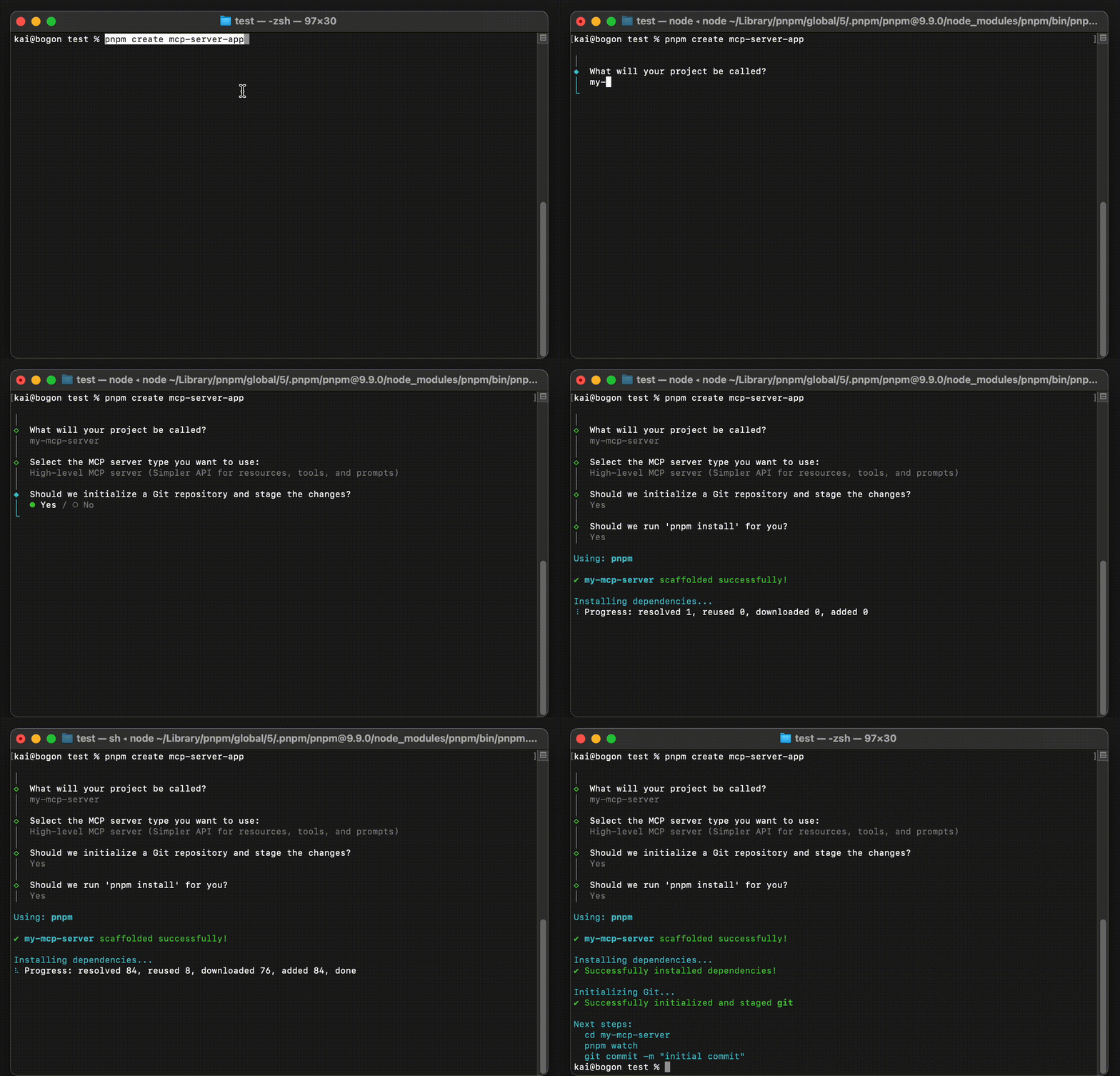
Advanced Usage
The following advanced options are available when creating a project:
| Option/Flag | Description | |------------|-------------| | [dir] | Specify a directory name for the project | | --noGit | Explicitly tell the CLI to not initialize a new git repository in the project | | -y, --default | Skip the CLI prompts and bootstrap a new app with all default options | | --noInstall | Generate project without installing dependencies |
Example usage:
# Create a project with a specific directory name
pnpm create mcp-server-app@latest my-server-app

# Create a project without git initialization
pnpm create mcp-server-app@latest --noGit

# Create a project with default options
pnpm create mcp-server-app@latest -y

# Create a project without installing dependencies
pnpm create mcp-server-app@latest --noInstall
Requirements
- Node.js >= 18.17.0
- npm, pnpm, or yarn
Project Structure
my-mcp-server/
├── src/
│   ├── index.ts          # Main entry point
│   ├── server/
│       ├── server.ts     # Core server setup
│       ├── resources.ts  # Resource-related handlers
│       └── tools.ts      # Tool-related handlers
├── package.json
├── tsconfig.json
└── README.md             # MCP server development guide
MCP Server Development Guide
For detailed instructions on how to develop and test your MCP server, including:
- Server setup and configuration
- MCP tool execution flow
- Testing with Cursor IDE and Claude Desktop
- Real-world examples
Please refer to our detailed development guide.
Development
# Install dependencies
pnpm install

# Start TypeScript compiler in watch mode
pnpm watch

# Build for production
pnpm build
License
MIT
Author
Boguan [email protected]
Acknowledgments
This project is based on the Model Context Protocol TypeScript SDK.