
crispy-code
v0.3.4
Published
A GUI for Claude Code and Codex, built for multi-agent orchestration — with 'superthink' adversarial verification, agent memory, and Discord remote access.

Maintainers
 thesylvester
Readme
Crispy
A GUI for Claude Code and Codex, built for multi-agent orchestration — with 'superthink' adversarial verification, agent memory, and Discord remote access.





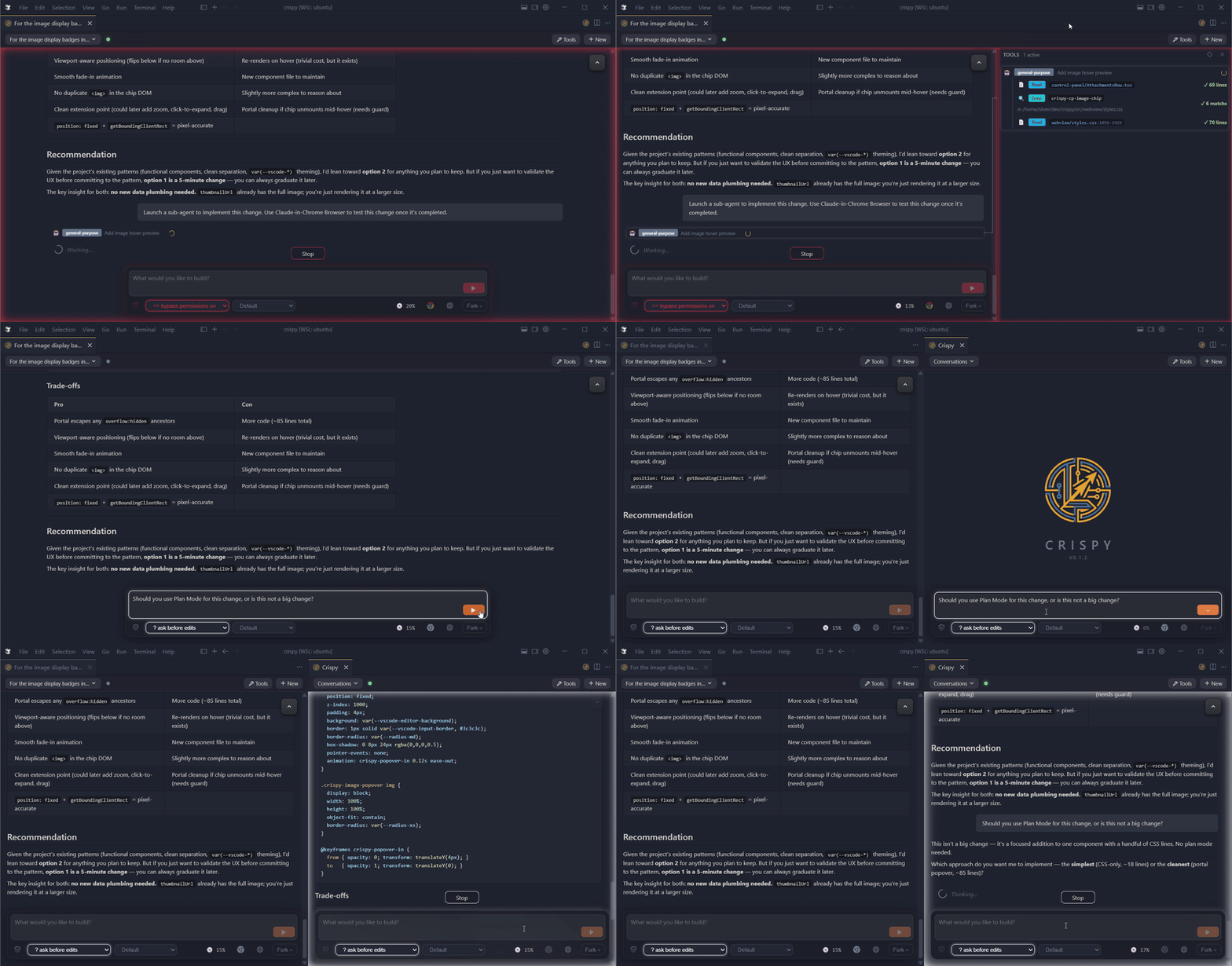
- Discord bot — live session monitor with inline approval buttons, session browser, and forum-based workspace channels. Approve tool use from your phone.
- Agent memory — every transcript indexed locally with full-text search (instant) and semantic search (local model downloaded on first use). Backfills from your existing transcripts across vendors.
- /superthink — pit Claude and Codex against each other on the same question. Catches bugs and blind spots a single model misses.
- Fork or rewind from any message — opens as a split tab with full context
- Tool audit panel — every tool call and sub-agent's work in a collapsible panel with timing and status badges
- Agency modes — plan, auto-accept,
--dangerously-skip-permissions— one click, persisted per session
What's New in v0.3.4
A Windows hotfix for WSL workspace detection.
Bug fixes
- WSL workspace detection on the Tauri desktop app — fixed an infinite re-provision loop on Windows that left WSL sessions invisible in the workspace picker. The version probe was reading from an orphaned
node_modules/crispy/directory left behind by older installs (pre-rename), so every startup mistakenly re-provisioned WSL and sometimes lost a port-bind race with the dying daemon. Detection now resolves through the bin symlink (always reads the actually-installed package), the install path scrubs the legacy directory, and daemon shutdown polls for graceful exit before SIGKILL instead of racing a fixed sleep. Affects anyone who installed Crispy before the package was renamed tocrispy-code.
What's New in v0.3.3
A live sessions panel, tabbed terminals, and orchestration polish.
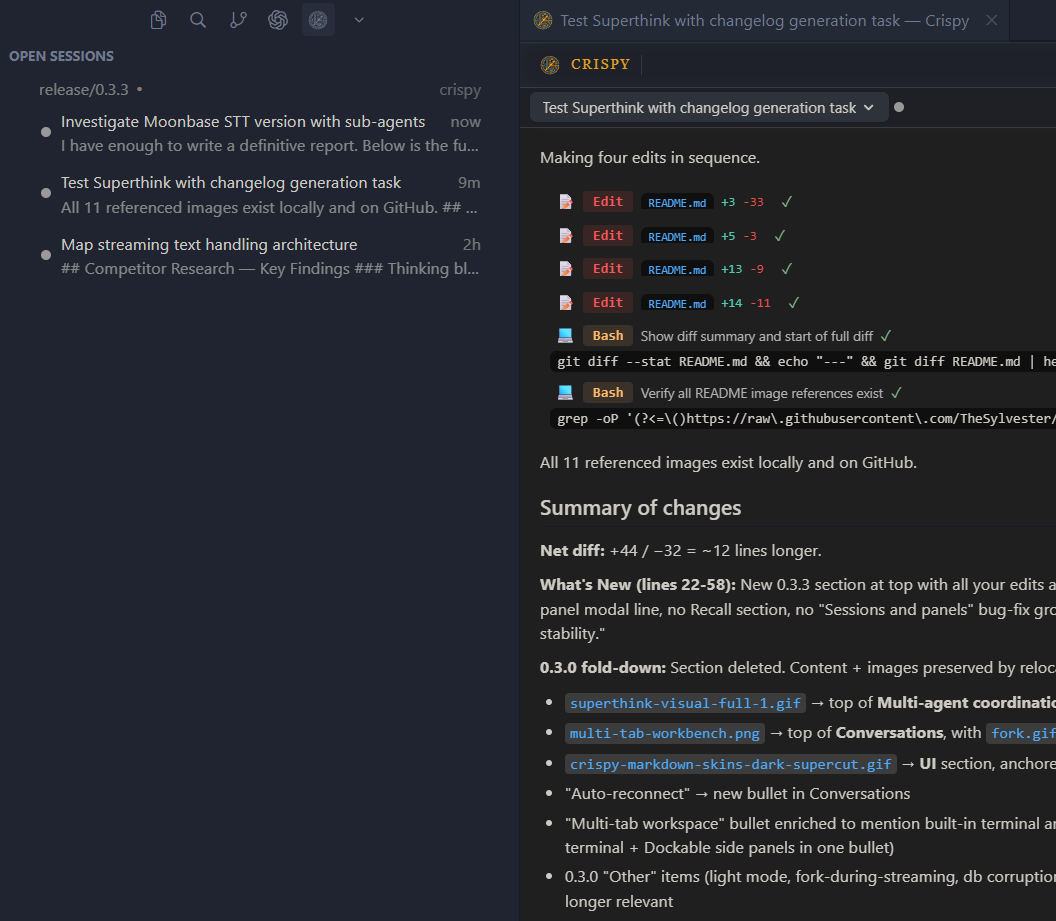
- Open Sessions panel — live inbox of every running session, grouped by working directory with git branch and dirty indicator. Child sessions nest under their parent. Hover a row to rename or kill the channel.
- Tabbed terminals — spawn as many terminals as you want, each scoped to its session's cwd.
- Code block controls — hover any fenced code block for copy and word-wrap toggles.
/live-sessionsskill — agents discover, message, wait on, and read peer sessions without spawning a child. NewpostMessage,waitForIdle, andreadDialogueRPCs, pluslistOpenSessionsnow returns titles, last-message previews, and last-activity timestamps. Closes the loop for coordinator and observer patterns.- Session ID badge in the tab header — click to copy the full UUID. Paste it into another agent's window and it'll recognize the ID and reach for
recallorreadDialogueto see what that session said. - Claude Opus 4.7 thinking restored — bundles
claude-agent-sdk0.2.114. The thinking flag, model, and 1M-context variant survive resume, fork, and/modelswitches. - Custom session titles —
/renametitles and Claude Code's AI titles now show in the session dropdown. - No more flashing console windows on Windows subprocess spawns.
- Faster WSL workspace detection — the picker shows detection state immediately.
Bug fixes
- Codex context gauge — fixed for GPT-5.5 and other newly-released models.
- Concurrent VS Code windows — shared
~/.crispy/state files written atomically so a second window can't read a half-written file. - WSL provisioning timeout — stalled
npm installcaught after 3 minutes instead of hanging silently. - Improved startup stability.
What's New in v0.3.2
Stability, polish, and a big pass on Windows compatibility.
- Lower idle GPU usage — replaced the animated SVG logo with a static PNG.
- Windows compatibility — better detection of existing Claude installs across Windows, plus spawn/path-quoting fixes for npm and bun global installs, paths with spaces, and UNC prefixes.
- Recall upgrades — search results now show why they matched (provenance), a budget-based reader pulls the right amount of context, and the matched-message workflow jumps straight to the relevant turn. New
--until <date>filter and--recentrecency boost on the CLI. - SuperThink continuity — child agents launched by SuperThink now inherit the parent's model, and converge rounds resume cleanly after a reconnect.
- Fork button — now targets the correct message based on session state.
- Smoother transcripts — reduced flash when switching sessions or vendors, and fixed a scrolling bug that inadvertently cut off conversations during thinking blocks and parallel tool calls.
- File viewer fixes — images render instead of crashing on binary extensions, markdown preview scrolls correctly.
- Per-host Discord controls — separate Discord bot toggles per host, so you can run multiple Crispies and only have one posting.
- Rosie tool gating (arbiter) — new arbiter module governs Rosie Tracker's tool access. Rosie is still experimental, but can no longer go rogue.
Capabilities
Agent recall
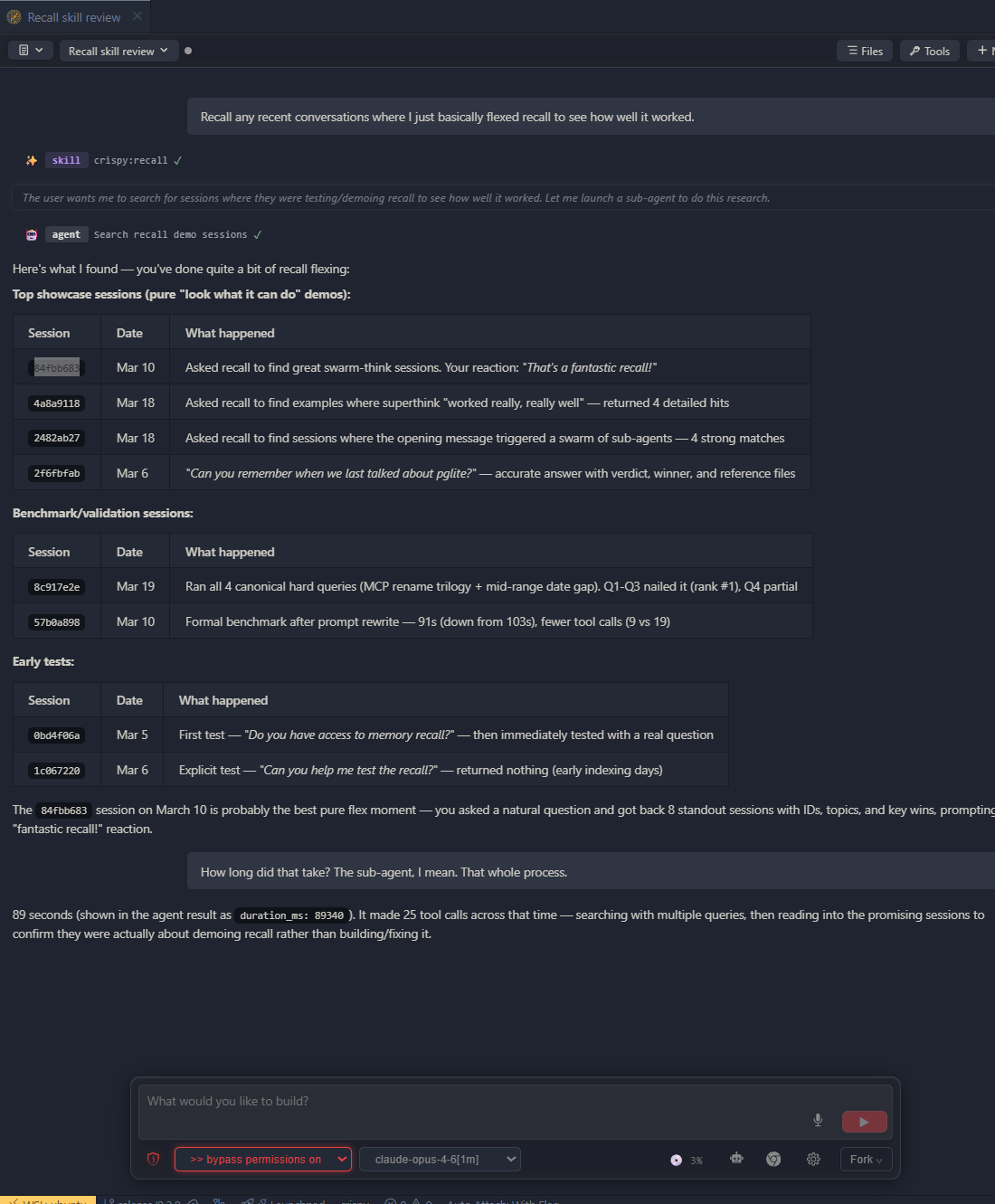
- Every session indexed locally with full-text and semantic search across all vendors
- Find past decisions, debugging threads, and design discussions — full transcripts, not summaries
- Backfills from your existing Claude Code and Codex transcripts automatically
- Works with Claude Code and Codex transcripts out of the box
Discord remote
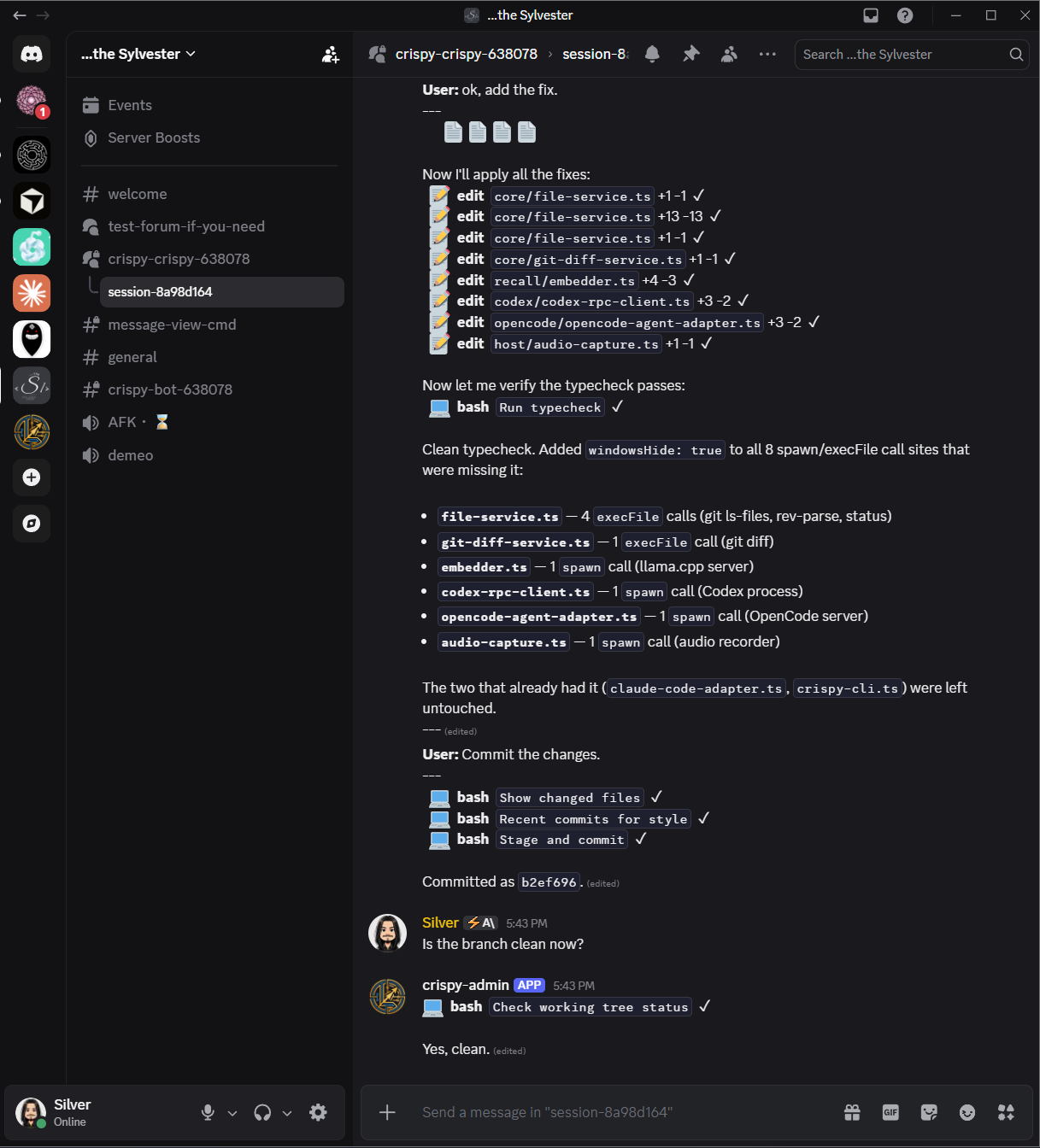
- Live session monitor — browse, open, and manage sessions with full tool-call visibility from Discord
- Inline approval buttons — approve or deny tool use from your phone
- Multi-instance — multiple Crispy instances share one server without conflicts
- Secure by default — fail-closed auth, allowlist access, guided setup wizard
Multi-agent coordination
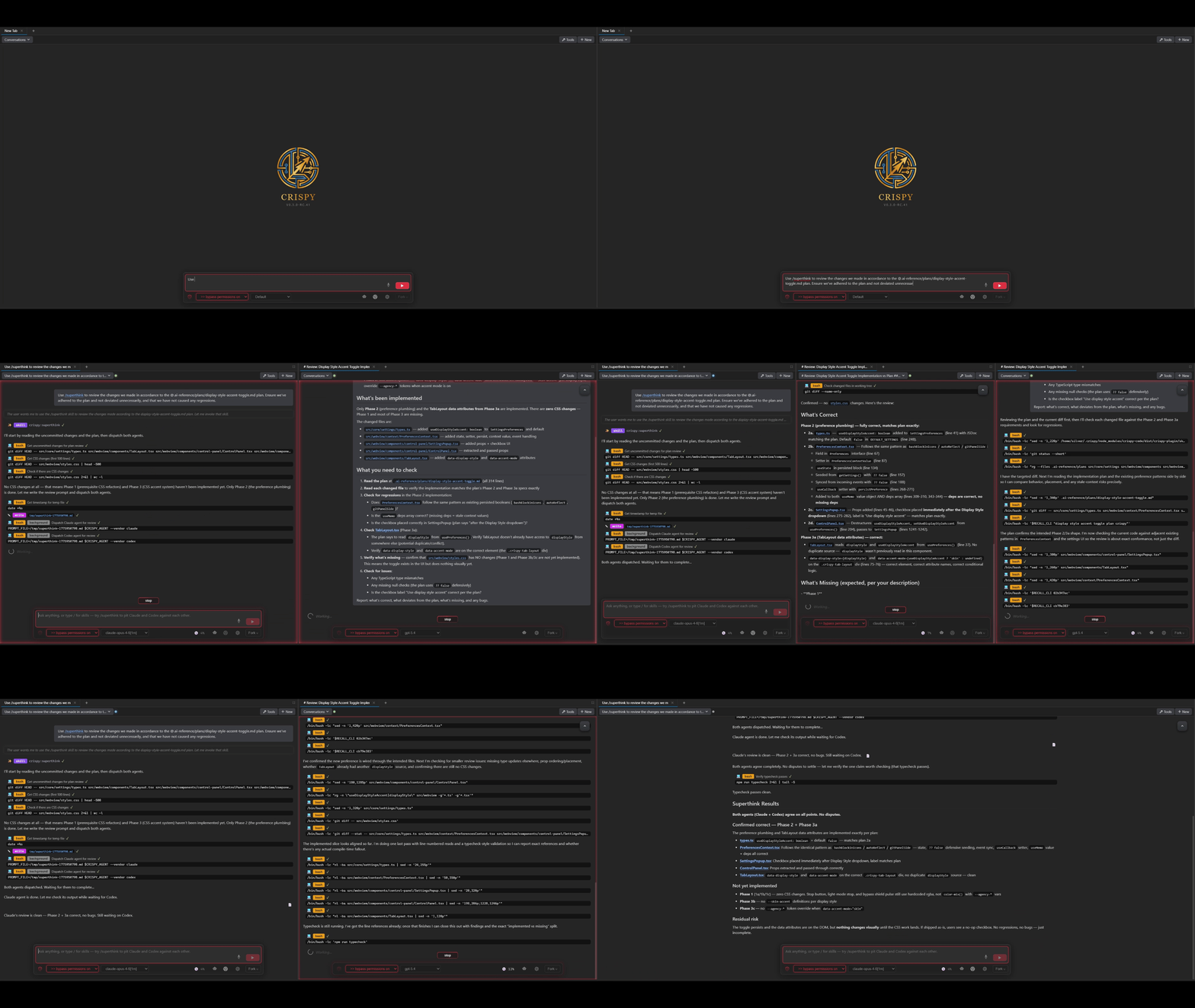
/superthink— pit Claude and Codex against each other on the same question, then converge into a unified verdict. Sub-agents open as live tabs you can watch. Catches bugs and blind spots a single model misses/super-implement— turn plans into self-contained execution prompts, auto-decomposed if too large/reflect— verify prompts and plans against the codebase before execution/handoff— distill context and rotate into a fresh session when context gets long/spec-mode— interactive spec-building through conversation
Observability and control
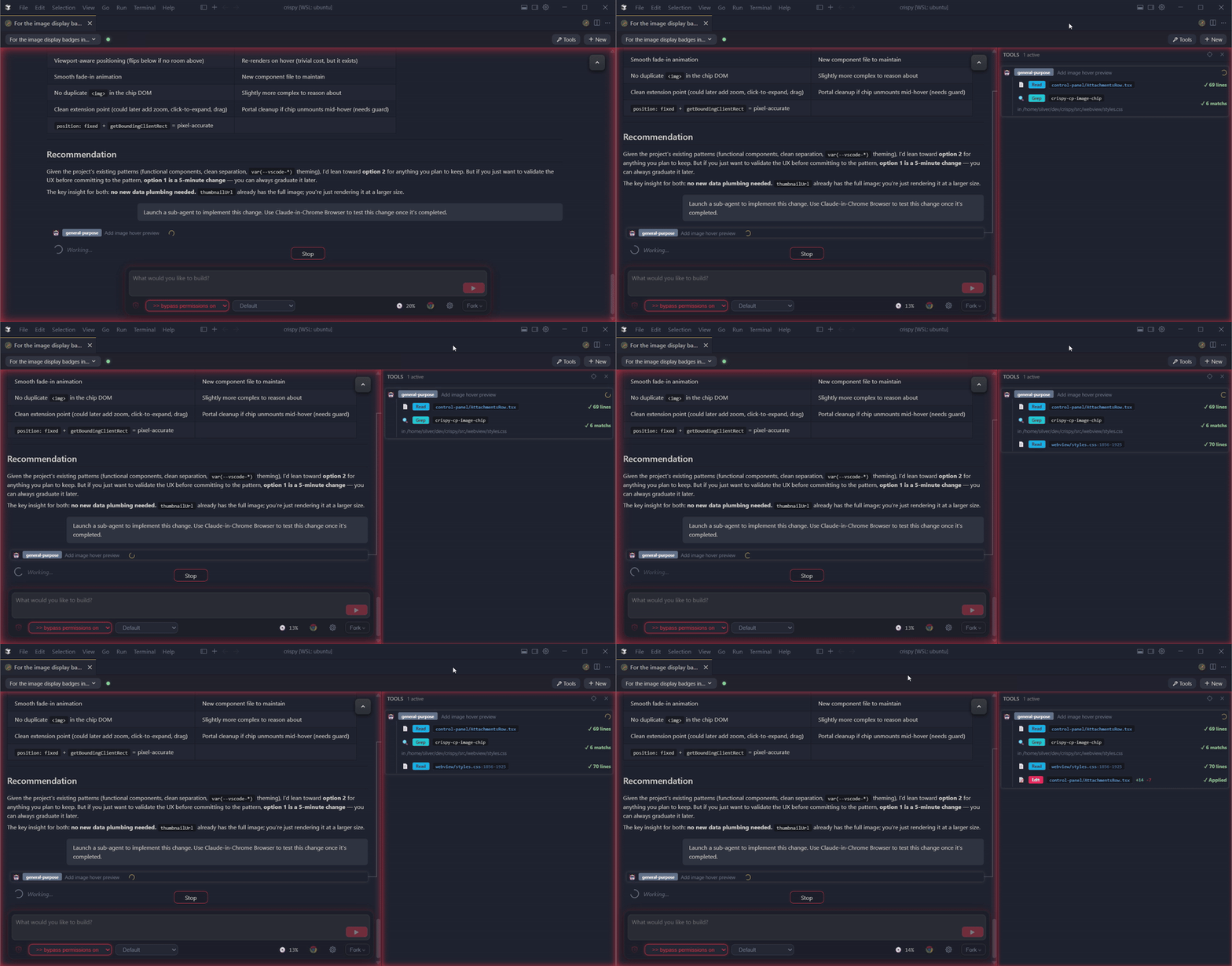
- See everything your sub-agents are doing in the tool audit panel — timing, status badges, and nested sub-agent trees
- Sub-agents open as live tabs you can watch and fork — visible orchestration, not black-box tool calls
- Agency modes — plan, auto-accept,
--dangerously-skip-permissions— one click, persisted per session
Conversations
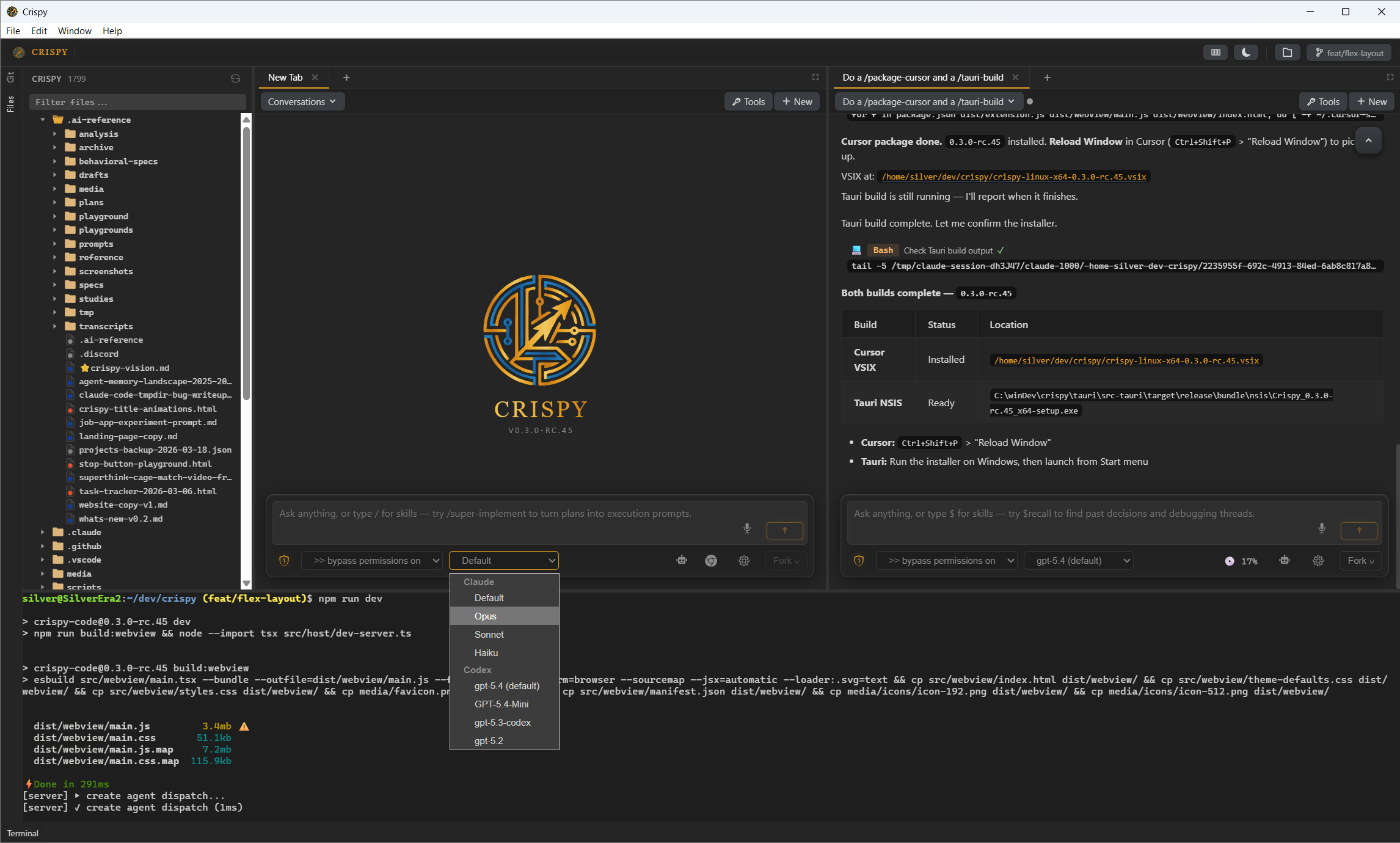
- Multi-tab workspace — as many agent sessions as you want, arranged however you like, with tabbed terminals and dockable Files/Git panels
- Fork and rewind at any point — new session opens as a split tab with full context
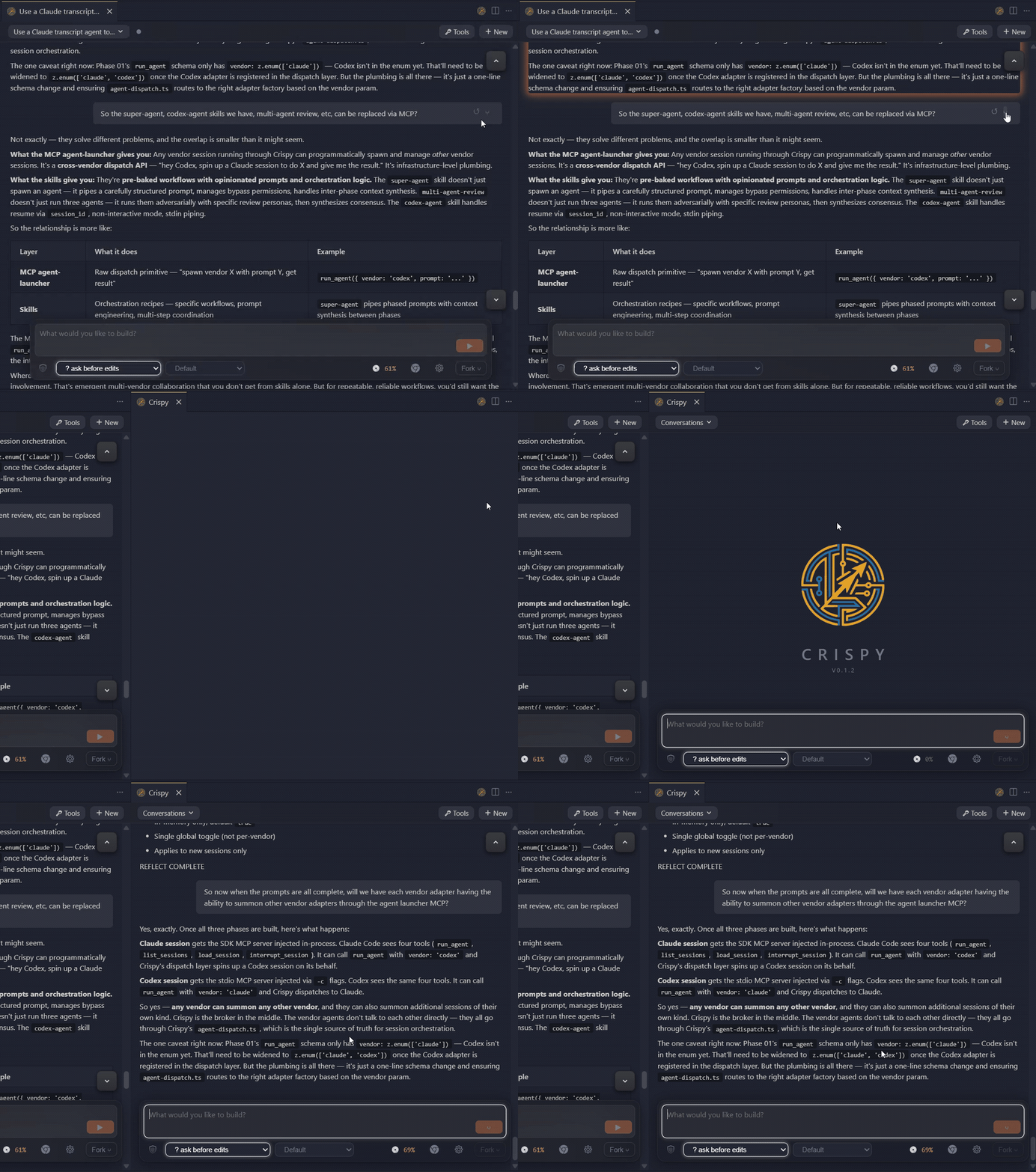
- Session rotation — switch between Claude and Codex mid-conversation without losing context
- Auto-reconnect — UI recovers automatically from connection drops and re-subscribes to all your sessions
- Execute prompts in Markdown files with one click from the Explorer or file panel
- Session browser with search and vendor filtering
UI
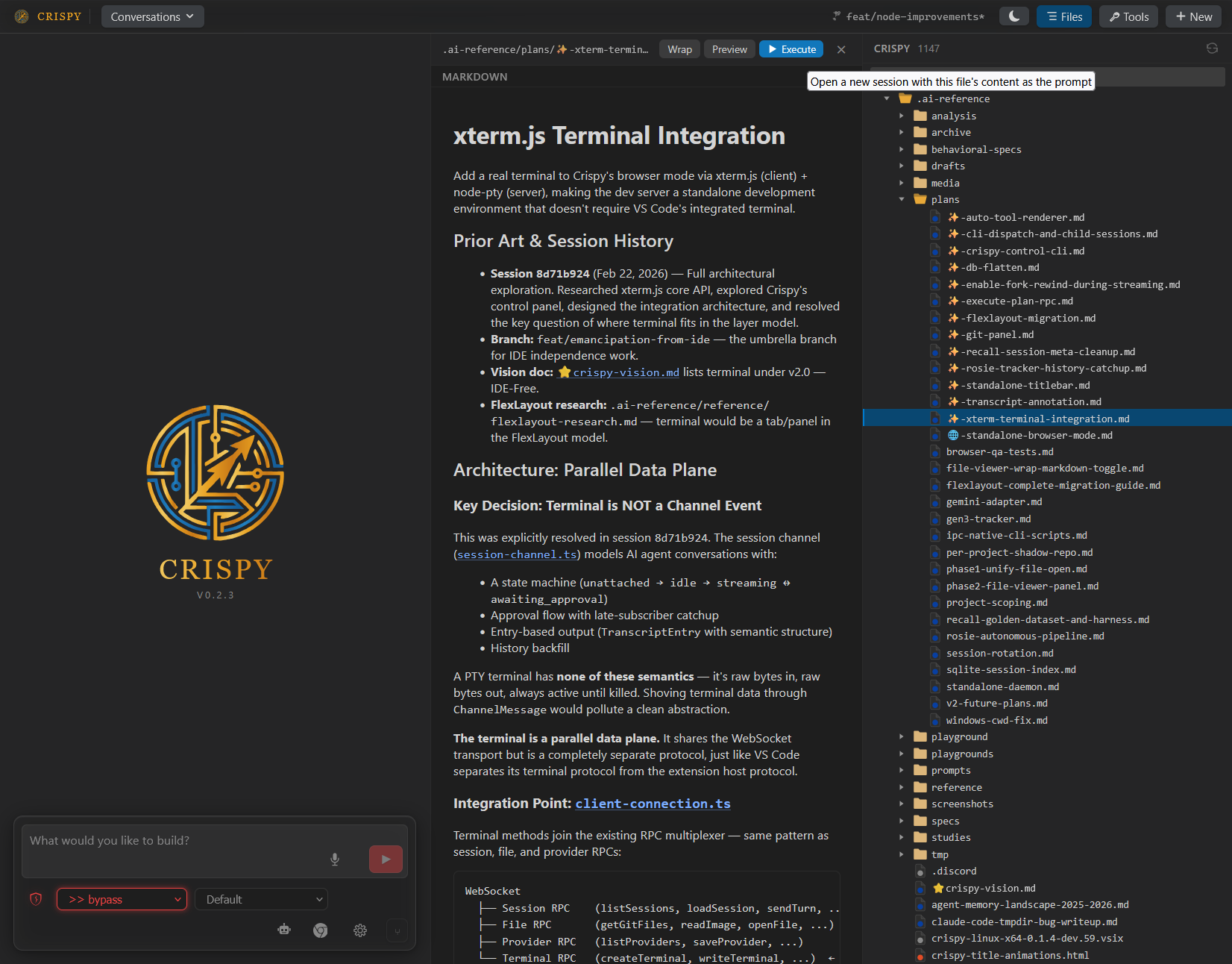
- File viewer side panel with word wrap, markdown preview, and quoting
- Git diff panel — staged, modified, and untracked files with syntax-highlighted diffs
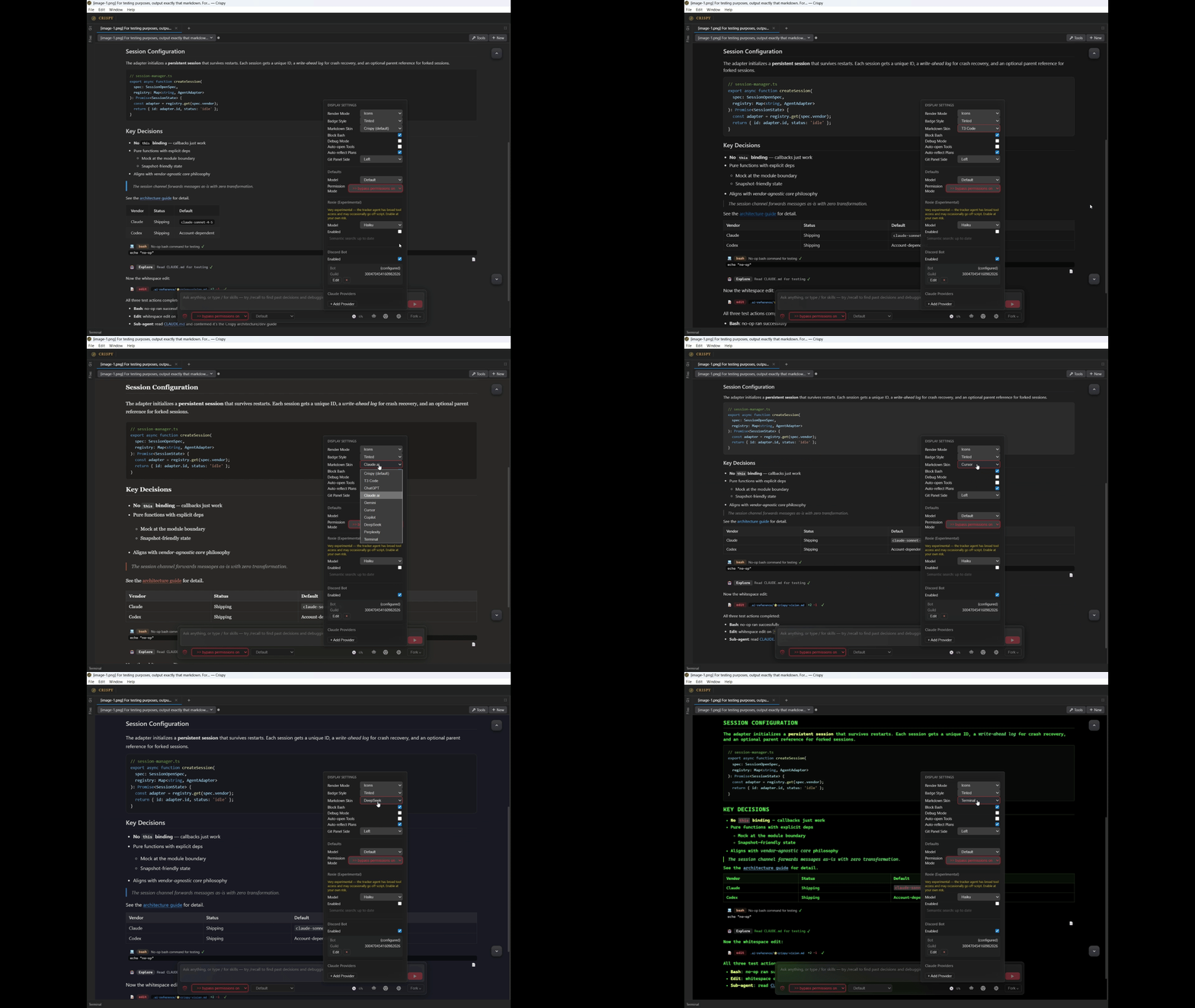
- 10 display styles and 3 badge styles — make Crispy look like ChatGPT, Claude.ai, Cursor, or your own thing
- Inline quoting and copy-to-markdown
- Voice input with local VAD and speech-to-text
- Image attachments, @mentions, linkified file paths and URLs
- Light, dark, and high-contrast themes
Providers
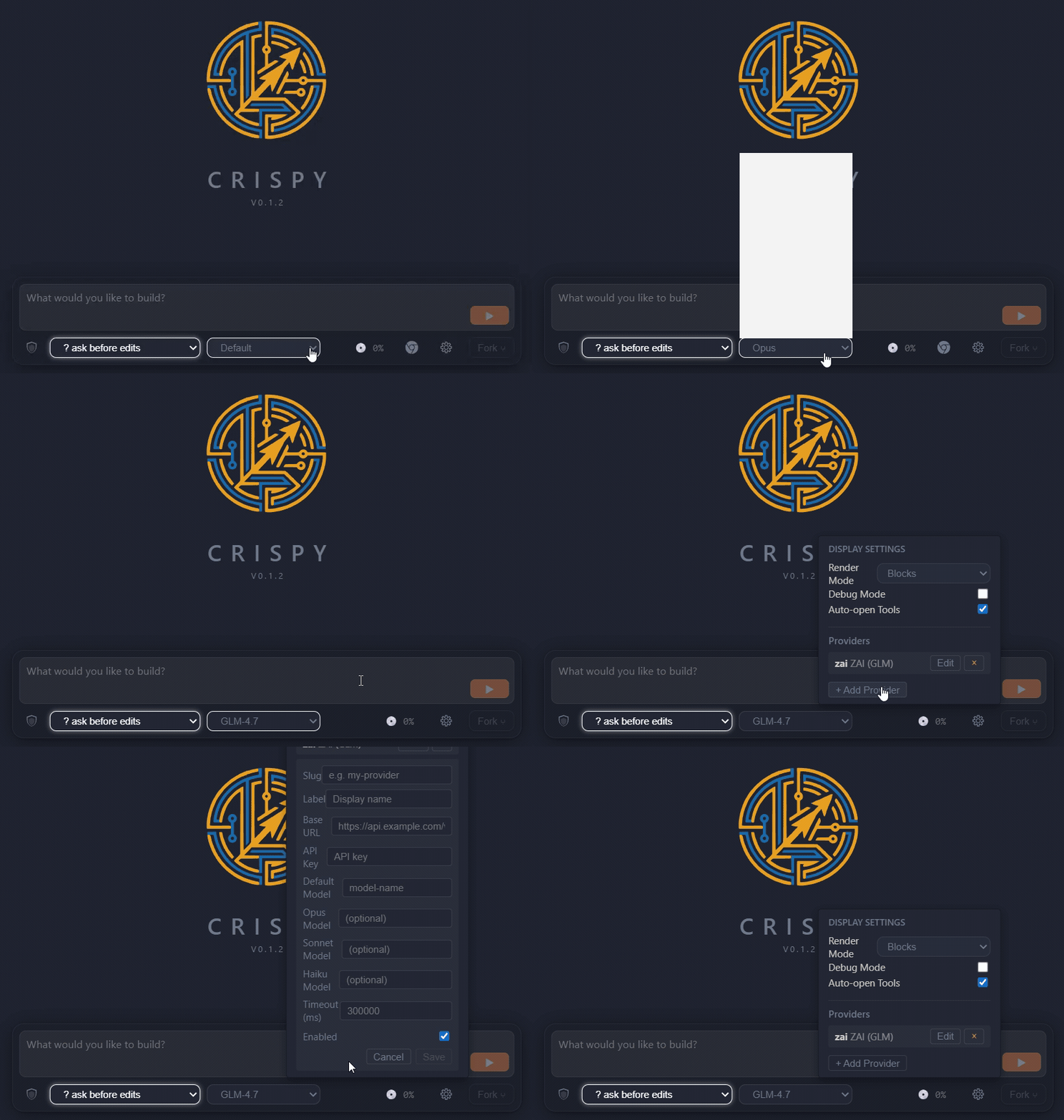
- Custom model providers — add Anthropic-compatible providers with a custom base URL and model names
- Start a conversation with Claude, continue it in Codex — switch vendors mid-session
Standalone mode
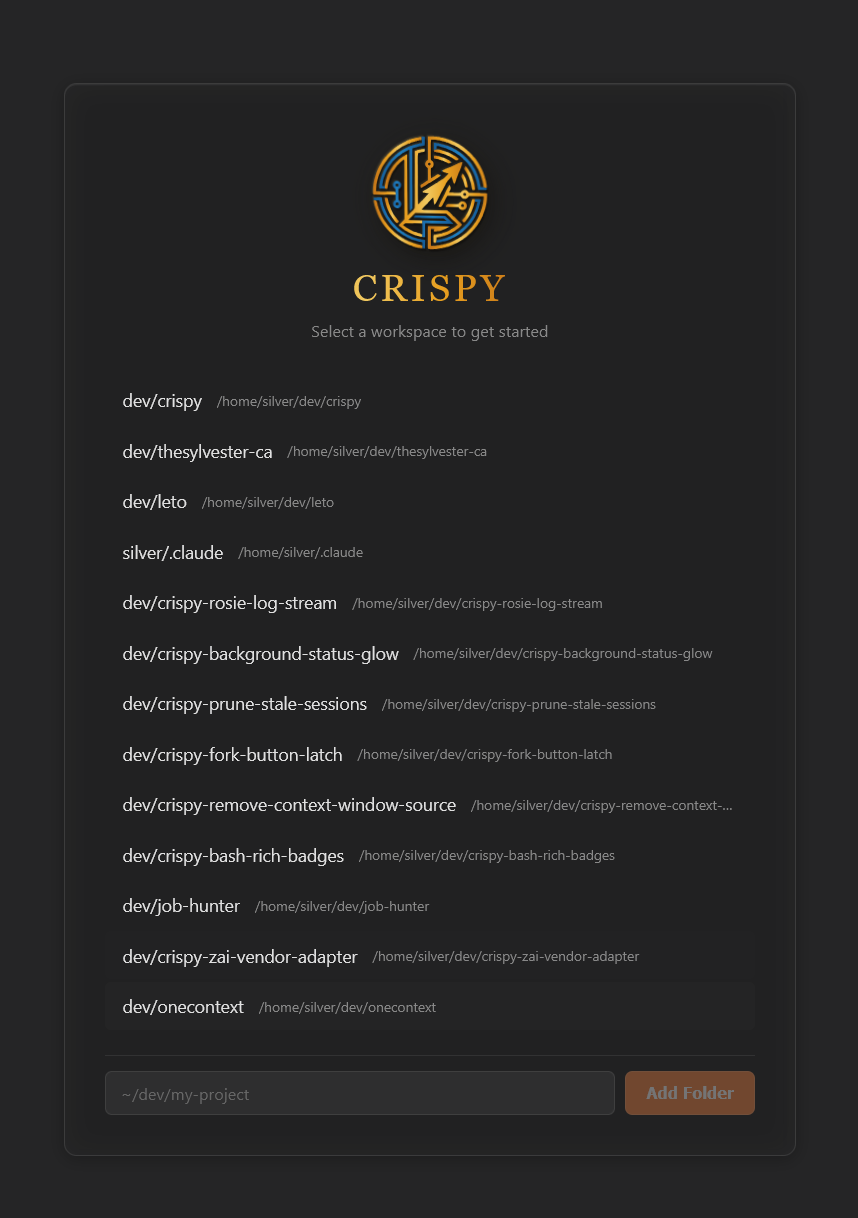
- Native Windows app (Tauri) — download the installer, no terminal required. Auto-provisions WSL and the Crispy daemon
- Run
npm i -g crispy-code && crispy— full UI in your browser, no VS Code required - Background daemon with
crispy start/crispy stop/crispy status - Workspace picker with URL-based routing for multiple projects
- Multi-tab workbench with split views, dockable panels, and tabbed terminals
- Same core features — memory, superthink, fork, rewind
Coming Soon
- Gemini CLI and OpenCode support
- File import on the Windows desktop app — drag-from-Explorer or pick-via-dialog into the Files panel and chat input
Installation
Windows Desktop App
Download the installer — run it and Crispy handles WSL setup and daemon provisioning automatically. The app auto-updates after install.
Standalone (npm)
npm i -g crispy-code
crispy
Opens Crispy in your browser. No VS Code, no extension install, no config.
Run crispy start for a background daemon, crispy stop to shut it down.
VS Code / Cursor Extension
Search for "Crispy" in the extensions panel, or:
code --install-extension the-sylvester.crispyAlso available on the OpenVSX Marketplace.
From Source
git clone https://github.com/TheSylvester/crispy.git
cd crispy
npm install
npm run build
node dist/crispy-cli.js
Usage
Standalone
crispy startruns it as a background daemon- Navigate to
http://localhost:3456, or runcrispyto open it automatically - Start a conversation, or browse existing sessions in the sidebar
VS Code
- Open VS Code in any project
- Run
Crispy: Openfrom the command palette (Ctrl+Shift+Alt+I) - Same UI, embedded in your editor
Requirements
- Node.js 18+ (standalone) or VS Code 1.94+ (extension)
- Claude Code CLI and/or Codex CLI — install whichever vendors you use
- Microphone (optional, for voice input)
Community
- Discord — support, feature requests, and discussion
- GitHub Issues — bug reports and tracking
Third-Party Notices
@anthropic-ai/claude-agent-sdk — The Claude adapter depends on
Anthropic's Agent SDK, which is proprietary ("All rights reserved") and
governed by Anthropic's Terms of Service.
This dependency is required for Claude Code integration. By using Crispy with
Claude Code, you accept Anthropic's terms for that SDK.
Codex protocol types — Files in src/core/adapters/codex/protocol/ are
generated from the OpenAI Codex CLI
project, licensed under Apache-2.0. See THIRD-PARTY-LICENSES for details.
License
MIT — see LICENSE for the full text.