
cropper-image-taro-vue3
v1.0.9
Published
这是一个基于Taro的图片裁剪组件

Maintainers
 xzh-ctf
Readme
cropper-image-taro-vue3 组件库
介绍
cropper-image-taro-vue3 是一个基于 Vue 3 和 Taro 开发的裁剪工具组件,支持图片裁剪、裁剪框拖动、缩放和输出裁剪后的图片。该组件适用于 Vue 3 和 Taro 环境,可以在网页、小程序等平台中使用。
源码
https://gitee.com/xctf/cropper-image-taro-vue
安装
你可以通过 npm 或 yarn 安装该组件库。
npm install cropper-image-taro-vue3
# 或者使用 yarn
yarn add cropper-image-taro-vue3
效果
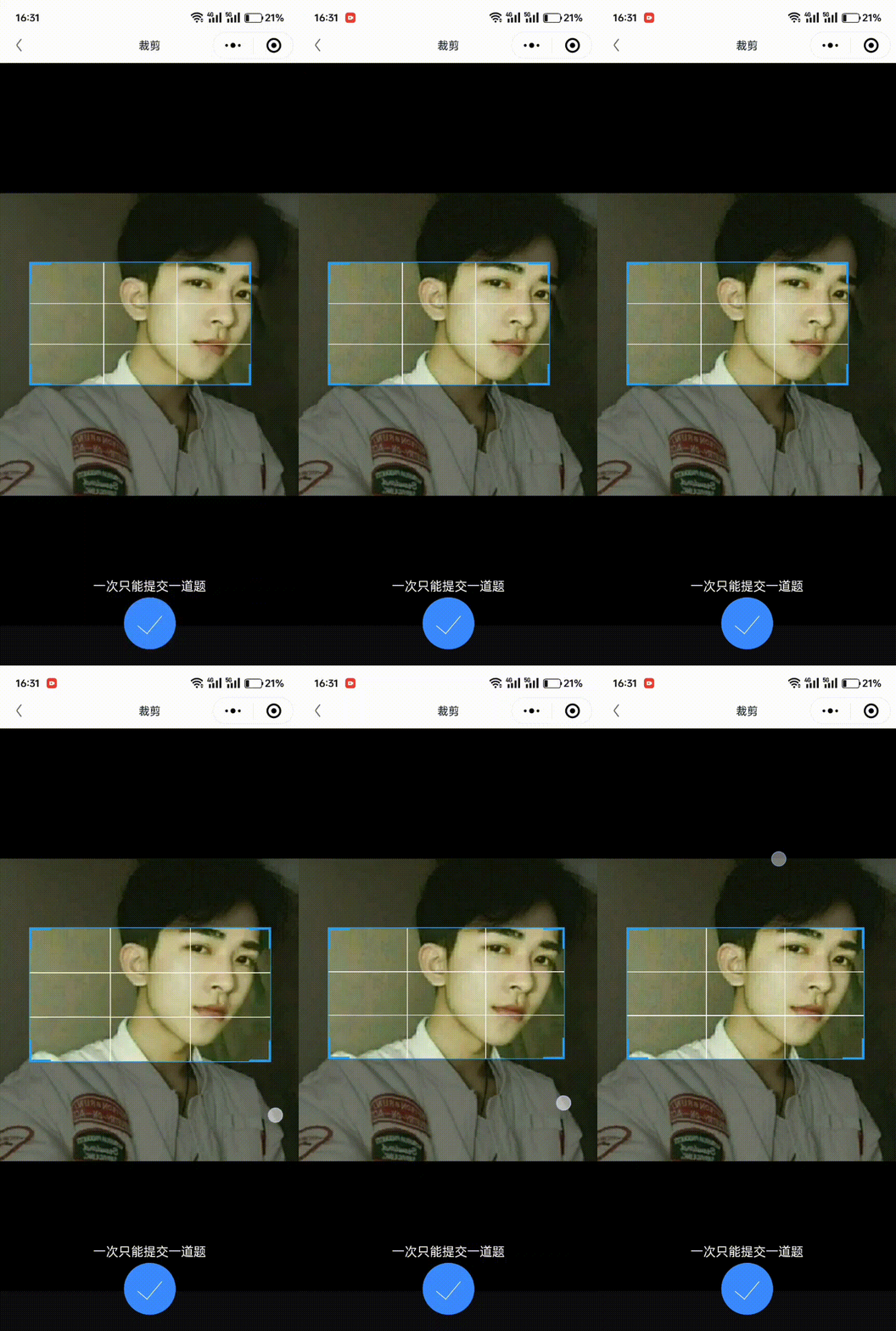
使用
你可以直接导入并使用 cropper-image-taro-vue3 组件。
1.组件导入与使用:
<template>
  <div>
    <cropper-image-taro-vue3 ref="cropperRef" :imagePath="imagePath" :debug="true" />
    <button @click="handleCrop">裁剪图片</button>
    <button @click="handleReInit">重置裁剪框</button>
  </div>
</template>

<script>
import { ref } from 'vue';
import { cropperImageTaroVue3 } from 'cropper-image-taro-vue3';  // 导入组件

export default {
  components: {
    cropperImageTaroVue3,  // 注册组件
  },
  setup() {
    const imagePath = ref('path_to_image.jpg');  // 图片路径
    const cropperRef = ref(null);  // 用于获取组件的引用

    const handleCrop = () => {
      // 通过 ref 调用组件的方法
      if (cropperRef.value) {
        cropperRef.value.crop();  // 调用 crop 方法进行裁剪
      }
    };

    const handleReInit = () => {
      // 通过 ref 调用组件的 reInit 方法重置裁剪框
      if (cropperRef.value) {
        cropperRef.value.reInit();  // 调用 reInit 方法
      }
    };

    return {
      imagePath,
      cropperRef,
      handleCrop,
      handleReInit,
    };
  },
};
</script>
2. 组件 Props
| Prop | 类型 | 说明 | 默认值 |
|-----------------------|--------------------|-------------------------------------------------------------|----------|
| imagePath | String | 图片路径 | 无 |
| debug | Boolean | 是否开启调试模式,打印调试信息 | false |
| minBoxWidthRatio | Number | 最小剪裁宽度比例(相对于原图宽度) | 0.15 |
| minBoxHeightRatio | Number | 最小剪裁高度比例(相对于原图高度) | 0.15 |
| initialBoxWidthRatio| Number | 裁剪框初始宽度比例 | 0.6 |
| aspectRatio | Number \| null | 目标图片宽高比,如果设置,将限制裁剪框宽高比。 | null |
| outputFileType | String | 输出文件类型,jpg 或 png | jpg |
| quality | Number | 输出图片质量,范围从 0 到 1 | 1 |
3. 组件方法
组件暴露了两个主要方法:
crop:用于裁剪图片,调用后将返回裁剪后的文件路径。reInit:重新初始化裁剪框。
可以使用ref获取组件实例操作裁剪组件4. 组件事件
组件可以触发以下事件:
| 事件名 | 说明 |
|----------------------|-------------------------------------------------------------|
| ok | 裁剪完成后,返回裁剪后的图片路径。 |
<cropper-image-taro-vue3 :imagePath="imagePath" @ok="handleCropResult" />

<script>
export default {
  methods: {
    handleCropResult(filePath) {
      console.log('裁剪后的图片路径:', filePath);
    }
  }
};
</script>