
cssalpine
v1.0.1
Published
AlpineCSS a tiny pico CSS Framework with nested-hamburger-menu support

Maintainers
 biensure
Readme

🏔️ AlpineCSS
AlpineCSS is a tiny, classless-adjacent extended version of PicoCSS Color Slate. It adds essential UI components—like a fully animated hamburger menu and nested accordion dropdowns—without requiring heavy JavaScript frameworks or complex class names.
Built specifically to work seamlessly with Alpine.js and the Alpine-Turnout Plugin.
✨ Features
- Zero-JS Hamburger: A functional, animated mobile menu using the "Checkbox Trick."
- Nested Dropdowns: Stabilized
<details>-based dropdowns that work on desktop (hover-ready) and mobile (accordion style). - Pico-Native: Inherit your Pico CSS variables (
--pico-color,--pico-background-color, etc.). - Ultra-Lightweight: Adds less than 2KB minified to the PicoCSS classless lib.
🚀 Quick Start
AlpineCSS Example 1
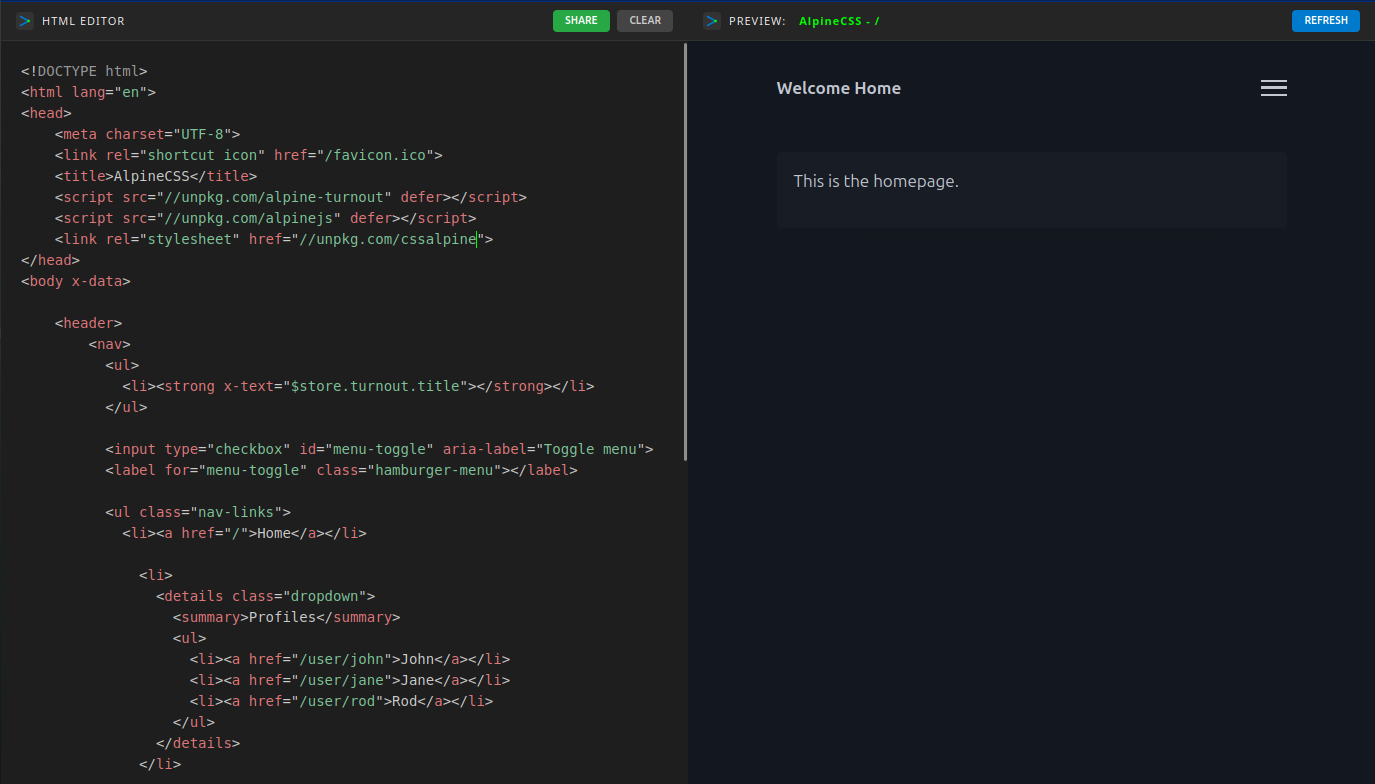
1. Installation
You can link directly via CDN:
<link rel="stylesheet" href="https://unpkg.com/cssalpine">
Or install via NPM:
npm install cssalpine
2. Basic HTML Structure
AlpineCSS uses standard HTML5 tags. No complex classes needed.
<header>
  <nav>
    <ul>
      <li><strong>My Brand</strong></li>
    </ul>

    <input type="checkbox" id="menu-toggle" aria-label="Toggle menu">
    <label for="menu-toggle" class="hamburger-menu"></label>

    <ul class="nav-links">
      <li><a href="/">Home</a></li>

      <li>
        <details class="dropdown">
          <summary>Products</summary>
          <ul>
            <li><a href="/web">Web Apps</a></li>
            <li><a href="/mobile">Mobile Apps</a></li>
          </ul>
        </details>
      </li>

      <li><a href="/contact" role="button">Contact</a></li>
    </ul>
  </nav>
</header>
🛠️ Configuration (Vite)
If you are contributing or building your own minified version:
Install dependencies:
npm installBuild:
npm run build
The build process uses Vite to minify alpine.css into dist/alpine.min.css, ensuring all Pico variable references remain intact.
🧩 Integration with Alpine.js
While the CSS handles the layout and the "Checkbox Trick" handles the mobile toggle, you can use Alpine.js to add enhanced behavior (like closing the menu on navigation):
<nav x-data="{ open: false }">
  <input type="checkbox" id="menu-toggle" :checked="open" @change="open = $event.target.checked">
  </nav>
🎨 Customization
AlpineCSS uses the same CSS variables as Pico. You can override them in your root:
:root {
  --pico-nav-element-height: 3rem; /* Adjusts the header height & menu alignment */
  --pico-color: #ff3e00;           /* Changes the hamburger and link colors */
}
📄 License
Distributed under the MIT License. See LICENSE for more information.
👤 Author
rodezee GitHub: @rodezee