
culprit-cli
v0.7.0
Published
Terminal log viewer that groups stack traces and points at the line in your code that failed.

Maintainers
 amirizal.r
Readme
culprit
Read your logs in the terminal, follow them live, and get to the line in your code that failed.
npm install -g culprit-cli

culprit app.log
docker compose logs -f | culprit
kubectl logs -f deploy/api | culprit
culprit analyze app.log          # the likely root cause, and what to do
culprit investigate app.log      # optional: an AI of your choice finds the cause in your code
culprit web app.log              # all of it in your browser, live, on 127.0.0.1 only
Or without installing: npx culprit-cli app.log
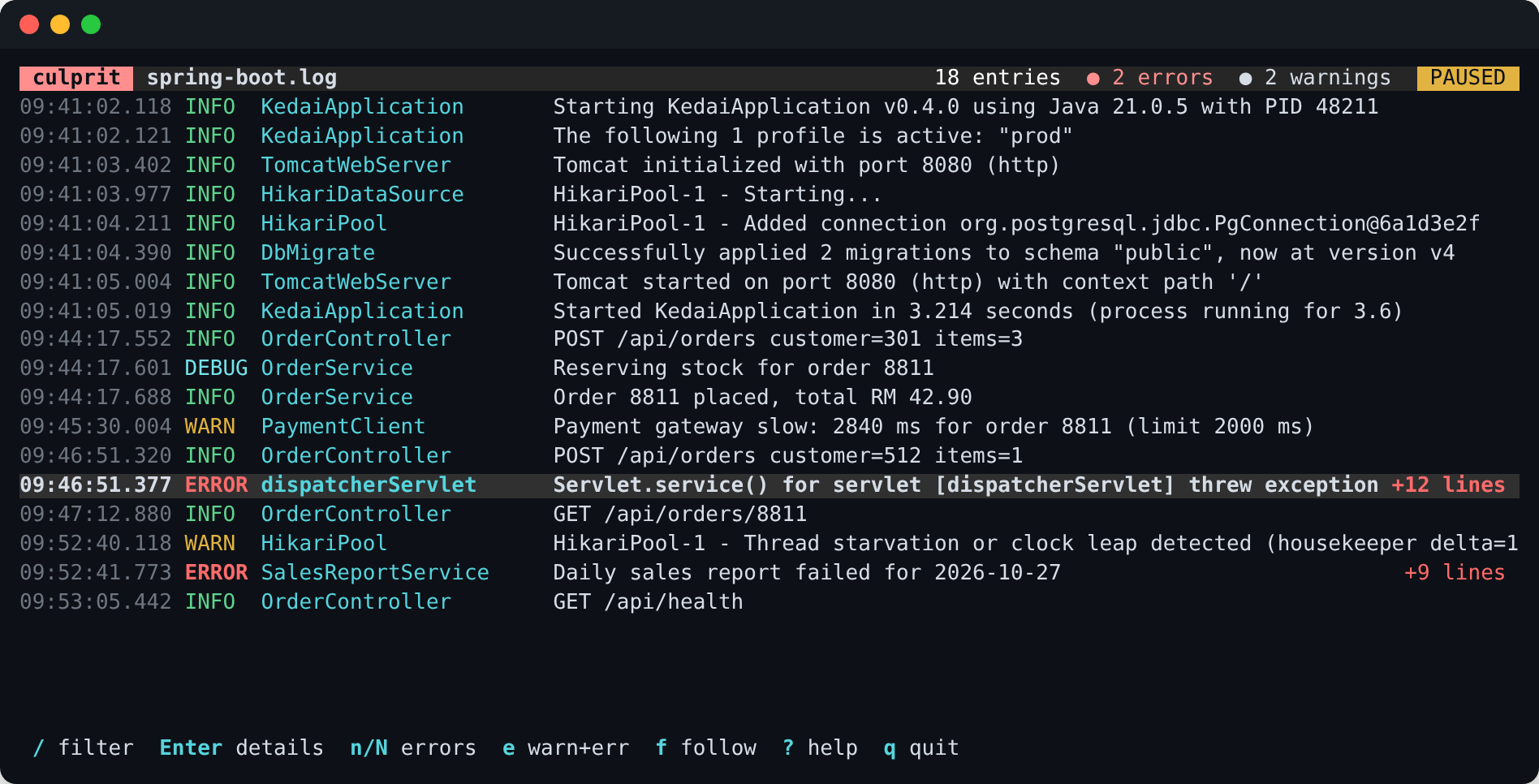
culprit understands JSON logs (Spring Boot, pino, zap, slog, python-json-logger), logfmt, Spring Boot and logback's default patterns, Python, Go, PostgreSQL, and nginx and Apache access logs. It keeps Java, Python and Go stack traces in one piece and shows the first frame that's in your code. Over 290 rules recognise known problems (Spring Boot and calls between services, Hibernate, Flyway, HikariCP, Oracle, PostgreSQL, MySQL, SQL Server, MongoDB, Elasticsearch, React, Next.js, Vue, Nuxt, Angular, Vite, webpack, Kafka, RabbitMQ, Redis, gRPC, AWS, Google Cloud, Azure, Stripe, .NET, PHP and Laravel, Rails, Node, Python, Go, Docker, Kubernetes, systemd, nginx, Envoy, HAProxy, and build and CI logs), explain them, and point at the error that started the cascade.
Reports and everything sent to an AI have passwords, keys, email addresses and card numbers masked, so they're safe to paste and share.
This package is a small launcher. npm also installs the prebuilt binary for your machine from one of these:
culprit-cli-linux-x64, culprit-cli-linux-arm64, culprit-cli-darwin-universal, culprit-cli-windows-x64.
culprit itself is written in C++ and doesn't need Node to run; Node only starts it.
Keys, filters and options: github.com/amirizalrahmat0799/culprit
MIT © Ahmad Amirizal Rahmat