
curse-script
v1.0.5
Published
A JavaScript obfuscator that converts code into cursed spell-like syntax

Maintainers
 hmmhmmhm
Readme
Curse Script
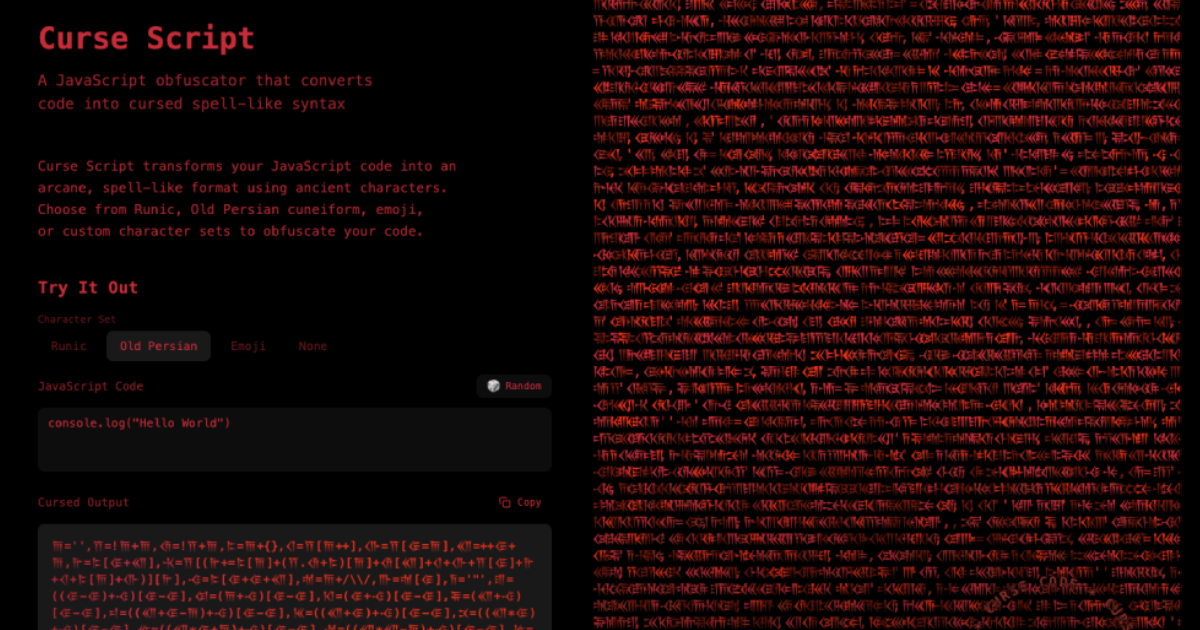
🔗 Showcase and Introduction Page
A JavaScript obfuscator that converts code into cursed spell-like syntax.
Installation
npm install curse-script
# or
pnpm add curse-script
Usage
As a Library
import { curse } from 'curse-script';

// Default: uses Runic characters
const cursed = curse('console.log("Hello World")');
console.log(cursed);

// Use Old Persian characters
const cursedPersian = curse('console.log("Hello World")', { characterSet: 'oldPersian' });
console.log(cursedPersian);

// Use emoji characters
const cursedEmoji = curse('console.log("Hello World")', { characterSet: 'emoji' });
console.log(cursedEmoji);

// Use custom character set (Greek alphabet)
const customChars = ['α', 'β', 'γ', 'δ', 'ε', 'ζ', 'η', 'θ', 'ι', 'κ', 'λ', 'μ', 'ν', 'ξ', 'ο', 'π', 'ρ', 'σ', 'τ', 'υ', 'φ', 'χ', 'ψ', 'ω'];
const cursedGreek = curse('console.log("Hello World")', { characterSet: customChars });
console.log(cursedGreek);

// No character replacement (Latin A-X)
const cursedLatin = curse('console.log("Hello World")', { characterSet: 'none' });
console.log(cursedLatin);
Interactive Dev Mode
Run the interactive converter to test your scripts:
pnpm run devThis will start an interactive prompt where you can enter any JavaScript code and see it converted to curse-script format in real-time.
Example session:
Enter script to convert (or "exit" to quit): console.log("hi?")

Original:
console.log("hi?")

Cursed Output:
ᚠ='',ᚡ=!ᚠ+ᚠ,ᚢ=!ᚡ+ᚠ,ᚣ=ᚠ+{},ᚤ=ᚡ[ᚠ++],ᚥ=ᚡ[ᚦ=ᚠ],ᚧ=++ᚦ+ᚠ,ᚨ=ᚣ[ᚦ+ᚧ],ᚩ=ᚡ[(ᚨ+=ᚣ[ᚠ]+(ᚡ.ᚢ+ᚣ)[ᚠ]+ᚢ[ᚧ]+ᚤ+ᚥ+ᚡ[ᚦ]+ᚨ+ᚤ+ᚣ[ᚠ]+ᚥ)][ᚨ],ᚪ=ᚣ[ᚦ+ᚦ+ᚧ],ᚫ=ᚠ+/\\/,ᚬ=ᚫ[ᚦ],ᚭ='"',ᚮ=((ᚦ-ᚦ)+ᚪ)[ᚦ-ᚦ],ᚯ=(ᚠ+ᚪ)[ᚦ-ᚦ],ᚰ=(ᚦ+ᚪ)[ᚦ-ᚦ],ᚱ=(ᚧ+ᚪ)[ᚦ-ᚦ],ᛦ=((ᚧ+ᚦ-ᚠ)+ᚪ)[ᚦ-ᚦ],ᚳ=((ᚧ+ᚦ)+ᚪ)[ᚦ-ᚦ],ᚴ=((ᚧ*ᚦ)+ᚪ)[ᚦ-ᚦ],ᚵ=((ᚧ*ᚦ+ᚠ)+ᚪ)[ᚦ-ᚦ],ᚶ=((ᚧ*ᚧ-ᚠ)+ᚪ)[ᚦ-ᚦ],ᛊ=((ᚧ*ᚧ)+ᚪ)[ᚦ-ᚦ],Y=ᚥ+ᚡ[ᚧ]+ᚤ+ᚡ[ᚦ]+ᚥ+(ᚡ.ᚢ+ᚣ)[ᚠ]+ᚪ,ᚩ(ᚣ[ᚦ+ᚧ]+ᚣ[ᚠ]+(ᚡ.ᚢ+ᚣ)[ᚠ]+ᚢ[ᚧ]+ᚣ[ᚠ]+ᚢ[ᚦ]+ᚡ[ᚧ]+ᚩ(Y+ᚭ+ᚬ+ᚡ[ᚠ+ᚠ]+ᚮ+ᚮ+ᚰ+ᚡ[ᚧ]+ᚭ)()+ᚢ[ᚦ]+ᚣ[ᚠ]+ᚩ(Y+ᚭ+ᚬ+ᚡ[ᚠ+ᚠ]+ᚮ+ᚮ+ᚴ+ᚵ+ᚭ)()+ᚩ(Y+ᚭ+ᚬ+ᚡ[ᚠ+ᚠ]+ᚮ+ᚮ+ᚰ+ᚶ+ᚭ)()+ᚩ(Y+ᚭ+ᚬ+ᚡ[ᚠ+ᚠ]+ᚮ+ᚮ+ᚰ+ᚵ+ᚭ)()+ᚩ(Y+ᚭ+ᚬ+ᚡ[ᚠ+ᚠ]+ᚮ+ᚮ+ᚴ+ᚶ+ᚭ)()+ᚩ(Y+ᚭ+ᚬ+ᚡ[ᚠ+ᚠ]+ᚮ+ᚮ+ᚴ+ᛊ+ᚭ)()+ᚩ(Y+ᚭ+ᚬ+ᚡ[ᚠ+ᚠ]+ᚮ+ᚮ+ᚱ+ᚢ[ᚦ-ᚦ]+ᚭ)()+ᚩ(Y+ᚭ+ᚬ+ᚡ[ᚠ+ᚠ]+ᚮ+ᚮ+ᚰ+ᚵ+ᚭ)()+ᚩ(Y+ᚭ+ᚬ+ᚡ[ᚠ+ᚠ]+ᚮ+ᚮ+ᚰ+ᛊ+ᚭ)())();
Type exit or quit to close the interactive session.
API
curse(source: string, options?: CurseOptions): string
Converts JavaScript code into curse-script format.
Parameters:
source: The JavaScript code to convertoptions.includePrelude: Whether to include the prelude (default:true)options.characterSet: Character set to use for obfuscation (default:'runic')'runic': Use Runic characters (ᚠ-ᚷ)'oldPersian': Use Old Persian cuneiform (𐎠-𐎷)'emoji': Use emoji characters (😀-😗)'none': No character replacement (use Latin A-X)string[]: Custom array of at least 24 characters
Returns: The cursed script as a string
Examples:
// With Runic characters (default)
curse('alert(1)'); // ᚠ='',ᚡ=!ᚠ+ᚠ,...

// With Old Persian characters
curse('alert(1)', { characterSet: 'oldPersian' }); // 𐎠='',𐎡=!𐎠+𐎠,...

// With emoji characters
curse('alert(1)', { characterSet: 'emoji' }); // 😀='',😁=!😀+😀,...

// With custom characters
const customChars = ['α', 'β', 'γ', 'δ', 'ε', 'ζ', 'η', 'θ', 'ι', 'κ', 'λ', 'μ', 'ν', 'ξ', 'ο', 'π', 'ρ', 'σ', 'τ', 'υ', 'φ', 'χ', 'ψ', 'ω'];
curse('alert(1)', { characterSet: customChars }); // α='',β=!α+α,...

// With no character replacement
curse('alert(1)', { characterSet: 'none' }); // A='',B=!A+A,...
Character Set Requirements
When providing a custom character set:
- Must contain at least 24 unique characters
- Characters will map to variables A-X in order
- Can use any Unicode characters including emoji, symbols, or letters from any script
Exported Constants
The package exports the built-in character sets for reference:
import { RUNIC_CHARS, OLD_PERSIAN_CHARS, EMOJI_CHARS } from 'curse-script';

console.log(RUNIC_CHARS);       // ["ᚠ", "ᚡ", "ᚢ", ...]
console.log(OLD_PERSIAN_CHARS); // ["𐎠", "𐎡", "𐎢", ...]
console.log(EMOJI_CHARS);       // ["😀", "😁", "😂", ...]

// You can also use them as a base for custom modifications
const customSet = [...RUNIC_CHARS];
customSet[0] = '🔥'; // Replace first character
Development
# Build the package
pnpm run build

# Run tests
pnpm run test

# Watch mode
pnpm run watch
License
MIT