
cursorly.js
v1.0.5
Published
Custom cursor library with effects and icons using javascript
Downloads
37

Maintainers
 iamashruu
Readme
Cursorly.js
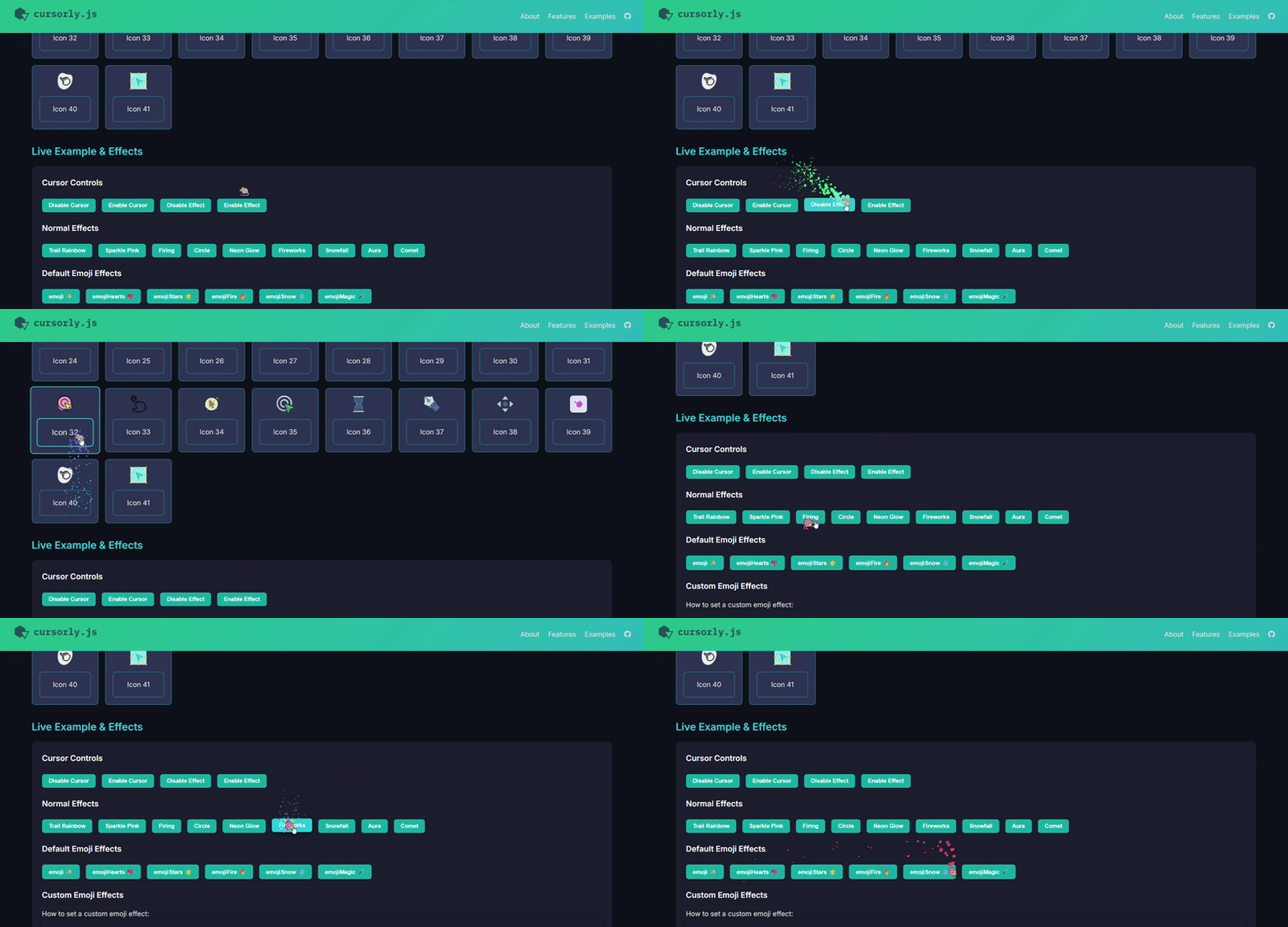
Cursorly.js is a lightweight, customizable JavaScript library for creating custom cursors with animated trails, emojis, and visual effects. It supports multiple cursor icons, dynamic effects, custom emojis, and easy integration with any web project.
🚀 Features
- 🧩 40+ built-in cursor icons
- 💥 15+ ready-to-use visual effects
- 💫 Emoji particle support
- ⚙️ Easy configuration & real-time customization
- 🪄 Fully extensible — define your own effects!
- 🪶 Lightweight & dependency-free
🎨 Built-in Effects
| Effect Name | Description | Type | |--------------|-------------|------| | trail | Rainbow particle trail | default | | sparkle | Glitter sparkle effect | default | | emoji | Emoji trail (✨) | emoji | | firing | Fire-like explosion | firing | | circle | Circular light trail | circle | | none | Disables particle effect | default | | neonGlow | Neon-style glow | default | | fireworks | Multi-color burst | default | | snowfall | Soft white snow | default | | aura | Gradient aura | default | | comet | Comet trail | default | | emojiHearts | 💖 trail | emoji | | emojiStars | ⭐ trail | emoji | | emojiFire | 🔥 trail | emoji | | emojiSnow | ❄️ trail | emoji | | emojiMagic | 🪄 trail | emoji |
Browser Support
Cursorly.js works in all modern browsers (Chrome, Firefox, Safari, Edge).
Installation
Include via CDN:
<script src="https://cdn.jsdelivr.net/gh/iamashruu/cursorly.js@latest/dist/cursorly.min.js"></script>Or, install via NPM:
npm install cursorly.jsBasic Usage
Initialize the cursor with default options:
const cursor = Cursorly.init();🎛️ Initialize with Built-in Icon and Effect
Use one of the built-in icons and apply any visual effect:
const cursor = Cursorly.init({
    cursor: 0, // Index of the built-in cursor icon (default: 0)
    effect: { name: "trail", color: "rainbow" } // Apply a built-in effect. Name and color are required
});
Or with an emoji-based effect:
const cursor = Cursorly.init({
    cursor: 0, // Built-in icon index
    effect: { name: "emoji", shape:"👻"}
});
This setup uses the built-in icons included with Cursorly.
To use your own image or PNG/SVG icon, see the next section.
🖼️ Add a Custom Cursor Icon
You can add your own custom cursor image (PNG, SVG, etc.) from any URL or local asset path.
const cursor = Cursorly.init();

// Add your own image as a new cursor icon
const cursorIndex = cursor.addIcon('https://img.icons8.com/?size=100&id=52516&format=png&color=000000');

// Activate your custom icon
cursor.setIcon(cursorIndex);
You can register multiple icons and switch between them dynamically:
const custom1 = cursor.addIcon('icon1.png');
const custom2 = cursor.addIcon('icon2.svg');
cursor.setIcon(custom2); // Switch to another custom icon
The method
cursor.addIcon()returns the index of your new icon so you can reference it later.
🔁 Switching Between Icons
Change between any previously registered icons (built-in or custom):
cursor.setIcon(1); // Change to built-in icon index 1
cursor.setIcon(cursorIndex); // Switch to your custom icon
Default Effects
Effect options (only name and color are required):
cursor.setEffect({
    name: "sparkle",   // 'trail', 'sparkle', or 'emojiSnow',etc
    color: "#ff4081",  // Hex color or "rainbow"
    density: 10,       // Optional, number of particles per mouse move
    size: [3, 12],     // Optional, min and max particle size
    decay: 0.92,       // Optional, particle shrink rate
});
🧩 Creating Custom Effects
You can define your own effects using the same structure as built-ins:
const starlightBurst = {
        name: "starlightBurst",
        color: ["#ffcc00", "#ffffff", "#ff99ff"],
        density: 8,
        size: [3, 9],
        decay: 0.9,
        type: "default"
};

cursor.setEffect(starlightBurst);
You can register unlimited custom effects — Cursorly is fully extensible.
💎 Emoji List
Cursorly includes an emoji selector with 100+ emojis ready to use in effects, including: ✨ 🔥 💖 ❄️ ⭐ 🪄 🤖 🌈 💫 🦋 ⚡ 🍀 🎉 🌸 💎 🎈 🌟 🧠 🕹️ 🌼 🌺 🌻 🧊 🫧 🪐 ☄️
🦋 Custom Emoji Effects
CursorlyJS supports custom emoji effects out of the box. You can easily create and set them dynamically:
const emojiButterfly = {
  name: "emojiButterfly",
  shape: "🦋",
  color: "white",
  density: 4,
  size: [2, 5],
  decay: 0.85,
  type: "emoji",
};

cursor.setEffect(emojiButterfly);
👉 That’s it — no registration needed!
Alternatively, you can also set a custom emoji effect like this way (only name='emoji' and shape='your desired emoji' are required):
cursor.setEffect({
    name: "emoji",   // required, use 'emoji' always for custom emoji effect
    shape: "👻",     // required, put desired emoji
    density: 10,       // Optional, number of particles per mouse move
    size: [3, 12],     // Optional, min and max particle size
    decay: 0.92,       // Optional, particle shrink rate
});
Disable or enable effects dynamically:
cursor.disableEffect(); // Turn off particle effects
cursor.enableEffect();  // Turn on particle effects
Enable / Disable Cursor
Cursorly supports toggling the custom cursor easily:
cursor.disable(); // Hide custom cursor, revert to default
cursor.enable(); // Show custom cursor again🧑💻 Contribution
We welcome contributions from the community!
- Fork the repo
- Add your custom icons or effects
- Submit a PR with a short demo and description
🏷️ Tags
#javascript #webdev #frontend #cursor #cursoranimation #library#opensource #cursoreffects #emoji #cursorparticles #cursorly #customcursor
🧡 License
MIT © 2025 [Ashraf]
CursorlyJS — Because your pointer deserves some personality ✨