
custom-simple-otp
v0.0.10
Published
custom multi input otp


Readme
React OTP Input Component
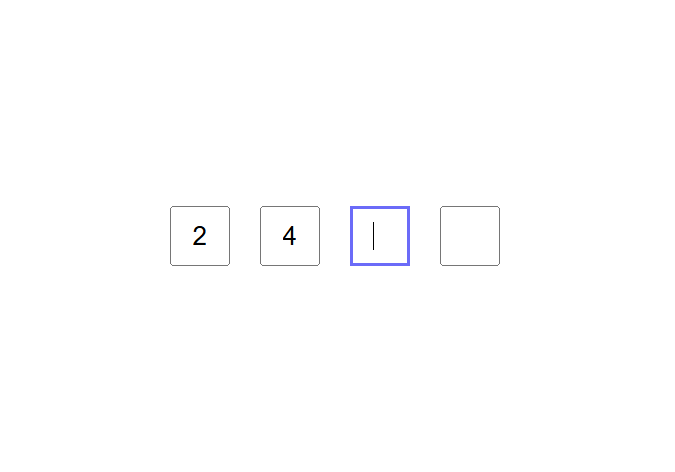








A lightweight, accessible, and customizable OTP (One-Time Password) input component for React applications. Perfect for authentication flows, 2FA verification, and multi-digit code inputs.
✨ Features
- 🔢 Automatic Navigation - Auto-focuses next field on input
- ⌨️ Full Keyboard Support - Arrow keys, Backspace, Tab navigation
- ♿ Accessibility Focused - Screen reader friendly
- 📱 Mobile Optimized - Large touch targets, numeric keyboard
- 🎨 Easy to Style - Customizable CSS classes
- ⚡ Zero Dependencies - Lightweight and fast
- ✅ Input Validation - Only accepts numeric values
- 🔄 TypeScript Ready - Full type definitions included
📦 Installation
npm i custom-simple-otp


📖 Props
┌───────────┬───────────────────────────┬──────────┬─────────┬─────────────────────────────────────┐
│   Prop    │           Type            │ Required │ Default │           Description               │
├───────────┼───────────────────────────┼──────────┼─────────┼─────────────────────────────────────┤
│ length    │ number                    │ No       │ 4       │ Number of OTP input fields (1-10)  │
│ onSubmit  │ (otp: number) => void     │ Yes      │ -       │ Callback when all fields are filled │
│ isDisable │ boolean                   │ No       │ false   │ Disables all input fields           │
└───────────┴───────────────────────────┴──────────┴─────────┴─────────────────────────────────────┘


🎨 Styling
The component uses CSS classes that you can easily override:

Default CSS Classes

.otp-container {
  display: flex;
  gap: 10px;
  justify-content: center;
}

.otp-input-field {
  width: 50px;
  height: 50px;
  text-align: center;
  font-size: 24px;
  border: 2px solid #e2e8f0;
  border-radius: 8px;
  transition: all 0.2s ease;
}

.otp-input-field:focus {
  outline: none;
  border-color: #4f46e5;
  box-shadow: 0 0 0 3px rgba(79, 70, 229, 0.1);
}

.otp-input-field:disabled {
  background-color: #f7fafc;
  cursor: not-allowed;
}


⌨️ Keyboard Navigation
The component supports full keyboard navigation:

Key	Action
Arrow Right (→)	Move to next input field
Arrow Left (←)	Move to previous input field
Backspace	Clear current field and move to previous
Delete	Clear current field
Tab	Navigate through fields (standard tab order)
Shift + Tab	Navigate backwards
Numbers (0-9)	Input digit and auto-advance
Paste	Paste digits (fills multiple fields)