
dangling-fields
v1.0.1
Published
A CLI tool to identify and report dangling field permissions in Salesforce profiles and permission sets

Maintainers
 mohanchinnappan
Readme
🔍 Dangling Fields Finder

A powerful CLI tool to identify and report dangling field permissions in Salesforce profiles and permission sets. Quickly find dangling field references that don't exist in your local project or Salesforce org.
✨ Features
- 🔎 Comprehensive Scanning - Analyzes profiles and permission sets for dangling field permissions
- 🌐 Org Validation - Checks both local metadata and live Salesforce org
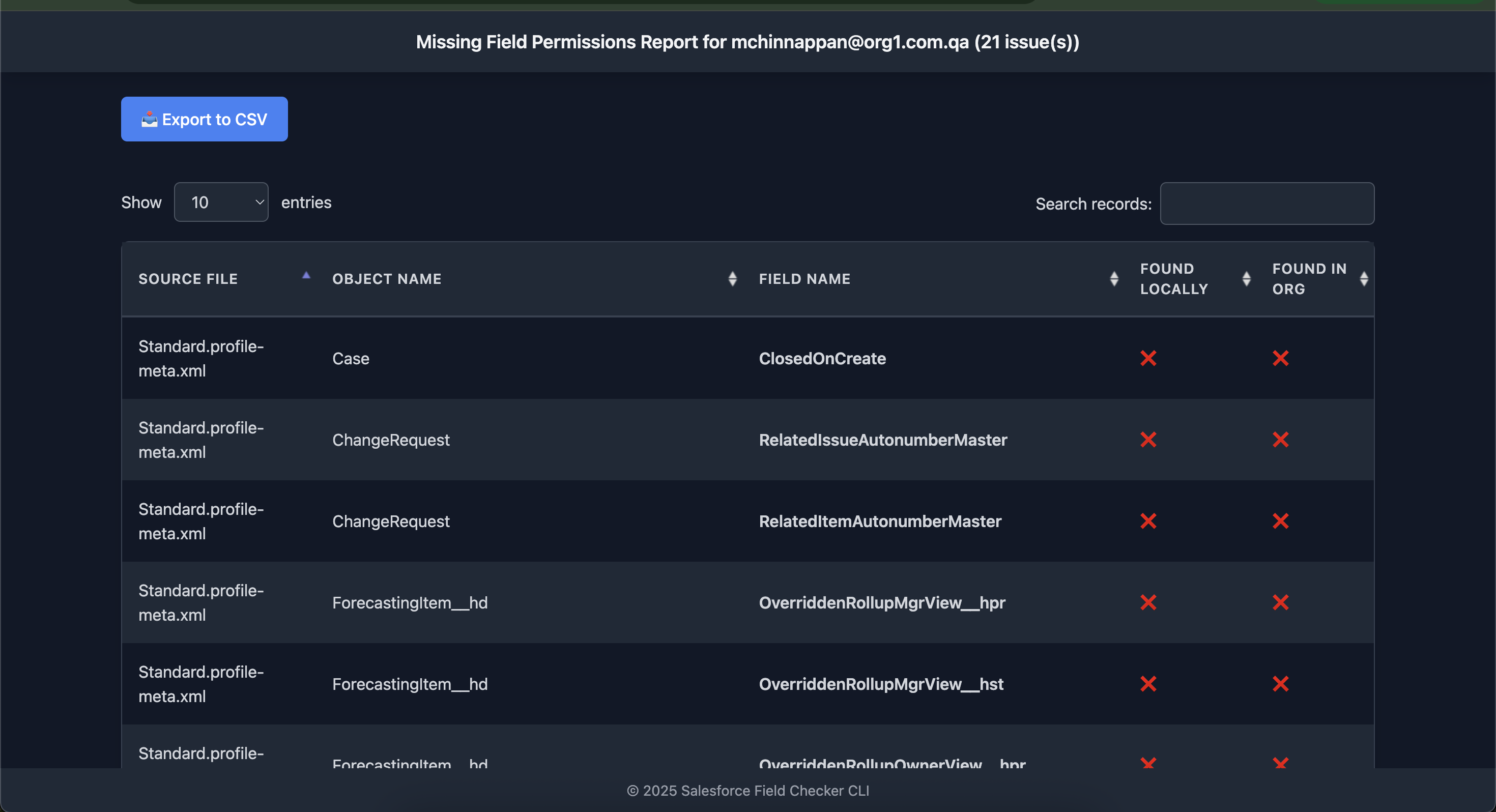
- 📊 Beautiful Reports - Generates interactive HTML reports with DataTables
- 📥 CSV Export - Export findings to CSV for further analysis
- 🎯 Selective Scanning - Process specific files or entire directories
- ⚡ Rate Limiting - Configurable pause between API calls to respect org limits
- 🎨 Dark Theme UI - Modern, eye-friendly interface
Screenshot
📦 Installation
Global Installation (Recommended)
npm install -g dangling-fieldsUsge
npx dangling-fields --help🚀 Usage
Basic Usage
Scan Specific Files
dangling-fields -o [email protected] -f "Admin.profile,CustomPermSet.permissionset" -s /path/to/sfdx/project Adjust API Rate Limiting
dangling-fields -o [email protected] -f "Admin.profile,CustomPermSet.permissionset" -s /path/to/sfdx/project -p 2000🛠️ Command Line Options
| Option | Alias | Description | Default |
|--------|-------|-------------|---------|
| --sfdxProjectFolder | -s | Path to SFDX project folder | Current directory |
| --orgUsername | -o | Salesforce org username (required) | - |
| --what | -w | What to check | fieldPermissions |
| --pause | -p | Pause duration (ms) after each file | 1000 |
| --files | -f | Comma-separated list of files to check | All files |
📋 Prerequisites
- Node.js 14.x or higher
- Salesforce CLI (
sfcommand) installed and authenticated - A Salesforce DX project with metadata in standard format
🔧 How It Works
- Connects to Org - Uses Salesforce CLI to authenticate and retrieve org information
- Scans Metadata - Reads profile and permission set XML files from your project
- Validates Fields - Checks each field permission against:
- Local field metadata files
- Live Salesforce org field definitions
- Generates Report - Creates an interactive HTML report with all findings
- Exports Data - Allows CSV export for further analysis
📊 Report Features
The generated HTML report includes:
- ✅ Searchable Table - Quickly find specific objects or fields
- 🔢 Pagination - Navigate large datasets easily
- 📈 Sortable Columns - Sort by any column
- 📥 CSV Export - Download findings for spreadsheet analysis
- 🎨 Visual Indicators - Clear checkmarks (✅) and crosses (❌)
- 📱 Responsive Design - Works on all screen sizes
🎯 Use Cases
1. Metadata Cleanup
Identify and remove field permissions for deleted or non-existent fields before deployment.
2. Deployment Validation
Verify profiles before deploying to production to avoid deployment errors.
dangling-fields -s ./deploymentPackage -o [email protected]3. Audit Specific Profiles
Check only specific profiles or permission sets.
dangling-fields -o [email protected] -f "Admin.profile,SalesUser.profile"4. Continuous Integration
Integrate into your CI/CD pipeline to catch issues early.
npx dangling-fields -o $SF_USERNAME📝 Example Output
Console Output
🔍 Initializing...
Connected to org: [email protected]

🔧 Processing all files...

➡️ Processing: Admin.profile-meta.xml
   🔍 Account.CustomField__c not found locally, checking org [email protected]...
   ❌ Missing: Account.CustomField__c
   ✅ Found in org: Contact.Email

Continue? (y/n): y

✅ Completed scan. Found 3 missing fields.
HTML report generated at: /path/to/missing_fields_report.html
HTML Report Preview
The report displays a table with:
- Source file name
- Object name
- Field name (highlighted in red for missing fields)
- Local existence status (✅ or ❌)
- Org existence status (✅ or ❌)
📄 License
This project is licensed under the MIT License (c) Mohan Chinnappan