
datagen-cli
v1.0.3
Published
Generate realistic fake data from a simple JSON/JSON5 spec

Maintainers
 mohanchinnappan
Readme
datagen – Beautiful Fake Data Generator CLI
Generate realistic fake data from a simple JSON/JSON5 spec — instantly preview it in a gorgeous dark-themed HTML viewer with search, sorting, pagination and live filtering.
Perfect for:
- Mock APIs
- Testing spreadsheets
- Demo dashboards
- Data science prototypes
- Learning SQL/jq
Screenshots
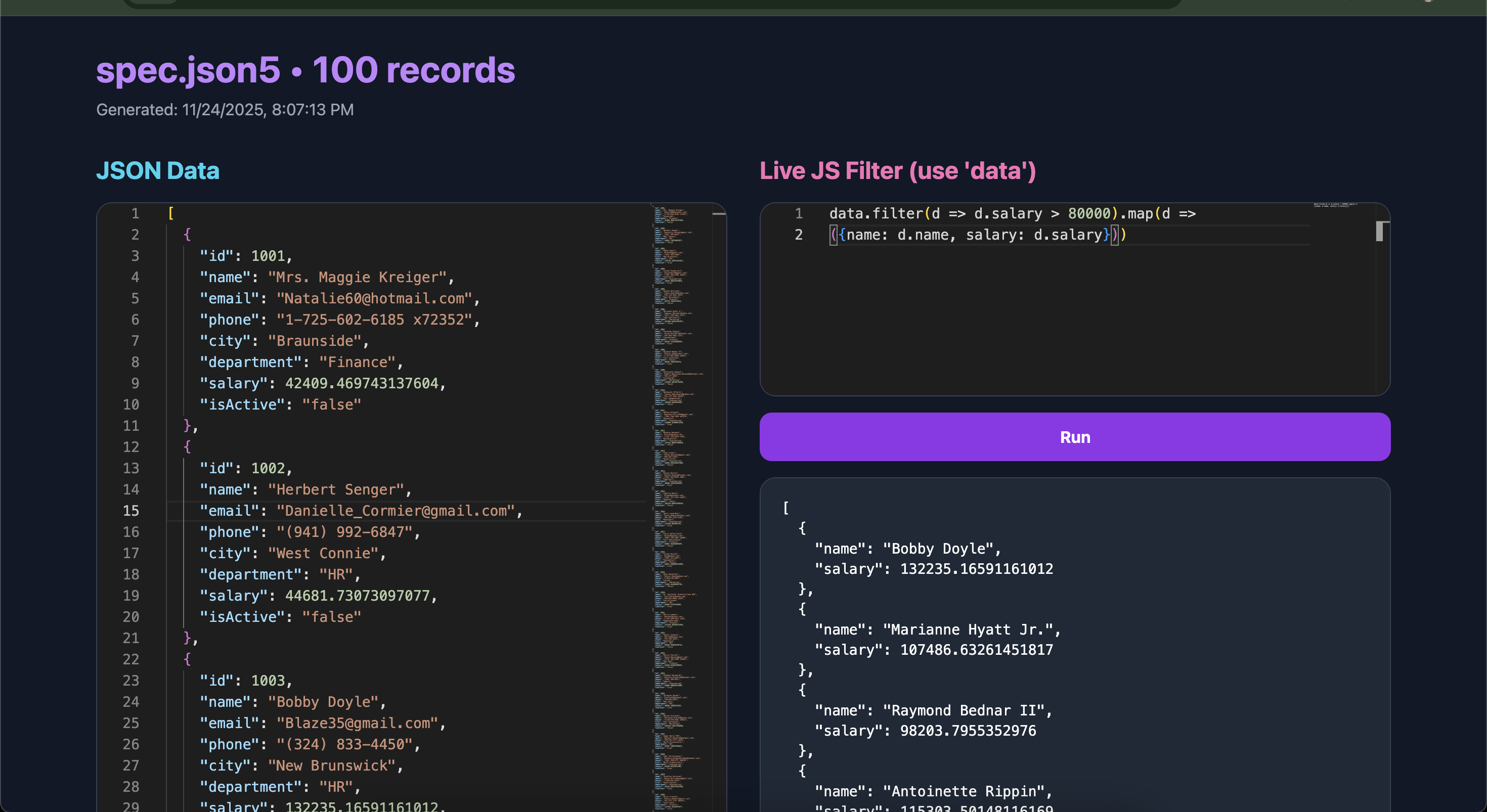
JSON + Live Filter
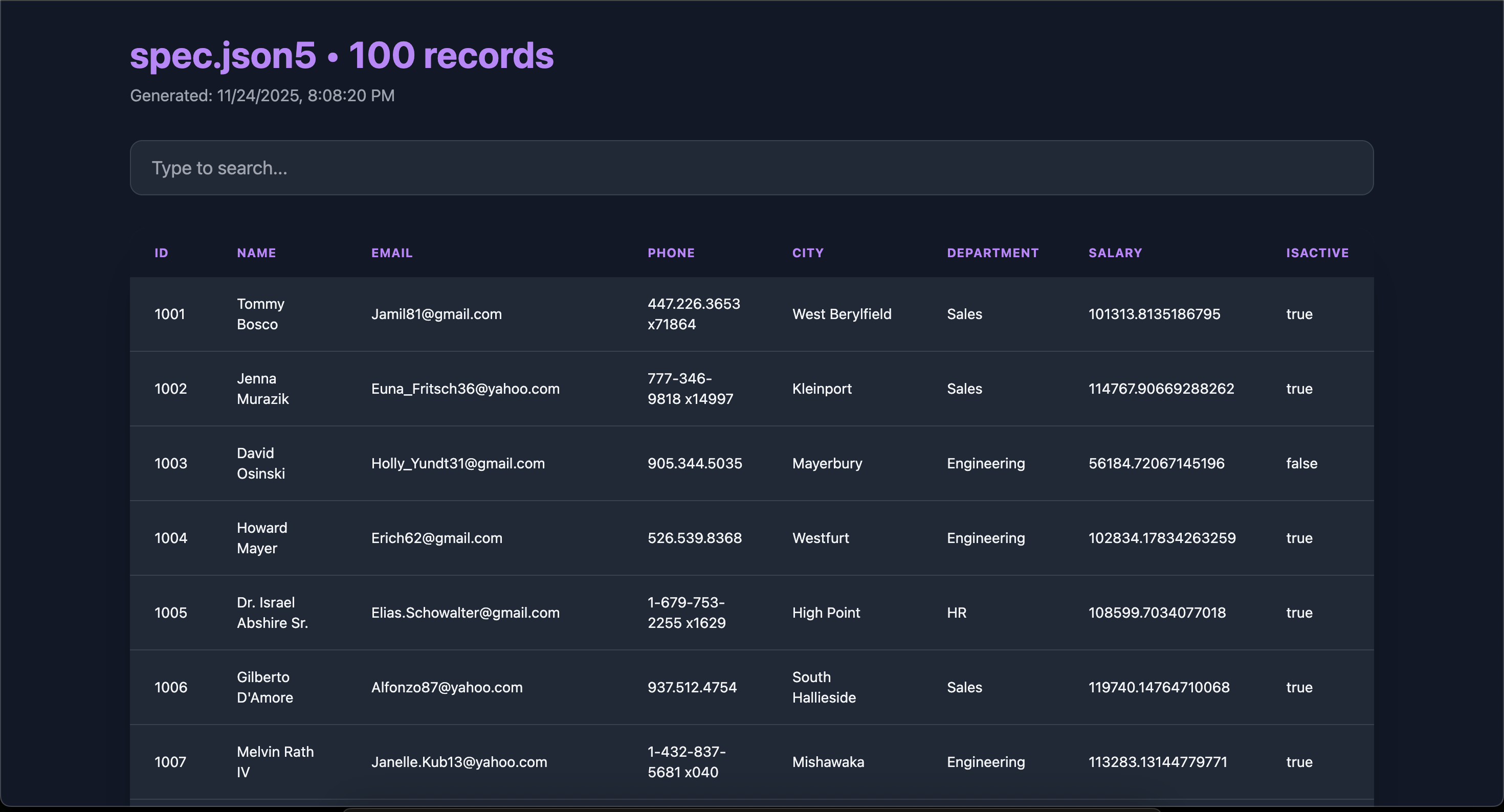
CSV Preview
Features
| Feature | CSV Mode | JSON Mode |
|-------------------------------|-------------------------------------------|---------------------------------------------|
| Beautiful dark Tailwind UI | Yes | Yes |
| Search | Global, instant | Live JS filter (Monaco Editor) |
| Column sorting | Yes (numeric + text, arrows) | – |
| Pagination | Yes | – |
| Download CSV button | Yes (real file download) | – |
| Live Monaco Editor | – | Yes |
| Live JavaScript filtering | – | Yes (data.filter(...)) |
| Supports comments in spec | Yes (.json5) | Yes |
| Auto-opens preview in browser | Yes | Yes |
Installation
npm install -g datagen-cli
# or use directly
npx datagen-cli -s spec.json5 -n 1000 -f csv
Quick Start
# 1. Create a spec (supports comments!)
cat > employees.json5 << 'EOF'
{
  id: { type: "increment", start: 1001 },
   uuid: "{{string.uuid}}",
  name: "{{person.fullName}}",
  email: "{{internet.email}}",
  department: { options: ["Engineering", "Sales", "HR", "Marketing"] },
  salary: { min: 45000, max: 180000 },
  isActive: "{{datatype.boolean}}",
  joined: "{{date.past}}"
}
EOF

# 2. Generate!
datagen -s employees.json5 -n 500 -f csv
# → opens beautiful interactive table + Download CSV button

datagen -s employees.json5 -n 200 -f json
# → opens Monaco Editor + live JS filter playground
Spec Format (.json or .json5)
{
  // Auto-incrementing ID
  id: { type: "increment", start: 1 },

  // Faker template
  name: "{{person.fullName}}",
  email: "{{internet.email}}",

  // Random choice
  role: { options: ["Admin", "User", "Guest"] },

  // Number range
  score: { min: 0, max: 100 },

  // Static value
  country: "India",
  uuid : "{{string.uuid}}",
}
Another spec file
{
  // Auto-incrementing ID starting at 1001
  id: { type: "increment", start: 1001 },

  // Full name using Faker
  name: "{{person.fullName}}",

  // Email and phone
  email: "{{internet.email}}",
  phone: "{{phone.number}}",

  // Location
  city: "{{location.city}}",

  // Pick from list
  department: { options: ["Engineering", "Sales", "HR", "Marketing", "Finance"] },

  // Salary range
  salary: { min: 40000, max: 150000 },

  // Random boolean
  isActive: "{{datatype.boolean}}"
}
All Faker.js fields are supported: https://fakerjs.dev
Options
datagen -s <spec> -n <count> -f <csv|json> [options]

  -s, --spec     Path to spec file (.json or .json5)   [required]
  -n, --number   Number of records                     [required]
  -f, --format   Output format: csv or json            [required]
  -o, --output   Save raw data to file (optional)
  --help         Show help
Examples
# 10,000 rows CSV with download button
datagen -s users.json5 -n 10000 -f csv -o users.csv

# JSON with live filtering
datagen -s products.json5 -n 300 -f json

# One-liner (no file)
echo '{"name":"{{person.fullName}}","age":{{number.int 18 80}}}' | datagen --spec - -n 50 -f json
License
MIT © 2025 Mohan Chinnappan
Made with love for developers who hate boring data.