
datav-particle
v1.0.4
Published
![datav-particle logo][logo]


Readme
![datav-particle logo][logo]
[datav-particle - 一个][vjs]
[![Build Status][travis-icon]][travis-link]
[![Coverage Status][coveralls-icon]][coveralls-link]
 [![Slack Status][slack-icon]][slack-link]
[![NPM][npm-icon]][npm-link]
datav-particle 是一个粒子特效插件库.
Table of Contents
快速上手
<script src="******************/datav-partice.umd.js"></script>或者
<script >
import * as DatavParticle from 'datav-partice'
</script>获取最新的项目代码请查看datav-particle Github.
接下来,使用datav-partice就像创建一个<div>元素一样简单 只需要引入datav-partice
全局引入【不建议】
<div id="rise" ref="rise" style="width: 1920px;height: 1080px;"></div>
<script >
import * as DatavParticle from 'datav-partice'

new DatavParticle.textLine({
  el:document.getElementById("datav-partice"),
  textColor:"#adcf12",
  textSize:200,
  speed: 0.2
})
</script>
按需引入【建议】
<div id="rise" ref="rise" style="width: 1920px;height: 1080px;"></div>
<script >
import {textLine} from 'datav-partice'
new textLine({
  el:document.getElementById("datav-partice"),
  textColor:"#adcf12",
  textSize:200,
  speed: 0.2
})
</script>
datav-partice粒子特效方法:
rise 配置项

- el - 必传 document.getElementById("datavPartice")
- size- 气泡数量 默认为 100
- background - canvas 背景色支持渐变 默认为 linear-gradient(to right, #0cebeb, #20e3b2, #29ffc6)
- speed - 气泡上升速度 默认为 0.2
- min - 气泡最小半径 默认为 1
- max - 气泡最大半径 默认为 10
{
    el:document.getElementById("datavPartice"),
    size:90,
    speed:0.2,
    min:1,
    max:10,
    background: 'linear-gradient(to right, #0cebeb, #20e3b2, #29ffc6)'
}
textLine 配置项
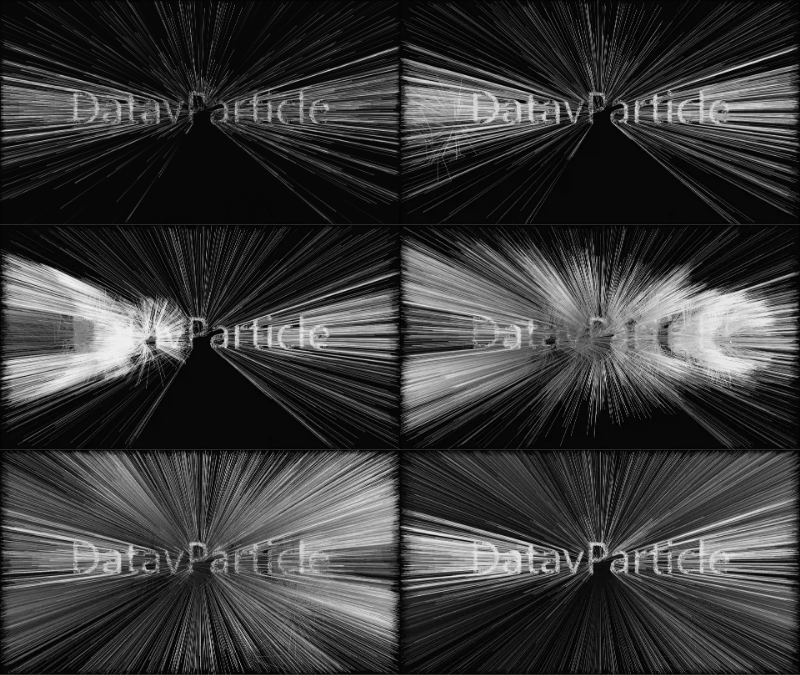
- el - 必传 document.getElementById("datavPartice")
- text - 文字 默认为 DatavPartice
- background - canvas 背景色支持渐变 默认为 linear-gradient(to right, #0cebeb, #20e3b2, #29ffc6)
- speed - 气泡上升速度 默认为 0.2
- min - 气泡最小半径 默认为 1
- max - 气泡最大半径 默认为 10
{
    el:document.getElementById("datavPartice"),
    size:90,
    speed:0.2,
    min:1,
    max:10,
    background: 'linear-gradient(to right, #0cebeb, #20e3b2, #29ffc6)'
}