
datocms-plugin-dall-e-asset-source
v0.2.16
Published
Generate images with configured providers and insert them directly inside your DatoCMS project


Readme
AI Asset Source
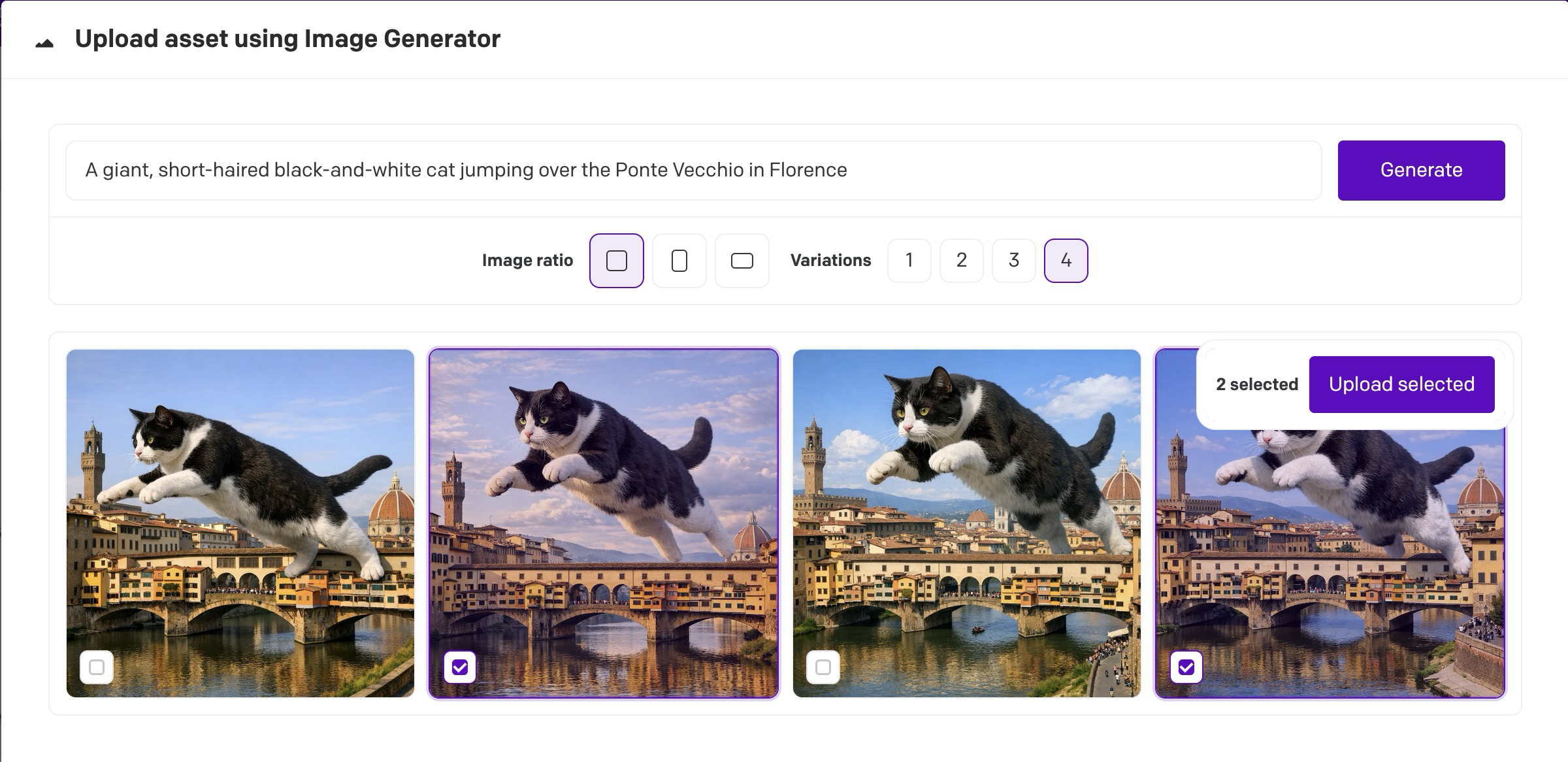
This plugin is an asset source that lets you add AI-generated images from OpenAI and Google models directly into your DatoCMS Media Area.
Requires API access from OpenAI or Google. You'll need an API key, not just a monthly ChatGPT / Gemini subscription. Some specific models may require additional ID verification from the AI provider.
Setup
- Install the plugin from the marketplace
- Inside your DatoCMS project, access the Configuration screen
- Add your provider settings, such as your API key, a model to use, and image output settings.
Usage
- From your Media Area, a dropdown arrow will appear next to the "+ Upload new assets" button. Click it to reveal the AI Asset Source.
- Enter your prompt and choose the image ratio and # of variations you want. Generation typically takes 30-60 seconds.
- Thumbnails of the generated images will be shown. Select at least one to upload to your Media Area, or adjust your prompt to try again.
Notes
- The list of supported AI models is dynamically loaded from the AI provider, and filtered to model names containing "image"
- Some models, such as
gpt-image-2, may require one-time additional ID verification from the AI provider. (This is a requirement from the AI provider itself, not DatoCMS.) - Generation requests are sent directly from the browser to the selected provider using the configured API key
- This plugin only generates new assets from the asset source dropdown in the media area. Upload sidebar actions are not included.