
dbhub-schema
v0.16.3
Published
Minimal, token-efficient Database MCP Server for PostgreSQL, MySQL, SQL Server, SQLite, MariaDB. Fork of DBHub with default-schema support.


Readme
dbhub-schema
dbhub-schema is a community fork of DBHub by Bytebase. It keeps the same behavior and internal names (e.g. dbhub.toml) for easy merging from upstream, and adds default-schema support for PostgreSQL and multi-database setups.
- Original project: github.com/bytebase/dbhub
- This fork: github.com/ajgreyling/dbhub-schema
To point your clone at this fork:
git remote set-url origin https://github.com/ajgreyling/dbhub-schema.git +------------------+ +--------------+ +------------------+
| | | | | |
| Claude Desktop +--->+ +--->+ PostgreSQL |
| Claude Code +--->+ dbhub-schema +--->+ SQL Server |
| Cursor +--->+ (DBHub fork)+--->+ SQLite |
| VS Code +--->+ +--->+ MySQL |
| Copilot CLI +--->+ +--->+ MariaDB |
+------------------+ +--------------+ +------------------+
MCP Clients MCP Server Databasesdbhub-schema is a zero-dependency, token-efficient MCP server implementing the Model Context Protocol (MCP). It supports the same features as DBHub, plus a default schema.
It is primarily meant for read-only operations. By default, only read-only SQL (SELECT, WITH, EXPLAIN, etc.) is allowed. Use --destructive with extreme caution and only in non-production environments—do not use --destructive in production, ever.
- Local Development First: Zero dependency, token efficient with just two MCP tools to maximize context window
- Multi-Database: PostgreSQL, MySQL, MariaDB, SQL Server, and SQLite through a single interface
- Multi-Connection: Connect to multiple databases simultaneously with TOML configuration
- Default schema: Use
--schema(or TOMLschema = "...") so PostgreSQL uses that schema forexecute_sqlandsearch_objectsis restricted to it (see below) - Guardrails: Read-only by default, row limiting, and query timeout to prevent runaway operations
- Secure Access: SSH tunneling and SSL/TLS encryption
Supported Databases
PostgreSQL, MySQL, SQL Server, MariaDB, and SQLite.
MCP Tools
- execute_sql: Execute SQL queries with transaction support and safety controls
- search_objects: Search and explore database schemas, tables, columns, indexes, and procedures with progressive disclosure
- Custom Tools: Define reusable, parameterized SQL operations in your
dbhub.tomlconfiguration file
Default schema (--schema)
When you set a default schema (via --schema, the SCHEMA environment variable, or schema = "..." in dbhub.toml for a source):
- PostgreSQL: The connection
search_pathis set soexecute_sqlruns in that schema by default (unqualified table names resolve to that schema). - All connectors:
search_objectsis restricted to that schema unless the tool is called with an explicitschemaargument.
Example (Cursor / MCP mcp.json):
{
  "command": "npx",
  "args": [
    "dbhub-schema",
    "--transport",
    "stdio",
    "--dsn",
    "postgres://user:password@host:5432/mydb",
    "--schema",
    "my_app_schema",
    "--ssh-host",
    "bastion.example.com",
    "--ssh-port",
    "22",
    "--ssh-user",
    "deploy",
    "--ssh-key",
    "~/.ssh/mykey"
  ]
}
Example (TOML in dbhub.toml):
[[sources]]
id = "default"
dsn = "postgres://user:password@host:5432/mydb"
schema = "my_app_schema"
Full DBHub docs (including TOML and command-line options) apply; see dbhub.ai and Command-Line Options.
Read-only (default) and allowing writes
- Default: Only read-only SQL (SELECT, WITH, EXPLAIN, SHOW, etc.) is allowed. No flag or option is needed for read-only.
- CLI (single-DSN): To allow write operations, pass
--destructive. Use with extreme caution and only outside production. Do not use--destructivein production, ever. - TOML (multi-source): Set
readonly = falseon the relevant tool in[[tools]]to allow writes for that source. Same caution applies; never use for production.
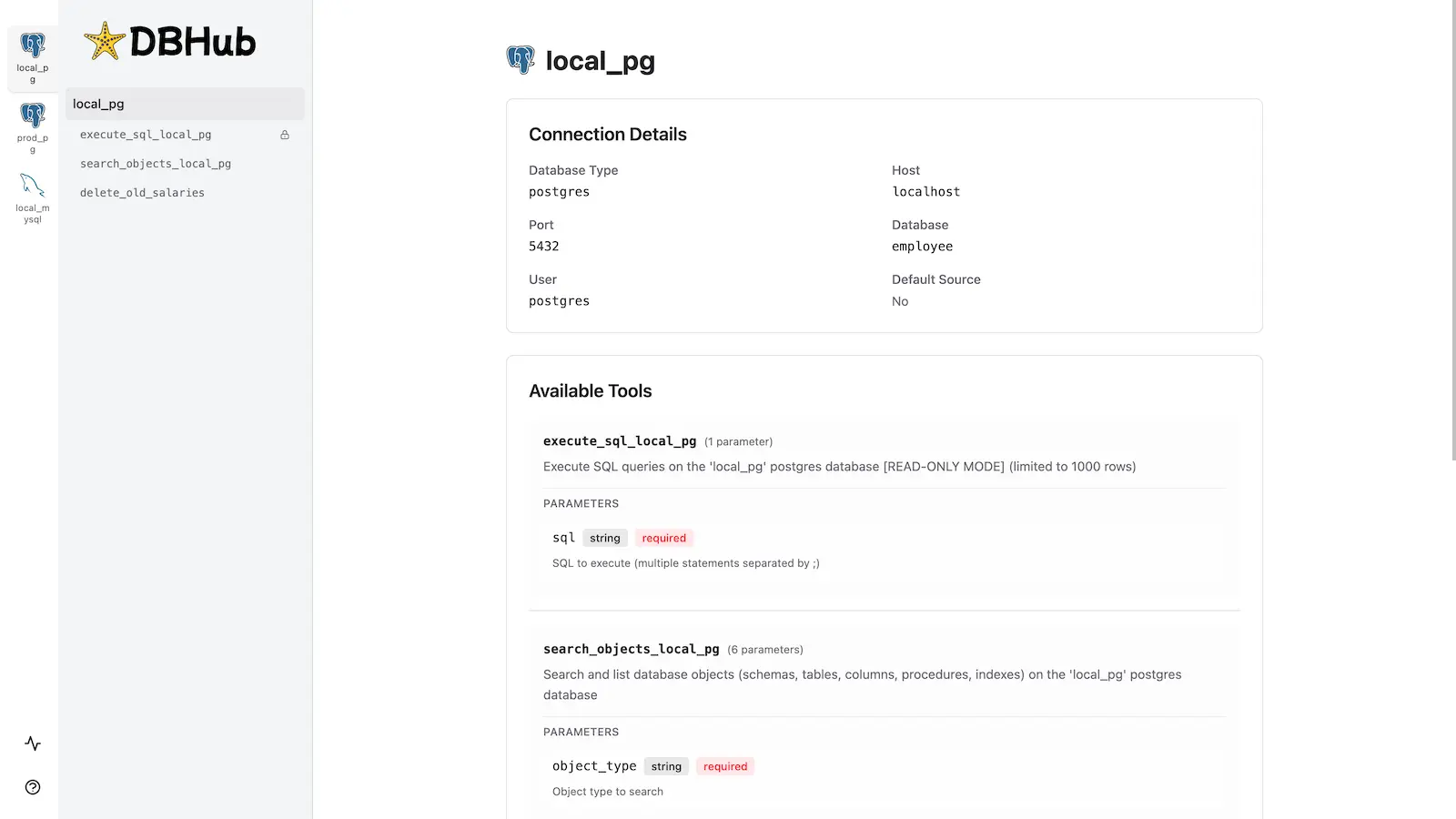
Workbench
dbhub-schema includes the same built-in web interface as DBHub for interacting with your database tools.
Installation
Quick Start
NPM (from this repo, after build):
pnpm install && pnpm build
npx dbhub-schema --transport http --port 8080 --dsn "postgres://user:password@localhost:5432/dbname?sslmode=disable"
With a default schema:
npx dbhub-schema --transport stdio --dsn "postgres://user:password@localhost:5432/dbname" --schema "public"Demo mode:
npx dbhub-schema --transport http --port 8080 --demoSee Command-Line Options for all parameters.
Multi-Database Setup
Use a dbhub.toml file as in DBHub. See Multi-Database Configuration. You can set schema = "..." per source to apply the default schema for that connection.
Development
pnpm install
pnpm dev
pnpm build && pnpm start --transport stdio --dsn "postgres://user:password@localhost:5432/dbname"
To build and publish to npm: npm run release.
Contributors
Based on bytebase/dbhub. See that repository for upstream contributors and star history.