
dbnexus
v0.6.0
Published
Database management tool with web UI

Maintainers
 akademskig
Readme
DB Nexus
A local-first database management tool with a modern web UI, CLI, and production safety guardrails for PostgreSQL, MySQL, and SQLite.



Documentation • Installation • Features • CLI Usage
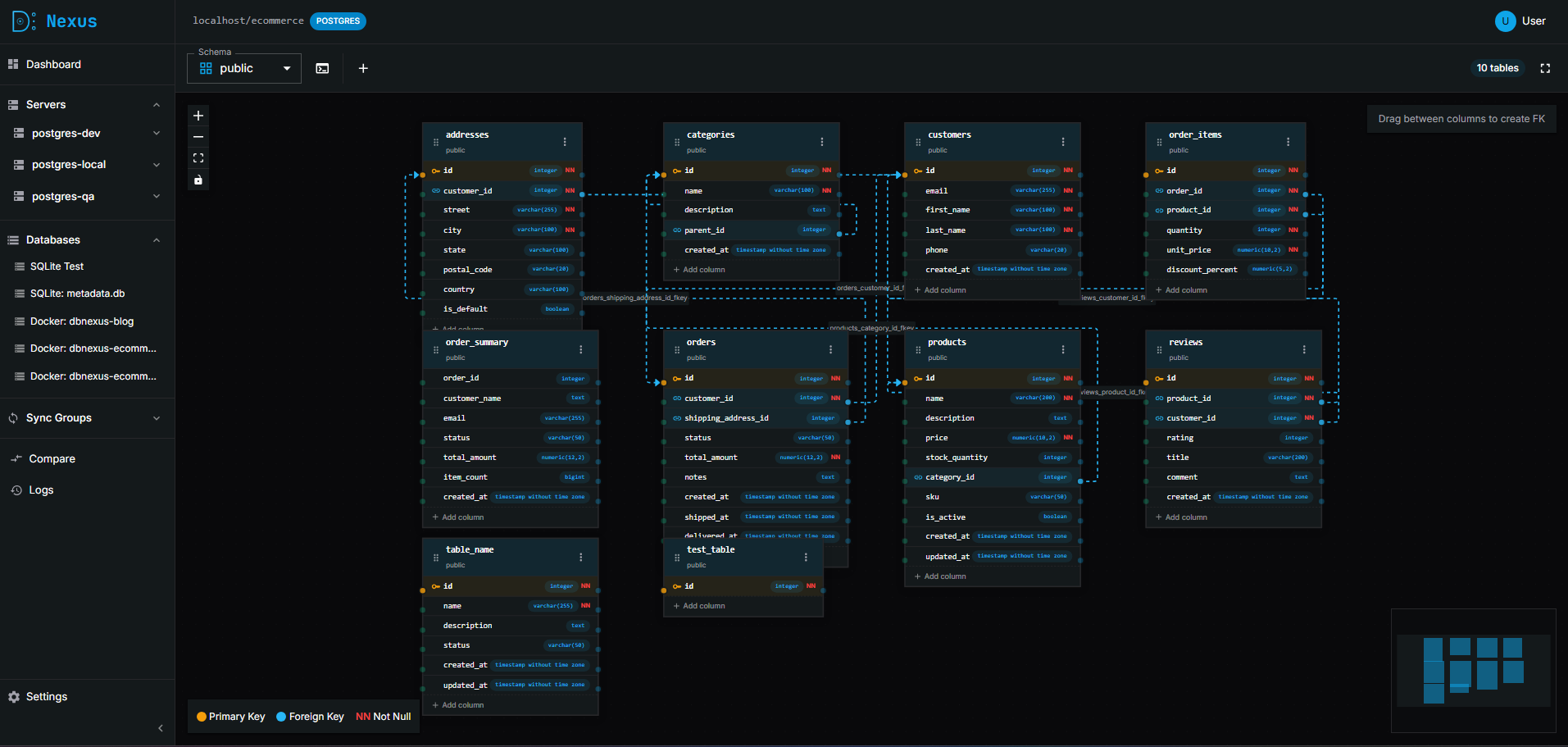
- Visual Schema Diagrams - Interactive ER diagrams with drag-and-drop editing
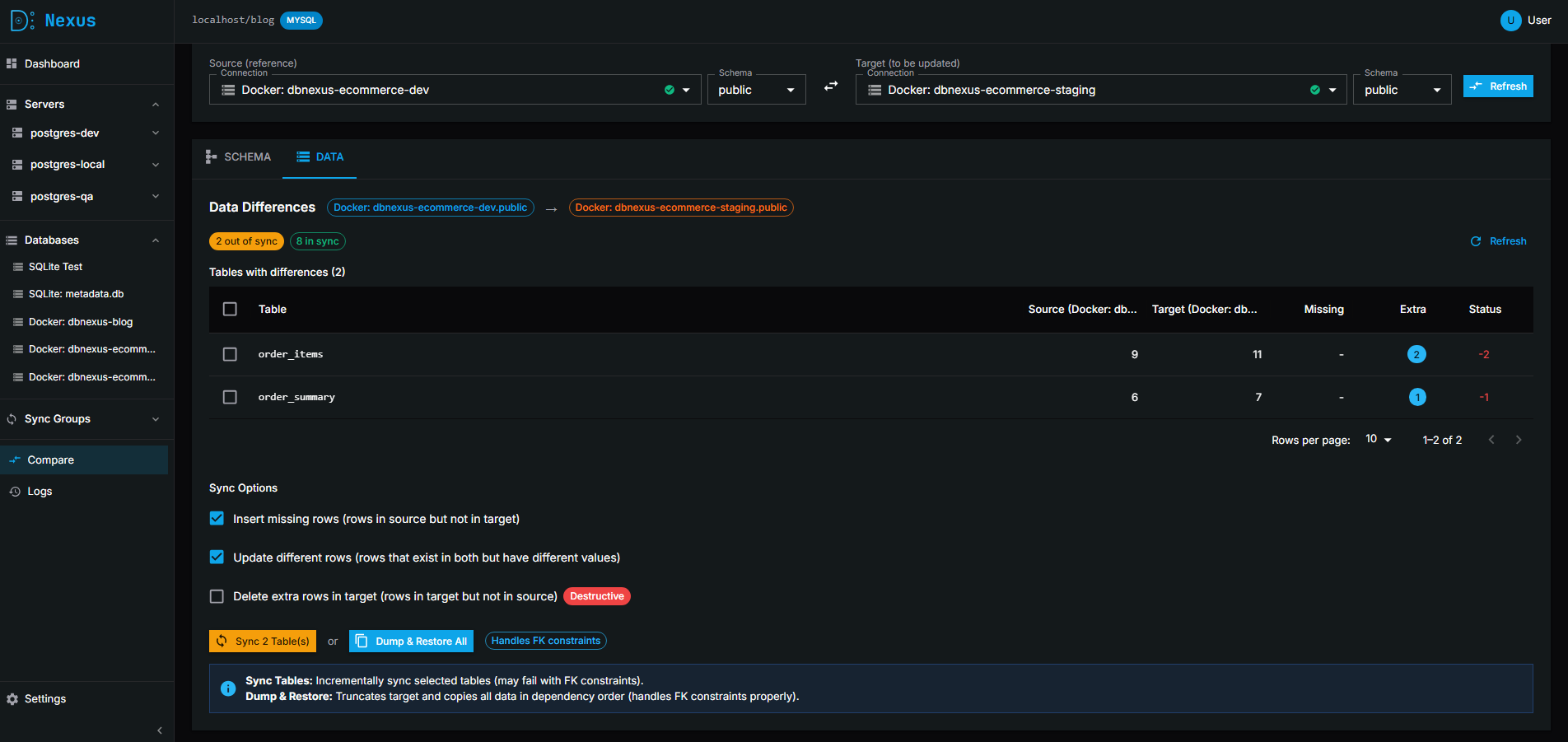
- Schema & Data Sync - Compare and synchronize schemas and data between databases
- Data Import/Export - Import CSV/JSON files with column mapping, export query results
- Backup & Restore - Full database backups with compression and one-click restore
- Production Safety - Blocks dangerous queries (UPDATE/DELETE without WHERE) on production
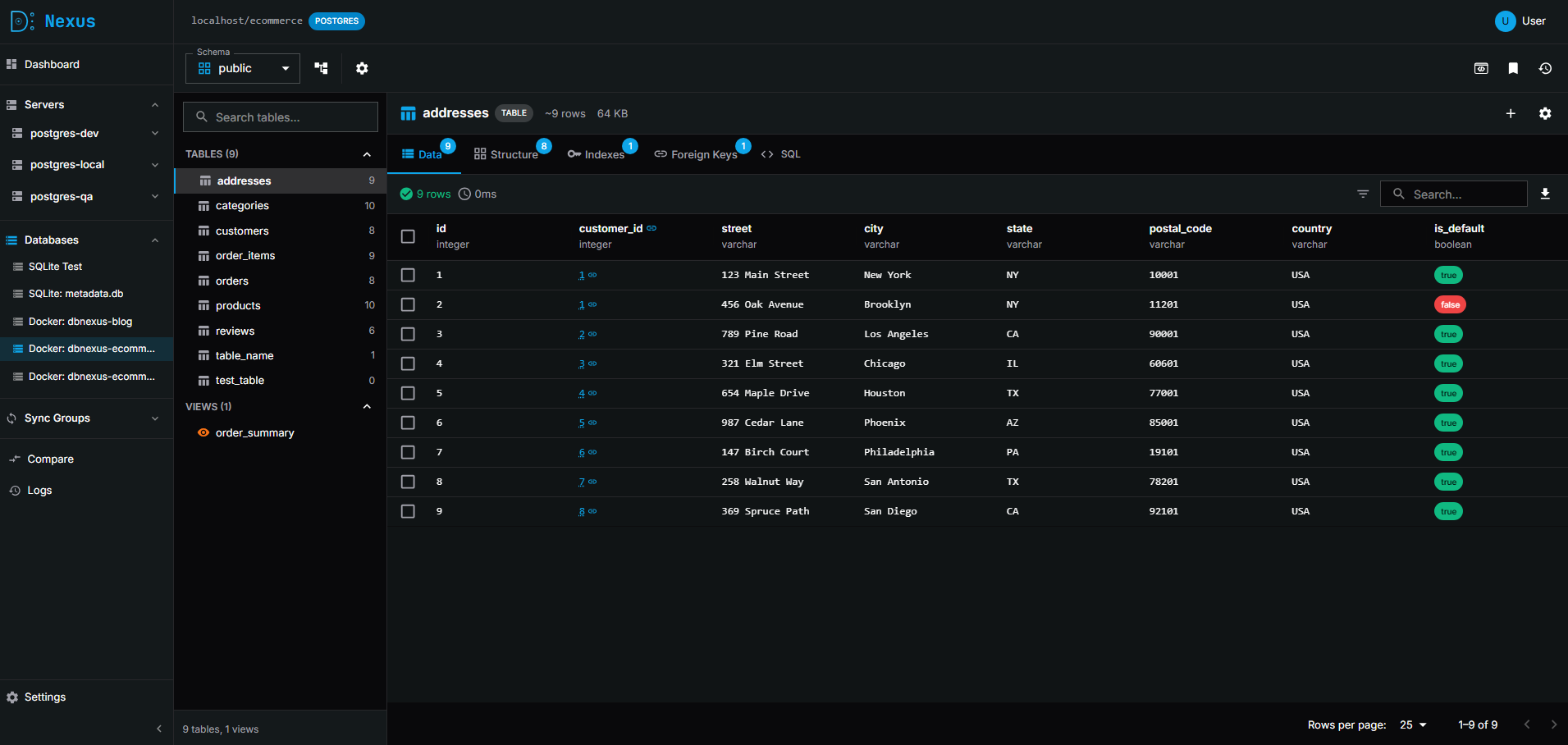
- Foreign Key Navigation - Click FK values to instantly jump to referenced rows
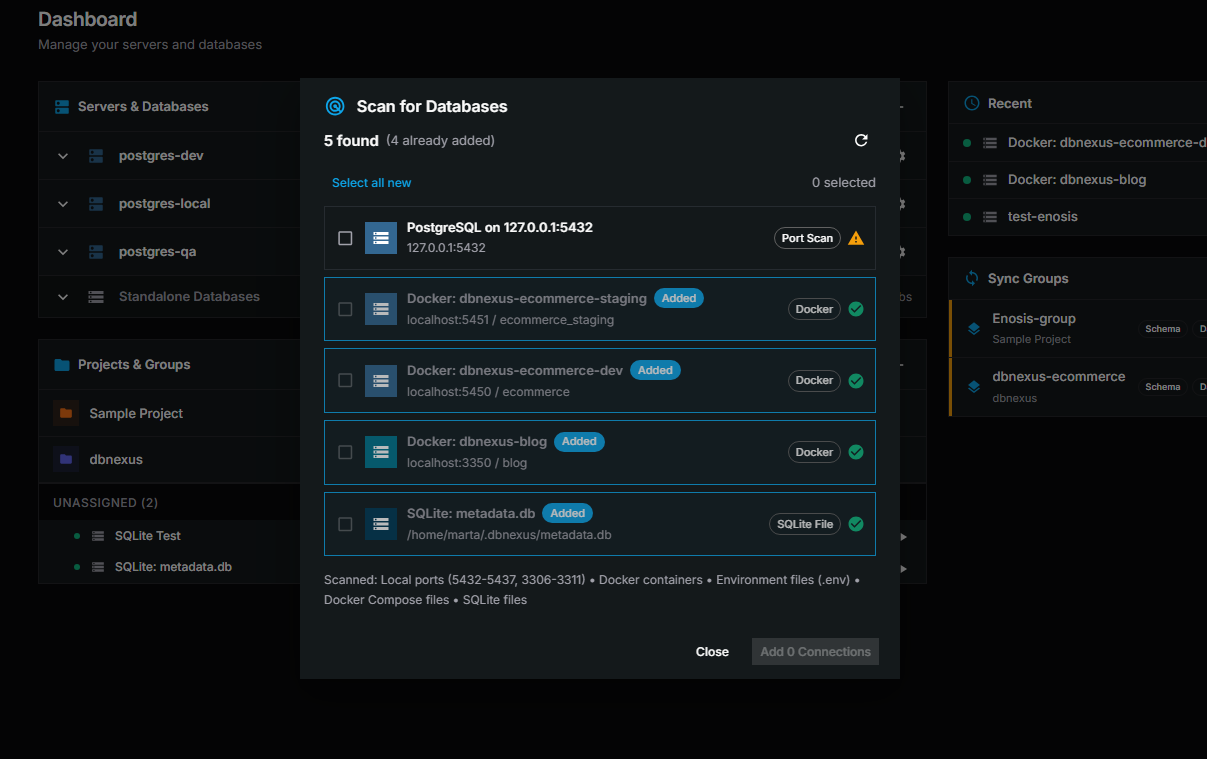
- Auto-Discovery - Scan for databases via Docker, ports, env files, and SQLite files
- Inline Data Editing - Edit table rows directly in the results grid
📸 Screenshots
Query Editor
Schema Diagram
Compare & Sync
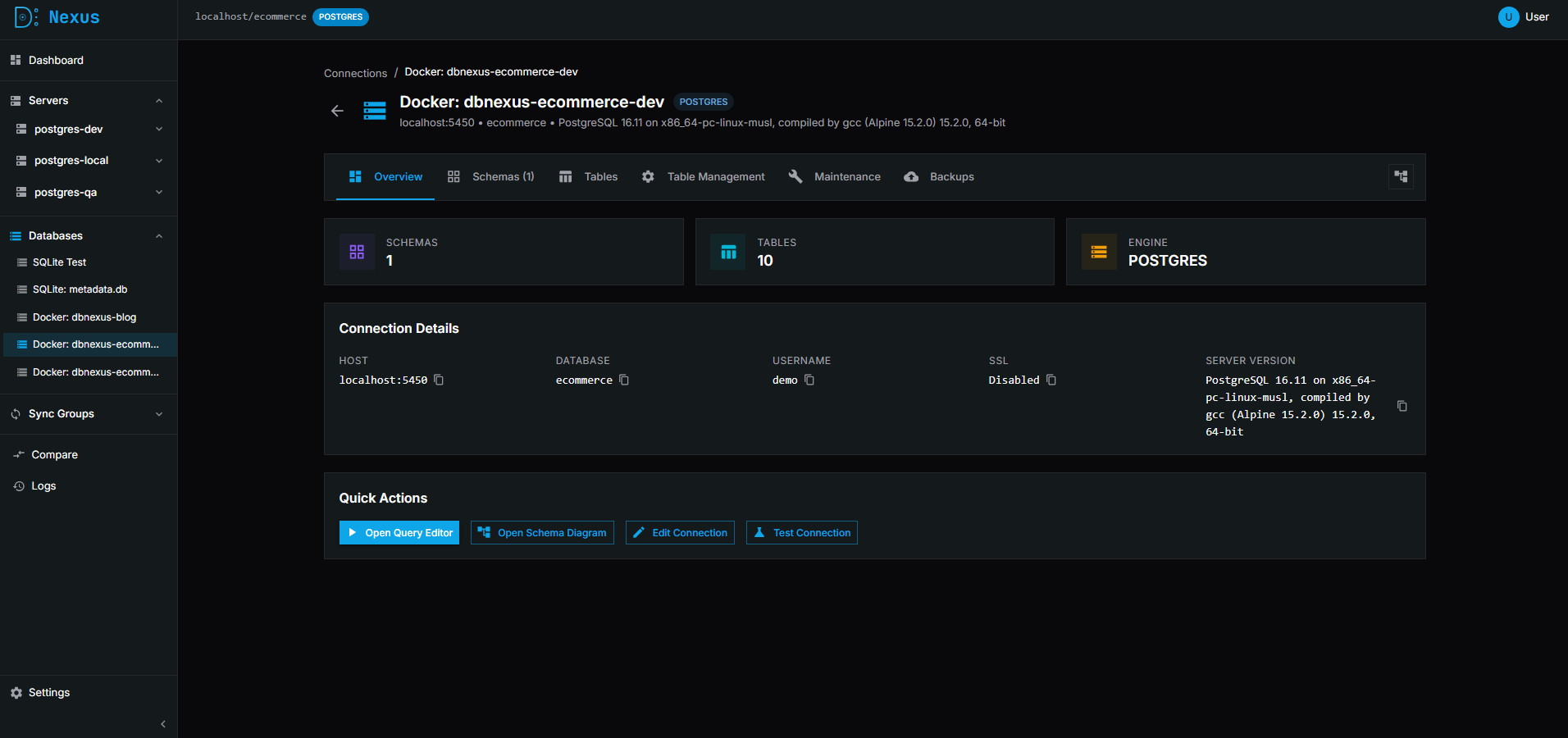
Connection Management
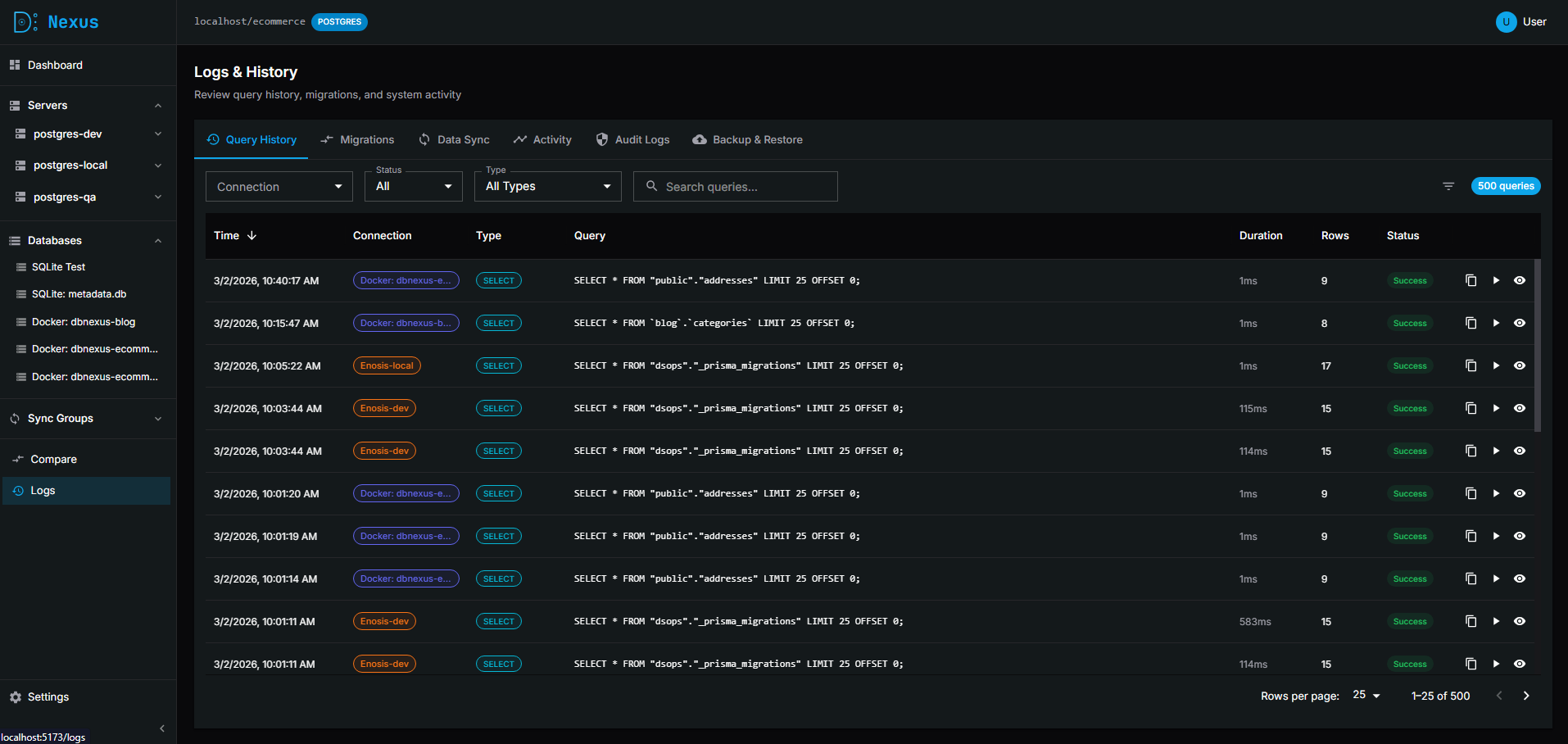
Activity Logs
Database Scanner
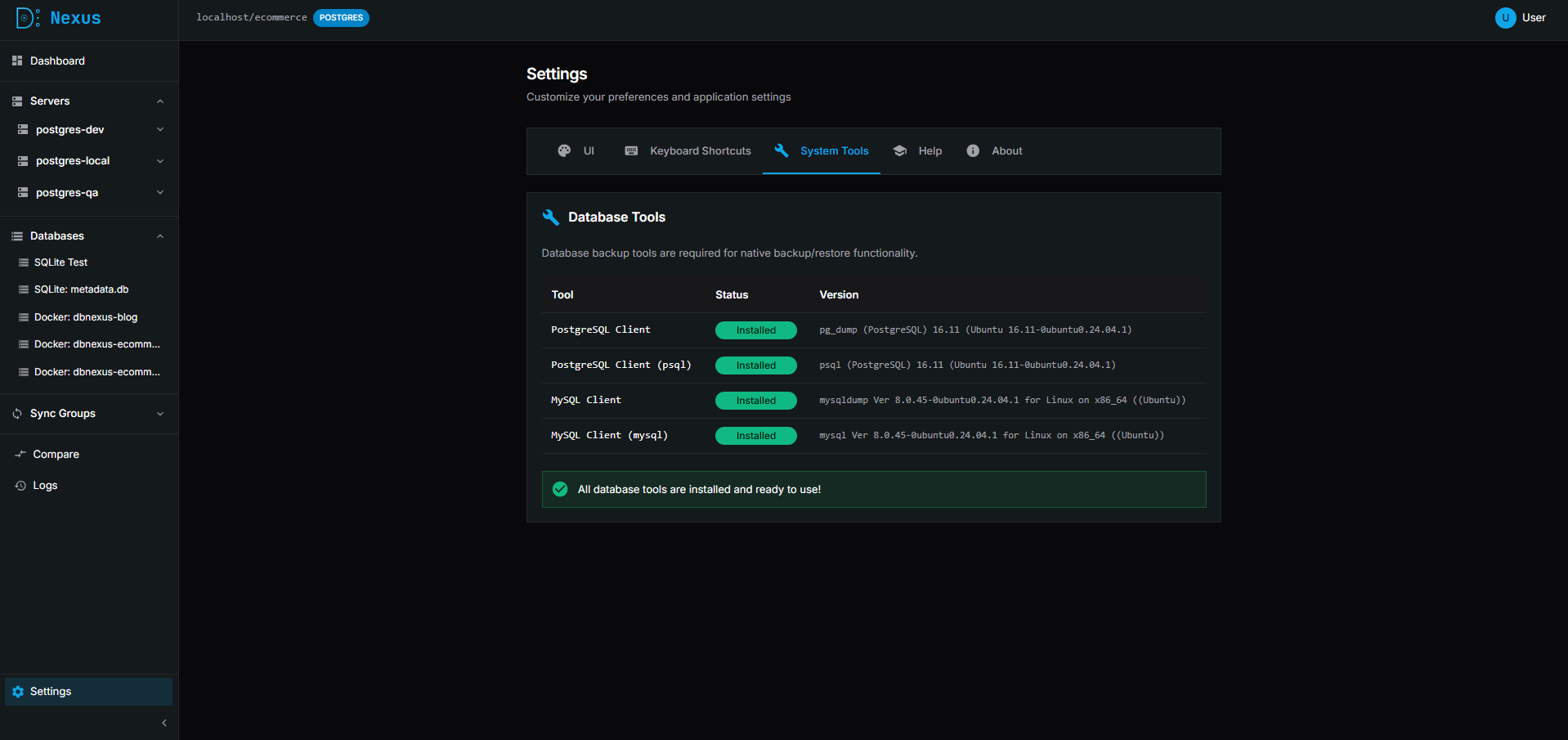
Settings
✨ Features
Core
- 🖥️ Modern Web UI - Beautiful, dark-themed interface with glassmorphism design
- 🔌 Multiple Connections - Manage and switch between multiple database connections
- 🔒 Encrypted Credentials - Passwords stored securely with AES-256-GCM encryption
- 🛡️ Safety Guardrails - Blocks dangerous queries (UPDATE/DELETE without WHERE) on production databases
- 🔐 Identity Verification - Password confirmation required before viewing sensitive server credentials
Query & Data
- ⚡ Query Editor - Execute SQL with syntax highlighting and results table
- 🔗 Foreign Key Navigation - Click FK values to instantly query referenced rows
- 📜 Query History - Track and replay previous queries
- ✏️ Inline Editing - Edit table data directly in the results grid
Schema Tools
- 📊 Schema Browser - Explore tables, columns, indexes, and relationships
- 🗺️ Schema Diagram - Visual database schema editor with drag-and-drop
- 🔄 Schema Sync - Compare and sync database schemas between connections
- 🎯 Per-Table Migration - Apply schema changes table-by-table with copy/apply actions
Data Management
- 📦 Data Sync - Sync table data between databases with conflict resolution
- 🔎 Connection Scanning - Auto-discover databases via ports, Docker, env files, and SQLite
- 💾 Backup & Restore - Full database backups with optional compression and restore capability
Server Management
- 🖧 Server Configuration - Manage PostgreSQL and MySQL servers with admin credentials
- 📊 Server Monitoring - View server version, uptime, and active connections
- 🗄️ Database Operations - Create, drop, and import databases directly on servers
Organization
- 🏷️ Connection Tags - Organize connections with customizable tags (dev, staging, prod)
- 📁 Projects & Groups - Group related connections together
- 🎨 Customizable Theme - Configure colors and styles in Settings
🚀 Quick Start
Installation
Install DB Nexus globally using npm:
npm install -g dbnexusOr run directly with npx (no installation required):
npx dbnexusUsage
Start DB Nexus:
dbnexusThis will:
- Start the server on
http://localhost:3001 - Automatically open your browser
- Store metadata in
~/.dbnexus/metadata.db
Options
dbnexus --port 8080           # Custom port
dbnexus --data-dir /path      # Custom data directory
dbnexus --no-open             # Don't open browser
dbnexus --help                # Show all options
Supported Databases
- PostgreSQL
- MySQL
- SQLite
🛠️ Development Setup
Prerequisites
- Node.js 18+
- pnpm
- PostgreSQL/MySQL (for target databases)
Installation
# Clone the repository
git clone https://github.com/akademskig/dbnexus.git
cd dbnexus

# Install dependencies
pnpm install

# Build all packages
pnpm build
Running in Development
# Start development servers (API + Web UI)
pnpm dev- Web UI: http://localhost:5173
- API: http://localhost:3001
💻 CLI Usage
Start the UI (default command)
# Start DB Nexus (default)
dbnexus

# Custom port
dbnexus --port 4000

# Don't open browser
dbnexus --no-open

# Custom data directory
dbnexus --data-dir ~/my-data
Connection Management
# Add a new connection
dbnexus connect add \
  --name prod-db \
  --host db.example.com \
  --port 5432 \
  --database myapp \
  --user admin \
  --password secret \
  --ssl \
  --tags prod,main

# List all connections
dbnexus connect list

# Test a connection
dbnexus connect test prod-db

# Remove a connection
dbnexus connect remove prod-db
Query Execution
# Run a query
dbnexus query --conn prod-db --sql "SELECT * FROM users LIMIT 10"

# Execute from file
dbnexus query --conn prod-db --file ./query.sql

# Dangerous queries require --confirm
dbnexus query --conn prod-db --sql "DROP TABLE temp" --confirm
Database Scanning
# Scan for databases (ports, Docker, .env files, SQLite)
dbnexus scan

# Auto-add discovered connections
dbnexus scan --add

# Scan specific directories for .env files
dbnexus scan --env-dirs ~/projects,/var/www
Data Export
# Export table to CSV
dbnexus export --conn prod-db --table users --format csv --output users.csv

# Export query results to JSON
dbnexus export --conn prod-db --sql "SELECT * FROM orders" --format json --output orders.json
Schema Tools
# Show schema for a connection
dbnexus schema show --conn prod-db

# Show specific table schema
dbnexus schema show --conn prod-db --table users

# Compare schemas between connections
dbnexus schema compare --source dev-db --target prod-db

# Generate migration SQL
dbnexus schema diff --source dev-db --target prod-db --output migration.sql
🔧 Scripts
| Command | Description |
| ------------- | ------------------------------- |
| pnpm dev | Start development servers |
| pnpm build | Build all packages |
| pnpm lint | Run ESLint |
| pnpm format | Format code with Prettier |
| pnpm check | Run lint + format check + build |
📦 Distribution
Docker
Build and run DB Nexus as a Docker container:
# Build the Docker image
pnpm docker:build

# Run with Docker
pnpm docker:run

# Or use Docker Compose for production
pnpm docker:compose
The application will be available at http://localhost:3001.
Desktop Application (Electron)
Build standalone desktop applications for Windows, macOS, and Linux:
# Build for all platforms
pnpm desktop:build

# Build for specific platforms
pnpm desktop:build:win    # Windows (.exe, portable)
pnpm desktop:build:mac    # macOS (.dmg, .zip)
pnpm desktop:build:linux  # Linux (.AppImage, .deb, .rpm)
Built applications will be in apps/desktop/out/.
Manual Installation
For manual deployment:
# Build all packages
pnpm build

# Start in production mode
NODE_ENV=production node apps/api/dist/main.js
🐳 Docker Compose (Development)
For testing with multiple database instances:
# Start test databases (PostgreSQL, MySQL)
docker-compose up -d

# Stop test databases
docker-compose down
📖 Documentation
- Full Documentation - Complete guide with screenshots and examples
- Architecture & Design - Technical details and design decisions
- Installation Guide - Detailed installation instructions
- Changelog - Release notes and version history
🌟 Why DB Nexus?
- 🏠 Local-First - Your data stays on your machine. No cloud dependencies.
- 🎨 Modern UI - Beautiful, intuitive interface with dark mode and glassmorphism design
- 🛡️ Production Safe - Built-in guardrails prevent accidental data loss
- 🔒 Secure - AES-256-GCM encryption for stored credentials
- ⚡ Fast - Native performance with direct database connections
- 🆓 Open Source - AGPL-3.0 licensed, free forever
🤝 Contributing
Contributions are welcome! Please feel free to submit a Pull Request.
- Fork the repository
- Create your feature branch (
git checkout -b feature/amazing-feature) - Commit your changes (
git commit -m 'Add some amazing feature') - Push to the branch (
git push origin feature/amazing-feature) - Open a Pull Request
🐛 Bug Reports
Found a bug? Please open an issue with:
- Steps to reproduce
- Expected behavior
- Actual behavior
- Database type and version
- DB Nexus version (
dbnexus --version)
📄 License
AGPL-3.0 - See LICENSE for details.
Made with ❤️ by the DB Nexus team