npm package discovery and stats viewer.

Discover Tips

  • General search

    [free text search, go nuts!]

  • Package details

    pkg:[package-name]

  • User packages

    @[username]

Sponsor

Optimize Toolset

I’ve always been into building performant and accessible sites, but lately I’ve been taking it extremely seriously. So much so that I’ve been building a tool to help me optimize and monitor the sites that I build to make sure that I’m making an attempt to offer the best experience to those who visit them. If you’re into performant, accessible and SEO friendly sites, you might like it too! You can check it out at Optimize Toolset.

About

Hi, 👋, I’m Ryan Hefner  and I built this site for me, and you! The goal of this site was to provide an easy way for me to check the stats on my npm packages, both for prioritizing issues and updates, and to give me a little kick in the pants to keep up on stuff.

As I was building it, I realized that I was actually using the tool to build the tool, and figured I might as well put this out there and hopefully others will find it to be a fast and useful way to search and browse npm packages as I have.

If you’re interested in other things I’m working on, follow me on Twitter or check out the open source projects I’ve been publishing on GitHub.

I am also working on a Twitter bot for this site to tweet the most popular, newest, random packages from npm. Please follow that account now and it will start sending out packages soon–ish.

Open Software & Tools

This site wouldn’t be possible without the immense generosity and tireless efforts from the people who make contributions to the world and share their work via open source initiatives. Thank you 🙏

© 2026 – Pkg Stats / Ryan Hefner

detachjs

v1.3.0

Published

web项目半分离改造组件

Readme

web前后端半分离组件 - detachJS

0. 安装

npm install detachjs

1. 背景

前段时间的工作中,遇到一个需求,大致内容如下:

Q:某应用可见权限功能开发。

A:看了一下待开发的工程,主要发现了以下问题:

1. JSP + JS和CSS内外联、内嵌

2. 前端修改了jsp的布局样式需要重新部署到服务器,才能看到效果,不利于开发过程中的调试,失去了前端所见即所得的优势

3. JSP页面嵌入了大量的EL表达式和JSP标签不便于前端理解,这样前后端分工不明确,以致于工作效率较低

基于以上分析:

1. 如果我们采用(前后端完全分离)JSP改为html,采用restful架构通过JSON交换数据,js渲染视图层(复杂度高,成本高,不推荐)。

2. 如果我们采用(前后端半分离)JSP页面解耦为DOM框架,通过js动态加载html模板,EL表达式和JSP标签问题可采用html模板引擎对接(复杂度中低,成本中低,具体根据业务场景决定是否分离以及分离程度,寻找平衡,权衡利弊)

综上所述,提出了本文中前后端半分离的这种思想。

  • 工程重构过程

    1. 原有工程代码 jsp页面
    <ul>
        ...
        <li>
            <a href="#app_tab">应用信息</a>
        </li>
        ...
    </ul>
    <div>
        <table>
            <!--jsp页面html和jsp标签以及EL表达式混合内容,部分可能含有java片段-->
            ...
        </table>
    </div>
    1. 新增加的功能如下
    <ul>
        ...
        <li>
            <a href="#app_tab">应用信息</a>
        </li>
        <!--新增加功能开始-->
         <li>
            <a href="#app_permission">可见权限配置</a>
         </li>
         <!--新增加功能结束 -->
        ...
    </ul>
    <div>
        <table>
            //jsp页面html和jsp标签以及EL表达式混合内容,部分可能含有java片段
            ...
        </table>
    </div>
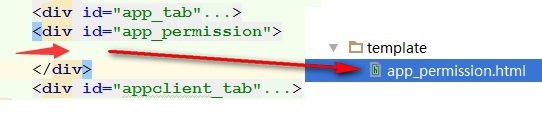
    <!--新增加功能-->
    <div></div>
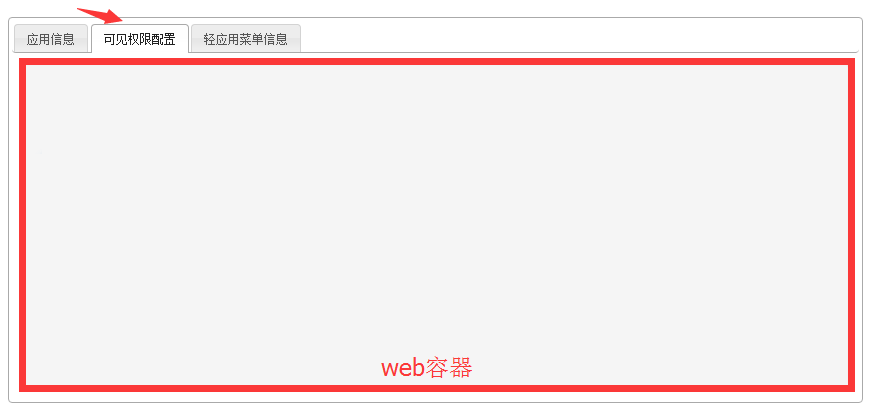
    1. 要增加的功能界面

    功能界面

    把界面的布局放到app_permission.html模板中,然后异步加载html模板到web容器中,即可
    功能界面

    1. 开发调试带来的便利

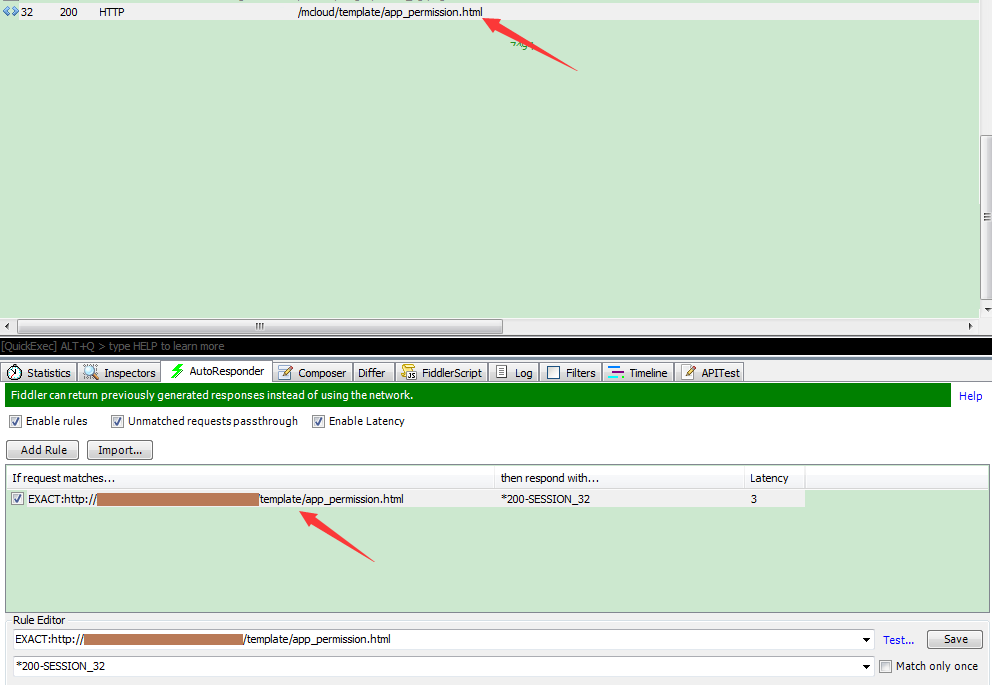
    经过改造,模板通过ajax加载,然后我们可以用fiddler做本地替换,达到开发过程中所见即所得的效果。

    (图1——浏览器http请求图)
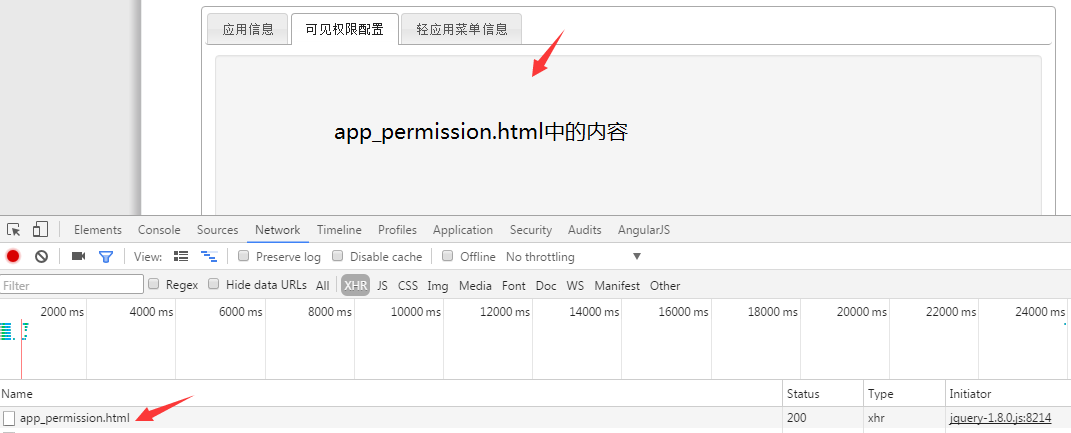
    功能界面

    (图2——fiddler http请求抓取)

    功能界面

    1. 半分离改造后的优势
    • 半分离改造灵感来源于SPA应用框架Angularjs (具有可行性,有理论和实践作支撑)

    • 按需加载

    • 减轻后台服务器压力

    • 页面结构清晰,而且方便页面实现组件化

    • 开发过程中,修改或增加页面无需重新部署

    • 利于单元测试

    注:由于js加载页面,会导致搜索引擎蜘蛛程序搜不到模板,对SEO有要求的网站应用要适当的采取此方法进行分离

2. detach组件使用

  • 首先引入

    <script src="detach.min.js"></script>

  • 然后直接调用

    Detach.init({
        ...
    });

3. detach组件API

methods | describe | options ----------|------------------------------------------|--------------------------------------------- init | Init template | { name: 'XXX', /* required */ container: document.querySelector('.parent'), /* default: document.body */data: {name: 'reamd',age: 18}, /* default: {} */tpl: './template/tpl.html', /* required */controller: function(){}, /* default: function(){} */onReady: function(){} /* default: function(){} */} destroy | Destroy template from dom | {name: 'XXX'} router.push | According to the name show template | {name: 'XXX'} route.delete | According to the name hide template | {name: 'XXX'} sub | subscribe messaging bus | ['string', function] pub | publish messaging bus | ['name', object]

注意事项

tpl.html中引入的外链css和js以tpl.html所在目录为参考目录,进行相对路径的引用。