
detangle
v0.2.4
Published
Fast dependency analysis and architecture rules for JavaScript and TypeScript (CLI and Node.js API)

Maintainers
 pallavl12
Readme
detangle
Fast dependency analysis and architecture rules for JavaScript and TypeScript: find import cycles, enforce boundaries between parts of your code, and explore the dependency graph. Works with React, Vue, Svelte and Angular. Written in Rust on top of the oxc parser and resolver.
Website · Benchmarks · Full reference · Releases
| Checking VS Code src/ (10k modules, 113k imports) | Time | Memory |
|---|---|---|
| detangle | 0.18 s | 156 MB |
| the JavaScript rules tool | 35 s | 4.6 GB |
| madge --circular | 34 s | 0.7 GB |
| ESLint import/no-cycle | 289 s | 2.6 GB |
Install
npm install --save-dev detangle          # or run once: npx detangle check
brew install debug-diary-1/tap/detangle
cargo install --locked detangle
Prebuilt binaries for macOS, Linux and Windows (x64 and arm64) are on the releases page.
Quick start
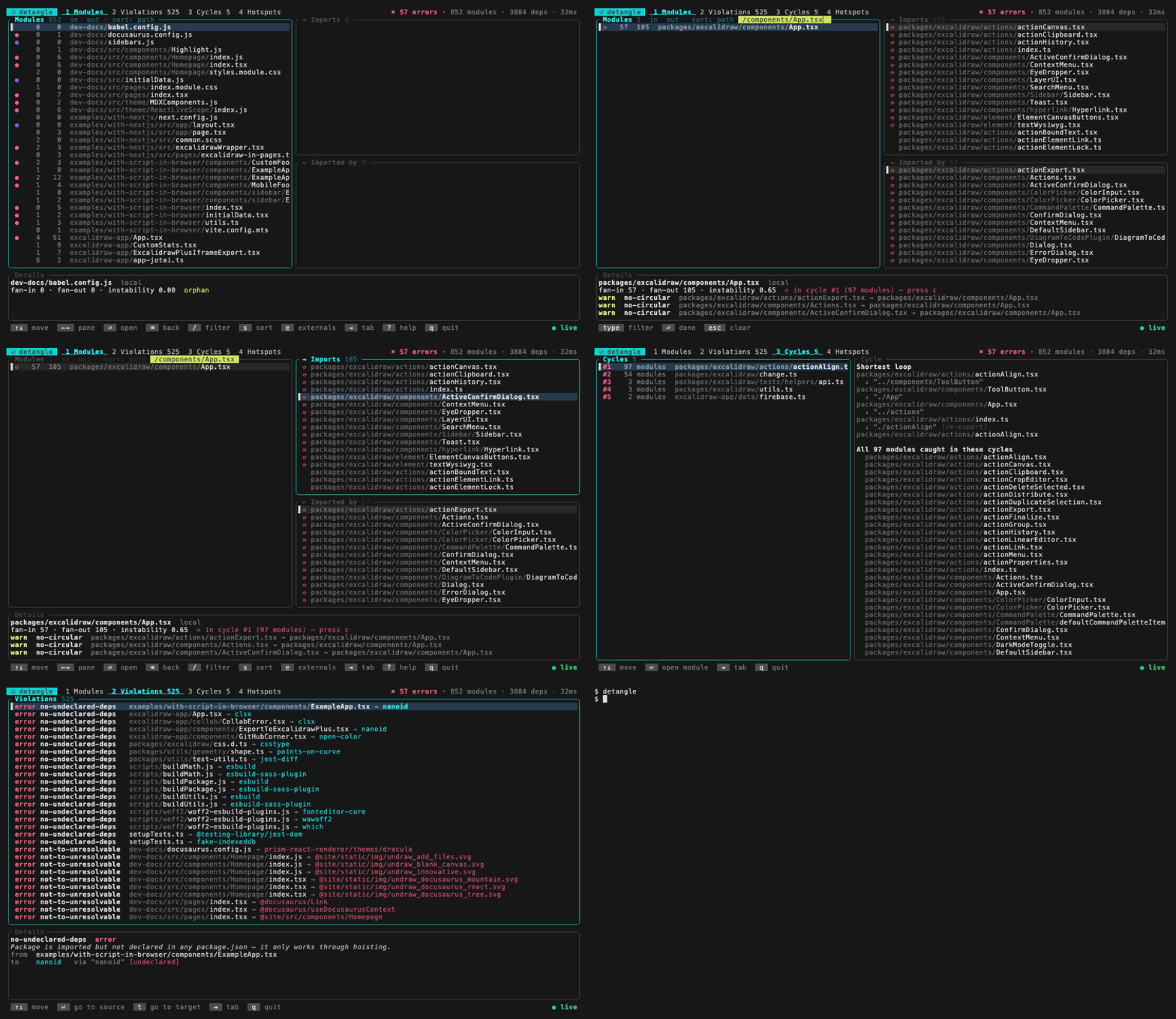
detangle                # interactive explorer (shown above), updates as you edit
detangle check          # run the rules; exits 1 on errors
detangle init           # write a starter detangle.toml
detangle report --open  # HTML report
With no config, detangle check reports import cycles, unresolvable imports, undeclared npm packages and orphaned files.
Rules
Rules live in detangle.toml. Paths are regular expressions matched against paths relative to the project root.
[[forbidden]]
name = "no-circular"
severity = "warn"
to = { circular = true }

# features may not import each other
[[forbidden]]
name = "no-cross-feature"
severity = "error"
from = { path = '^src/features/([^/]+)/' }
to = { path = '^src/features/', path_not = '^src/features/$1/' }
Already using another tool?
detangle migrate --dry-run   # preview
detangle migrate             # write detangle.toml
migrate converts JavaScript rules configs, ESLint import rules (import/no-cycle, no-restricted-paths, …), Nx module boundaries, eslint-plugin-boundaries and madge. On an existing codebase, detangle check --write-baseline records today's violations so CI fails only on new ones.
In CI
With GitHub Actions, the detangle action installs the binary, annotates the pull request and writes a report to the job summary:
- uses: debug-diary-1/detangle-action@v1Anywhere else, run it through npm: npx detangle check (exit 1 on errors), with -f github, -f markdown, -f azure or -f teamcity for that CI's annotations.
Before you commit
With pre-commit, in .pre-commit-config.yaml:
repos:
  - repo: https://github.com/debug-diary-1/detangle
    rev: v0.2.4
    hooks:
      - id: detangle
The hook runs when a source file, package.json, a tsconfig or detangle.toml is staged. With lefthook or husky, run npx detangle check (or npx detangle check --cache) in the pre-commit hook.
In your editor (experimental)
// eslint.config.js (ESLint 9 or 10)
import detangle from "detangle/eslint";

export default [/* ...your config */ detangle.configs.recommended];
Violations show on the imports that cause them as you type, including unsaved edits. Keep detangle check as the CI gate. See ESLint rules for options and limits.
Learn more
- Full reference: every command, rule option, the explorer, groups and Nx projects, the ESLint rules, the Node.js API and the HTML report.
- Releasing
License
Licensed under either of Apache License, Version 2.0 or MIT license, at your option.