
dev-lamp
v1.5.1
Published
Your friendly lighthouse performance companion - 100% local

Maintainers
 incrediblecrab
Readme
dev-lamp


Your friendly lighthouse performance companion - 100% local, privacy-first
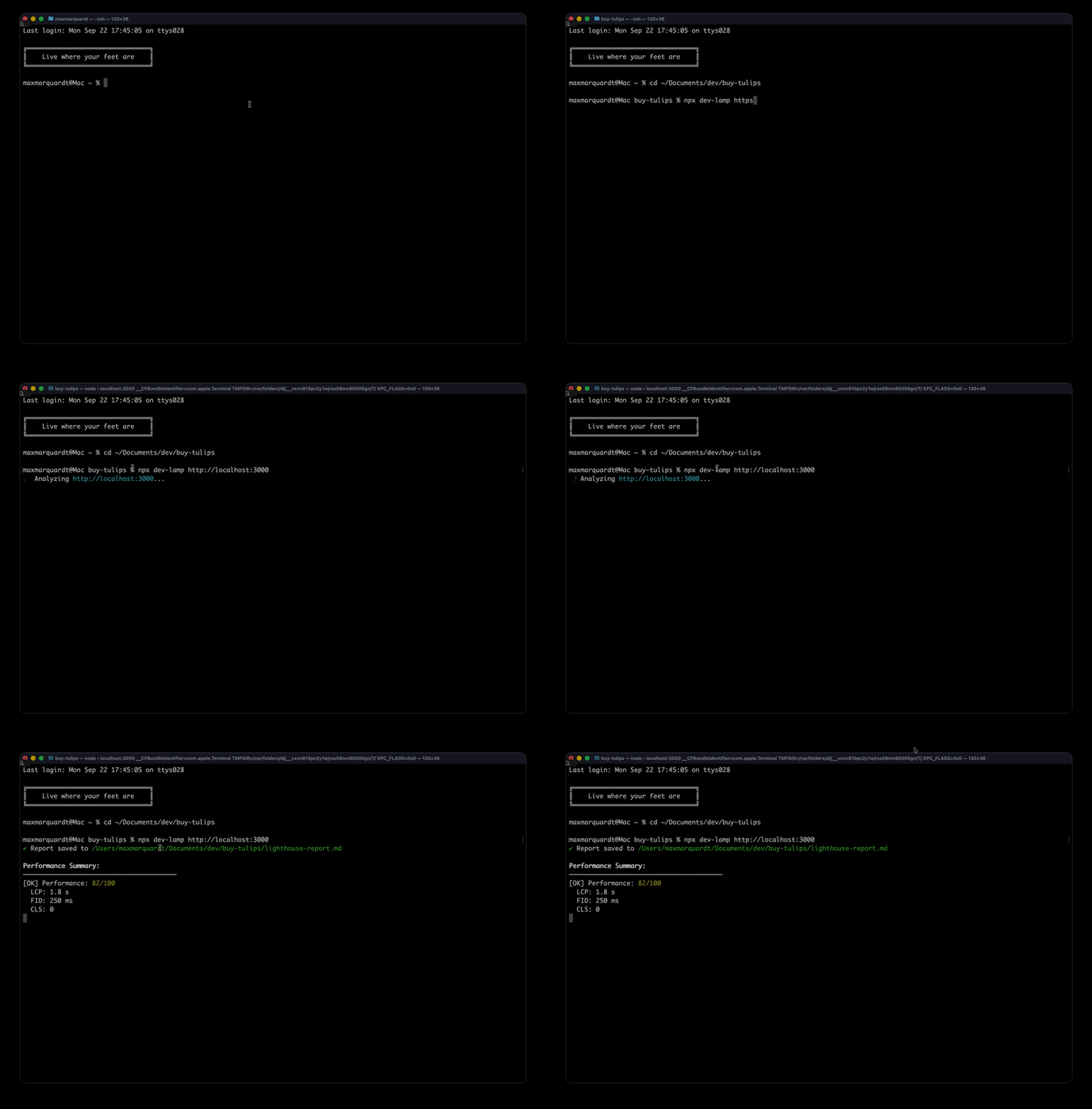
Why dev-lamp?
- 100% Local - Your data never leaves your machine
- Privacy First - No tracking, no analytics, no external connections
- One Command - Simple as
dev-lamp http://localhost:3000 - Developer Friendly - Clear errors, great documentation
- Multiple Formats - Markdown, Text, JSON output
Quick Start
# Install globally
npm install -g dev-lamp

# Analyze your local site
dev-lamp http://localhost:3000

# That's it! Your report is ready
Installation
Global Installation (Recommended)
npm install -g dev-lampLocal Installation
npm install --save-dev dev-lampUsage
Basic Analysis
# Analyze and save as markdown (default)
dev-lamp http://localhost:3000

# Specify output file
dev-lamp http://localhost:3000 -o performance.md

# Different format (txt, json)
dev-lamp http://localhost:3000 -f txt

# Analyze mobile performance
dev-lamp http://localhost:3000 --device mobile

# Multiple categories
dev-lamp http://localhost:3000 --categories performance,accessibility,seo
Command Options
dev-lamp analyze <url> [options]

Options:
  -o, --output <path>      Output file path (default: "lighthouse-report.md")
  -f, --format <type>      Output format: md, txt, json (default: "md")
  -t, --template <name>    Template: minimal, detailed, github (default: "detailed")
  --device <type>          Device: mobile, desktop (default: "desktop")
  --categories <list>      Categories to audit (default: "performance")
  --threshold <score>      Minimum acceptable score
  --no-headless           Show Chrome window
  --keep-alive            Keep Chrome open for multiple runs
Alternative Commands
# Make a wish for performance insights
dev-lamp wish http://localhost:3000

# Alternative command
dev-lamp rub http://localhost:3000
Output Examples
Markdown Output (Default)
# Lighthouse Performance Report

Generated by dev-lamp
**URL:** http://localhost:3000
**Score:** 95/100 [GOOD]

## Core Web Vitals
- **LCP:** 1.2s - Good
- **FID:** 50ms - Good
- **CLS:** 0.05 - Good
Text Output
LIGHTHOUSE PERFORMANCE REPORT
============================
URL: http://localhost:3000
Score: 95/100 [GOOD]

CORE WEB VITALS
LCP: 1.2s [GOOD]
FID: 50ms [GOOD]
CLS: 0.05 [GOOD]
JSON Output
{
  "metadata": {
    "url": "http://localhost:3000",
    "timestamp": "2024-01-01T00:00:00Z",
    "device": "desktop"
  },
  "scores": {
    "performance": 95
  },
  "metrics": {
    "lcp": {
      "score": 90,
      "value": 1200,
      "displayValue": "1.2s"
    }
  }
}
Categories
Available audit categories:
performance- Core Web Vitals and performance metricsaccessibility- Accessibility best practicesbest-practices- Web development best practicesseo- Search Engine Optimizationpwa- Progressive Web App features
Templates
Minimal
Compact report with just essential metrics
Detailed (Default)
Comprehensive report with all metrics, opportunities, and diagnostics
GitHub
PR-ready format optimized for GitHub comments
Privacy Commitment
Your data stays on your machine. Period.
- No external API calls
- No tracking or analytics
- No data collection
- Chrome runs locally
- Reports generated locally
Requirements
- Node.js 18+
- Chrome or Chromium browser
Development
# Install dependencies
npm install

# Build TypeScript
npm run build

# Run in development mode
npm run dev

# Run tests
npm test
Resources
Publisher
Max's Lab of Things Visit mlot.ai
License
MIT