
dev-widget
v1.2.0
Published
Unofficial Widget of DEV


Readme
DEV widget
Codepen: https://codepen.io/saurabhdaware/pen/NWWbOvv
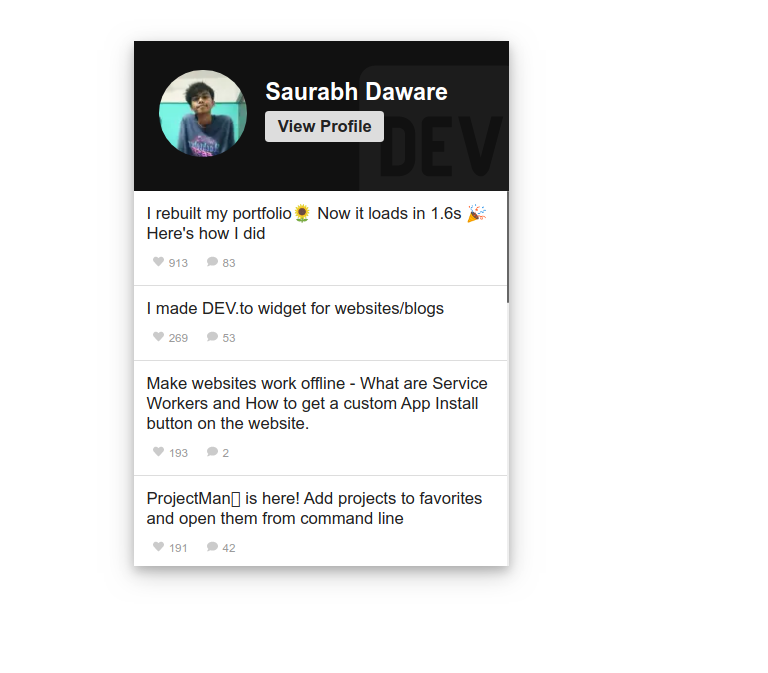
Unofficial Widget / profile card for dev.to.
You can use it in your website/blog and show off your DEV.to articles :sunflower:
Installation and Usage
- Through script tag
    <dev-widget data-username="saurabhdaware"></dev-widget>

    <!-- Place script tag before the end of the body tag -->
    <script src="https://unpkg.com/dev-widget@^1/dist/card.component.min.mjs" type="module"></script>
- As NPM module
This can be used in React, Vue and almost any other frontend framework
npm install --save dev-widgetInside your framework component
import 'dev-widget'Attributes Guide
| attributes | description | default |
|---------------|-------------------------------|--------------------------|
| data-username | Your DEV.to Username | |
| data-width | Width of the card | 300px |
| data-contentheight | Height of the Aricles Container | 300px |
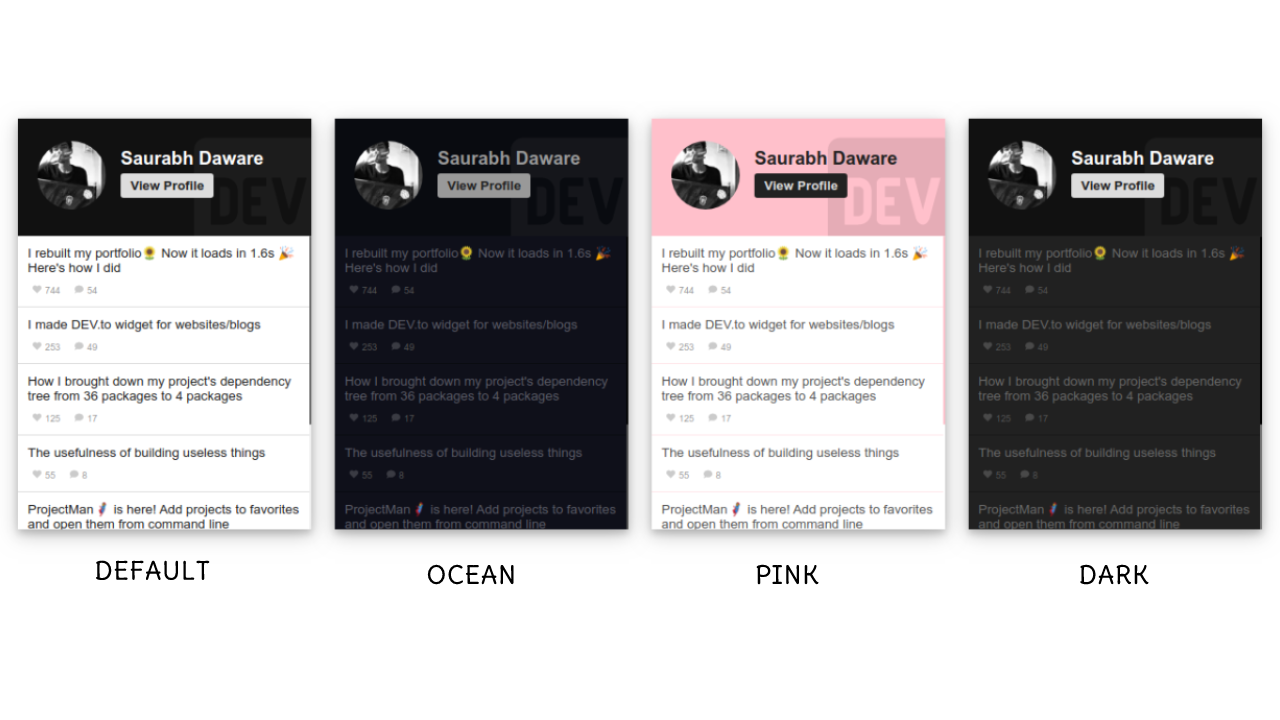
| data-theme | Theme of the card (dark, ocean, pink, cobalt2, default) | default |
| data-name (optional) | Name to display on card | Will be fetched from API |
| data-limit | Number of articles to display | 30 |
| data-sortby | Sort articles (date, reactions) | date |
Note: Value of data-limit should not be too high. An API request has to be made for every 30 articles so for data-limit=200 7 API requests will be made synchronously.
So a full example with every attribute would look something like
<dev-widget
    data-username="saurabhdaware"
    data-theme="ocean"
    data-sortby="reactions"
    data-width="320px"
    data-contentheight="200px"
    data-limit="3"
    data-name="Saurabh 😎"
></dev-widget>

<!-- Place script tag before the end of the body tag -->
<script src="https://unpkg.com/dev-widget@^1/dist/card.component.min.mjs" type="module"></script>
Note: Only data-username is neccessary and every other attribute is optional
Themes
default ocean pink dark cobalt2
Changelog
Contributing
I would love to have some of your contributions to this project. You can checkout CONTRIBUTING.md for Contribution guidelines.