
dfh-calender
v1.0.4
Published
calender prince
Downloads
16


Readme
前言
本日历参考文章:https://blog.csdn.net/BetterGG/article/details/80570183
日历在参考文献上进行了修改,使用JS+HTML+ES6/7,并对日历进行了进一步封装,使其使用更加方便,同时对样式进行了可配置化,用户可以通过自己的需求来修改需要的样式
项目效果:
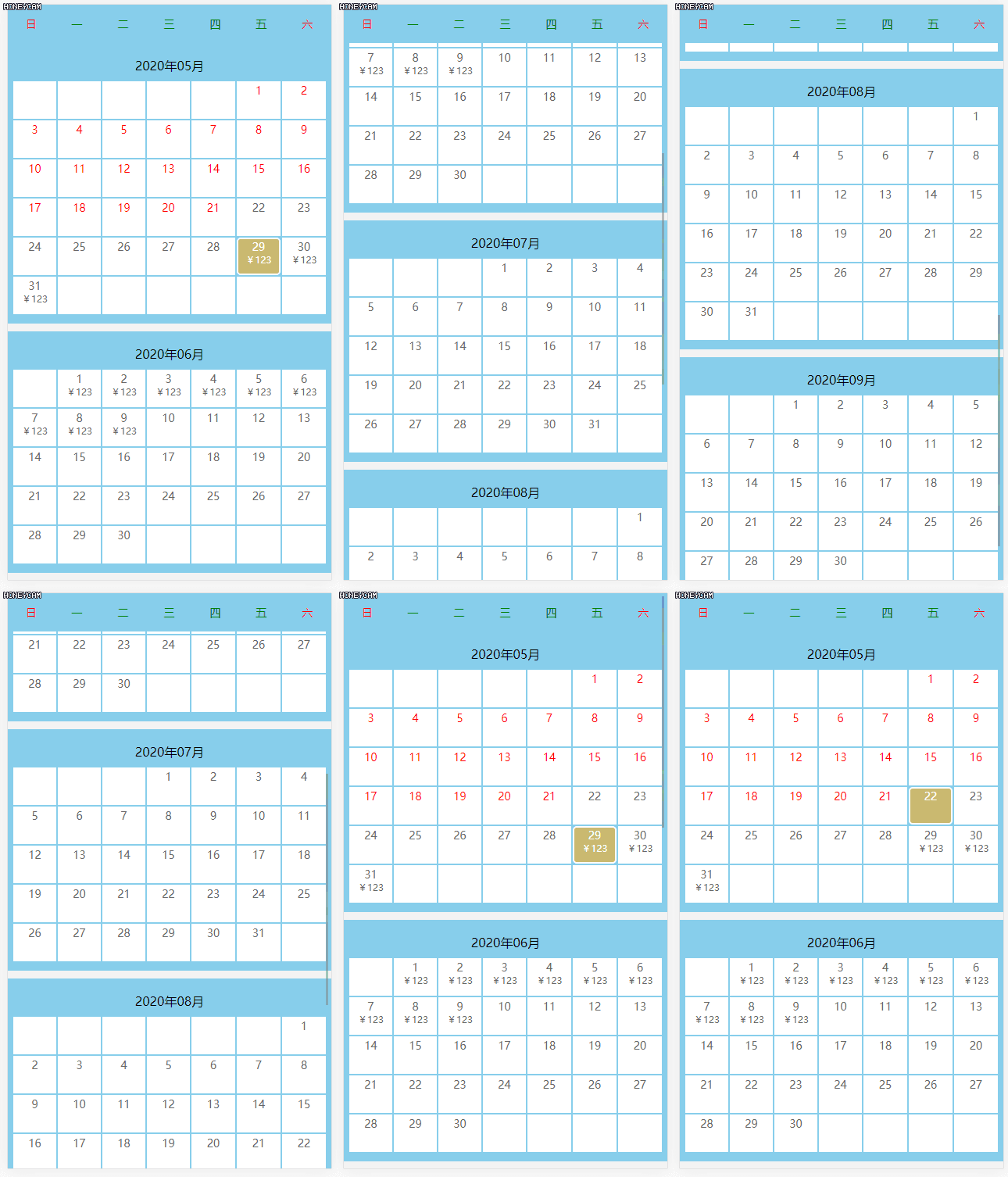
使用
- 引入依赖
npm install dfh-calender- 使用
<!--
 * @Author: dfh
 * @Date: 2020-05-18 11:15:28
 * @LastEditors: dfh
 * @LastEditTime: 2020-05-18 11:17:42
-->
<!DOCTYPE html>
<html lang="en">
  <head>
    <meta charset="UTF-8" />
    <meta name="viewport" content="width=device-width, initial-scale=1.0" />
    <title>Document</title>
    <link rel="stylesheet" href="./node_modules/dfh-calender/css/common.css" />
    <link
      rel="stylesheet"
      href="./node_modules/dfh-calender/css/calender.css"
    />
    <style></style>
  </head>
  <body>
    <div class="calender"></div>
  </body>
  <script src="./node_modules/dfh-calender/lib/calender.js"></script>
  <script>
    var arrayJSON = [
      {
        id: "0",
        date: "2020-04-29",
        price: "¥123"
      },
      {
        id: "1",
        date: "2020-04-30",
        price: "¥123"
      },
      {
        id: "2",
        date: "2020-04-31",
        price: "¥123"
      },
      {
        id: "3",
        date: "2020-05-01",
        price: "¥123"
      },
      {
        id: "4",
        date: "2020-05-02",
        price: "¥123"
      },
      {
        id: "5",
        date: "2020-05-03",
        price: "¥123"
      },
      {
        id: "6",
        date: "2020-05-04",
        price: "¥123"
      },
      {
        id: "7",
        date: "2020-05-05",
        price: "¥123"
      },
      {
        id: "8",
        date: "2020-05-06",
        price: "¥123"
      },
      {
        id: "9",
        date: "2020-05-07",
        price: "¥123"
      },
      {
        id: "10",
        date: "2020-05-08",
        price: "¥123"
      },
      {
        id: "11",
        date: "2020-05-09",
        price: "¥123"
      },
    ];
    new Calender({
      element: document.querySelector(".calender"), //父控件
      bgColor: "#eb8300", // 默认选中后的背景颜色
      color: "#fff", //默认选择文字颜色
      unClickTxtColor: "red", //不能选择的字体颜色
      arrayJSON: arrayJSON, //价格数据
      delay: 3, //延迟几天可以选择
      headerBgColor: "skyBlue", //星期背景色
      weekendTxtColor: "red", //周六周日文字眼色
      workDayTxtColor: "green", //工作日文字眼色
      index: 5, //默认展示几个月份
      bgCalender: "skyBlue", //日历背景色
      callback: function (e) {
        console.log(e);
      },
    });
  </script>
</html>
属性
| 属性 | 类型 | 描述 | 默认值 | | :-------------: | :------: | :-----------------------------------------------: | :------: | | element | DOM | 需要添加到的DOM元素 | false | | bgColor | String | 选中后的背景颜色 | #eb8300 | | color | String | 选中的文字颜色 | #ffd101 | | unClickTxtColor | String | 不能选择的字体颜色 | #ccc | | arrayJSON | Array | 传递的数据 | [] | | delay | Int | 延迟几天可以选择 | 4 | | headerBgColor | String | 日期的背景色 | white | | weekendTxtColor | String | 周六周日的文字颜色 | #ffd101 | | workDayTxtColor | String | 周一到周五的文字颜色 | black | | index | Int | 展示几个月份的 | 4 | | bgCalender | String | 日历背景色 | white | | callback | Function | 选中时的回调返回值:{date:“”,id:“”,price:“”} | |