
diff-easy
v0.1.2
Published
A local git diff viewer for AI-agent workflows: review many repos from one tabbed hub, copy line comments as ready-to-paste agent prompts, and replay the diff of each agent turn. Built on difit.
Downloads
469

Maintainers
 saimageshvar
Readme
diff-easy
A local, browser-based git diff viewer built for AI-agent workflows. Run one always-on server and review diffs across all your repos from a tabbed hub — then hand your review straight to a coding agent.
It does a few things a plain diff viewer doesn't:
- 🗂️ One hub, every repo. Open folders (or a GitHub PR) as tabs and switch between them without spinning up a server per project.
- 💬 Comments you can hand to an agent. Leave review comments on any line, then copy them as a ready-to-paste prompt for Claude Code, Cursor, or any agent.
- ⏱️ A per-turn agent timeline. Snapshot the working tree at every agent turn, so you can replay exactly what each turn of a coding-agent session changed — live.
- 🧭 File organization modes. Reorganize a diff's file list by folder, by module, by relationship, or by AI-inferred intent (via Claude) — not just the flat tree.
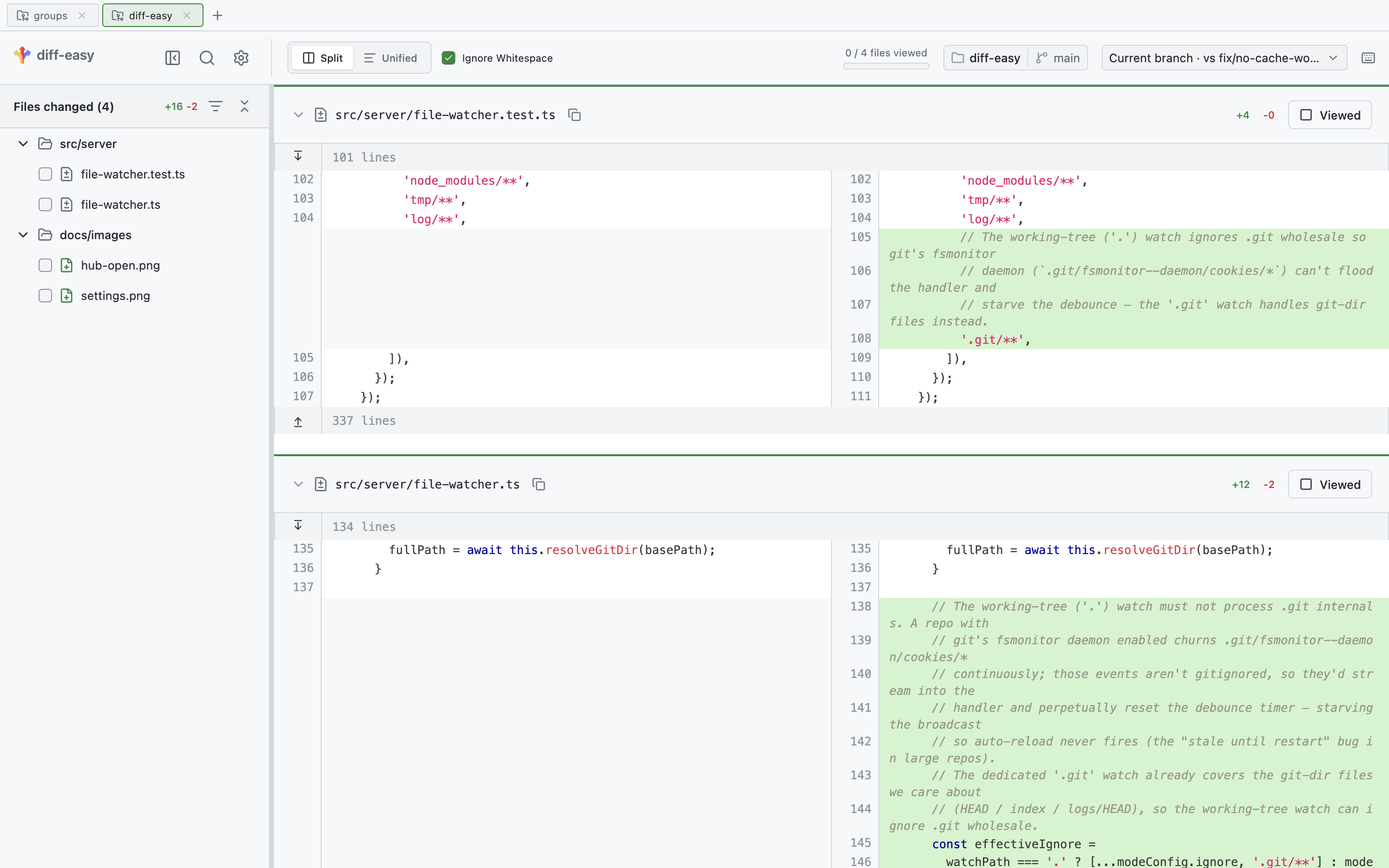
diff-easy is built on a vendored copy of difit
(MIT). See NOTICE.md for attribution.
Install
npm install -g diff-easyThen run diff-easy inside any git repo, or start the hub (below). Requires Node 18+.
The hub — review many repos from one place
The hub is an always-on server. Point it at the folders that hold your repos, and it discovers every git repo underneath them:
diff-easy hub --root ~/code --root ~/workIt opens a browser at http://localhost:4966. Pick a folder — or paste a GitHub PR
URL — and it opens as a tab. Open as many as you like and switch between them;
each tab remembers its own diff selection, filters, and comments.
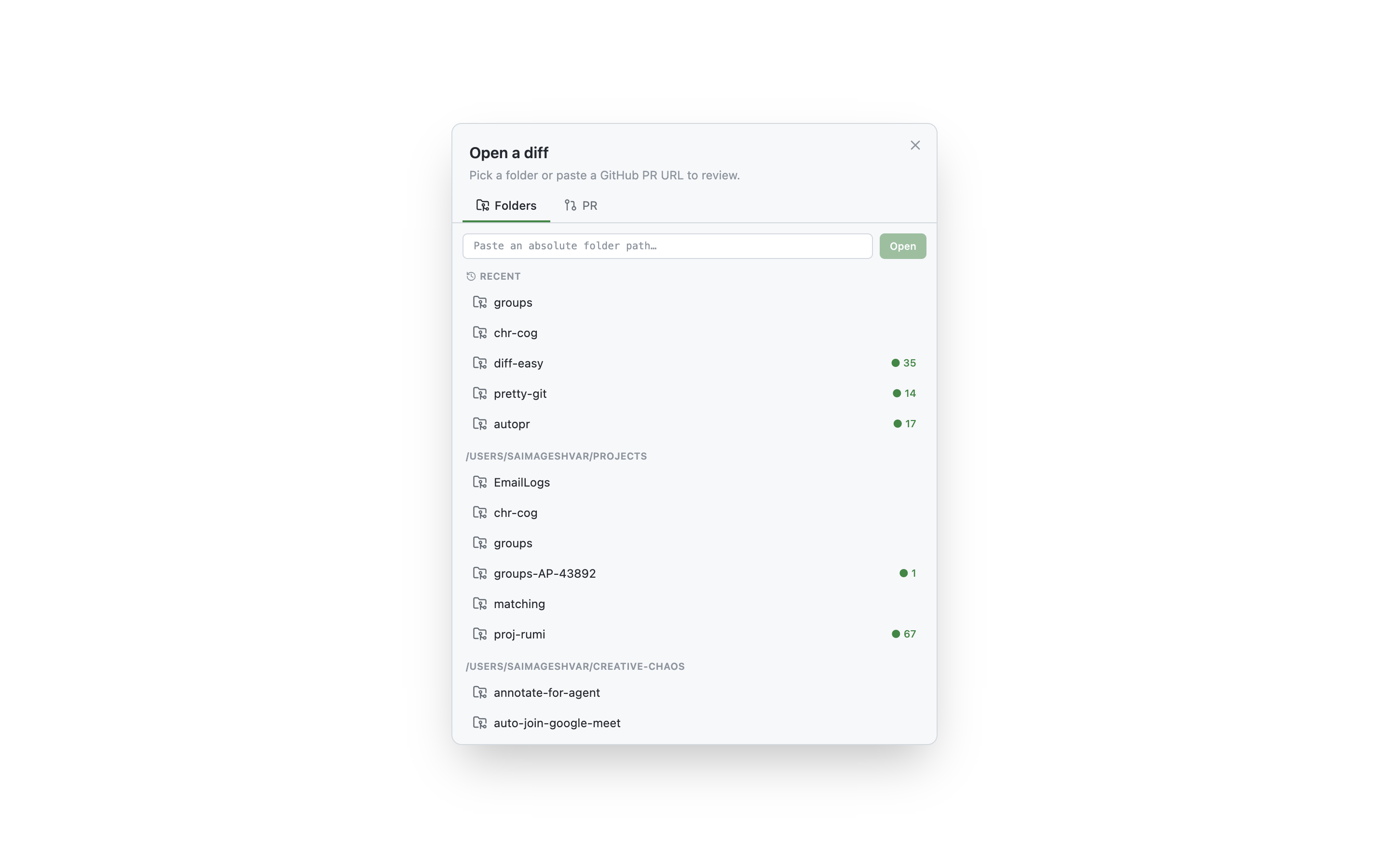
Because it's always on, most people run it once in the background on login. A handy shell alias:
# ~/.bashrc / ~/.zshrc — start the hub once, in the background
alias dh='nohup diff-easy hub --root ~/code --root ~/work > ~/diff-easy-hub.log 2>&1 &'
Now dh from anywhere brings the hub up (it's a no-op if already running). The port
defaults to 4966 (override with --port or $DIFIT_HUB_PORT).
Comments you can hand to an agent
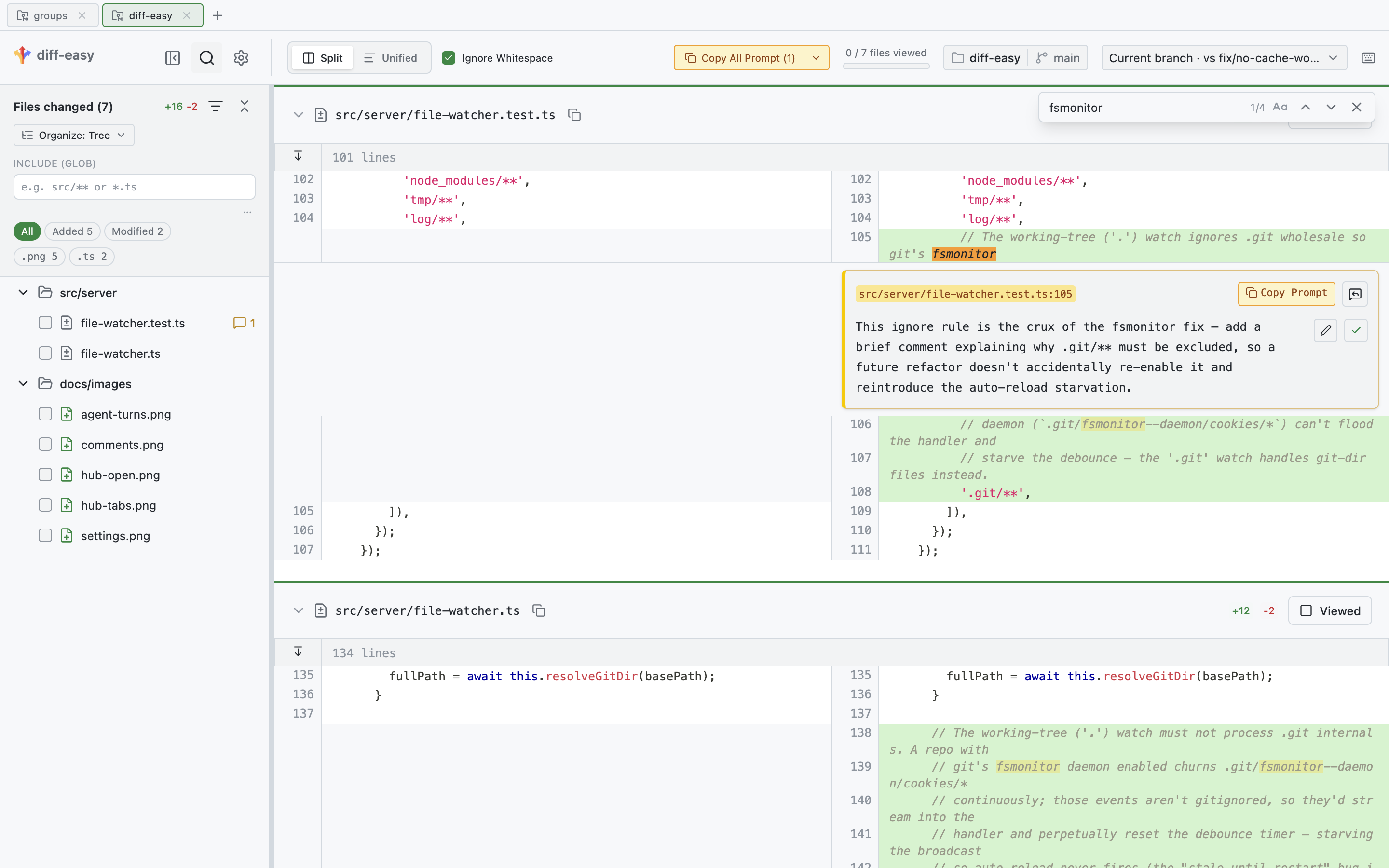
Click any line to leave a comment — a code-review note, a fix request, a question. Then Copy All Prompt turns every open comment into a single, structured prompt (file, line, and your note) that you paste straight into a coding agent. Per-thread Copy Prompt does the same for one comment.
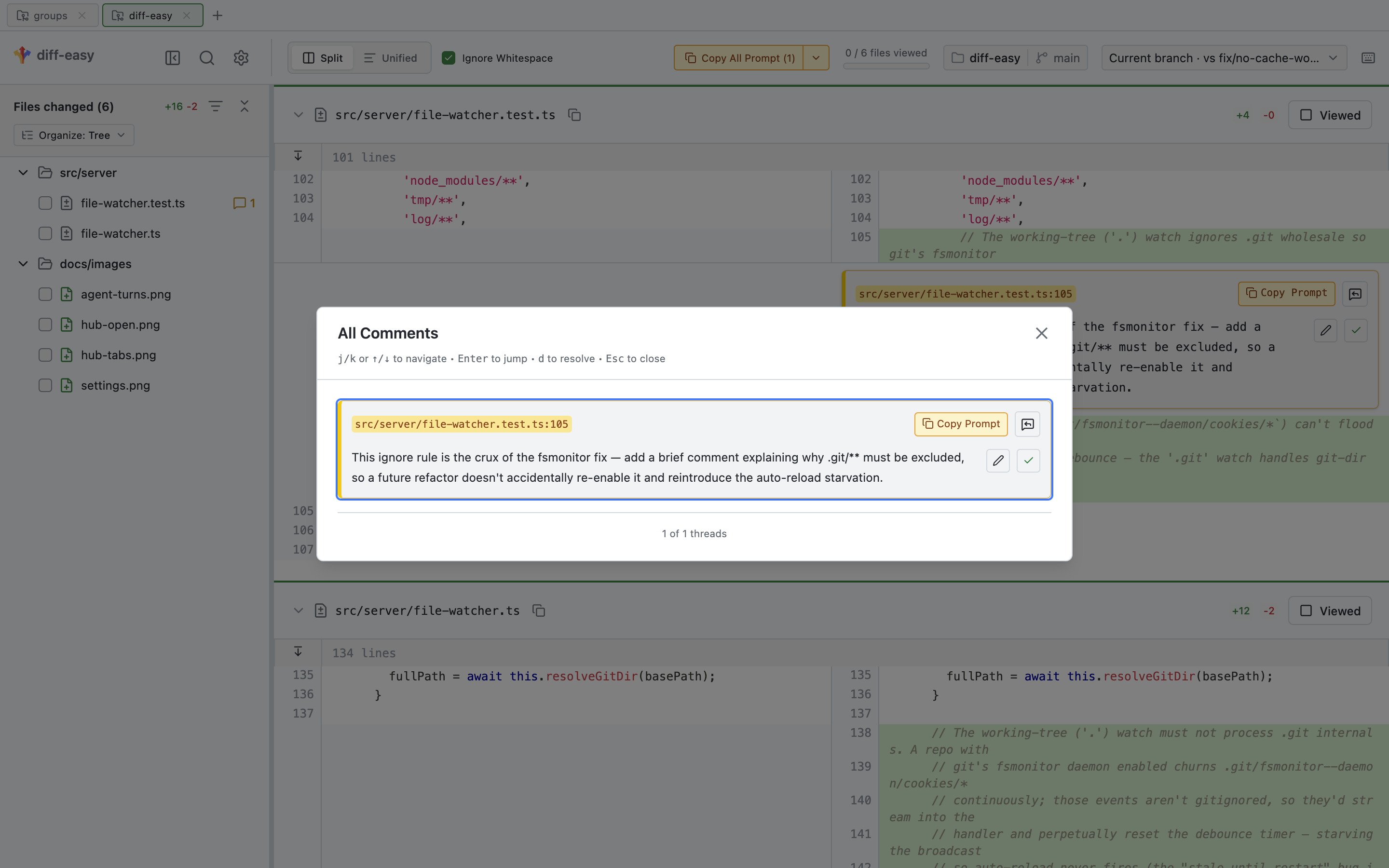
This is the core loop diff-easy is built around: review in the browser → copy → paste to the agent → let it fix. No integration or API keys — it's just your clipboard.
Per-turn agent timeline
diff-easy can record what each turn of a coding-agent session changes, so you can replay the session diff-by-diff. Install the capture hook once:
diff-easy init             # every repo (writes to ~/.claude/settings.json)
diff-easy init --project   # or just this repo (./.claude/settings.json)
This installs two Claude Code hooks that snapshot your entire working tree at each turn boundary (capturing edits from both the Edit/Write tools and shell commands). Capture is decoupled from viewing — turns are recorded whether or not the viewer is open, so you can review a session after the fact.
In the viewer, the review menu lets you pick a session and step through its turns, or stay on Working tree to auto-advance as the agent works:
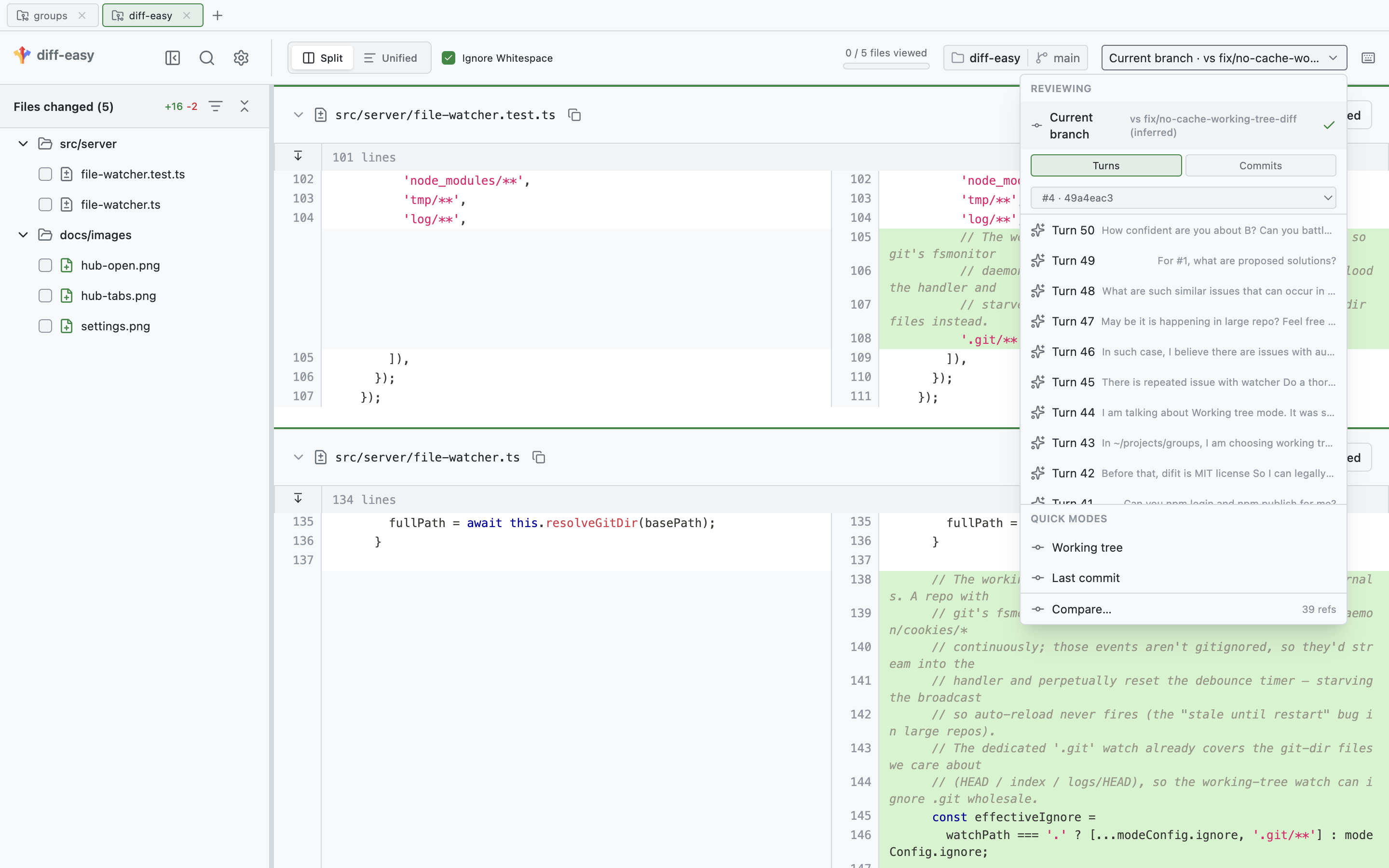
Snapshots are anchored under refs/difit/snapshots (so they survive git gc and never
touch your branches); each session keeps its most recent 50 turns. To wipe them:
git update-ref -d refs/difit/snapshots && git gc --prune=now && rm -rf .difit-turnsFile organization modes
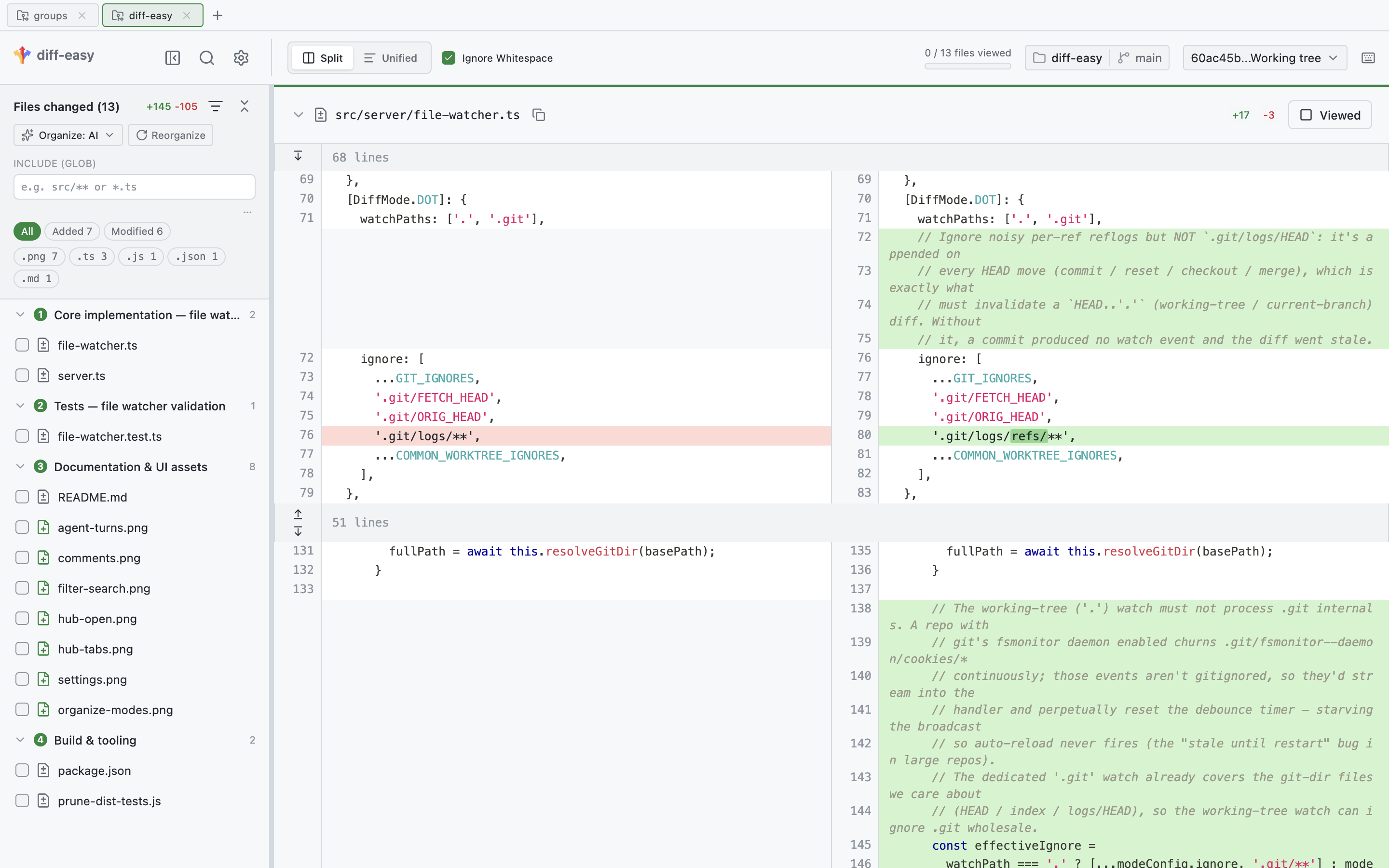
A diff-easy exclusive (difit only has the folder tree). When a diff spans many files, the Organize menu reorganizes the file list along a different axis — pick whichever makes the change easiest to read:
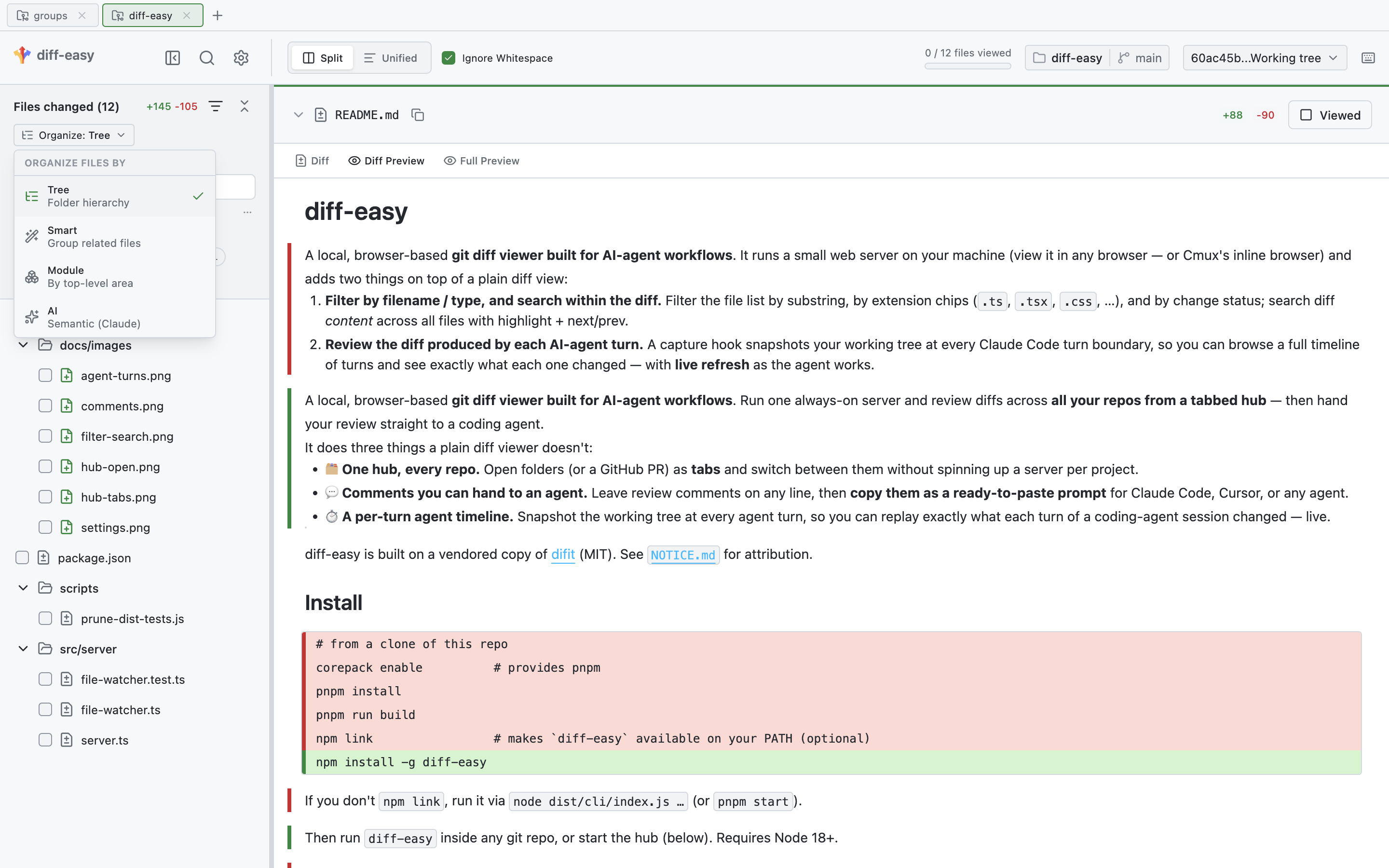
- Tree — the literal folder hierarchy (the default).
- Smart — groups related files by relationship. Instant and local.
- Module — flat buckets by top-level area (e.g.
src/server,src/client,docs). - AI — semantic cohorts named by intent — what each group of changes actually does — ordered for a sensible review pass, with generated/noise files folded away.
AI mode is powered by the local claude CLI (Claude Haiku by default), so it needs no
API key or cloud backend; it runs only when you pick it, caches the result, and falls
back to Smart if the CLI isn't available.
Filter & search
Narrow the file list by glob, extension, or change status, and search diff content across every file (Cmd/Ctrl+F) with match highlighting and next/prev.
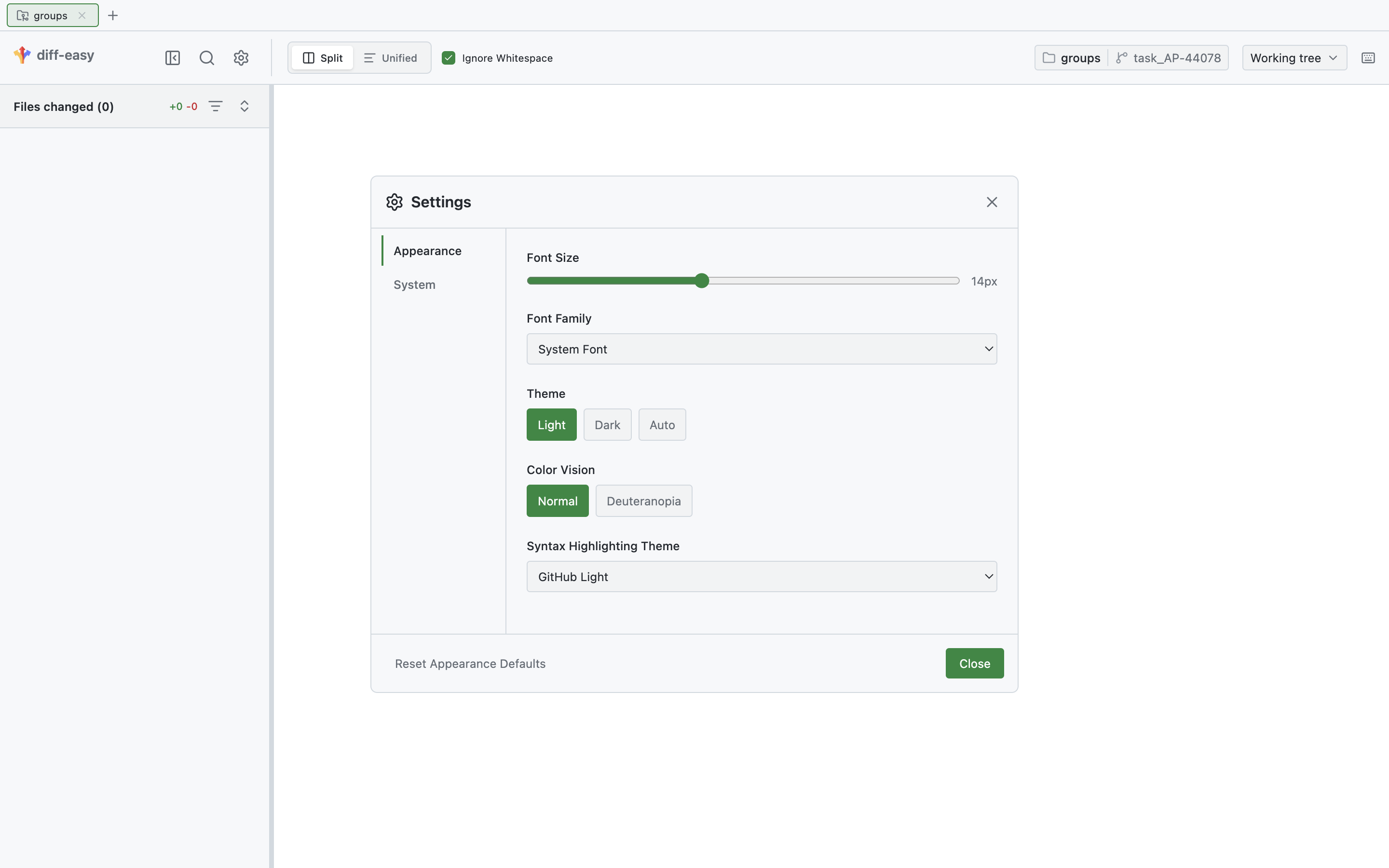
Light and dark themes, font, and syntax highlighting live under the ⚙️ Settings menu.
Quick single-repo mode
Don't need the hub? Run diff-easy directly in a repo to view one diff and exit:
diff-easy                # all uncommitted changes vs HEAD (default)
diff-easy working        # unstaged only
diff-easy staged         # staged only
diff-easy HEAD~3 HEAD    # a commit range
diff-easy --pr <url>     # a GitHub PR
Use from CMUX
Inside a CMUX workspace, toggle the hub in a browser split beside your terminal, scoped to the current repo:
diff-easy cmux toggle # open the split for this repo, or close it if openRunning it in another workspace re-points the shared hub to that repo.
Develop
pnpm install
pnpm run build       # build CLI + client
pnpm test            # run tests