
diffback-review
v1.4.0
Published
Review AI-generated code changes and generate structured feedback prompts

Maintainers
 verabravo
Readme
diffback
A local web tool to review AI-generated code changes. Think GitHub PR reviews, but for uncommitted diffs in your terminal workflow.
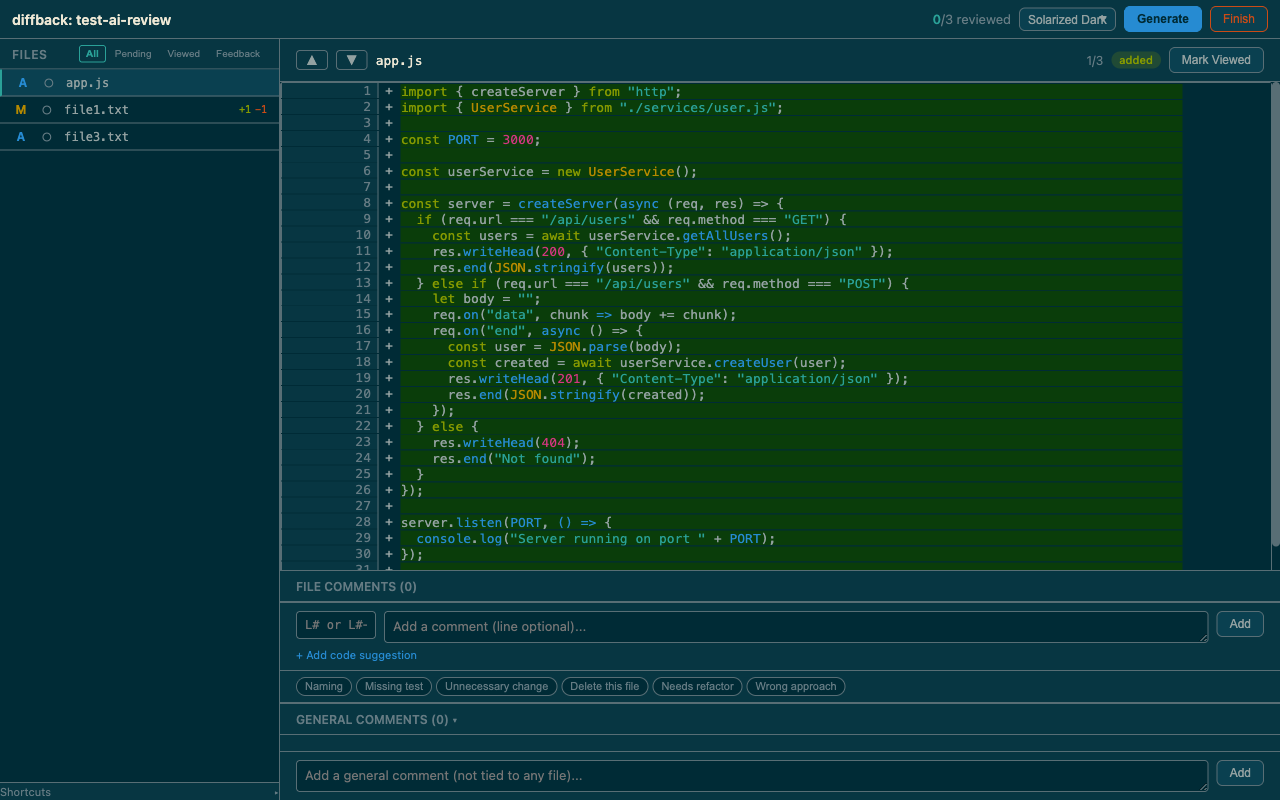
Instead of manually reading git diff output and typing feedback into a chat, diffback gives you a visual interface to browse changes, mark files as viewed, leave comments on specific lines, and generate a structured feedback prompt you can paste directly into your AI agent.
Why
When working with AI coding agents (Claude Code, Cursor, Copilot, etc.), the review loop is painful:
- The AI makes changes across multiple files
- You run
git diffand scroll through walls of text - You mentally track what you've reviewed and what needs fixing
- You type feedback into the chat, forgetting half of what you noticed
- The AI applies fixes, and you start over -- re-reviewing files that didn't change
diffback fixes this by giving you a proper review interface with persistent state that survives between rounds.
Features
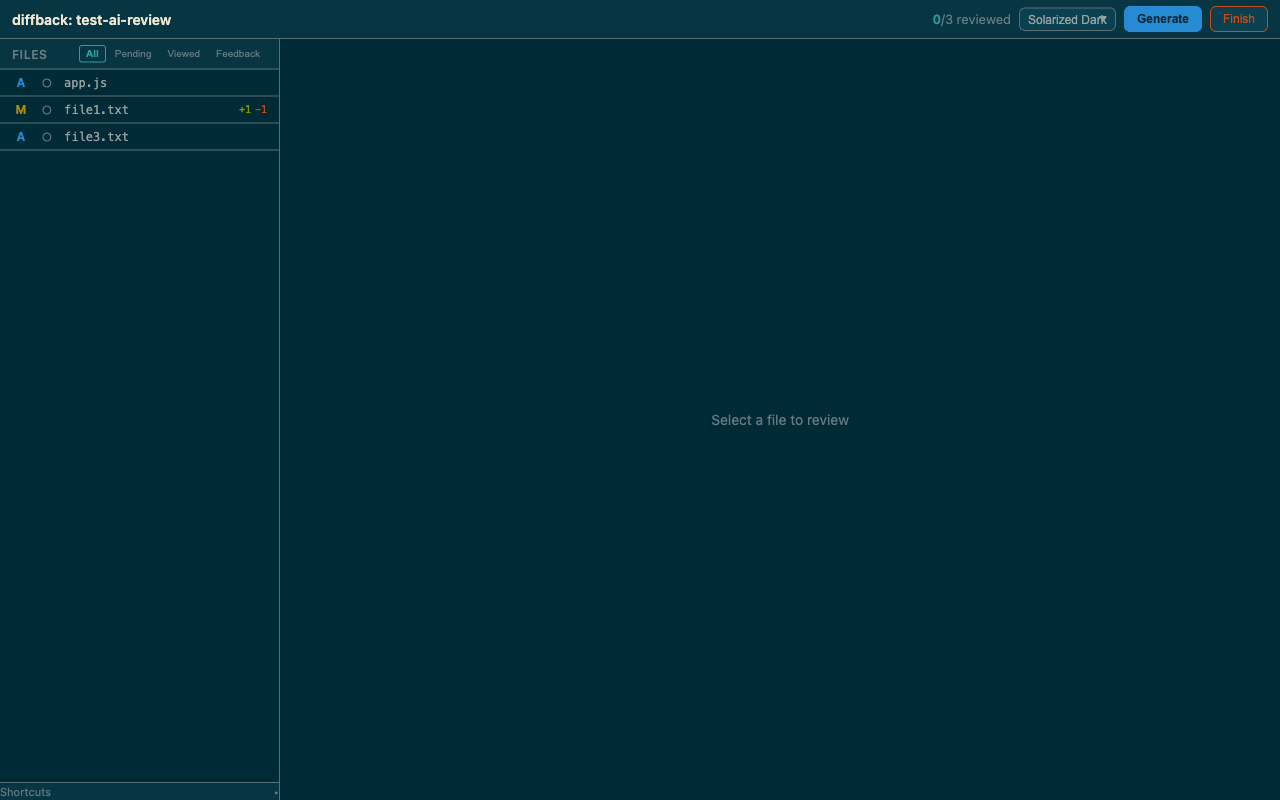
File browser with diff stats
Browse all changed files with status indicators (Added, Modified, Deleted, Renamed) and line stats (+/-). Filter by review status: All, Pending, Viewed, or Feedback.
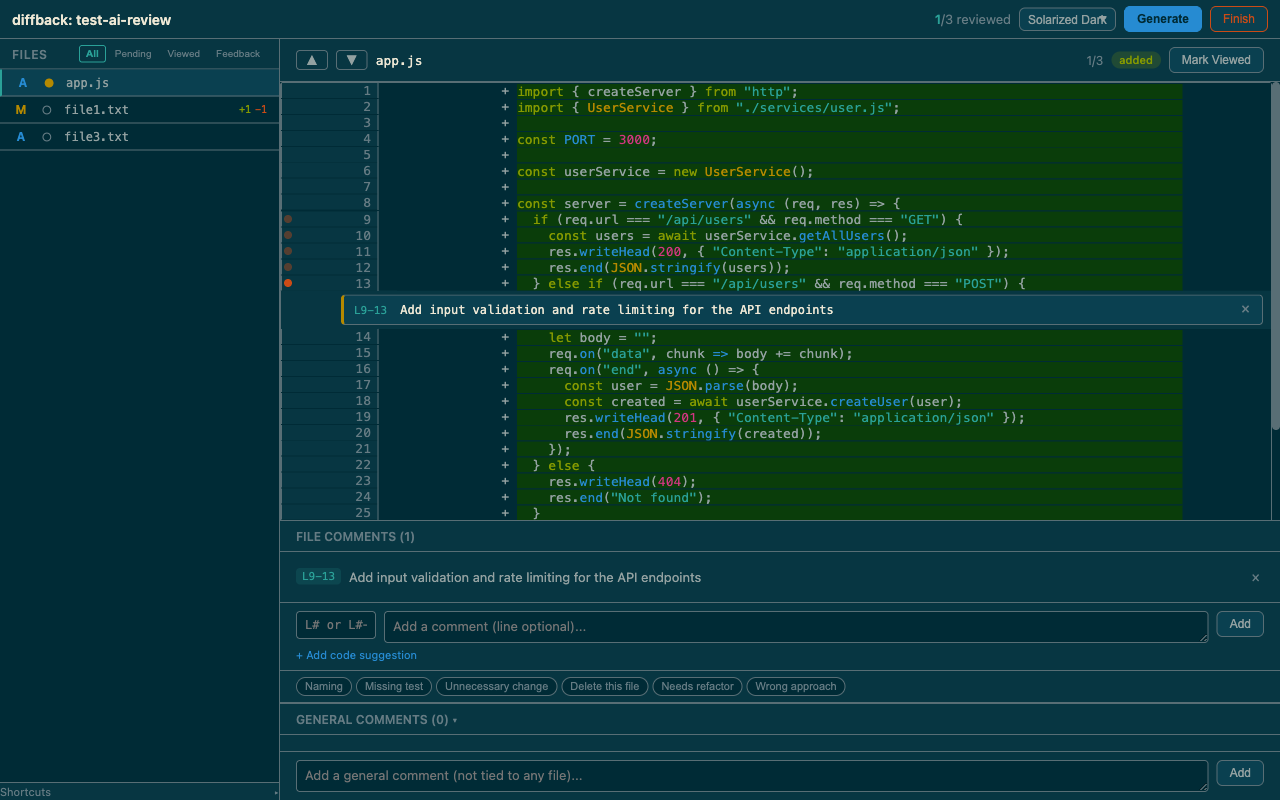
Inline comments with line ranges
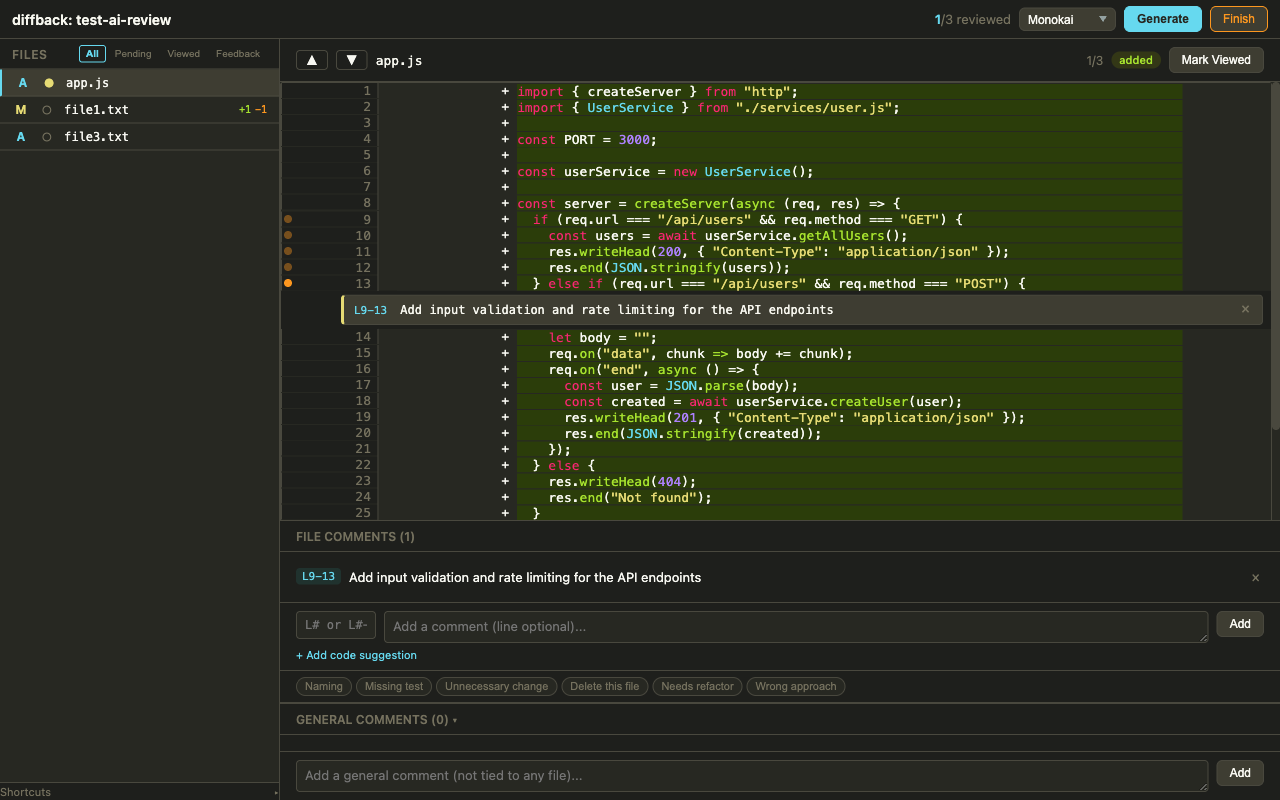
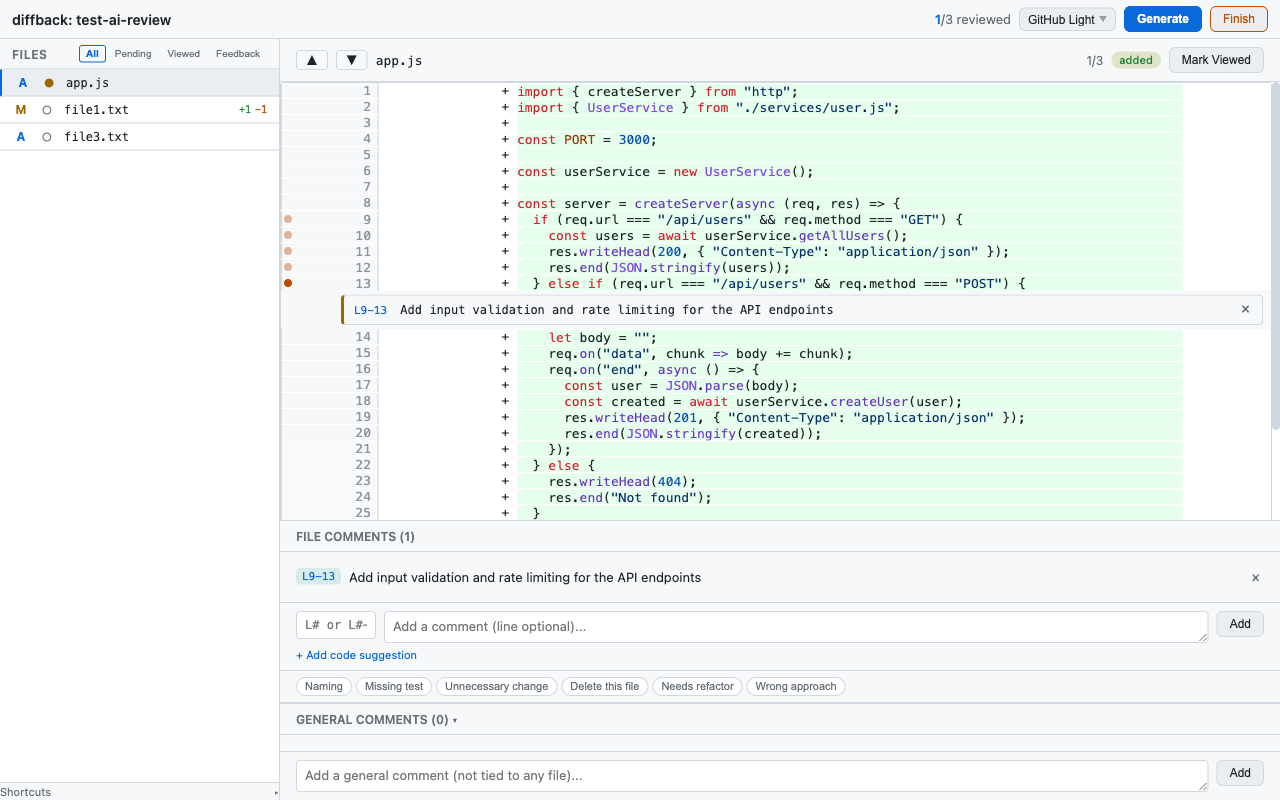
Click a line number to reference it, drag across multiple lines to select a range, or shift+click to extend. Comments appear as bubbles directly in the diff. Edit or delete comments with the ✏ / × icons — the edit button is available both in the diff bubble and in the file comments panel below. Quick comment presets for common feedback.
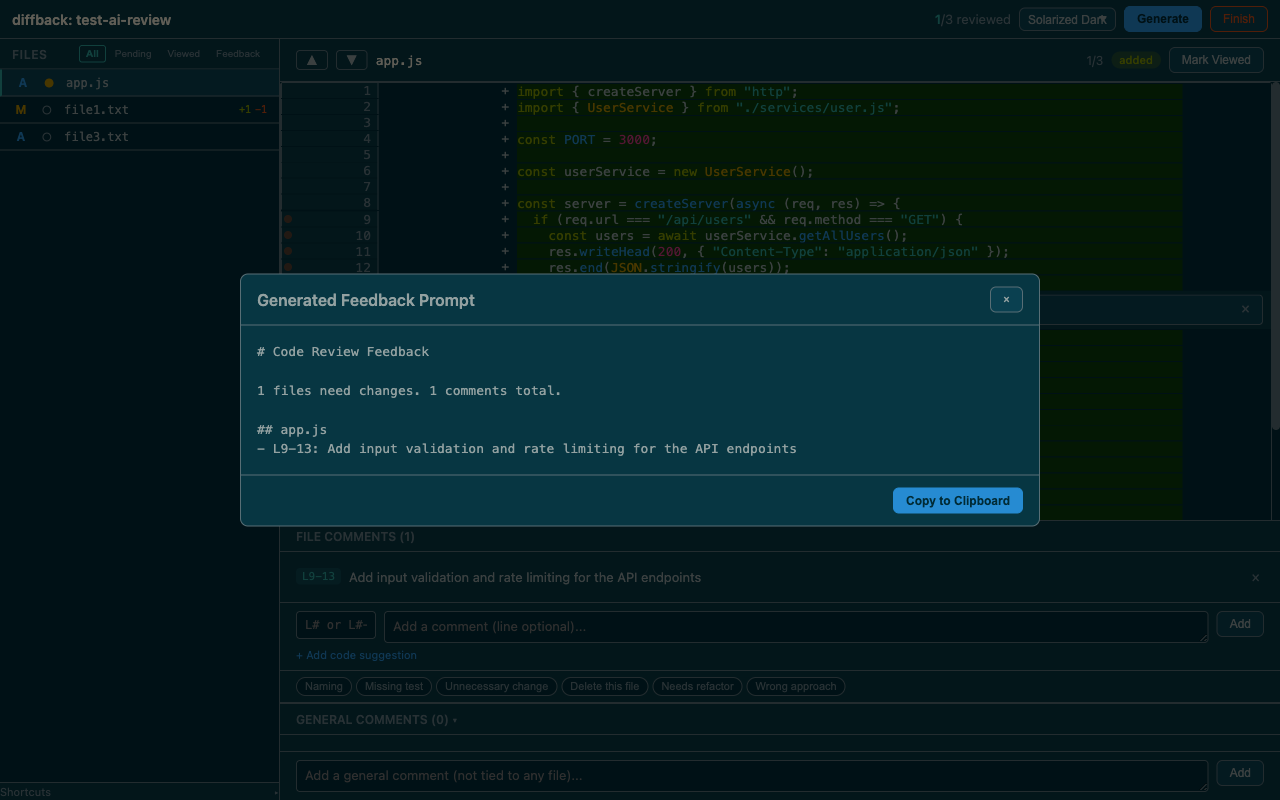
Generate feedback prompt
One click to produce a structured, token-efficient markdown prompt. Auto-copied to clipboard, ready to paste into your AI agent.
Themes
Three built-in themes: Solarized Dark (default), Monokai, and GitHub Light. Syntax highlighting adapts to each theme. Preference persists across sessions.
| Solarized Dark | Monokai | GitHub Light |
|:-:|:-:|:-:|
| |  |
|  |
|
More features
- Persistent state between rounds -- files you viewed stay viewed if unchanged; modified files get flagged automatically
- Review round history -- comments from previous rounds are archived and shown as violet markers in the diff
- Auto-refresh -- detects external file changes every 3 seconds without manual reload
- Expand hidden lines -- lines before the first hunk, between hunks, and after the last hunk are all expandable; expanded lines are also selectable for line-range comments
- Copy file path -- ⧉ button next to the filename copies the full path to clipboard, so you can jump straight to the file in your IDE
- Code suggestions -- attach a suggested replacement snippet to any comment; included verbatim in the generated feedback prompt
- Resizable sidebar -- drag to adjust the file list width
- Keyboard shortcuts --
j/knavigate files,amark viewed,ccomment,ggenerate feedback
Requirements
- Node.js >= 24
- Git
Install
npm install -g diffback-reviewOr run directly with npx:
npx diffback-reviewUsage
From any git repository with uncommitted changes:
npx diffback-reviewThis starts a local server and opens your browser. Review the changes, add comments, then click Generate Feedback to get a prompt you can paste into your AI agent.
Options
diffback [options]

  --port <number>  Port to use (default: 3847)
  --help, -h       Show help
Keyboard shortcuts
| Key | Action |
|-----|--------|
| j / k | Next / previous file |
| a | Mark current file as viewed (advances to next) |
| c | Focus comment input |
| g | Generate feedback prompt |
| Cmd+Enter | Submit comment |
How state works
Review state is stored in .diffback-local-diffs/<branch_name>/state.json inside the reviewed project. Add .diffback-local-diffs to your .gitignore.
Between review rounds:
- File unchanged since last review -- stays marked as viewed
- File modified since last review -- automatically flagged as "changed since review", status reset to pending. Previous comments are archived with their round number.
- File no longer in diff (reverted or committed) -- removed from state
- "Finish Review" button -- deletes all state for the current branch, shows goodbye screen, shuts down the server
Generated feedback format
The output is designed to be token-efficient and easy for AI agents to parse:
# Code Review Feedback

1 files need changes. 2 comments total.

## src/users/model.py
- L42: Handle the null case before accessing user.name
- L15-22: Use a dataclass instead
Tech stack
- TypeScript + Node.js -- server, feedback generator, and state manager as separate modules
- Vanilla JS client -- HTML + CSS + JS, no frameworks
- Node built-in
http-- no Express or framework dependencies - diff2html -- diff rendering with syntax highlighting (loaded via CDN)
- 3 themes -- Solarized Dark, Monokai, GitHub Light
Development
git clone https://github.com/verabravo/diffback.git
cd diffback
npm install
npm run build
npm test
Test against any repo with uncommitted changes:
cd /path/to/your/project
node /path/to/diffback/dist/cli.js
Watch mode for development:
npm run devLicense
MIT