
directus-extension-chart-interface
v0.1.6
Published
Directus interface for rendering editable JSON data as ApexCharts.

Maintainers
 ayrcs
ayrcsReadme
Directus JSON Apex Chart Interface
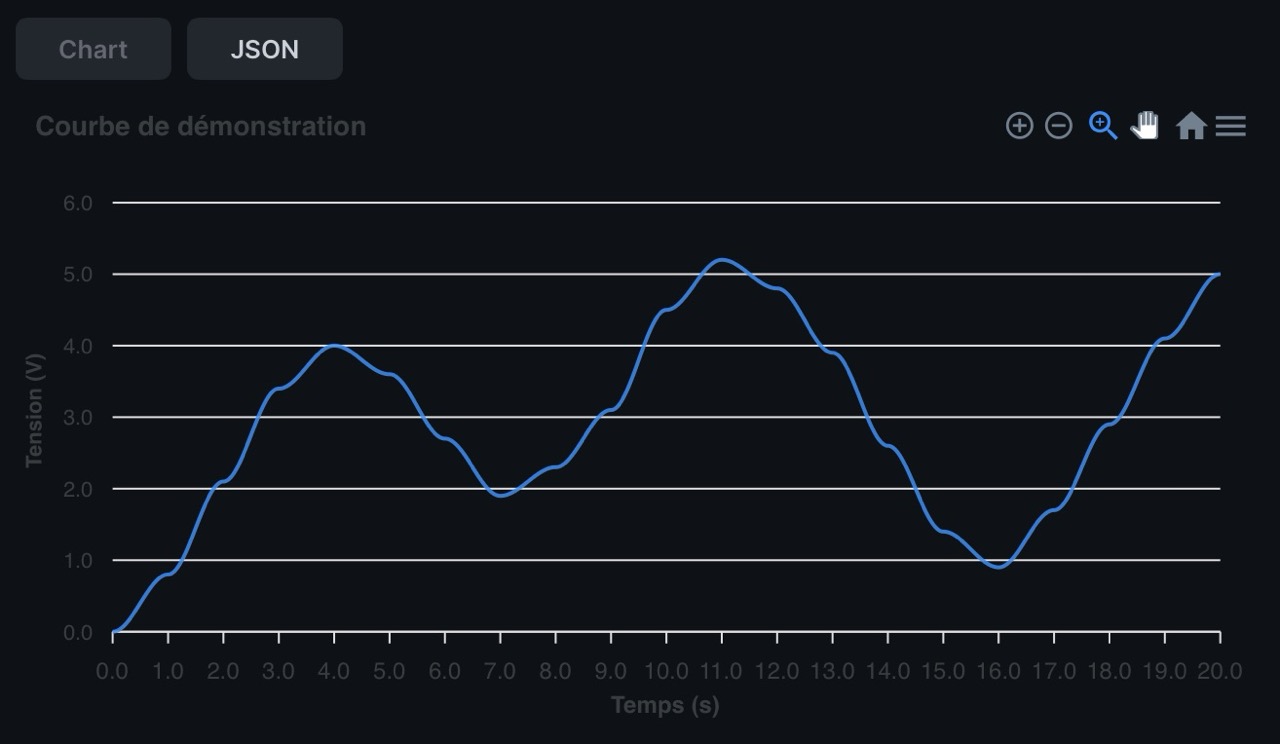
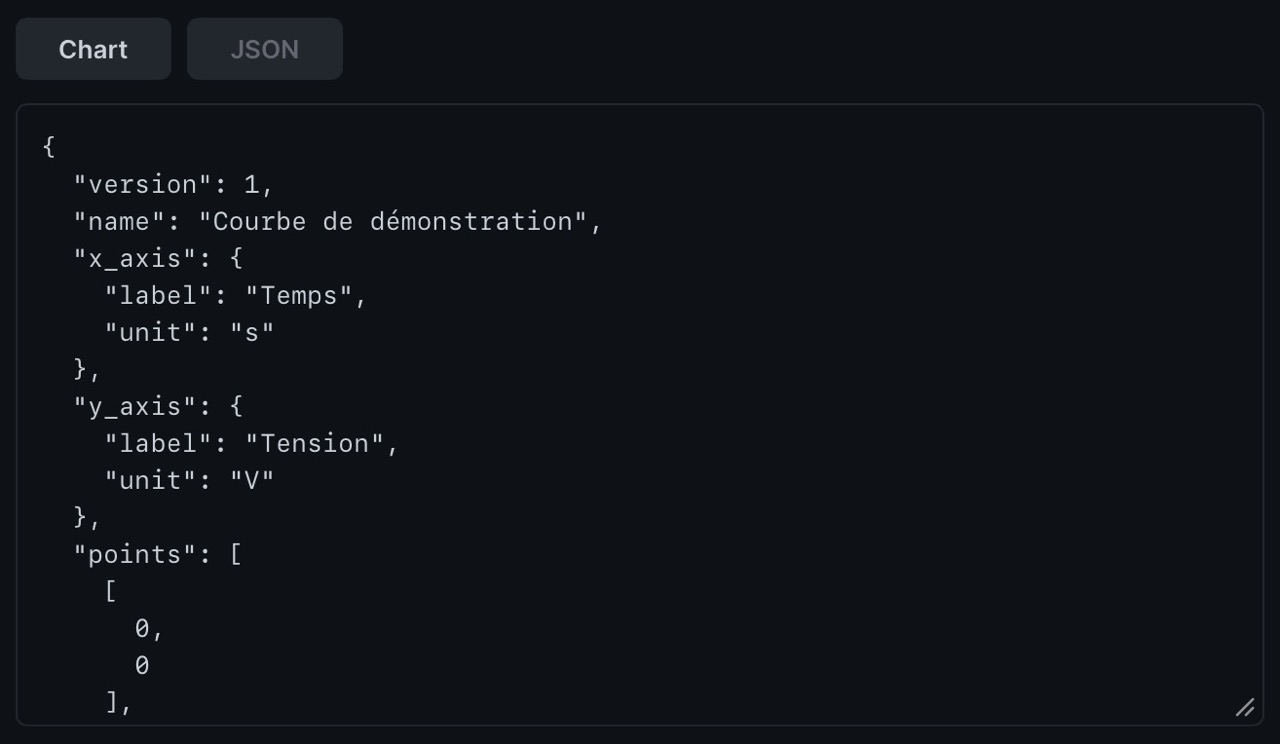
Directus v12 interface extension for a json field. It renders JSON point data with ApexCharts and includes a manual JSON editor that emits Directus input events only when the text is valid JSON.
Install
npm install
npm run build
Copy or mount the built extension according to your Directus extension setup. The package declares one app extension:
- Type:
interface - Interface ID:
json-apex-chart - Supported field type:
json
Recommended Directus Field
- Database type:
json - Interface:
JSON Apex Chart - No relation
- Stored directly on the item
JSON Format
Recommended format:
{
  "version": 1,
  "name": "Curve name",
  "x_axis": {
    "label": "X axis",
    "unit": "s"
  },
  "y_axis": {
    "label": "Y axis",
    "unit": "V"
  },
  "points": [
    [0, 0],
    [1, 2.5]
  ]
}
The interface also accepts point objects when reading:
{
  "points": [
    { "x": 0, "y": 0 },
    { "x": 1, "y": 2.5 }
  ]
}
The chart view does not rewrite the stored JSON. The editor emits the parsed object only after valid JSON changes.
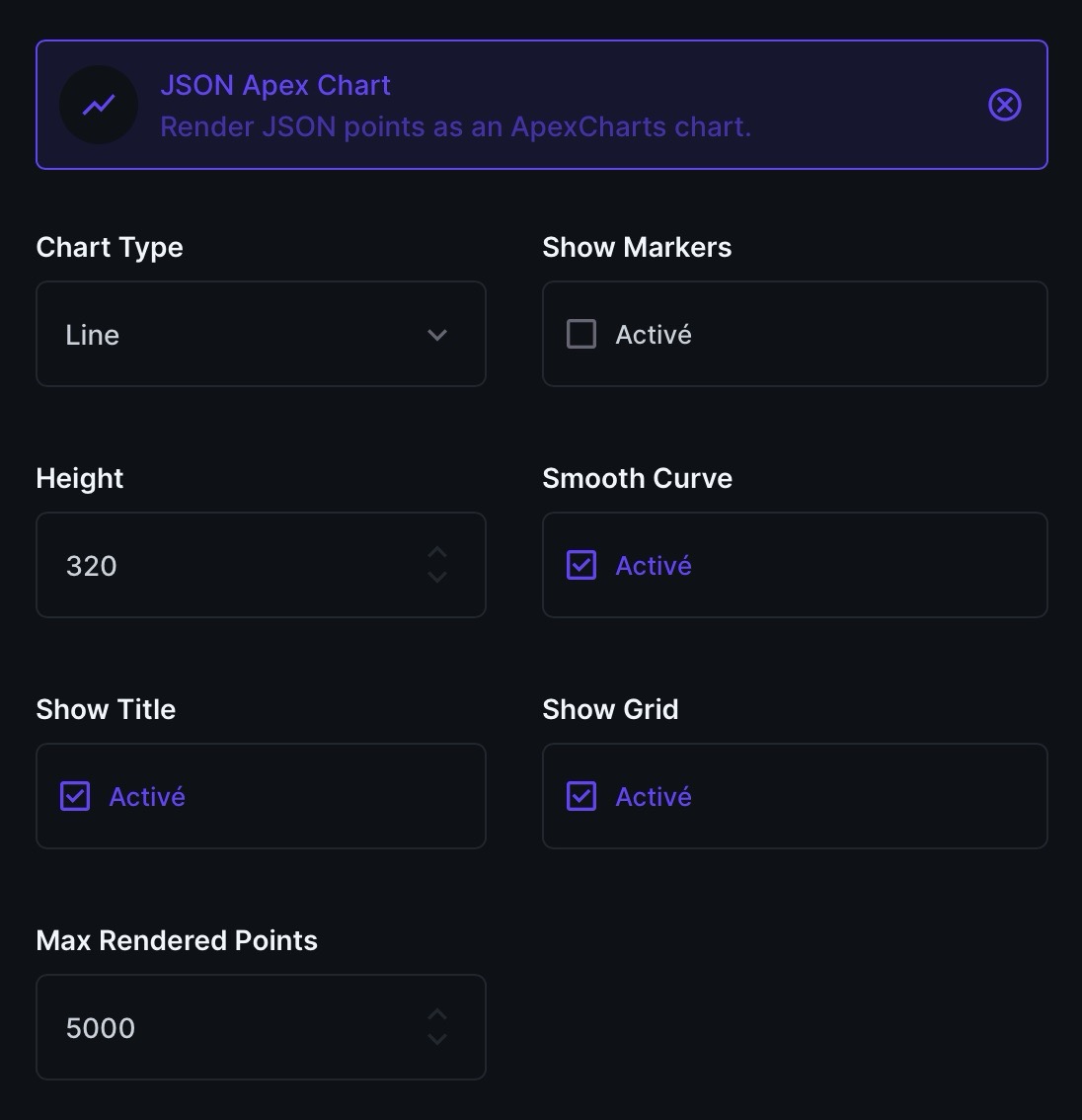
Interface Options
chartType:lineorscatter, defaultlineshowMarkers: defaultfalseheight: default320smoothCurve: defaulttrueshowTitle: defaulttrueshowGrid: defaulttruemaxRenderedPoints: default5000
If the point count exceeds maxRenderedPoints, the interface downsamples the rendered chart only. The stored JSON is not changed.
Limitations
- Validation is intentionally minimal and client-side.
- Points must contain finite numeric
xandyvalues. name, axis labels, and units are optional strings.- No backend endpoint, module, layout, panel, flow, or external storage is included.