
directus-extension-gravatar
v1.0.3
Published
Directus app extension that renders Gravatar avatars from email fields in collection views.

Maintainers
 johannes.wigandt
Readme
Directus Gravatar
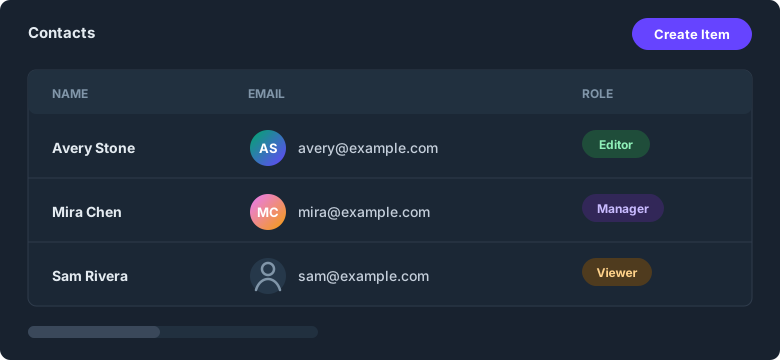
A Directus display extension that renders Gravatar avatars from email fields in collection views.
The email value is lowercased, trimmed, hashed with SHA-256, and loaded from Gravatar.
Setup
1. Install the package
npm install directus-extension-gravatarRestart Directus after installing or updating the package so the display is registered.
2. Set an email field to Gravatar display
Settings -> Data Model -> your collection -> email field -> Display -> Gravatar.
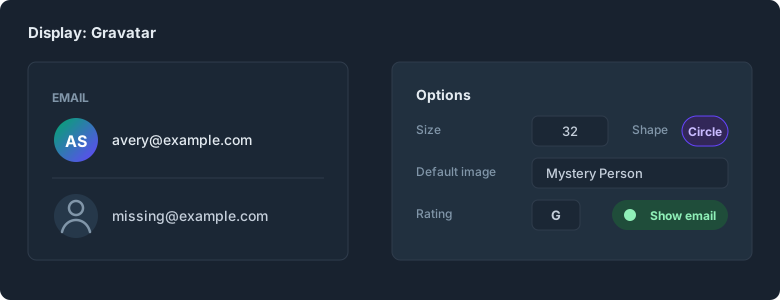
- Size: avatar size in pixels.
- Shape: circle, rounded, or square.
- Default image: Gravatar fallback image.
- Rating: maximum allowed Gravatar rating.
- Show email: render the normalized email next to the avatar.
- Force default image: always show the configured fallback image.
Invalid or missing values fall back to the Directus account icon.
Development
npm install
npm run dev      # watch build
npm run build    # production build -> dist/
npm run check    # typecheck, tests, build, and package dry run
For a manual local install, copy this extension package folder into your Directus extensions/ folder after building. Keep package.json and dist/ together so Directus can read the extension manifest. Use npm run link for local development.
Requires Directus host ^11 or ^12.
License
MIT