
directus-extension-image-url-preview
v1.0.1
Published
Preview any external image URL inside Directus — works in both form view and table list view.

Maintainers
 khanahmad4527
Readme
Image URL Preview for Directus
Preview any external image URL inside Directus — both in the form view (interface) and in collection list views (display). A bundle extension that ships both in a single install.
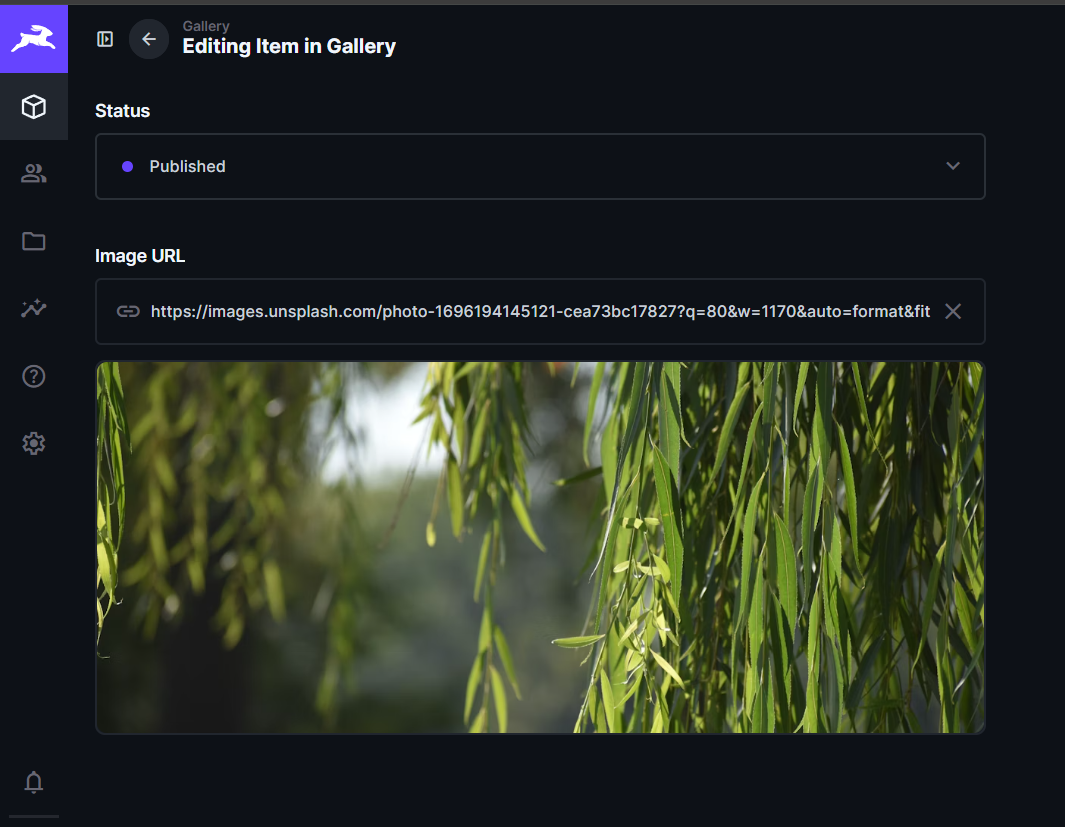
Works with any public image URL: S3, CloudFront, Cloudflare R2, bunny.net, Cloudinary, Imgix, GitHub raw links, or anything else. No Directus-managed file relation required.
Why this extension
The built-in Directus image preview only works for files uploaded into Directus itself. If you store image URLs as plain string fields — for example, links to a CDN, third-party API responses, or scraped images — you only see the raw URL string in your forms and tables. This extension fixes that with two complementary pieces:
- Interface — full preview in the form view, with loading state, error fallback, and an optional click-to-enlarge lightbox.
- Display — compact thumbnails (24 / 40 / 64 px) for collection list and table views.
Features
- Works on any
stringortextfield - Empty, loading, and error states (no broken-image icons leaking through)
- Lazy loading and
referrerpolicy="no-referrer"for privacy - Configurable height, object-fit, and border radius (interface)
- Three sizes and three shapes (display)
- Click to open a full-size lightbox (interface)
- Directus 11 native — uses the official theme tokens, looks correct in light & dark themes
Installation
From the Marketplace
- Open your Directus project
- Go to Settings → Marketplace
- Search for "Image URL Preview"
- Click Install
From npm
npm install directus-extension-image-url-previewUsage
Interface (form view)
- Settings → Data Model → [your collection] → [your field]
- Set the field type to Text (recommended for long URLs —
Stringcaps at 255 chars and can truncate signed/CDN URLs) - Under Interface, select Image URL Preview
- Configure the options (see below)
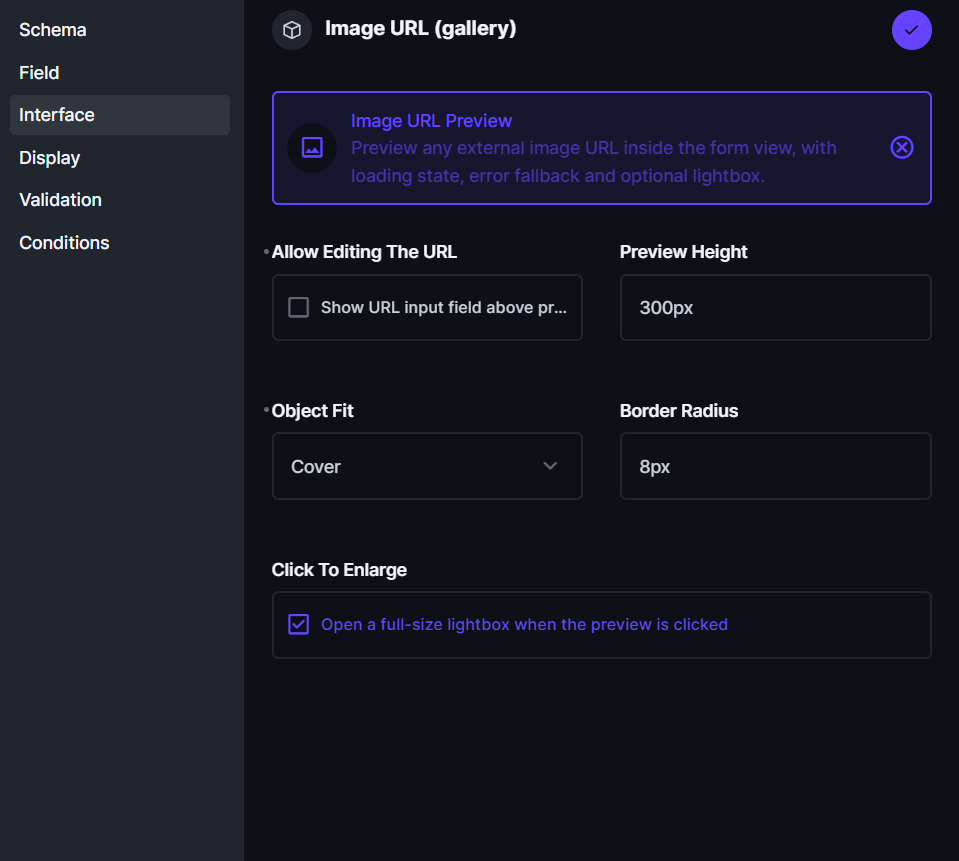
Display (table / list view)
- Same field as above
- Under Display, select Image URL Preview
- Pick a size and shape
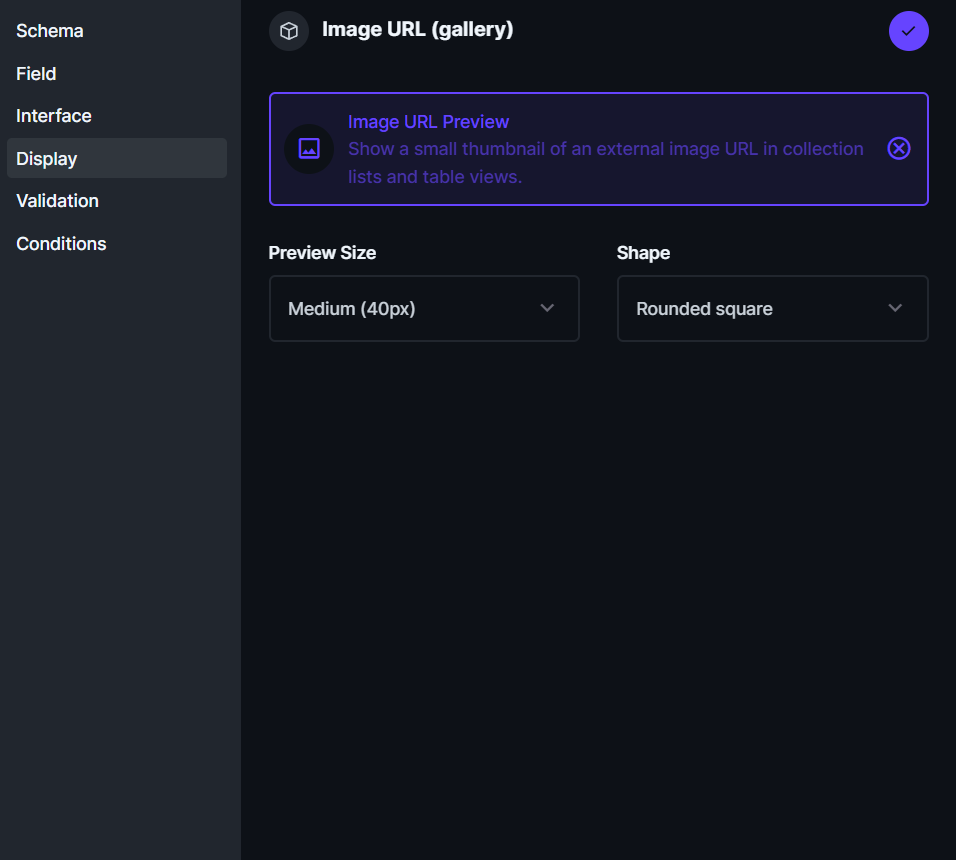
Once configured, thumbnails render inline in the collection list:
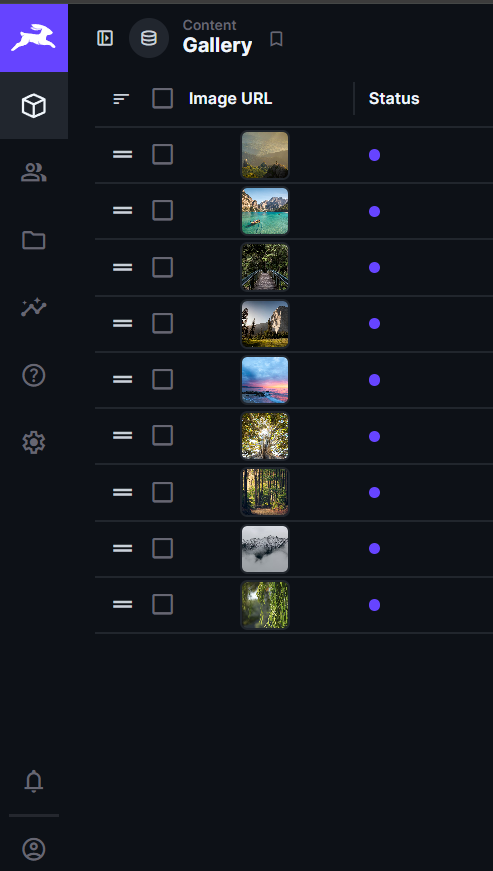
You can use the interface and display independently or together. Common pattern: use both, so the form lets you paste & preview the URL, and the list view shows a thumbnail.
Interface options
| Option | Type | Default | Description |
| --- | --- | --- | --- |
| Allow editing the URL | boolean | true | Show the URL input above the preview. Disable to make the field display-only. |
| Preview height | string | 300px | Any valid CSS height — 300px, 50vh, etc. |
| Object fit | select | contain | contain, cover, fill, none, scale-down |
| Border radius | string | 8px | Any valid CSS radius — 8px, 50%, 0. |
| Click to enlarge | boolean | true | Open a lightbox on click. |
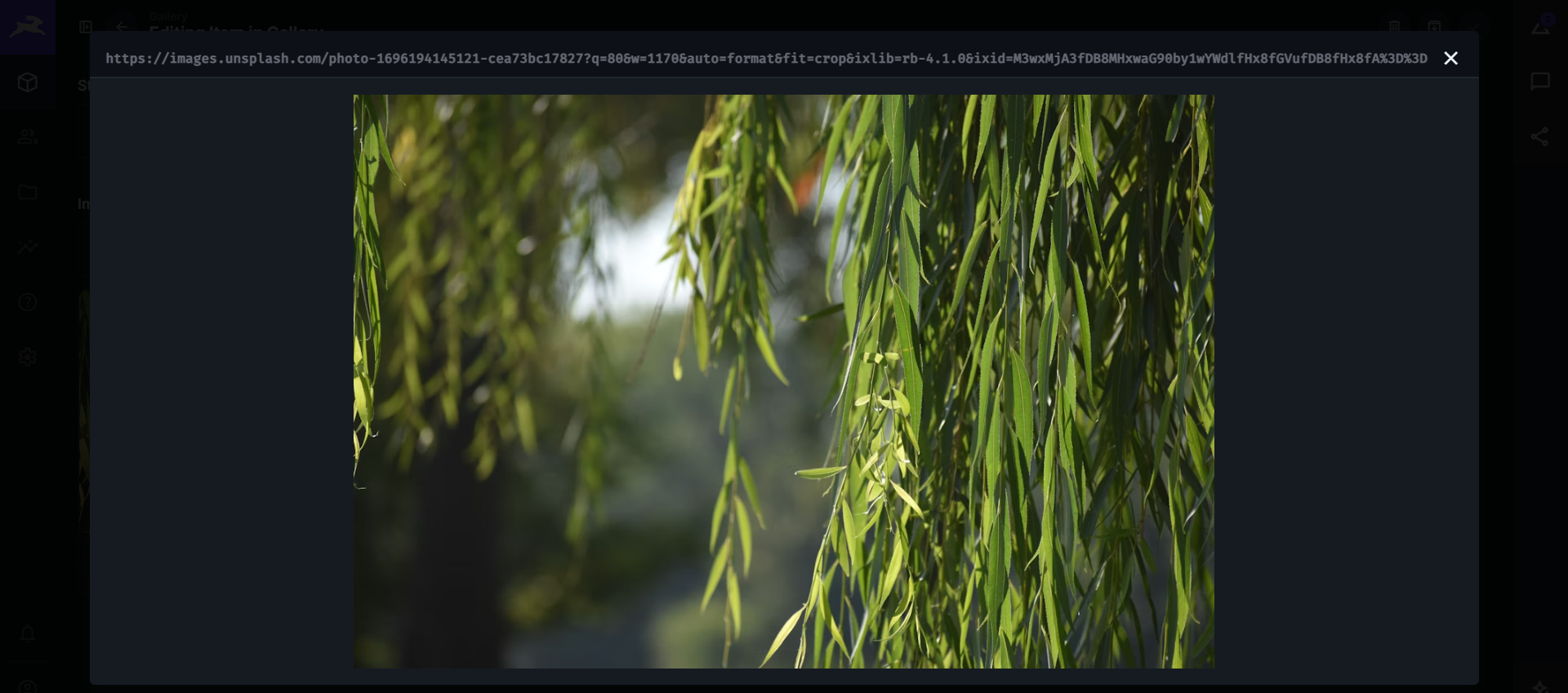
Click any preview to open the lightbox:
Display options
| Option | Type | Default | Description |
| --- | --- | --- | --- |
| Preview size | select | medium | small (24 px), medium (40 px), large (64 px). |
| Shape | select | rounded | rounded, circle, square. |
Compatibility
- Directus
^11.0.0 - Field types:
string,text
Important: Content Security Policy
By default Directus restricts img-src to 'self' data: blob:, which blocks every external image — your previews will silently fail to load.
Allow remote images via env vars on your Directus instance:
CONTENT_SECURITY_POLICY_DIRECTIVES__IMG_SRC="'self' data: blob: https:"Tighten the list to specific hosts in production (e.g. 'self' data: blob: https://cdn.example.com https://*.cloudfront.net).
Local development
git clone https://github.com/khanahmad4527/directus-extension-image-url-preview.git
cd directus-extension-image-url-preview
npm install
npm run build
docker compose up -d
Open http://localhost:8055 and log in with [email protected] / d1r3ctu5.
For live reload while developing, run npm run dev in another terminal — the watcher rebuilds dist/ on save and Directus auto-reloads (EXTENSIONS_AUTO_RELOAD=true is set in docker-compose.yml).
License
MIT
Author
Built by Ahmad Khan — Directus core contributor (v11.12.0).
If this extension is useful for your project, a star on GitHub is appreciated. Bug reports and feature suggestions welcome via Issues.