
directus-extension-inline-m2m
v1.0.4
Published
Inline interface for Directus M2M relationships with accordion-style forms, drag-and-drop sorting, and nested support

Maintainers
 michelegranatiero
Readme
Directus Inline M2M Interface
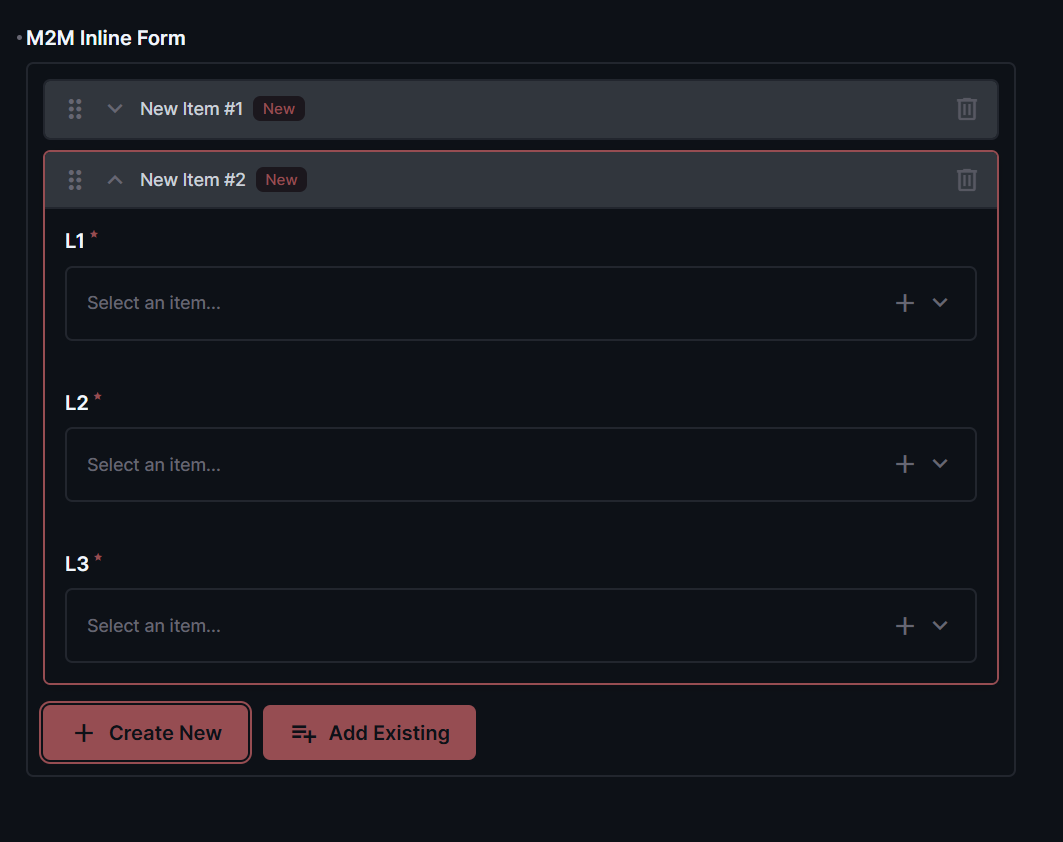
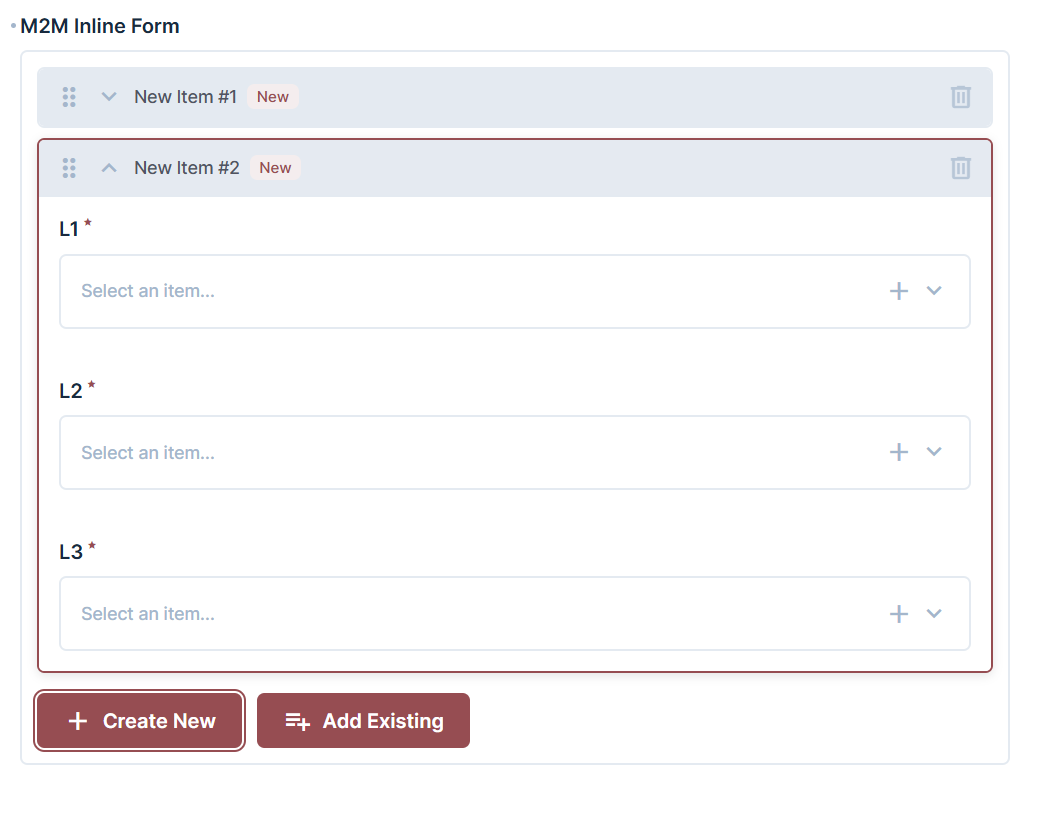
A powerful inline interface for Directus that allows editing of Many-to-Many (M2M) relationships directly within their parent's form. Features accordion-style cards, drag-and-drop sorting, and comprehensive CRUD operations.


Features
- ✅ Many-to-Many (M2M) Support with accordion-style cards
- ✅ Drag-and-drop reordering (when sortField is defined)
- ✅ Nested forms support for complex relationships
- ✅ Item limit with "Show more" functionality
- ✅ Status indicators (New, Modified, Deleted)
- ✅ Undo delete for existing items
- ✅ Create new items or link existing items from related collection
- ✅ Full CRUD operations on junction and related items
- ✅ Permission-aware - respects Directus roles and permissions
Installation
Via npm
npm install directus-extension-inline-m2mUsage
- In your Directus Data Model, create or edit a Many-to-Many (M2M) field
- In the Interface section, select Inline M2M
- Configure the options (see below)
- Save and start editing related items inline!
Options
Enable Create
Allows users to create new items in the related collection directly from the parent form.
Enable Select
Allows users to link existing items from the related collection.
Template
Customize how items are displayed in the accordion header using Directus template syntax (e.g., {{title}} - {{status}}).
Limit
Number of items to display initially. Additional items can be revealed with "Show more" button.
Allow Duplicates
Allow linking the same related item multiple times.
Filter
Filter which items can be selected when linking existing items.
Screenshots
Contributing
Contributions are welcome! Please feel free to submit a Pull Request.
Credits
- Inspired by directus-extension-inline-form-interface by Hannes Küttner and the UI/UX approach of directus-expandable-blocks by smartlabsAT.