
directus-extension-simple-currency-field
v1.0.0
Published
A Directus extension that provides a simple and efficient way to handle currency fields in your Directus project

Maintainers
 joggienl
Readme
Directus Simple Currency Field Extension
A Directus extension that provides a simple and efficient way to handle currency fields in your Directus project. This extension includes both an interface for editing currency values and a display component for viewing them.
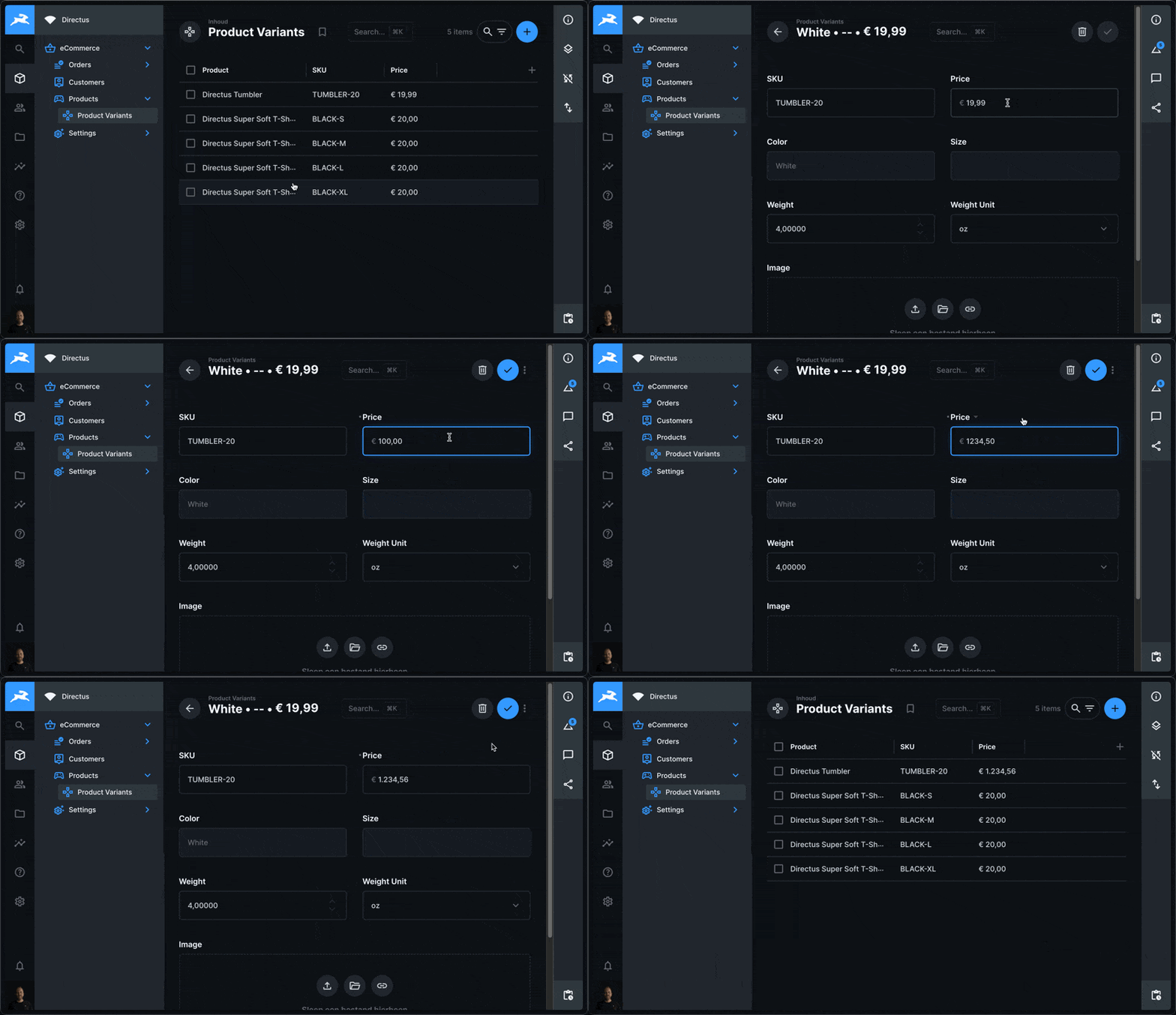
Features
- 💰 Stores currency values as DECIMAL type with precision and scale support
- 🌍 Supports multiple currencies (configurable per field)
- 🎨 Uses enhanced input validation to ensure proper currency values
- 🔄 Leverages JavaScript's Intl API for locale-aware currency formatting
- 📱 Fully responsive and compatible with Directus's design system
- 🌐 Displays in the user's preferred Directus interface language (all Directus languages supported)
- ⚙️ Configurable precision and scale (configurable per field)
Installation
Via Directus Marketplace
The extension can be installed directly from the Directus Marketplace in your Directus admin panel.
Manual Installation
# Using pnpm
pnpm add [email protected]
Custom Dockerfile
If you're using a custom Dockerfile for your Directus instance, you can add this extension by including:
FROM directus/directus:11.5.1
LABEL authors="Some Name <[email protected]>"

USER root

RUN <<EOF
  corepack enable
EOF

USER node

# Add the extension
RUN pnpm add [email protected]
Usage
- Create a new field in your collection and select "Currency" as the type
- Configure the currency in the interface options
- Make sure to select "Currency Display" as the display option in advanced settings
- Optionally configure precision and scale in the advanced options
Configuration Options
When setting up the field interface, you can configure:
- Currency: The currency code to use (e.g., USD, EUR, GBP)
- Precision: The total number of digits (in advanced options)
- Scale: The number of decimal places (in advanced options)
The display component will automatically use the currency configuration from the interface and respect the field's precision and scale settings.
Note: The extension supports all current Directus languages. If you need support for additional currencies, please create an issue in the repository.
API Support
When working with the API, you have two options to access the currency information:
Add a read-only field: Add a field to your collection with the currency code as a default value and set it to read-only (and optionally hidden for Studio users).
Use the SDK: Retrieve the currency from the field options using the Directus SDK. This requires an additional API call, so choose the approach that best fits your situation.
Development
To build the extension for development:
# Install dependencies
pnpm install

# Build the extension
pnpm build

# Build the extension and watch for changes
pnpm dev

# Lint the project
pnpm lint

# Fix lint issues
pnpm lint:fix
Project Structure
src/currency-interface/- Currency input interface componentsrc/currency-display/- Currency display componentsrc/shared/- Shared utilities and constants
Requirements
- Directus version >=11.0.0 <=12.0.0
Contributing
Contributions are welcome! Here's how you can help:
- Create an issue first to discuss your proposed changes
- Fork the repository
- Create a feature branch:
git checkout -b feature/my-new-feature - Commit your changes:
git commit -am 'Add some feature' - Push to the branch:
git push origin feature/my-new-feature - Submit a pull request
Continuous Integration
This project uses GitHub Actions for continuous integration and deployment:
- When a new release is created on GitHub, the extension is automatically built and published to NPM
- The published package is available with public access on the NPM registry
License
MIT License
Happy coding!