
directus-extension-user-role-css-injector
v1.1.4
Published
Customize Directus UI with Dynamic User and Role Data Attributes

Maintainers
 isontheline
Readme
User Role CSS Injector
Customize Directus UI with Dynamic User and Role Data Attributes
This hook (forked from directus-extensions) injects the current user ID and role in the body element of the Data Studio. This is useful when you want to apply custom CSS to a specific user or role.
Usage
- Install the extension using a package manager or from the Marketplace:
npm install directus-extension-user-role-css-injectorRestart Directus.
Data attribute gets injected in the body element.
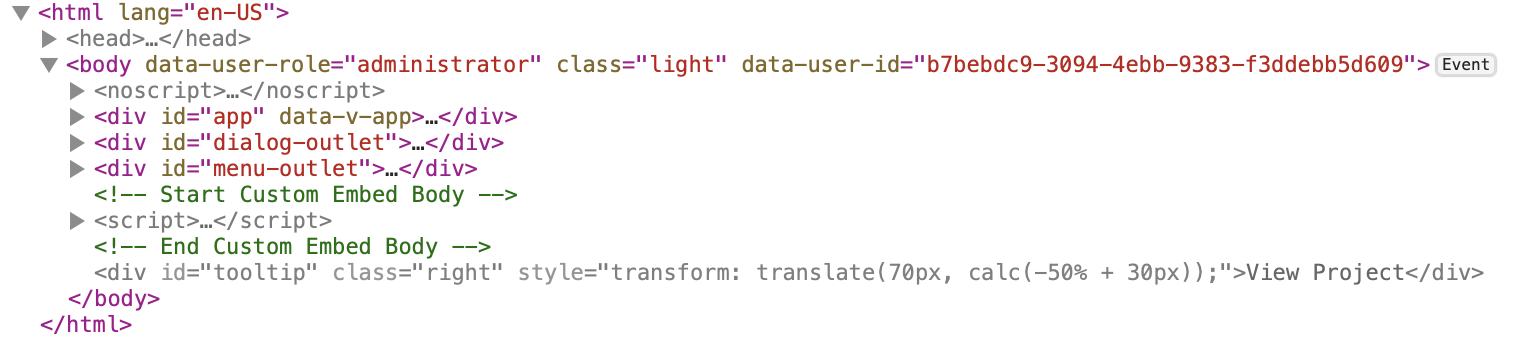
- Add your custom CSS:
body[data-user-id="..."] {
  /* custom css */
}

body[data-user-role="..."] {
  /* custom css */
}
Notes
- Works even after login, logout, and page content refresh
- If you encounter any CSP issues, you may/need to remove the
Content-Security-Policyheader in your reverse proxy configuration :- Caddyfile:
header -Content-Security-Policy
- Caddyfile: