
doc-analyze
v1.0.4
Published
AI-powered document analysis CLI with beautiful visualizations
Downloads
40

Maintainers
 mohanchinnappan
Readme
📊 Document Analyzer CLI
AI-powered document analysis tool that generates beautiful, interactive HTML reports with summaries, statistics, charts, and word clouds.
✨ Features
- 🤖 AI-Powered Summaries - Leverages Ollama for intelligent document summarization
- 📄 Multiple Formats - Supports PDF, DOCX, Markdown, and TXT files
- 📊 Interactive Charts - Beautiful visualizations using Chart.js
- ☁️ Dynamic Word Cloud - Visual representation of word frequency
- 🎨 Dark Theme UI - Stunning, responsive HTML reports with Tailwind CSS
- 📈 Detailed Statistics - Word count, sentences, paragraphs, and more
- ⚡ Fast & Easy - Simple command-line interface with Commander.js
🎬 Output
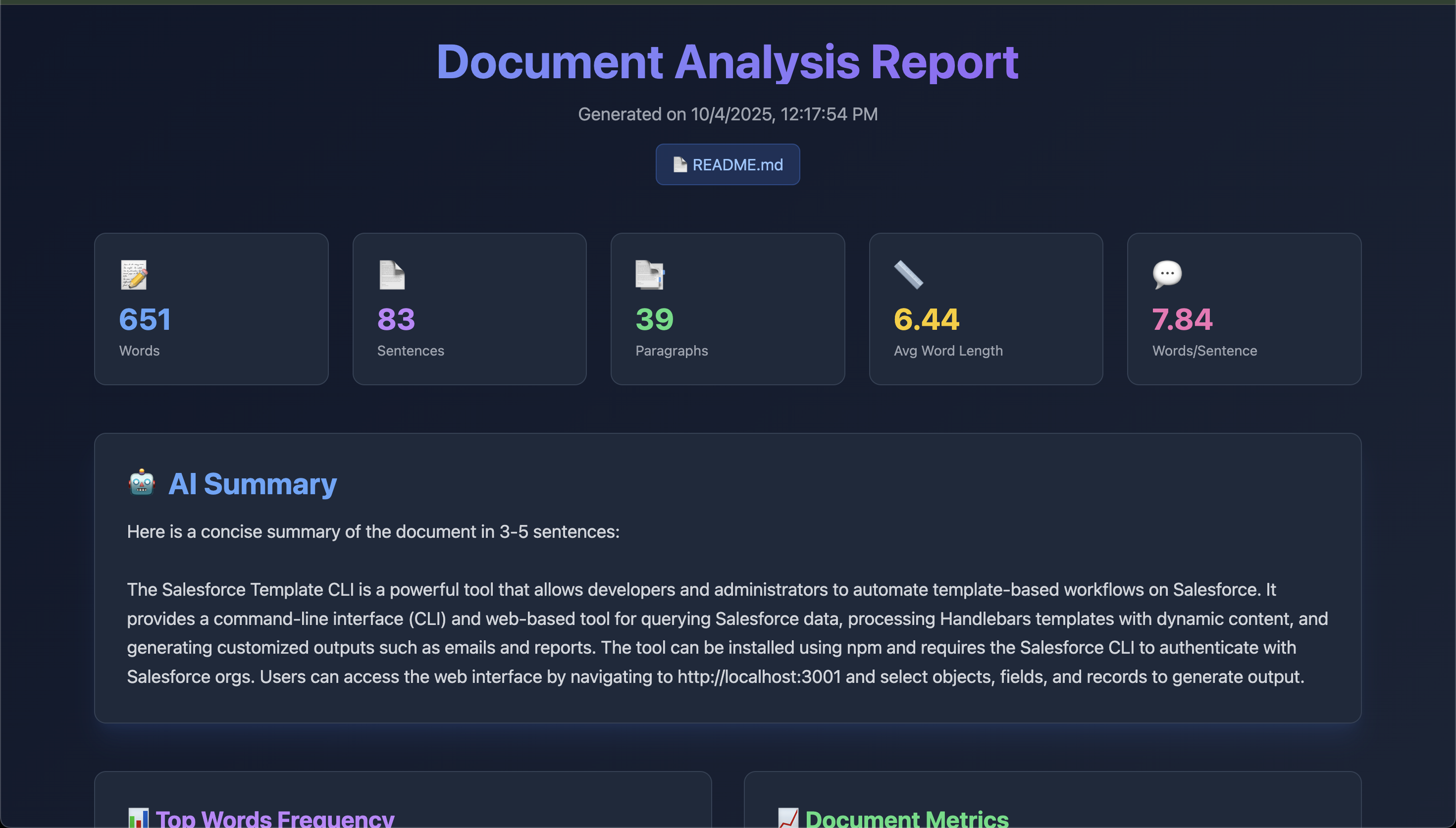
The tool generates a beautiful HTML report with:
┌─────────────────────────────────────────┐
│  📊 Document Analysis Report            │
├─────────────────────────────────────────┤
│  📝 Statistics Cards                    │
│  🤖 AI Summary                          │
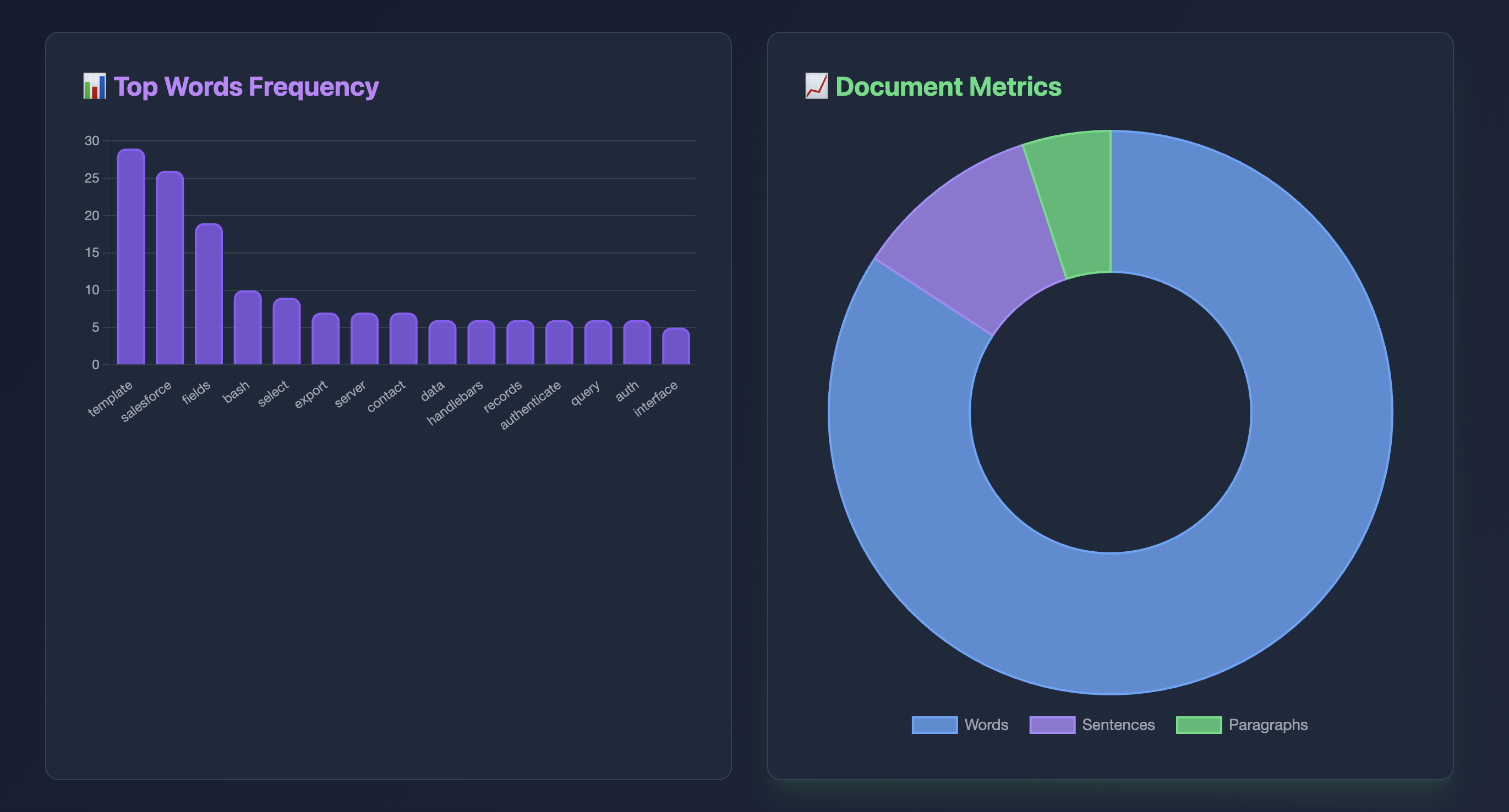
│  📊 Word Frequency Chart                │
│  📈 Document Metrics Chart              │
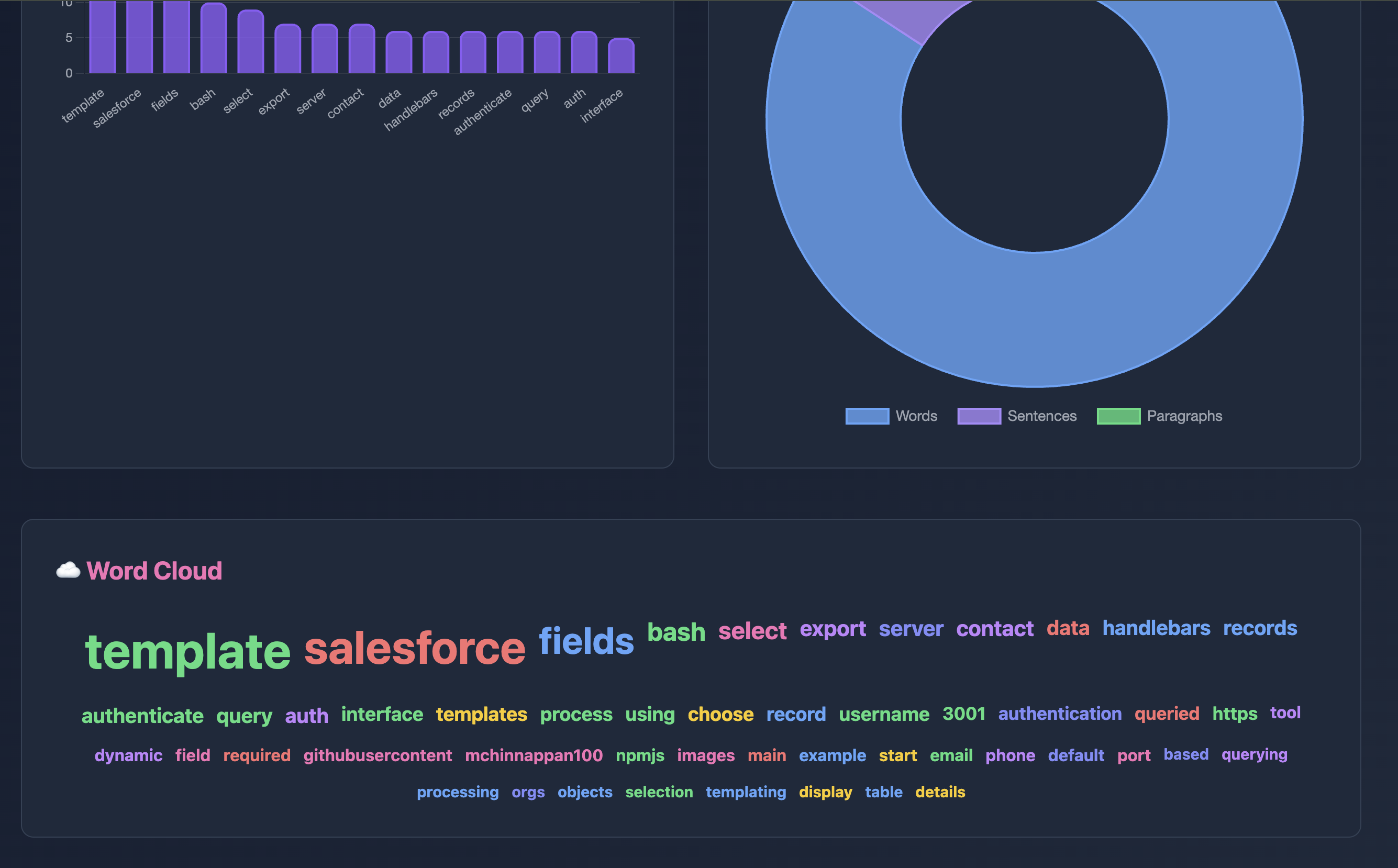
│  ☁️ Interactive Word Cloud              │
└─────────────────────────────────────────┘
🚀 Quick Start
Prerequisites
- Node.js (v14 or higher)
- Ollama installed and running locally (Install Ollama)
Installation
npm install -g doc-analyze
Pull the default model
ollama pull llama3.2
Or pull alternative models
ollama pull mistral💻 Usage
Basic Usage
doc-analyze -d document.pdf -m llama3.2:latest
Advanced Usage
# Specify Ollama model
doc-analyze  -d report.docx -m mistral

# Custom output file
doc-analyze  -d article.md -o my-analysis.html

# Custom Ollama URL
doc-analyze  -d paper.pdf --ollama-url http://192.168.1.100:11434 -m mistral
📋 Command Options
| Option | Alias | Description | Default |
|--------|-------|-------------|---------|
| --document <path> | -d | Input document path (required) | - |
| --model <name> | -m | Ollama model to use | llama3.2 |
| --output <path> | -o | Output HTML file path | analysis-report.html |
| --ollama-url <url> | - | Ollama API URL | http://localhost:11434 |
| --help | -h | Display help information | - |
| --version | -V | Show version number | - |
📁 Supported File Formats
| Format | Extension | Description |
|--------|-----------|-------------|
| PDF | .pdf | Portable Document Format |
| Word | .docx | Microsoft Word documents |
| Markdown | .md | Markdown files |
| Text | .txt | Plain text files |
🎨 Output Report Features
The generated HTML report includes:
1. Statistics Dashboard
- Word Count - Total words in document
- Sentence Count - Number of sentences
- Paragraph Count - Document structure analysis
- Average Word Length - Writing complexity metric
- Words per Sentence - Readability indicator
2. AI Summary
- Intelligent, concise summary generated by Ollama
- Captures key points and main ideas
- Easy-to-read format
3. Interactive Charts
- Bar Chart - Top 15 most frequent words
- Doughnut Chart - Document composition breakdown
- Responsive and interactive visualizations
4. Word Cloud
- Top 50 most frequent words
- Size indicates frequency
- Color-coded for visual appeal
- Hover effects for engagement
- Excludes common stopwords
$ doc-analyze -d sample.pdf

📖 Starting document analysis...

📄 Reading document: sample.pdf
✅ Extracted 15,842 characters

📊 Calculating statistics...
✅ Statistics generated

☁️  Generating word cloud...
✅ Word cloud data ready

🤖 Calling Ollama model: llama3.2...
✅ AI summary completed

📝 Generating HTML report...

✨ Analysis complete!
📊 Report saved to: analysis-report.html

📈 Summary Statistics:
   Words: 2,456
   Sentences: 124
   Paragraphs: 18

🎉 Open analysis-report.html in your browser to view the results!
🔧 Configuration
Custom Ollama Models
You can use any Ollama model you have installed:
# List available models
ollama list

# Use a specific model
doc-analyze  -d document.pdf -m mistral
doc-analyze  -d document.pdf -m codellama
doc-analyze  -d document.pdf -m llama2
Remote Ollama Instance
Connect to Ollama running on another machine:
doc-analyze -d document.pdf --ollama-url http://192.168.1.100:11434🐛 Troubleshooting
Ollama Connection Error
Problem: Error calling Ollama: connect ECONNREFUSED
Solution:
- Ensure Ollama is running:
ollama serve - Check Ollama is accessible:
curl http://localhost:11434/api/tags - Verify the model is installed:
ollama list
Model Not Found
Problem: Error: model 'xyz' not found
Solution:
ollama pull <model-name>PDF Parsing Error
Problem: Unable to extract text from PDF
Solution:
- Ensure PDF is not image-based (use OCR if needed)
- Try re-saving the PDF
- Check file is not corrupted
📝 License
MIT License - (c) Mohan Chinnappan
Made with ❤️ and ☕ by developers, for developers