
dpchart
v2.7.0
Published
Create your graph based of eCharts

Maintainers
 passariello
Readme
🚀 dpChart








📋 Table of Contents
🔥 About
dpChart is a lightweight, powerful charting library built on top of Apache ECharts. It provides a simplified API for creating beautiful, interactive charts with minimal code.
Created by Dario Passariello with ❤️
✨ Features
- 🚀 Lightweight - ~50KB minified bundle
- ⚡ Fast - Built with esbuild for lightning-fast builds
- 🎨 Beautiful - Stunning default styles and animations
- 📱 Responsive - Charts automatically resize
- 🔄 Reactive - Real-time data updates
- 🎯 TypeScript - Full type support
- 🔧 Flexible - Full ECharts power when you need it
⚡ Quick Start
import "dpchart";

dpchart.draw({
  id: "my-chart",
  appendTo: "#chart-container",
  option: {
    xAxis: { data: ['Mon', 'Tue', 'Wed', 'Thu', 'Fri'] },
    yAxis: {},
    series: [{ data: [10, 22, 28, 43, 49], type: 'line' }]
  }
});
📦 Installation
npm install dpchart --saveOr for the latest version:
npm install dpchart@latest --save💻 Usage
JavaScript/TypeScript (React, Vue, etc.)
import "dpchart";

// Create a simple line chart
dpchart.draw({
  id: "chart_001",
  appendTo: "#chart-container",
  option: {
    tooltip: { trigger: 'axis' },
    xAxis: { type: 'category', data: ['Mon', 'Tue', 'Wed', 'Thu', 'Fri', 'Sat', 'Sun'] },
    yAxis: { type: 'value' },
    series: [{
      data: [820, 932, 901, 934, 1290, 1330, 1320],
      type: 'line',
      smooth: true
    }]
  }
});
HTML (No build required)
<script src="https://unpkg.com/dpchart@latest/index.js"></script>

<div id="chart-container" style="width: 100%; height: 400px;"></div>

<script>
  dpchart.draw({
    id: "my-chart",
    appendTo: "#chart-container",
    option: {
      series: [{ data: [10, 20, 30], type: 'bar' }]
    }
  });
</script>
📊 Examples
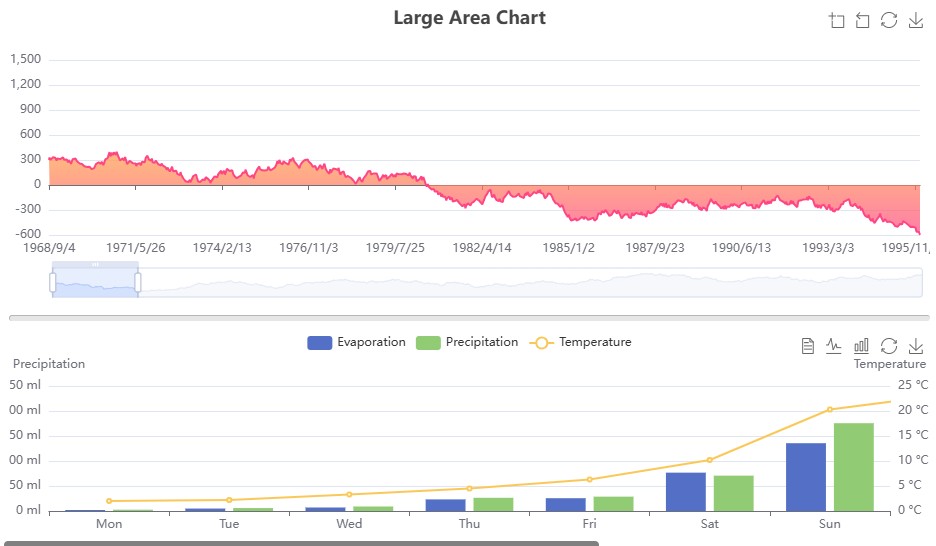
Line Chart
dpchart.draw({
  id: "chart_001",
  appendTo: "#chart_001",
  option: {
    tooltip: { trigger: 'axis' },
    xAxis: { data: ['Mon', 'Tue', 'Wed', 'Thu', 'Fri', 'Sat', 'Sun'] },
    yAxis: {},
    series: [
      { name: 'Sales', type: 'bar', data: [820, 932, 901, 934, 1290, 1330, 1320] }
    ]
  }
});
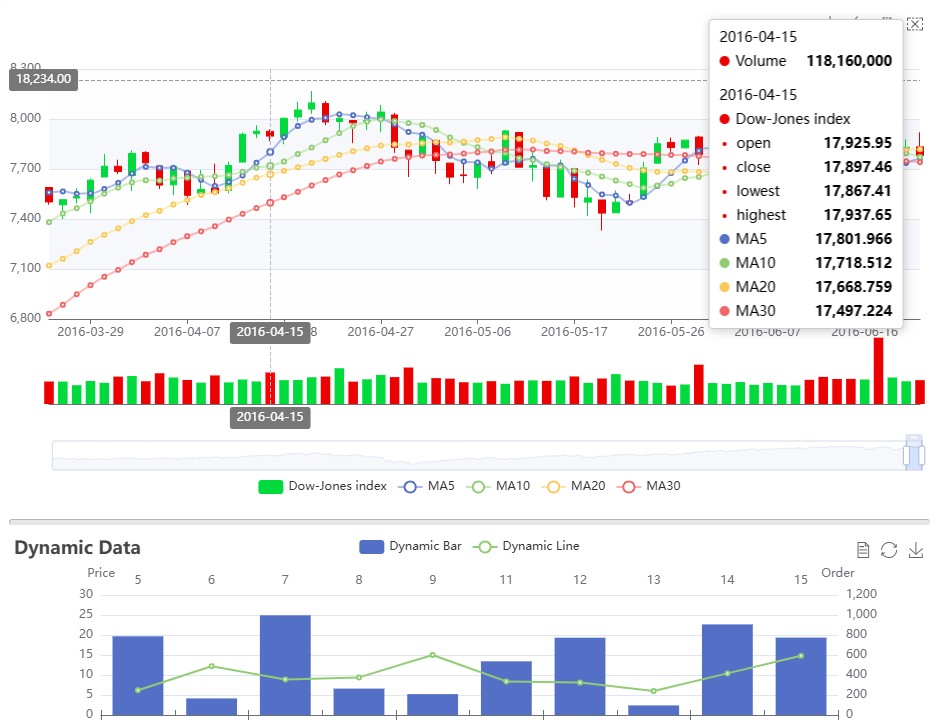
Polar Chart
dpchart.draw({
  id: "chart_100",
  appendTo: "#chart_100",
  option: {
    angleAxis: {},
    radiusAxis: { type: 'category', data: ['Mon', 'Tue', 'Wed', 'Thu'], z: 10 },
    polar: {},
    series: [
      { type: 'bar', data: [1, 2, 3, 4], coordinateSystem: 'polar', name: 'A', stack: 'a' },
      { type: 'bar', data: [2, 4, 6, 8], coordinateSystem: 'polar', name: 'B', stack: 'a' }
    ],
    legend: { show: true, data: ['A', 'B'] }
  }
});
🛠️ API
dpchart.draw(options)
Creates and renders a chart.
| Parameter | Type | Description |
|-----------|------|-------------|
| id | string | Unique identifier for the chart |
| appendTo | string | CSS selector or DOM element to append to |
| option | object | ECharts configuration object |
| style | object | Optional CSS styles (width, height) |
| api | string | Optional API endpoint for dynamic data |
🔌 Utilities
dpchart.update({ id, data })
Update chart data:
dpchart.update({
  id: "my-chart",
  data: { series: [{ data: [50, 60, 70] }] }
});
dpchart.fakeData(count, max, steps)
Generate random time series data:
const [dates, values] = dpchart.fakeData('2024-01-01', 100, 30);
// Returns: [['2024/1/1', '2024/1/2', ...], [random values]]
dpchart.cvs.processData(csvString)
Parse CSV data:
const data = dpchart.cvs.processData("name,value,date\nA,10,2024-01-01\nB,20,2024-01-02");📄 License
MIT License - Copyright (c) Dario Passariello
Made with ❤️ and a lot of caffe' espesso!