
draftmora
v0.1.2
Published
Local-first AI agent board with chat, SQLite storage, and OpenAI account auth.
Downloads
45

Maintainers
 afurm
afurmReadme
Draftmora







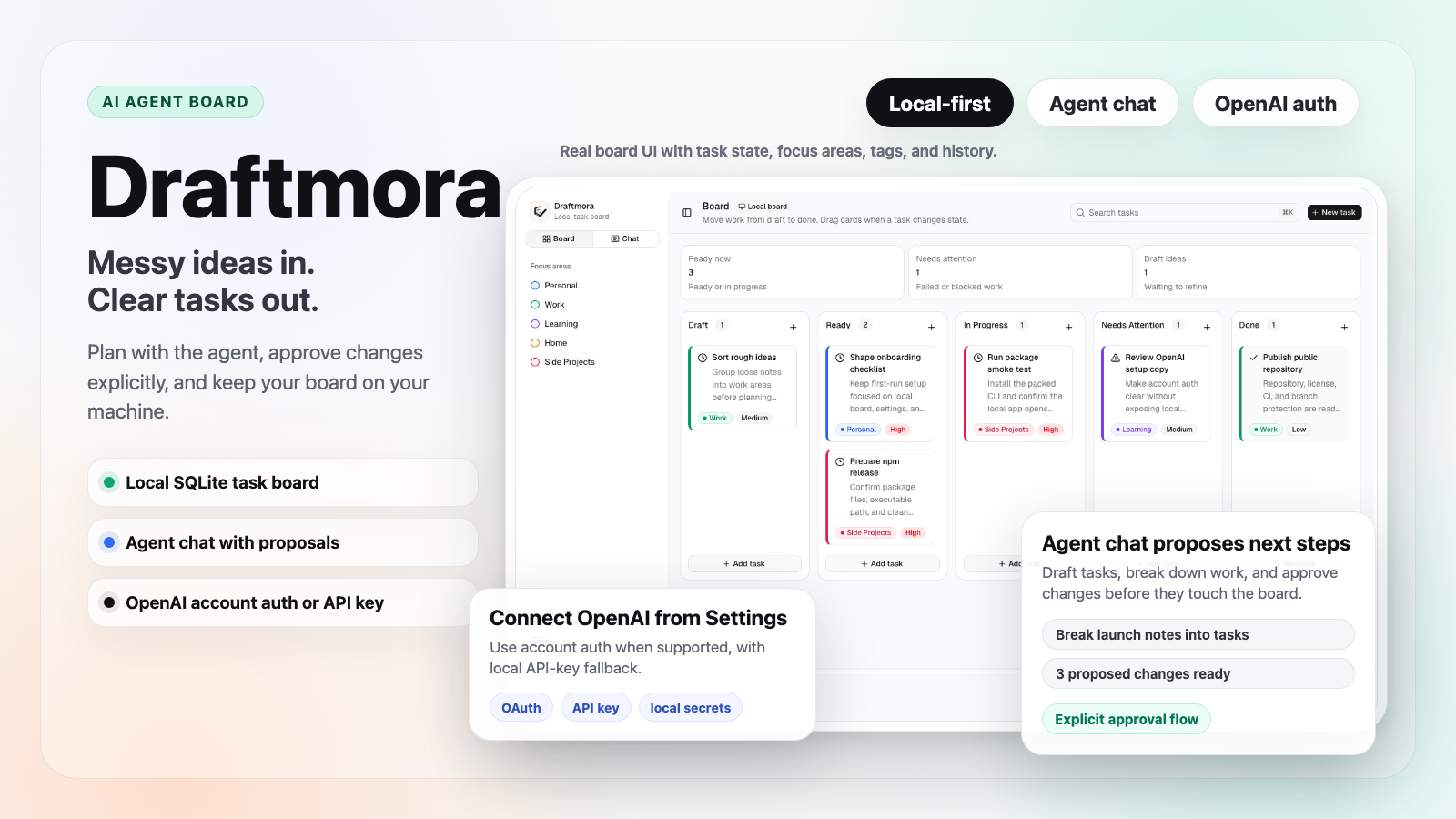
Messy ideas in. Clear tasks out.
Draftmora is a local-first AI agent board for people who want AI help inside their own task workflow, not another hosted project-management system. Capture rough notes, turn them into structured tasks, chat with the agent, and keep execution history next to the work.
The app runs on your machine, stores board data in SQLite, and can use OpenAI through account auth or a local API key when a task needs execution help. With account auth, eligible OpenAI accounts can connect from Settings instead of pasting an API key.
Why Draftmora
- Start with messy notes and finish with a status-aware task board.
- Use agent chat to propose task changes before anything is applied.
- Keep project data local by default in SQLite and plain memory files.
- Connect OpenAI from the app when account auth is available, or use an API key.
- Prepared with a real npm CLI, Fastify API, React UI, and CI validation.
Highlights
- Local-first AI agent board with SQLite storage.
- Task status, priority, focus area, tags, and execution history.
- OpenAI account auth through the app settings, with API-key fallback.
- Agent chat with task proposals and explicit memory writes.
- Durable local memory files: USER.md and MEMORY.md.
- React, Vite, TypeScript, Fastify, shadcn/Radix UI, and Vitest.
How It Works
- Capture rough work as a draft.
- Add priority, focus area, tags, and notes.
- Ask the agent to break down work, propose next tasks, or plan follow-ups.
- Approve proposed changes explicitly and track execution history on the board.
Requirements
- Node.js 24 is recommended. Node.js 22.14 or newer remains supported.
- npm 11 or newer.
- Optional: an OpenAI account connection for supported account-auth models, or
OPENAI_API_KEYfor API-key backed task execution.
Quick Start
Run from npm:
npx draftmoraThen open http://127.0.0.1:4141.
Or run from a local checkout:
git clone https://github.com/afurm/draftmora.git
cd draftmora
npm install
npm run dev
Open http://localhost:5173.
The API runs on http://127.0.0.1:4141 by default. Local board data is stored
in ./data/board.db.
Configuration
Copy .env.example to .env when you need local overrides:
cp .env.example .envExample local override:
WEB_PORT=3000
API_PORT=3001
BOARD_DB_PATH=./data/board.db
OPENAI_API_KEY=
OPENAI_BASE_URL=https://api.openai.com/v1
OPENAI_ORG_ID=
OPENAI_PROJECT_ID=
WEB_PORT controls the Vite dev and preview server. API_PORT controls the
Fastify API and the packaged npx draftmora server. Without these variables,
the dev web server uses 5173 and the API uses 4141. The older PORT
variable still works as an API port fallback when API_PORT is not set.
Open Settings in the app to choose an auth mode:
- OpenAI account auth: connect an eligible OpenAI account/subscription from the app, without pasting an API key.
- API-key mode: save a key locally or provide
OPENAI_API_KEYthrough the environment.
The OpenAI settings screen also supports advanced request controls for model
behavior and transport: max output tokens, temperature, reasoning effort,
reasoning summaries, text verbosity, request timeout, retries, retry delay,
prompt cache retention, and Codex transport. In API-key mode you can also set
OpenAI organization/project headers in the app or through OPENAI_ORG_ID and
OPENAI_PROJECT_ID.
API keys, OAuth tokens, SQLite databases, build output, and dependency folders should not be committed.
Checks
Run the same validation before opening a PR or pushing release changes:
npm audit
npm run typecheck
npm test
npm run build
npm pack --dry-run
npm Package
Draftmora is published on npm as
draftmora. The package includes
the built Fastify server and Vite client assets.
npx draftmoraOr install it globally:
npm install -g draftmora
draftmora
The package starts on http://127.0.0.1:4141 and stores data in
./data/board.db from the directory where the command is run. Set
BOARD_DB_PATH when you want a fixed database location.
Changelog
Release notes are tracked in CHANGELOG.md.
Security Model
Draftmora is designed as a personal, local-first app. The Fastify API binds to
127.0.0.1 by default and assumes the local operator is trusted. Do not expose
the API or Vite dev server to the public internet without a separate auth,
firewall, VPN, or reverse-proxy policy.
Project memory is plain text in USER.md and MEMORY.md. Treat those files as
local operator state and review them before publishing a branch.
Memory
Draftmora uses a built-in local memory pattern:
USER.mdstores durable user preferences and profile facts.MEMORY.mdstores durable agent and project notes.- Entries are compact plain text separated with
§. - There is no Memory page or dated memory log.
- Chat turns run through an automatic durable-memory review; explicit "remember" requests are high-confidence save candidates, but memory is inferred from meaning rather than fixed wording.
- Successful task executions also run the same fail-open memory review for durable project notes.
- Memory review uses the selected OpenAI model, so there is no separate memory model setting to configure.
Development Notes
The interface is tuned for a dense SaaS dashboard workflow: left rail navigation, status-aware board columns, compact task cards, a responsive command header, and settings for focus areas.