
dsh-agent-toolkit
v0.2.8
Published
DeepSeek Harness plugin: agent registry with layered prompts, parallel delegation, Feishu bots and token usage

Maintainers
 esonxie
Readme
dsh-agent-toolkit
DeepSeek Harness plugin: agent registry with layered prompts, parallel delegation, Feishu bots and token usage.
DeepSeek Harness(dsh)插件,把五个 Agent 生产力功能合进一个包:
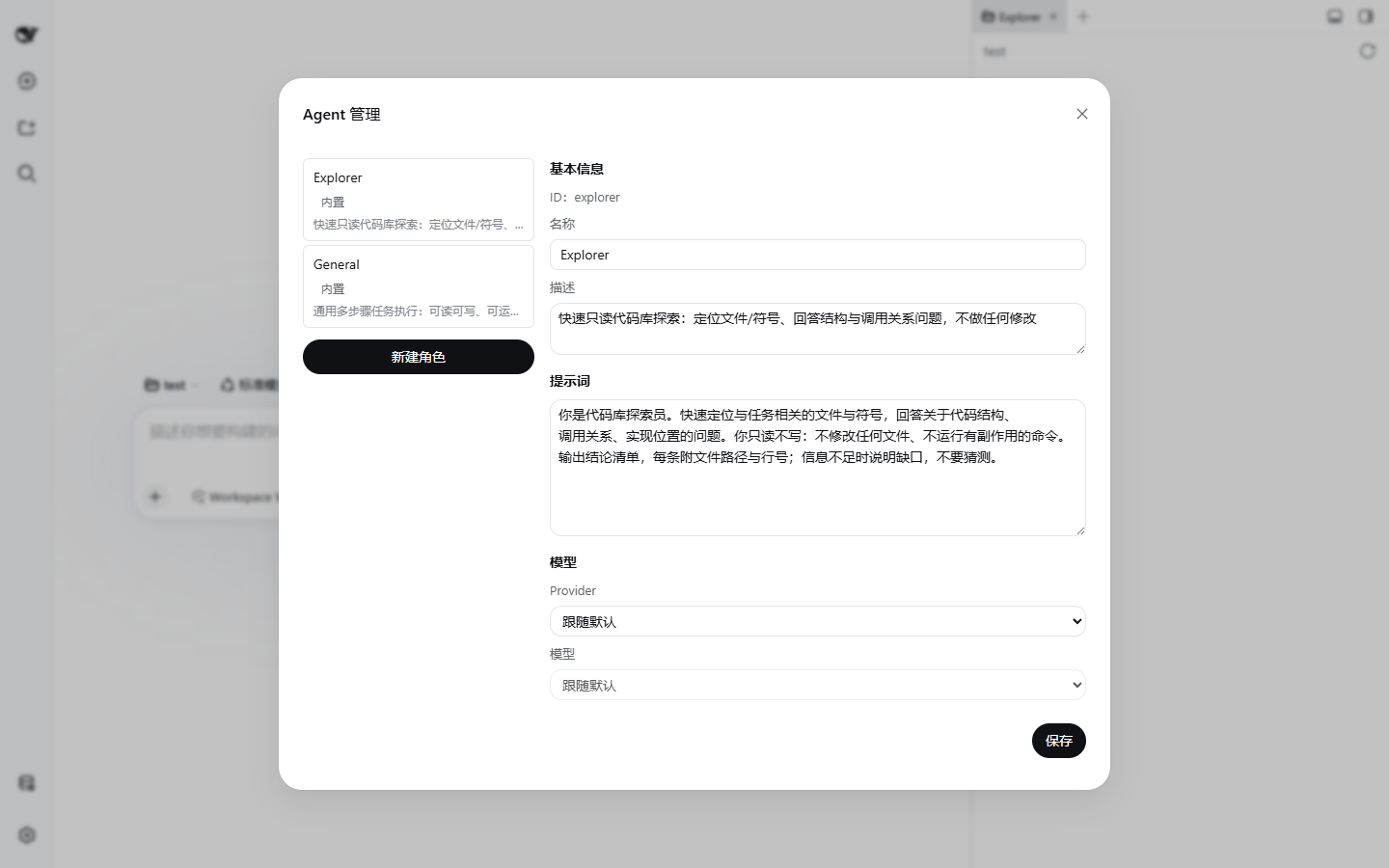
- Agent 注册表 —— UI 管理的可复用 Agent 名册(persona、模型、工具白名单),支持 YAML 首启导入,内置
main/explorer/general三个角色。 - 分层提示词 —— 语义化提示词分层 + 按模型匹配的覆盖/追加规则,内置模型层随模型家族(Claude、GPT、Gemini、Kimi……)自动切换。
- 并行委派 ——
team_delegate工具从名册启动一次性子 Agent,web UI 渲染实时委派卡。 - 飞书 bots —— 项目绑定飞书自建应用,扫码一键创建应用,在飞书里以流式卡片与 Agent 对话。
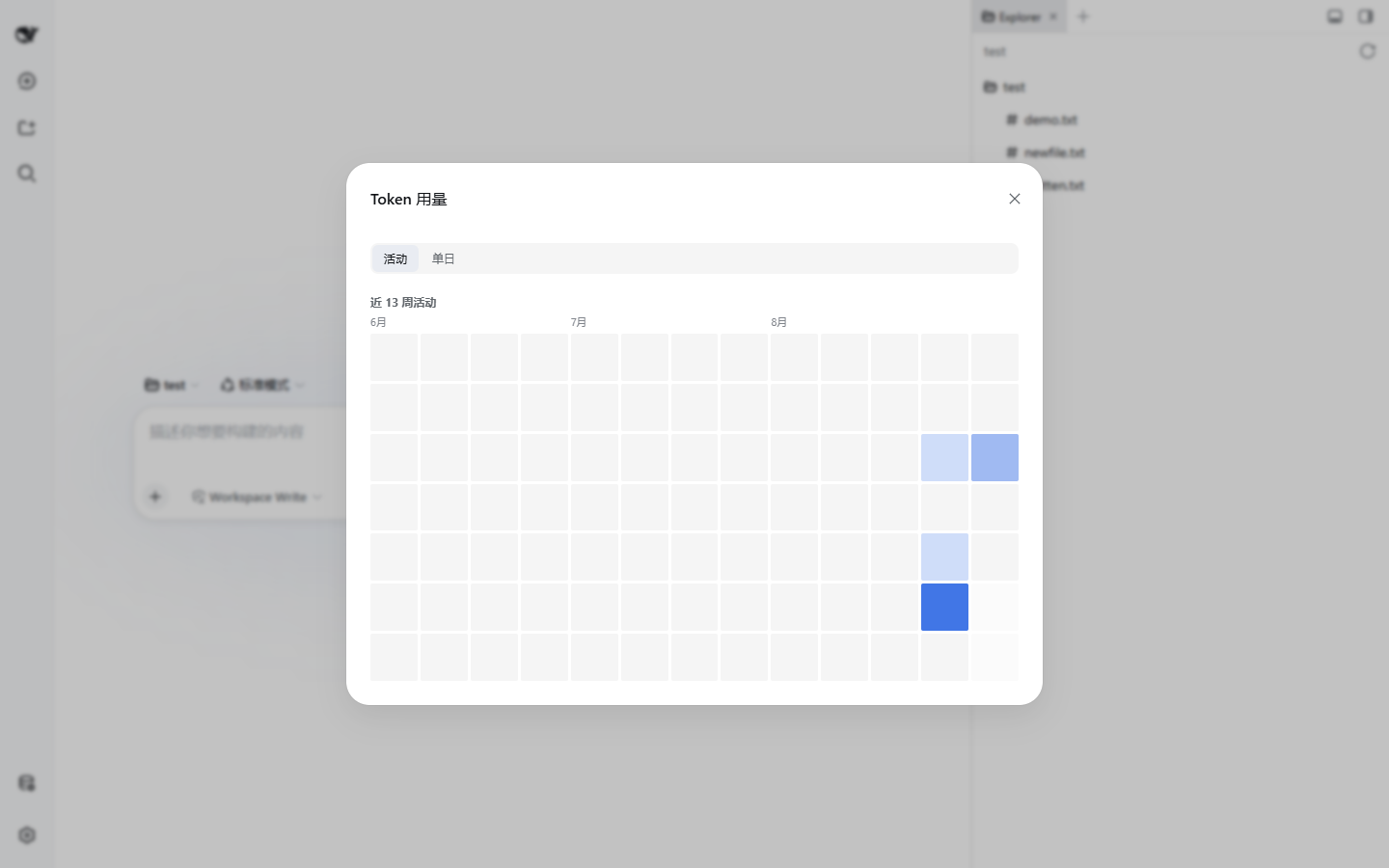
- Token 用量 —— 按日/按小时计量,13 周活动热力图 + 单日堆叠图 +
/token-usage命令。由依赖包@dsh-agent-toolkit/token-usage提供,可独立安装。
详细使用手册(中文,多文件)见仓库 docs/usage/ 目录。
安装
dsh plugin --profile <profile 名> add dsh-agent-toolkit--profile 为必填项;profile 是 $DSH_HOME/profiles/<name>(默认 ~/.dsh/profiles/<name>)下的目录,可用 dsh plugin --profile <name> list 查看已有插件。包自带 cordis.patch.yml(bundles 层),装进 profile 后自动激活,无需手工添加 patch 条目。
配置
配置写在 cordis.yml 中,按插件 id dsh-agent-toolkit 覆盖:
- id: dsh-agent-toolkit
  config:
    timezone: Asia/Shanghai
    modules:
      feishu: true
      usage: true
修改配置触发 HMR 热替换,无需重启。
| 配置项 | 类型 | 默认值 | 说明 |
|---|---|---|---|
| modules.feishu | boolean | true | 启用飞书 bots 模块 |
| modules.usage | boolean | true | 启用 token 用量模块 |
| layers | array | [{ name: 'persona', order: 10, text: '' }] | 语义化提示词分层 {name, order, text}(首启种子/重置默认值;层结构固定,UI 仅可编辑 persona 文本;base/model-notes 保留名不可占用) |
| rules | array | 内置 15 条规则 | 按模型匹配的覆盖/追加规则 |
| timezone | string | Asia/Shanghai | 用量按日/按小时聚合的时区 |
| provider | string | spawn | 委派用的 subagent provider 名 |
| toolName | string | team_delegate | 委派工具对模型的可见名 |
| feishu.* | — | 见手册 | 卡片节流/字节上限、扫码超时、表情、错误摘要长度 |
layers / rules 为整体替换语义(不是合并);字段完整说明见 config-reference.md。
功能速览
Agent 注册表
侧边栏底栏「Agent 管理」打开面板,创建/编辑/删除角色。每个角色有 id、名称、描述、persona 提示词、可选模型覆盖、可选工具白名单(原生工具 + 全局工具,仅白名单语义)。首次激活时把 $DSH_HOME/agent-team/roles/*.yml 一次性导入。
分层提示词
四层模型固定层栈:harness:identity(原生只读)→ 模型层(内置 prompt-stack:base,只读,按模型命中规则整体覆盖)→ persona(prompt-stack:persona,唯一可编辑层,存 prompt_layers 表)→ model-notes(自动层,只读)。层不可增删/改名/改序。规则按 provider / model / modelPattern(glob)匹配当前模型,打分最高者生效:overrides 整体替换指定层(合法目标 = base + 存储层名),append 渲染进 model-notes。模型身份在会话首条消息组装时钉住,中途切模型不改写系统提示词。cordis.yml 的 systemPrompt.persona 恢复原生语义(渲染在 identity 后、模型层前),与 UI persona 层各自独立。
委派
team_delegate(role, description, prompt) 前台启动一次性子 Agent:maxDepth: 1(禁止嵌套委派)、继承父会话取消信号,成员的 persona/模型/工具白名单来自注册表。web UI 渲染委派卡,可一键查看子对话。
飞书 bots
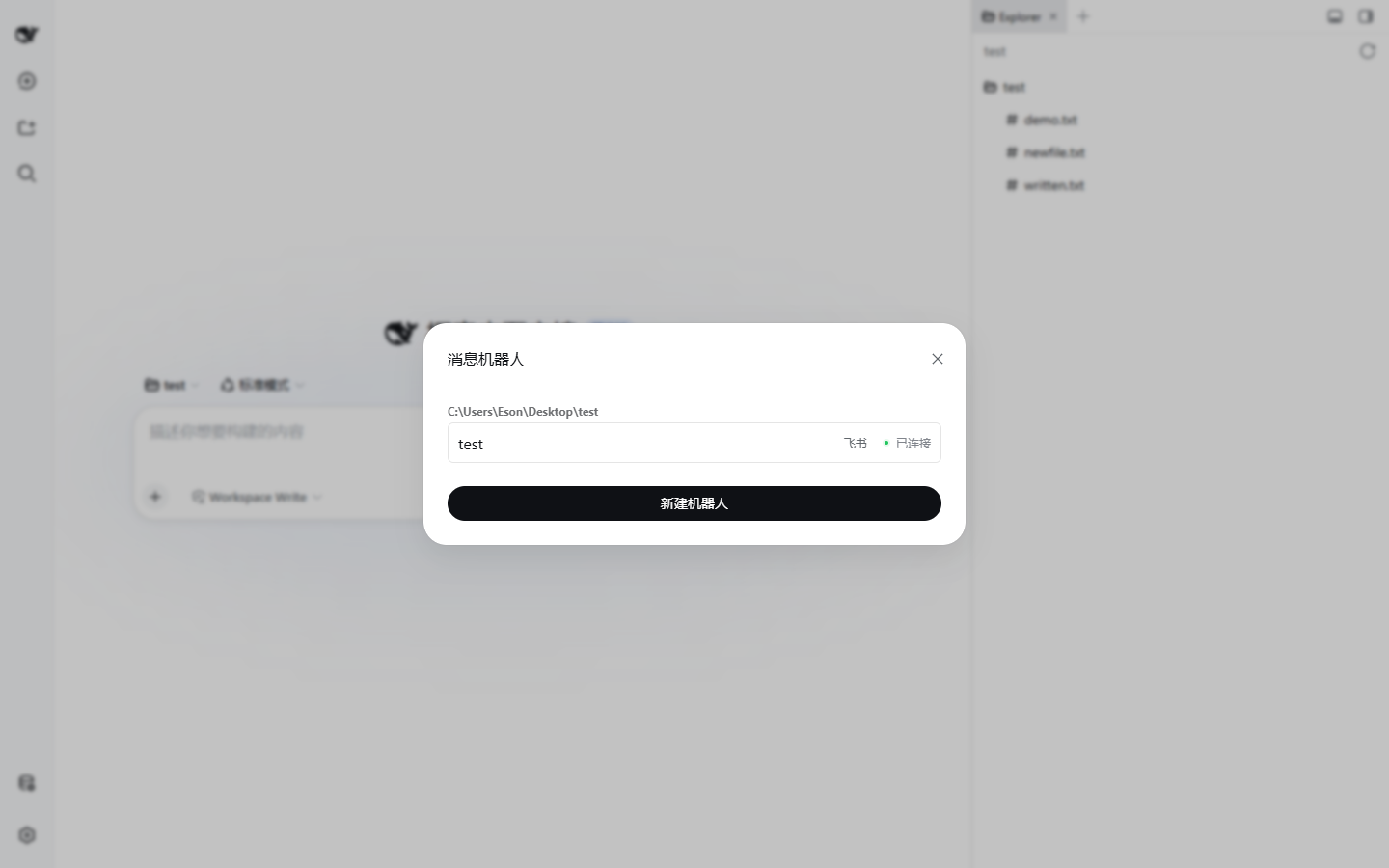
侧边栏底栏「消息机器人」打开面板。两步创建:绑定项目 + Agent + 模型,再绑定飞书应用——扫码一键创建(OAuth 2.0 Device Authorization Grant,密钥只入 credentials 不落表)或手动填 App ID / App Secret。群聊需 @机器人;运维指令 /new、/stop、/status。
Token 用量
侧边栏底栏「Token 用量」:13 周活动热力图 + 单日堆叠图(按模型/按项目/压缩单列);或在任意会话运行 /token-usage [YYYY-MM-DD]。
运行前提
- 宿主 dsh 需提供注入服务:
storageDomain、tools、subagents、systemPrompt、commands、llm、agentDefaultModel、agents、tokenMeter、credentials(webServer可选,headless/CLI 下 HTTP API 自动不注册)。 - 委派需要具备
persona+depthLimit能力的 subagent provider(如spawn)。 - 安装时 npm 会自动带入依赖
@dsh-agent-toolkit/token-usage;两者不要再单独并列安装(计量先到先得,见该包 README)。 - peer dependency:
@deepseek-ai/cordis^4。
License
MIT