
dsh-claude-desktop-theme
v0.10.6
Published
Claude Code Desktop-style theme for DeepSeek Harness (DSH) Desktop on macOS and Windows, with light/dark themes, model/effort pickers and an interactive pixel whale

Maintainers
 zoukai
Readme
DSH Claude Desktop Theme
为 DeepSeek Harness(DSH)Desktop 换上 Claude Code Desktop 外观
简体中文 · English
安装 · 界面预览 · 配置 · 架构 · 设计规范 · 安装指南 · 问题反馈
快速安装
npm 包已发布,两种入口任选其一:
- 插件页:「插件 → 添加插件」,输入
dsh-claude-desktop-theme - 终端:
dsh plugin --profile desktop add dsh-claude-desktop-theme
源码安装见安装指南。
使用
在「设置 → Claude 主题 → 模块 → 主页背景动效」选择「宠物畅游」,像素宇航员会缓缓跟随鼠标,点击空白处会划过流星。也可切回默认的字符水波纹、在支持的宿主上使用像素鲸鱼或关闭动效。「聊天页背景动效」可独立开启字符水波纹或宠物畅游。
会话中输入 /clear 可以清空当前对话上下文,继续使用同一个会话:会话 ID、名称、项目、模型、项目指令与技能目录保留,旧消息和工具结果不再发送给模型。原始日志仍在,「查看历史记录」可展开旧内容,查看不会恢复模型上下文。命令不调用模型、不生成摘要;请在回复结束且没有排队消息时执行。安装后需完整退出并重新打开 DSH,加载宿主命令。
界面预览
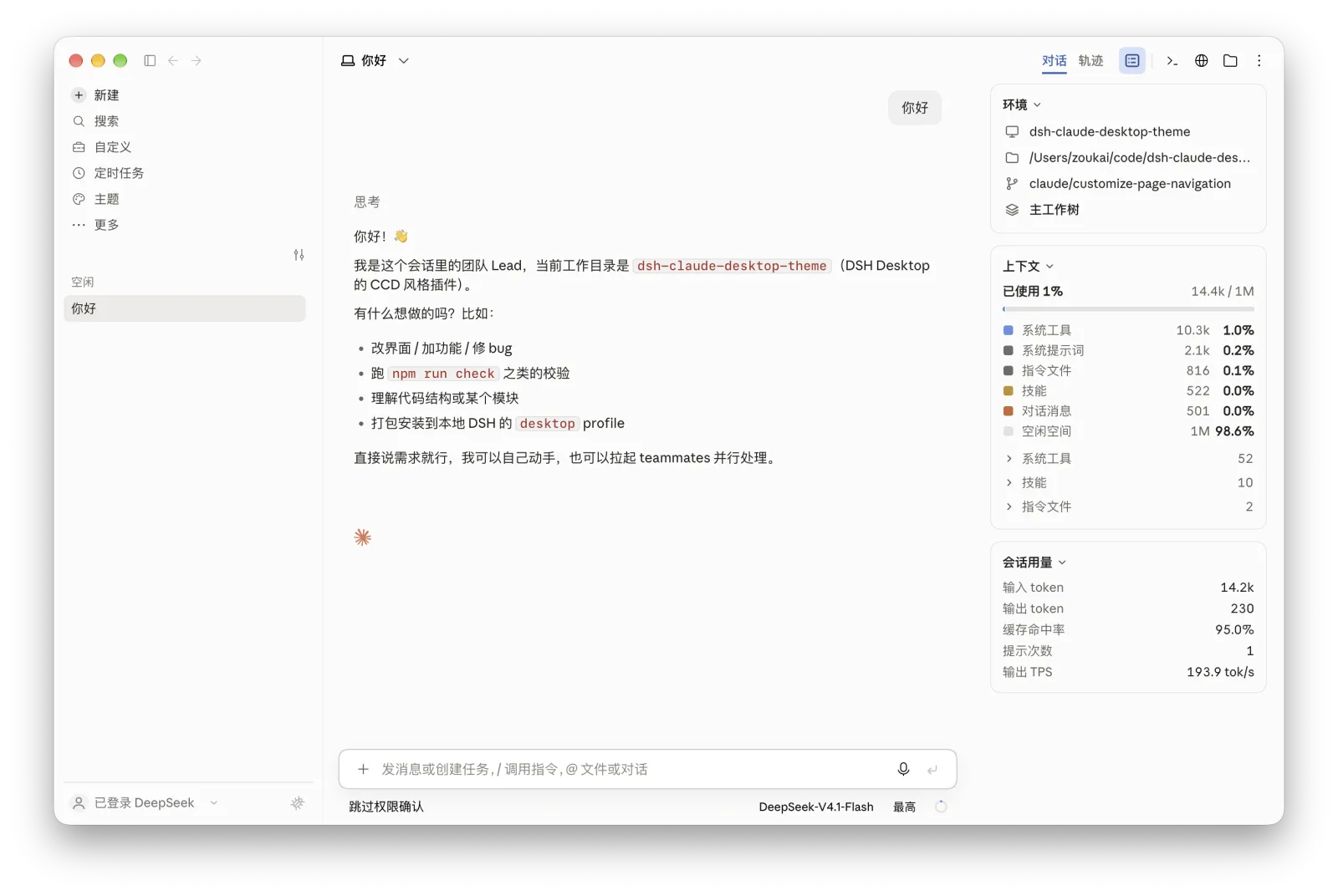
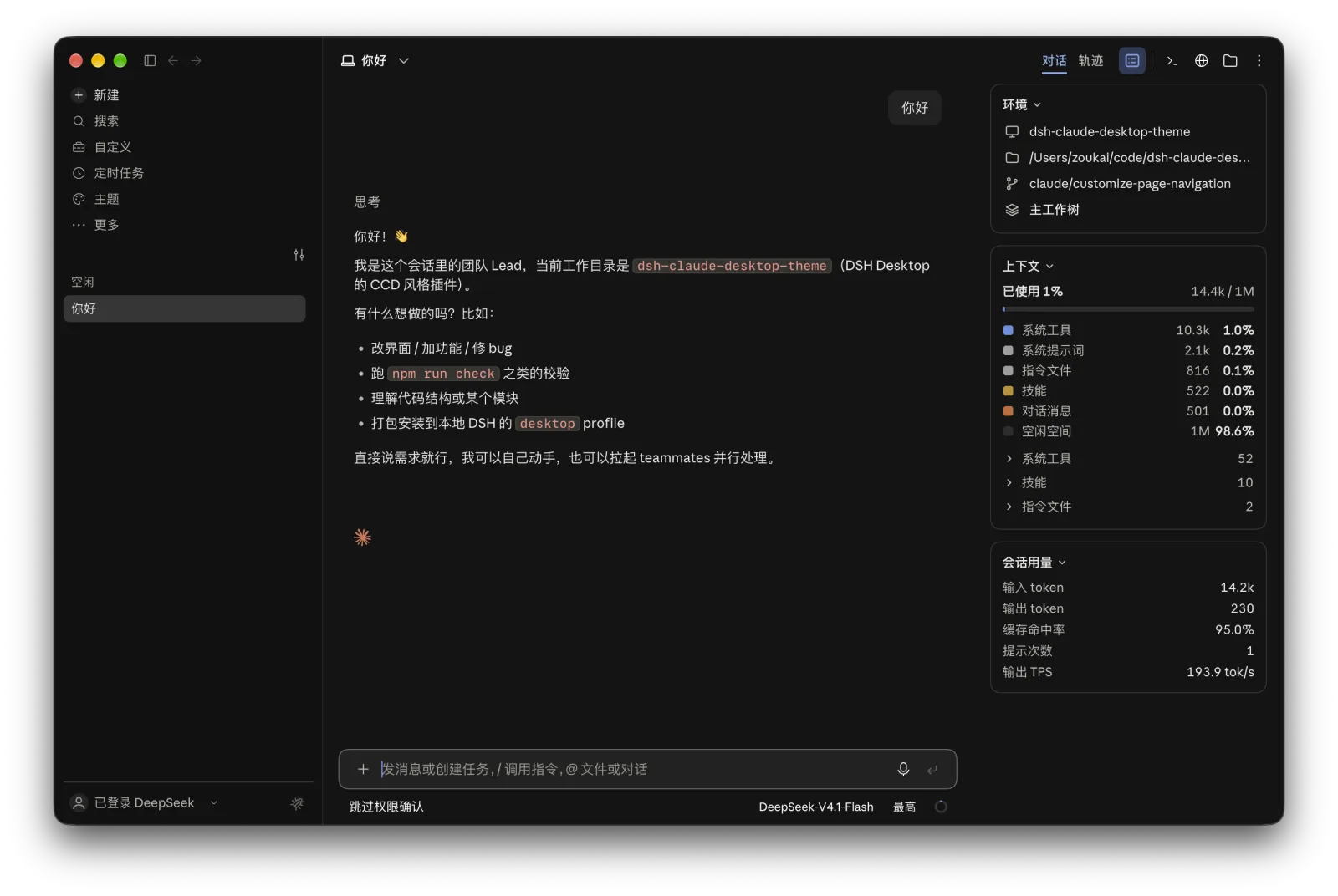
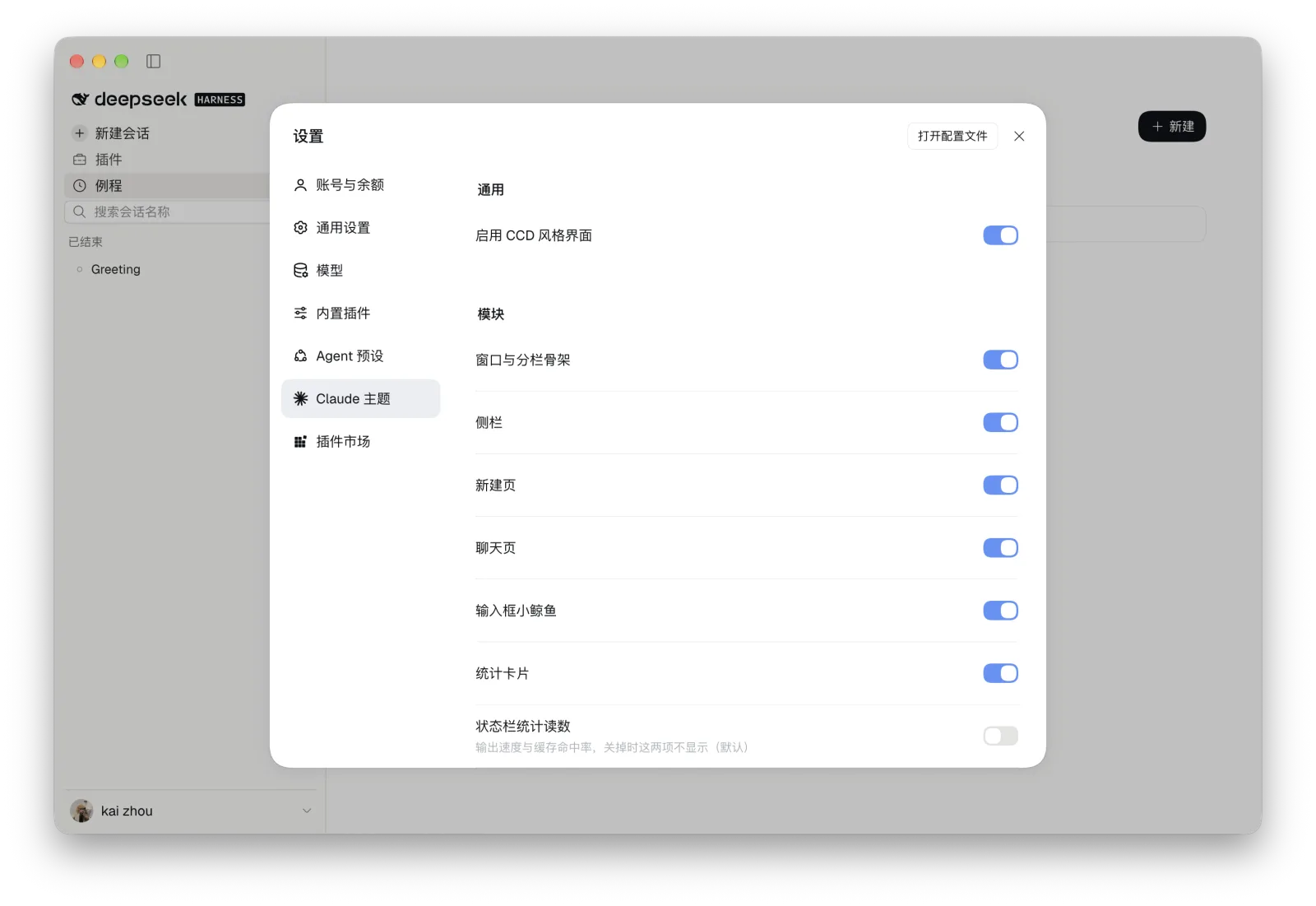
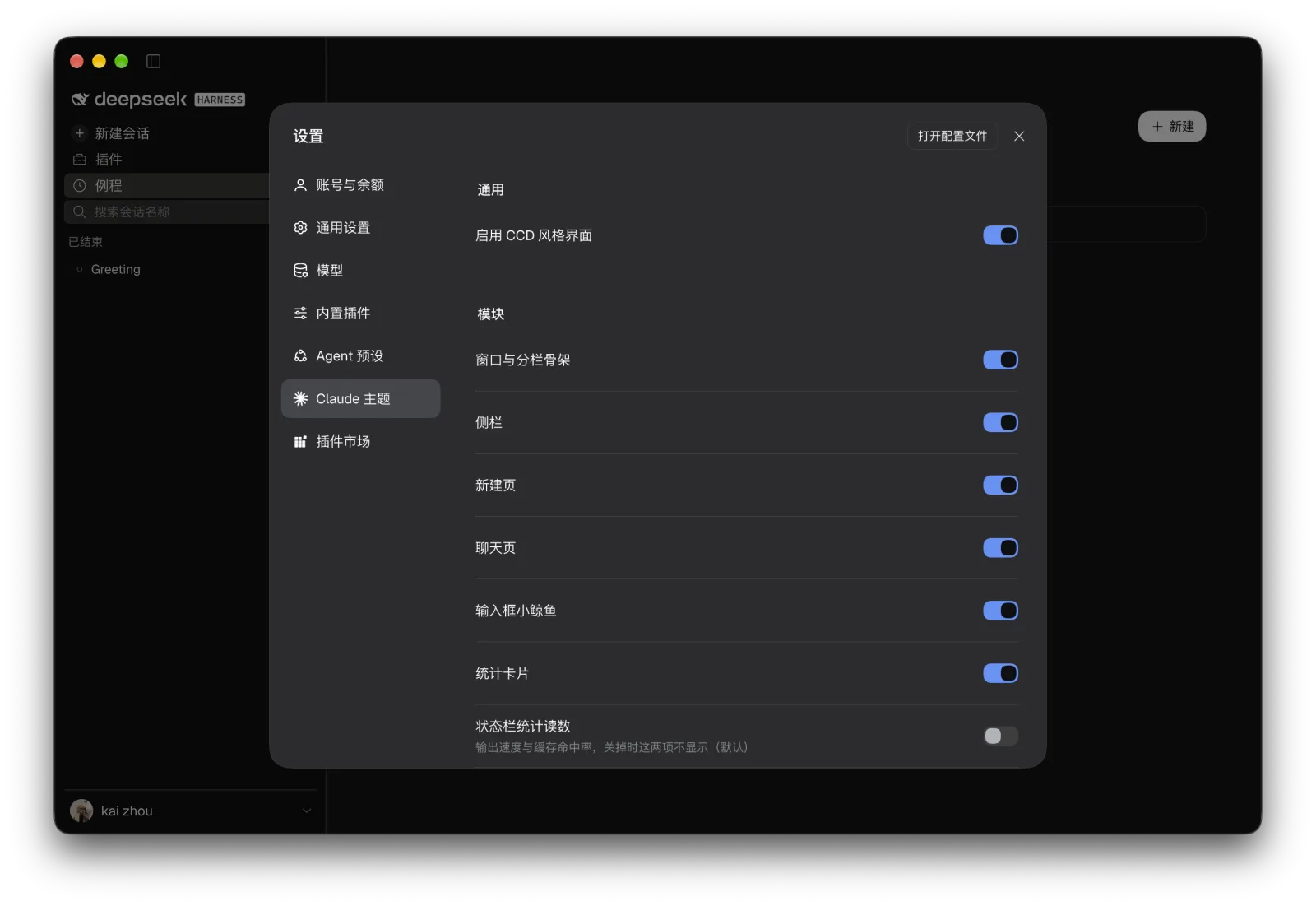
以下展示 macOS 浅色与深色主题的完整窗口。首页使用 Claude 像素宠物与问候样式,开启水波纹和统计卡片;会话页展示终端、浏览器与文件栏,信息卡片单独展示环境、上下文分解与会话用量。两种宠物的点击回应与 Effort 拉到底的动效见下一节。
| 界面 | 浅色 | 深色 |
| --- | --- | --- |
| 新会话页 | 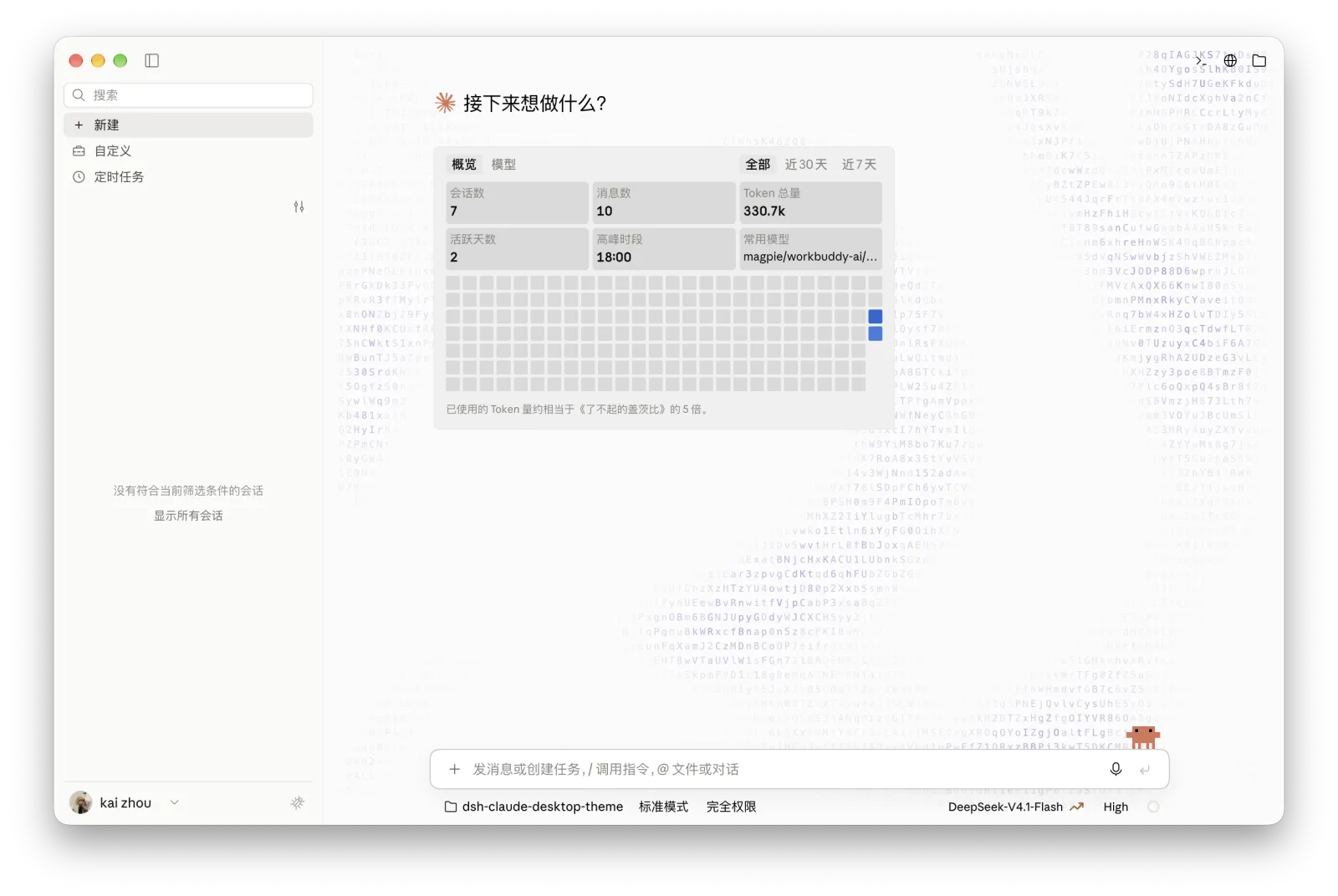 |
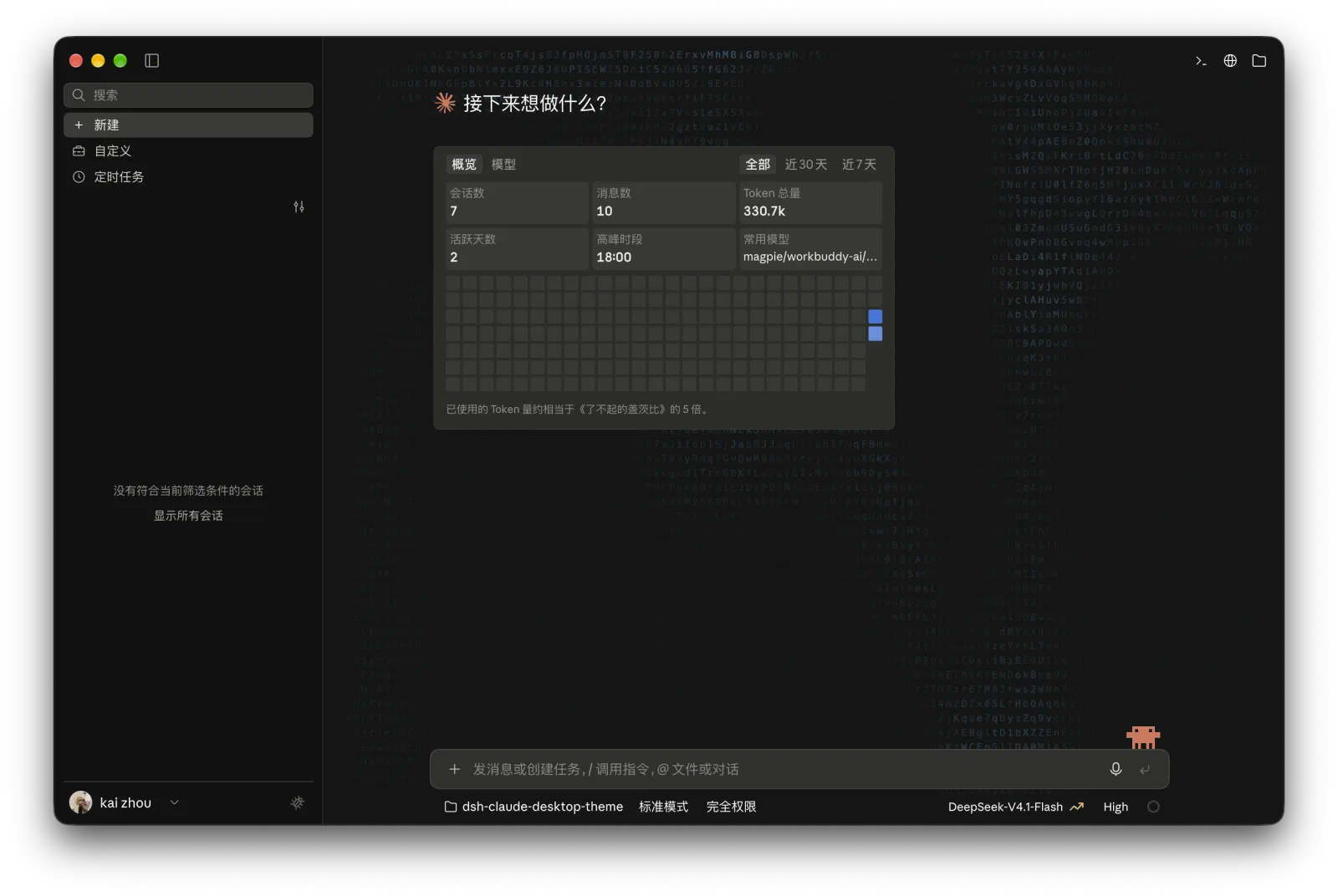 |
| 会话页 |
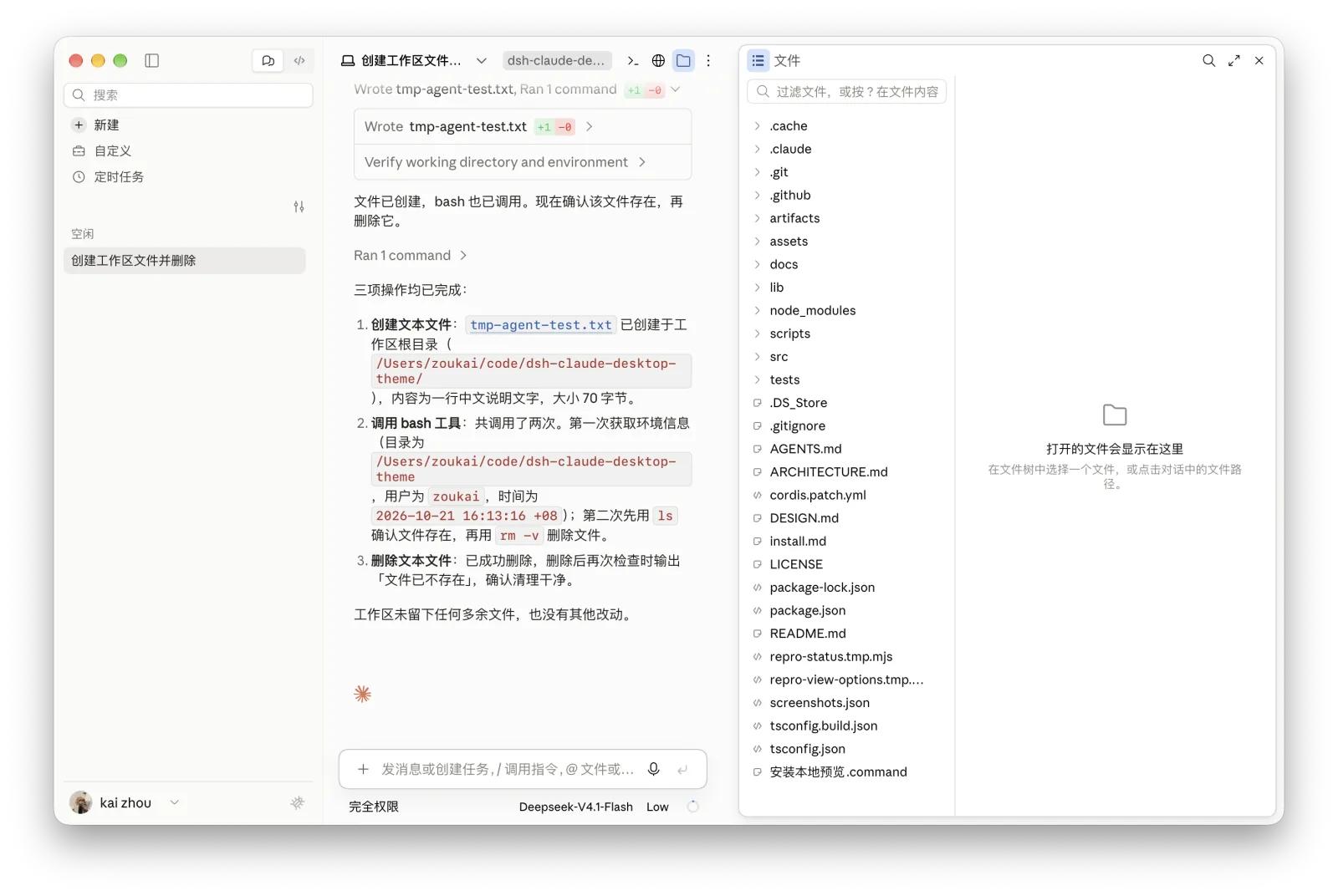 |
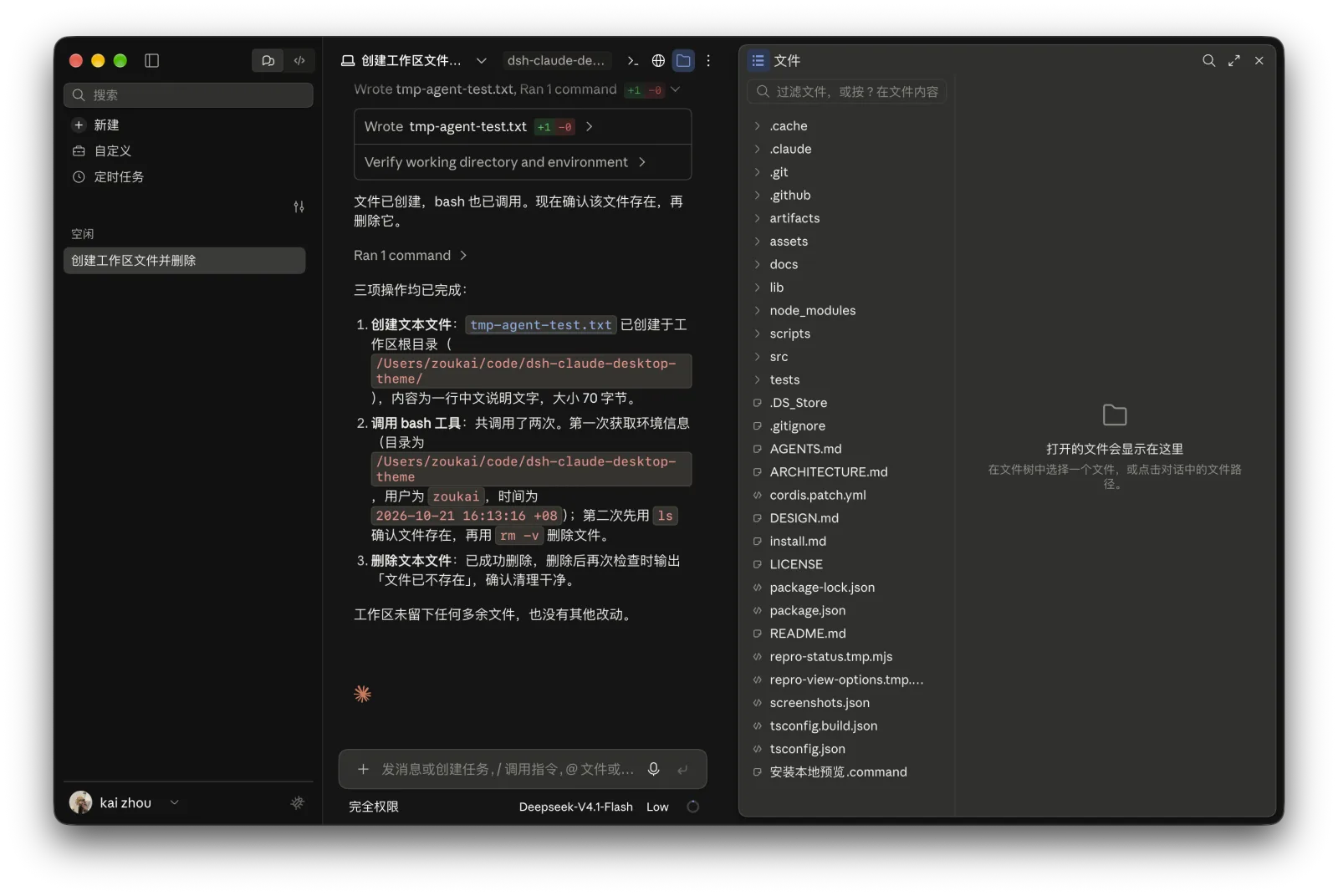 |
| 右侧信息卡片 |
 |
 |
| 插件设置 |
 |
 |
组件特写
| 组件 | 浅色 | 深色 |
| --- | --- | --- |
| 模型选择器 | 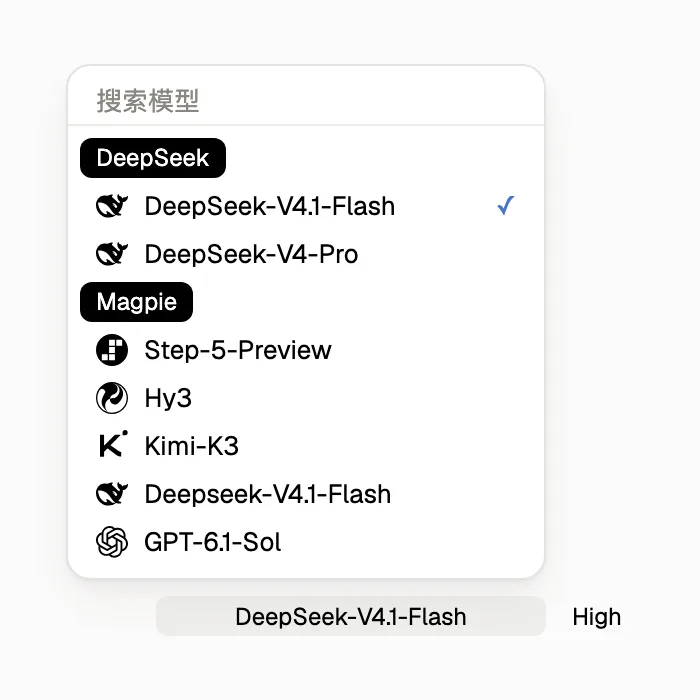 |
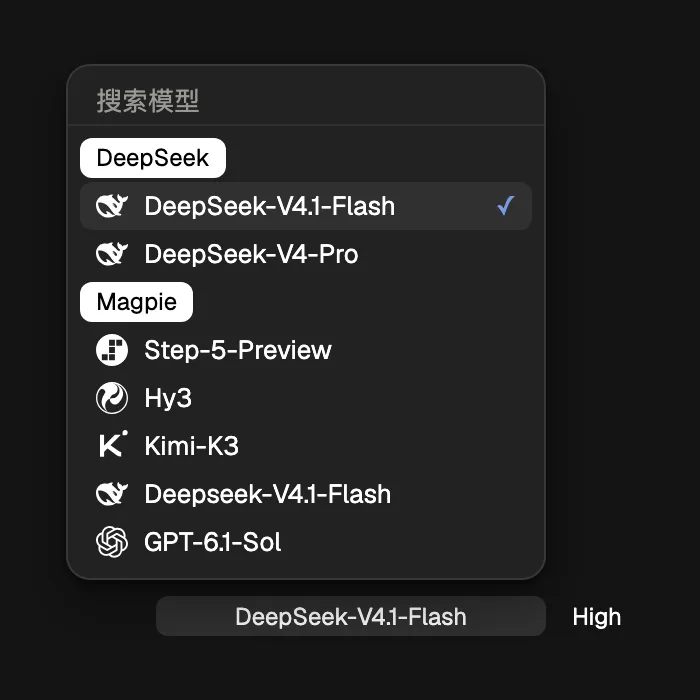 |
| DeepSeek 余额 |
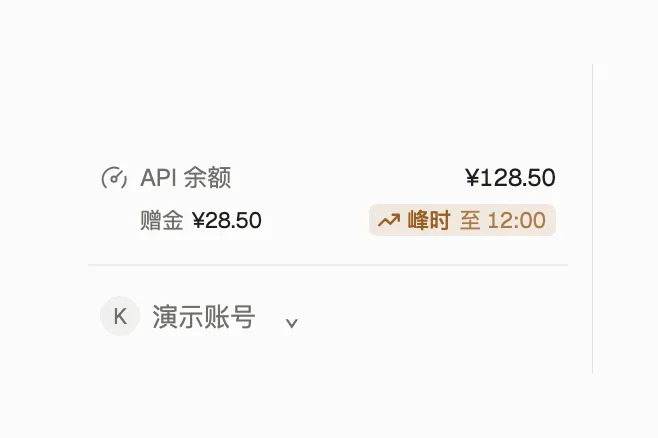 |
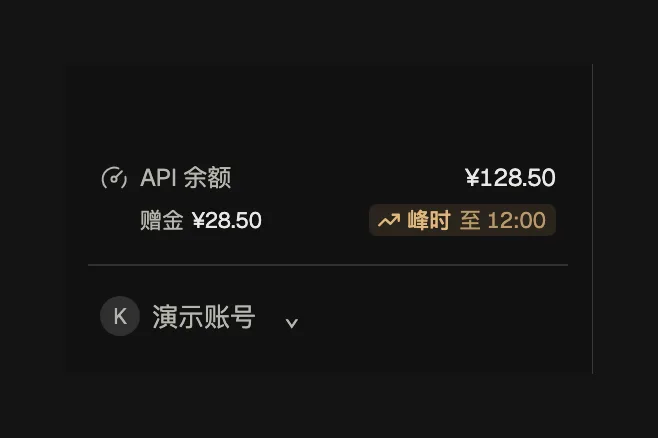 |
| 上下文圆环与分解面板 |
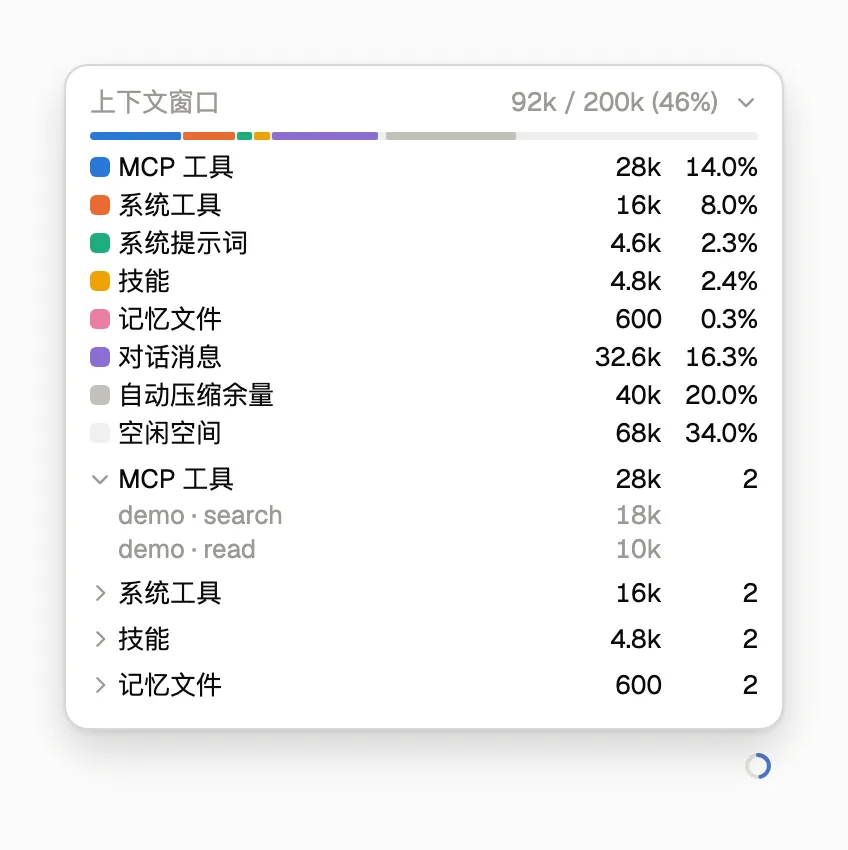 |
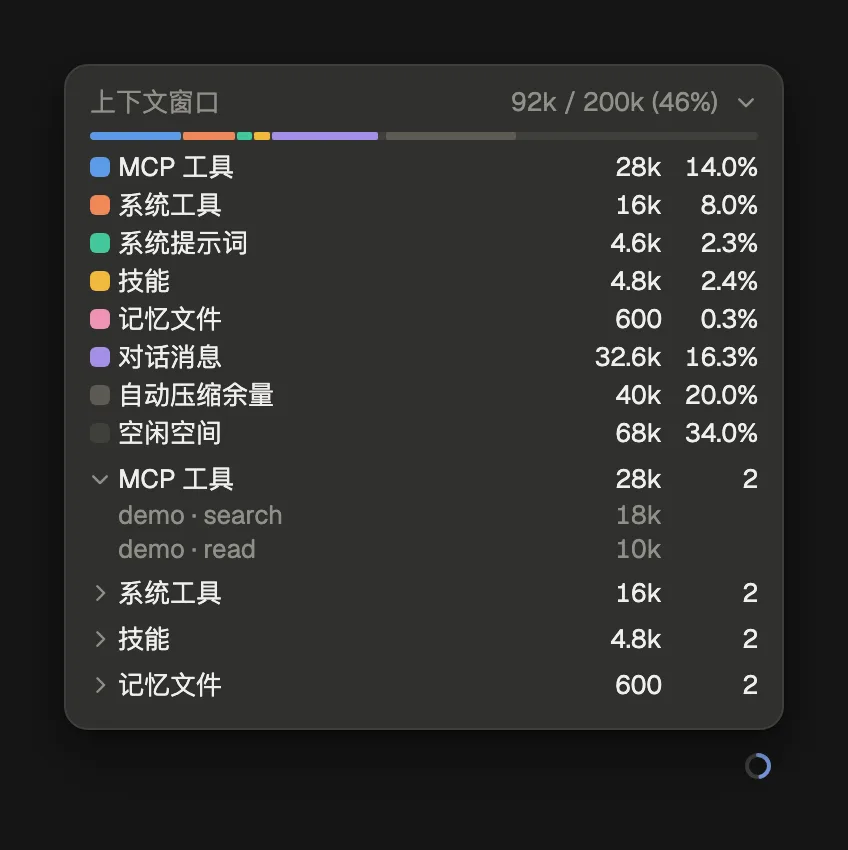 |
| 会话右侧信息卡片 |
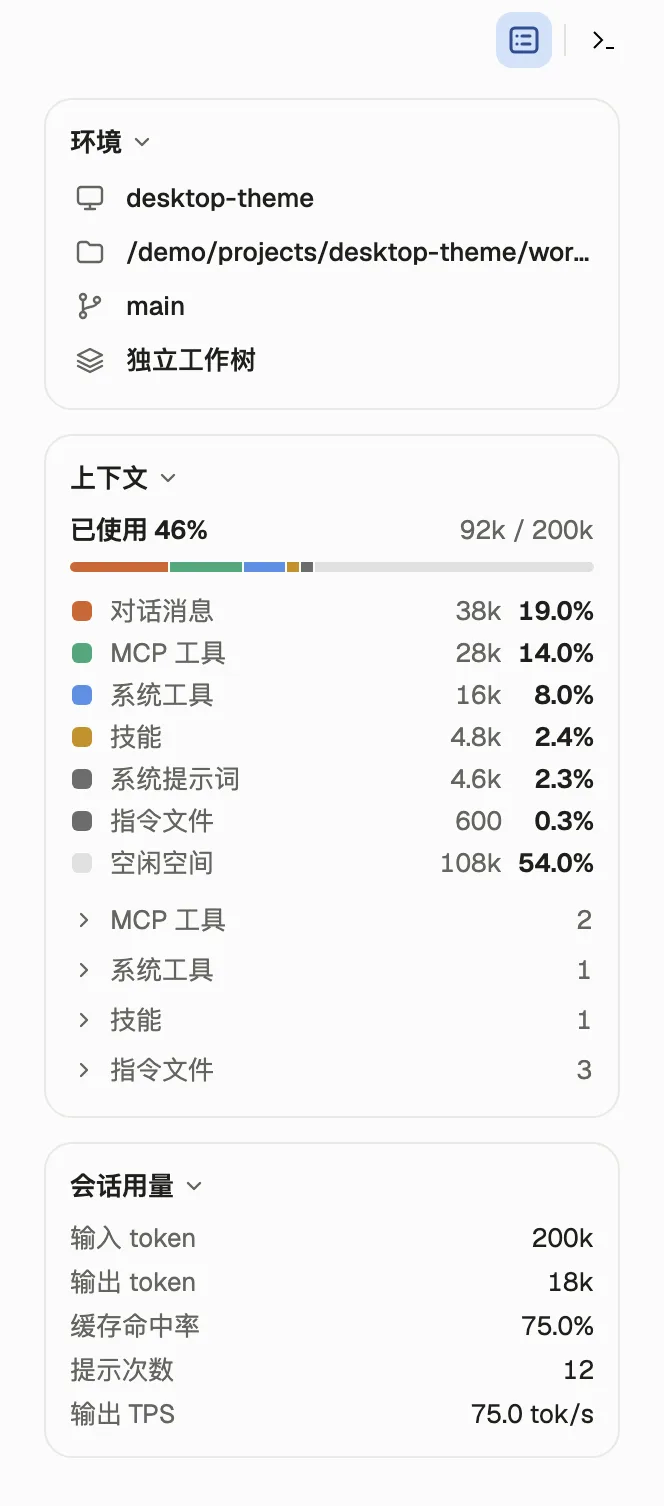 |
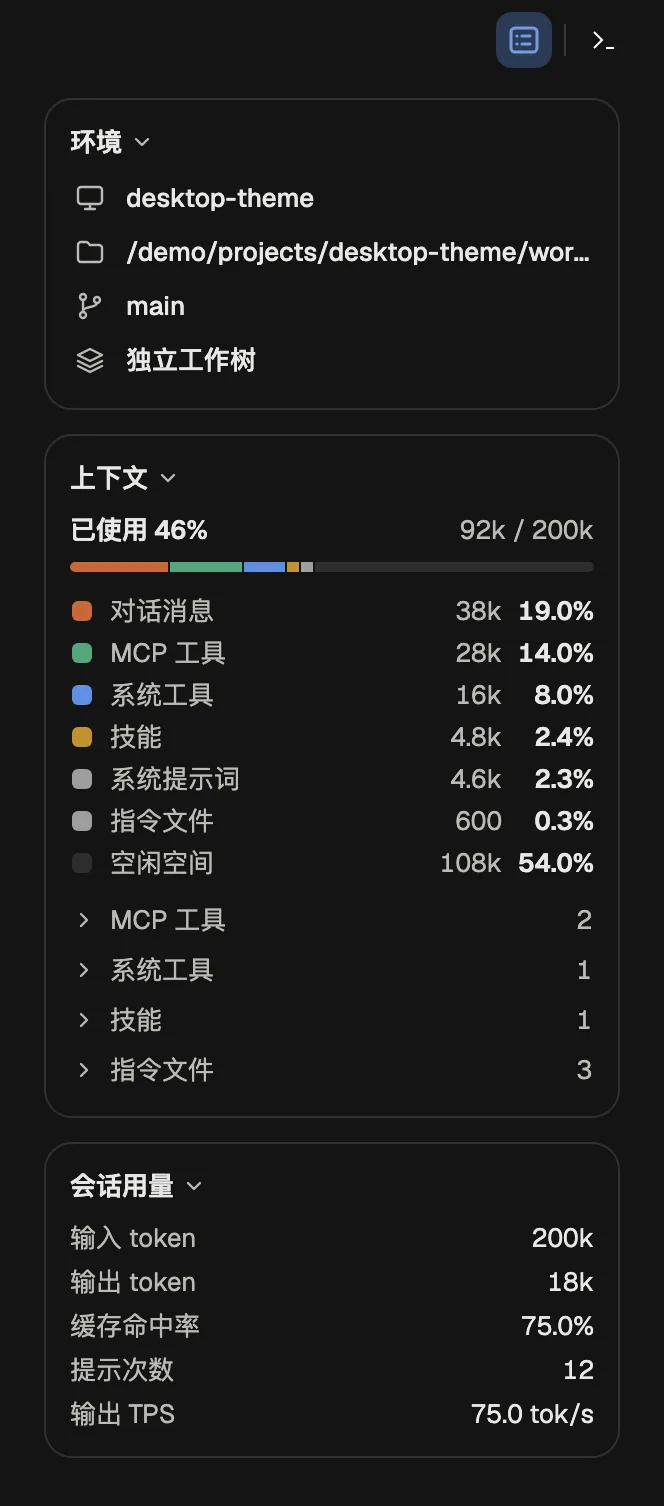 |
细节动效
配置
打开侧栏「主题」或「设置 → Claude 主题」,改动即时生效:
| 分组 | 可调项 |
| --- | --- |
| 模块 | 左侧栏、右侧栏(独立启停)、新建页、主页背景动效(默认水波纹)、聊天页、聊天页背景动效(默认关闭)、工具调用展示、输入框宠物、统计卡片(默认开启)、状态栏统计读数(默认关闭)、上下文分解面板 |
| 外观 | 主题(浅色 / 深色 / 跟随系统)、会话背景色、侧栏背景色 |
| 视图 | 显示 API 余额、显示模型图标、分开显示模型与思考强度、过程默认展开(默认开启);DeepSeek Harness 品牌条目、顶栏子代理入口、顶栏团队入口、顶栏后台任务入口、显示空分组(默认均关闭) |
| 个性化 | 宠物样式、输出中状态、回复签名、首页问候(默认 Claude 样式,宠物、签名与问候可分别关闭) |
| 字体 | 界面字体、代码与等宽字体;界面中文字体在设置页不列,需写进 profile 的 cordis.patch.yml |
[!NOTE] 自定义背景色只作用于浅色模式,深色模式使用内置深色调色板。默认界面西文、中文与代码字体分别为 Anthropic Sans Web、Anthropic Serif Web 与 SF Mono,未安装时沿字体栈回退;仓库的
assets/fonts/提供本机安装用字体与 OFL 许可,字体不包含在 npm 包中。
环境要求
DSH Desktop 版本声明范围为 >=0.2.1-rc.3 <0.3.0-0,允许后续 0.2.x 正式版与预发布版(含 0.2.2-rc.2)安装;放宽版本声明不代表已完成所有版本的实机验证。macOS(Apple 芯片)已通过 0.2.2-rc.2 实机冒烟测试,开发 SDK 保持 rc3 基线。Windows 10 及以上(64 位)的安装入口保留,新版 Windows 构建尚未实机验证。源码构建另需 Node.js ≥ 22.18.0。升级后请完整退出并重新打开 DSH,以加载宿主接口与会话投影。
反馈与许可
点击侧栏左下角账号旁的反馈按钮,填写描述后会打开预填好环境信息的 GitHub Issue;也可以直接通过 Issue 反馈问题,附上 DSH 版本、窗口尺寸和复现步骤。
MIT © 2026 zkforge。