
dsh-eli-mode
v0.1.11
Published
知识库驱动的 Agent 预设
Downloads
541

Maintainers
 ceiicelia
Readme
Eli Mode · DSH Agent 预设

Eli Mode 是 DeepSeek Harness 的一个 Agent 预设,以wiki 驱动的长期记忆和技能为核心,配合极度精简的Harness搭建。
特性
- wiki驱动:跨会话持久化的卡帕西式wiki,代替记忆和skill模块,你没看错,用wiki代替memory和skill,谁用谁知道;条目间用
[[id]]互链,自动维护正/反向链接与树形目录 - 极度精简的Harness:仅必要工具,注入的system prompt和context都进行了针对性修改
- 管理页:设置 → 插件-插件配置 → Eli Mode,图形化编辑人格 prompt 与知识库注入 prompt
- 界面润色:子模块eli-polish,在默认主题上增加知识库标签页、token 统计、工具调用折叠以及立绘,该模块默认关闭,在Eli Mode插件配置页勾选「界面润色」即可启动
安装
本插件已被 dsh-market 收录:如果安装了 dsh-market,可直接在 设置 → 插件市场 搜索 eli-mode 安装本插件。
需要 DSH 0.1.0-rc.6 或更新版本(Node.js >= 22),以及 pnpm(npm install -g pnpm,dsh plugin 命令依赖它)。
npx -y @deepseek-ai/dsh plugin --profile web add dsh-eli-mode@latest重启 dsh web 后:
- 新建会话,预设选择器选择 Eli Mode;
- 首次运行会自动在
~/.dsh/eli-knowledge/创建默认知识库(已有内容不会被覆盖); - 设置 → 插件-插件配置 → Eli Mode:编辑人格 prompt 与知识库注入 prompt(新会话生效), 或勾选「界面润色」及修改立绘(免刷新生效)。
预设升级
插件升级(dsh plugin --profile web update)后重启,~/.dsh/.agent-presets/eli-mode/ 会自动同步为包内版本。
桌面版(Windows)
开箱即用的 Windows 桌面版:内置本插件、默认开启界面润色,首次运行自动初始化,新会话默认 Eli Mode 预设。
下载:GitHub Releases(DSH Eli Mode v0.1.10 · Windows x64)
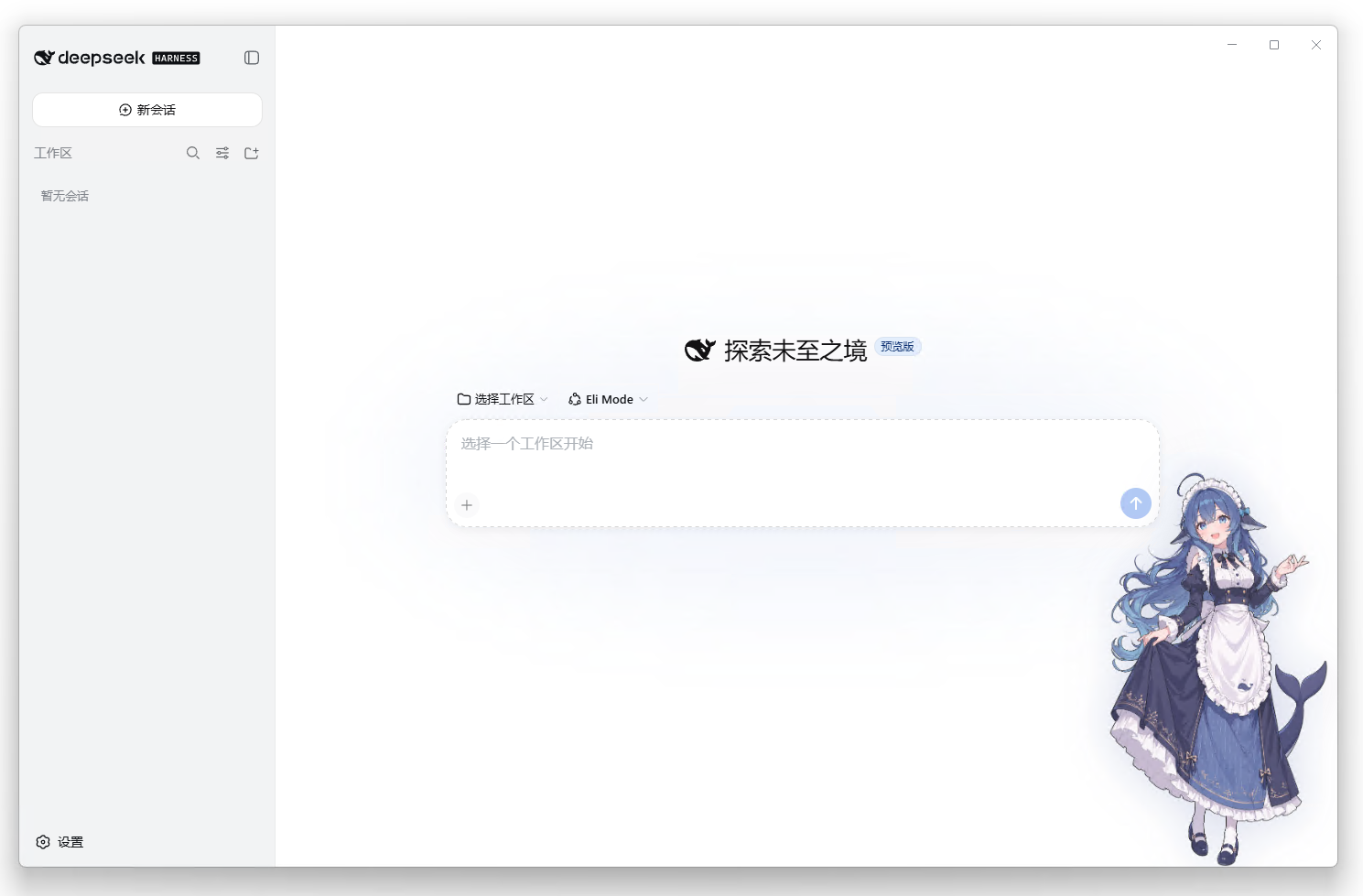
基于 anywhere-labs/deepseek-harness-desktop(MIT,其本身为官方 deepseek-ai/deepseek-harness 的社区桌面版)二次开发,分发物内含完整 LICENSE/NOTICE。非 DeepSeek 官方产品。
配置
管理页(推荐)
设置 → 插件-插件配置 → Eli Mode:
| 字段 | 说明 |
| ------------ | --------------------------------------- |
| 人格 prompt | 身份/风格/记忆规则;Role、工作目录、日期由系统自动生成 |
| 知识库注入 prompt | 注入提示词模板,{{tree}} 会被目录清单替换;留空 = 不注入 |
| 注入知识库目录 | 开关:是否把目录清单注入会话提示词 |
| 界面润色(polish) | 开关:立绘、对话内「知识库」标签页、token 统计、工具调用折叠;免刷新生效 |
开箱即用:插件内置设置桥接(loopback),配置卡片无需修改官方白名单即可使用;若部署禁用了桥接(如远程访问),可直接编辑
~/.dsh/settings.yaml。
直接编辑 settings.yaml
eli-mode:
  personaPrompt: |
    # 你的人格 prompt(多行)
  kbIndexPrompt: |
    知识库目录如下,用 kb_read / kb_search 按需取用:

    {{tree}}
  kbIndex: true
  polish: false   # true = 启用界面润色
知识库用法
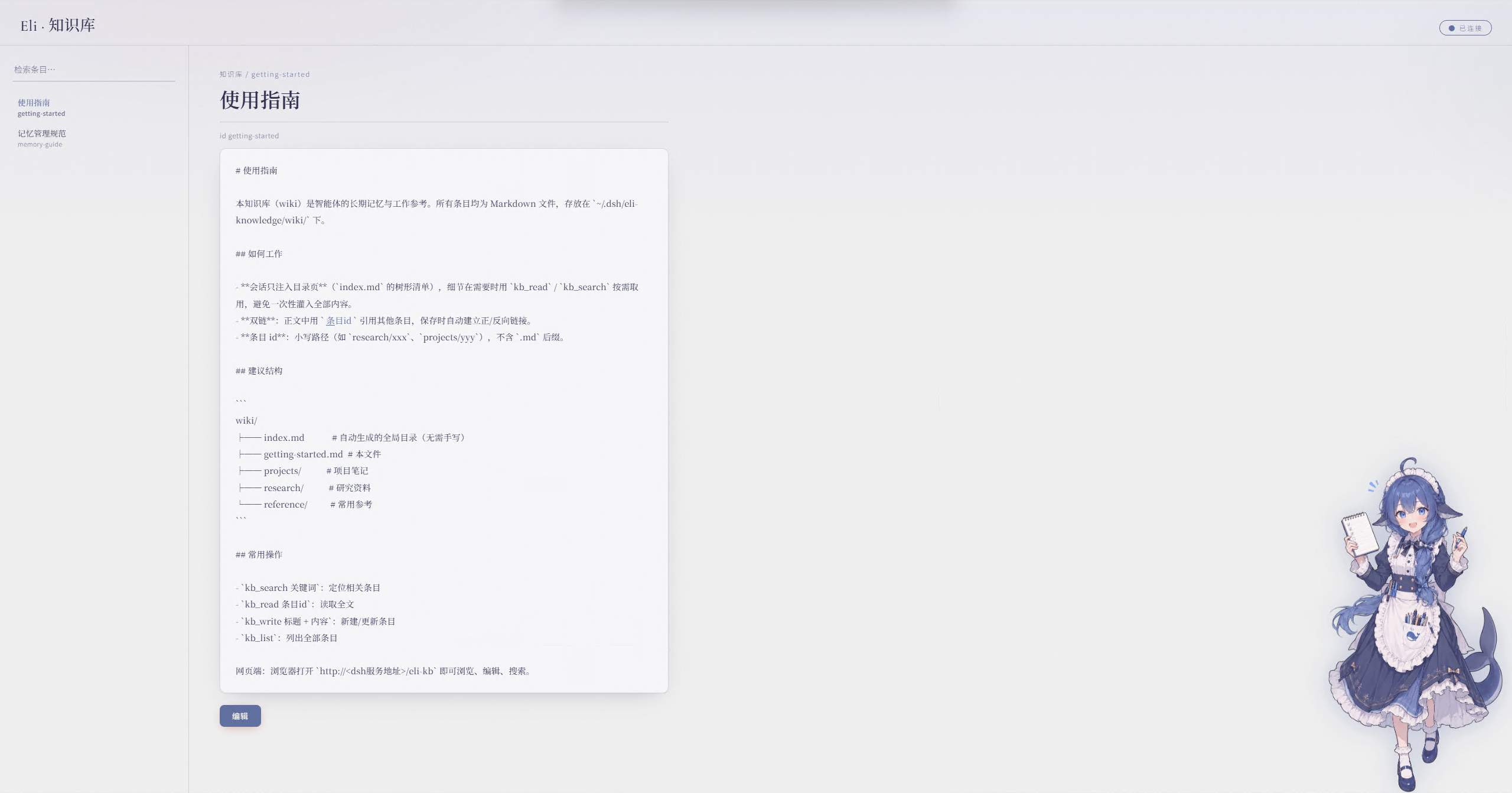
- 网页:
http://<dsh地址>/eli-kb(浏览 / 编辑 / 搜索) - 对话中:
kb_search 关键词→kb_read 条目id→ 需要留存时kb_write 标题 + 内容 - 存储位置:
~/.dsh/eli-knowledge/wiki/(可用环境变量ELI_KB_ROOT覆盖) - 目录页(
index.md)由系统自动生成,无需手工维护 - 开启润色后,输入框下方会显示 token 用量;配置了
DEEPSEEK_API_KEY(dsh 凭据服务或环境变量)时还会显示账户余额
卸载
npx -y @deepseek-ai/dsh plugin --profile web remove dsh-eli-mode重启 dsh web。预设文件与知识库数据保留在 ~/.dsh/ 下,可手动删除。
项目结构
packages/
└── eli-mode/                # 核心包(npm: dsh-eli-mode)
    ├── lib/                 # host 模块:kb 服务、网页路由、设置命名空间、预设同步、prompt-trim(精简官方引导)+ 客户端
    ├── presets/             # agent 预设(自动同步到 ~/.dsh/.agent-presets/)
    ├── wiki/                # 默认知识库内容(首次运行播种;mem/ 记忆 + skill/ 技能 分层)
    ├── ui/                  # 知识库网页与立绘
    └── cordis.patch.yml     # host patch(bundle 挂载、tool-fs 回归 global 层供 prompt-trim 遮蔽)
许可与署名
- 代码:Apache-2.0(见 LICENSE)
- 立绘(
ui/art-left.webp主界面 +ui/art-right.webpwiki 界面)为「鲸鱼娘」角色衍生创作,CC BY-NC-SA 4.0(非商用),完整署名链见 NOTICE:
- 上善(Pixiv · Bilibili)——「鲸鱼娘」角色形象原作者(一创)
- zipzip / ZipZipPipe(Pixiv · Bilibili)—— 加入 DeepSeek 元素的女仆鲸鱼娘二次设计(二创,生成模型 GPT Image 2)
- Small-tailqwq(dsh-deep-whale)—— 素材的 DeepSeek 元素再设计整理(三创)
上述创作者的立绘与整理是这套界面的灵魂,特此致谢。