
dsh-lingualab
v0.21.7
Published
LinguaLab — a study panel that turns workspace media (audio plus subtitles) into intensive-listening practice.

Maintainers
 smpower
Readme
dsh-lingualab
English | 简体中文
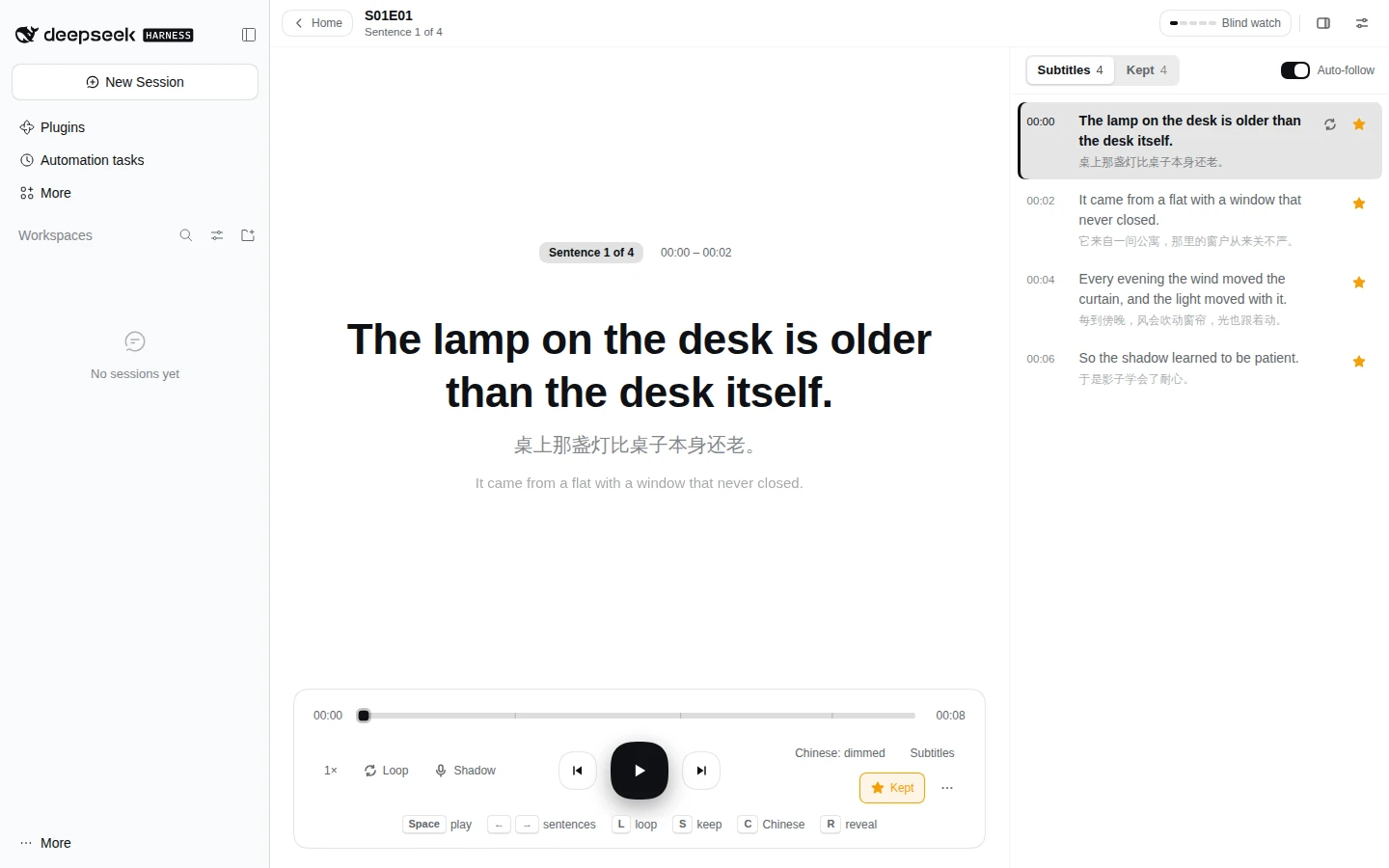
LinguaLab 面板:从左栏「更多」菜单里点一行,中栏打开一整页,当前会话不受影响。这一页把已经放进工作区的素材变成精听练习:一次练一集,逐句进行,笔记写回磁盘,Agent 也能读到。
安装
需要已装好 DeepSeek Harness 并有一个 Web profile,Node 22.19 或更新。只有准备视频剧集时才需要 ffmpeg 和 ffprobe。
dsh plugin --profile web add dsh-lingualab把 web 换成你自己的 profile 名。要固定版本:
dsh plugin --profile web add [email protected]装完从左栏「更多」菜单里点 LinguaLab。把音频和字幕拖到页面上就能开始。
使用统计默认关闭。 打开后每天会向
t.hi-ruofei.com发一次伪匿名上报;具体载荷和打开方式见匿名使用统计。
做什么
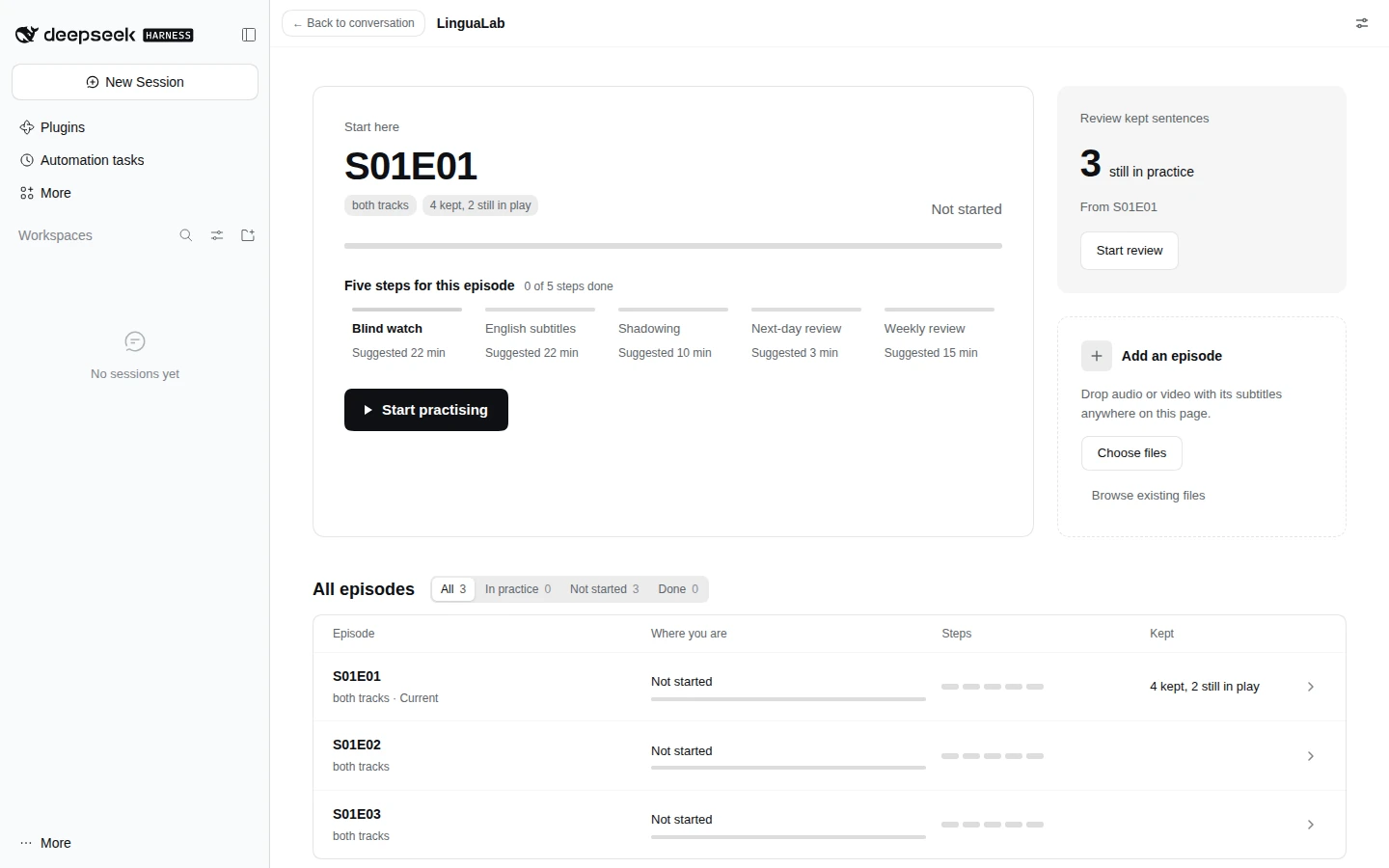
- 首页列出上次听的一集、其余剧集和拖放区。打开一集就进入练习视图,点返回按钮回到首页。
- 添加素材只需要拖进来。 音频、视频和字幕按文件名配对,可以一次添加多集,绝不覆盖已有文件。空库的首页只有拖放区。
- 一个文件夹就是一集,里面有多个音频时按分段播放。视频能为分段提供画面和声音,支持直接播放、按需准备和更省带宽的流畅版,也能不上传就播放本地文件。
- 练习逐句进行,支持变速、循环、字幕、跟读、录音和进度记忆。星标收藏句子,按评级复习,笔记保存在磁盘上供 Agent 读取。
媒体库结构、配对规则、视频格式与准备设置、练习控件、笔记、复习和设置,详见使用指南。
当前状态
服务端和前端都已完成。服务端提供库扫描、导入路由、支持 Range 的媒体路由、可浏览的选择层、笔记读写与复习清单;前端提供首页、练习视图、「收藏」栏与复习,以及浏览和设置媒体目录的两层浮层。
这一页不在左栏占一行,也不在「应用」页上占一张卡片。它以 main 面板的形式注册在 lingualab 这个键上,入口是左栏「更多」菜单里的第一行。这个插件自己把入口注册进 sidebar.panellist.actions,点击后调用 layout.selectPanel('lingualab')。入口由插件自己注册,因此左栏不必为每个插件各加一行,也不再依赖 dsh-apps-panel。
开发在 development 分支进行,合进 main 即发布新版本,同时打 tag 并发到 npm。
文档
| 文档 | 内容 |
|---|---|
| 使用指南 | 首页、添加素材、剧集与分段、视频、练习、笔记与复习、设置 |
| 匿名使用统计 | 每日上报包含什么、绝不包含什么、怎么关掉 |
| 发版 | ship、开往 main 的 PR、标签、deploy |
| 服务端路由 | 服务端注册的每条路由及其返回内容 |
| 仓库结构 | 每个目录里放什么 |
设计稿
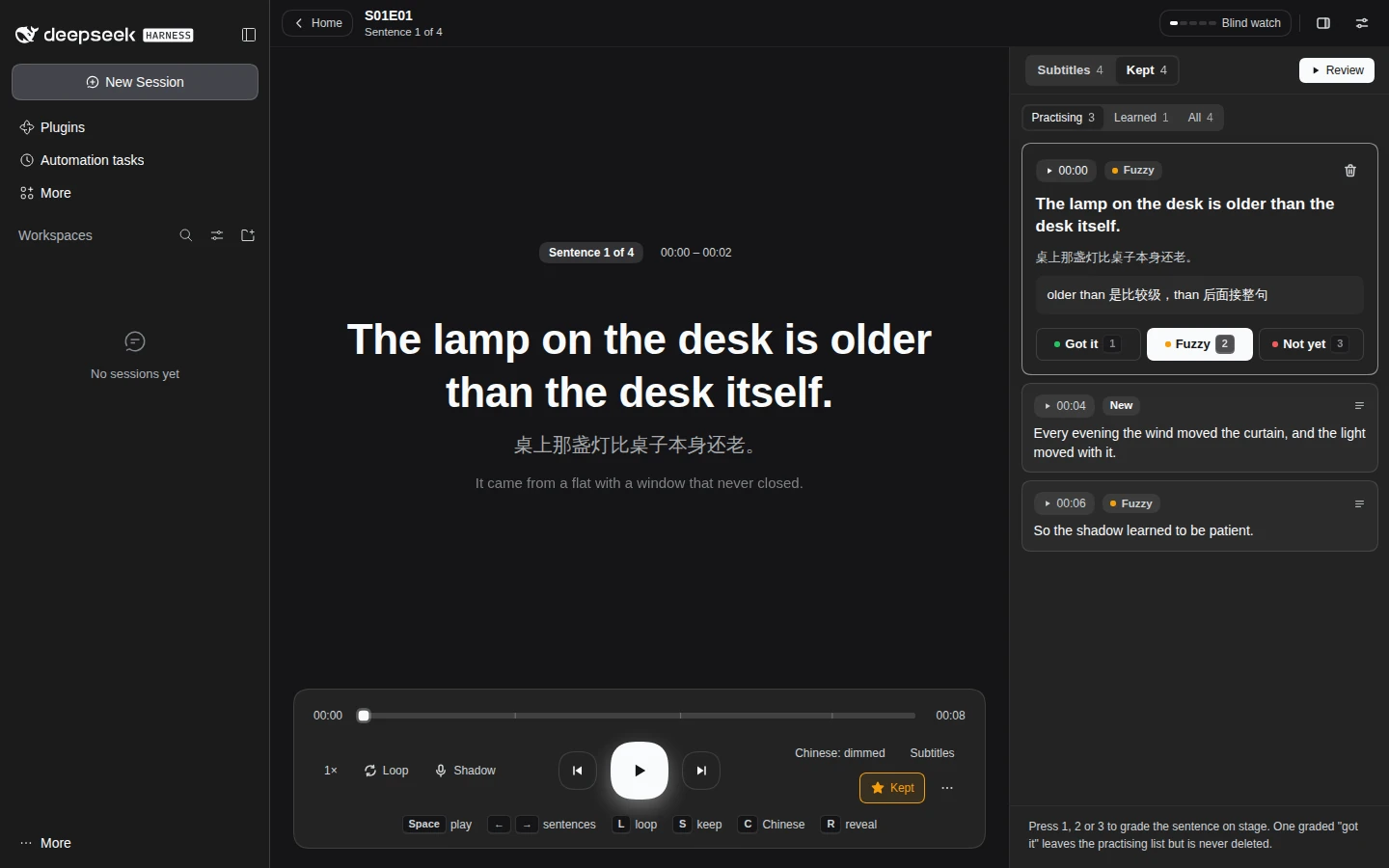
首页、练习页、笔记与五步法抽屉的布局、配色和交互,先在 Figma 里出了设计稿:LinguaLab redesign。画板有 Practice / Light 与 Practice / Dark、Home / Light 与 Home / Dark、Notes / Light 和 Five steps / Light。
这份稿用来参照比例与层级,不用来取具体数值:稿里写死了十六进制色值和 Inter 字体,而页面读取 dsh 的 --dsw-alias-* 令牌和字体,所以会随主题变化。设置里选的主题,只在页面根元素上覆盖这些令牌,其他地方不变。
在窄屏上,右栏变成盖在舞台上的抽屉,而不是舞台旁边的一列:
匿名使用统计
上报默认关闭。打开之后,每个运行中的服务端进程每天最多发一次,而且只在服务端放行一个请求之后;启动时不发,关掉之后也不发。
上报只包含载荷版本、包名和版本、随机安装 id、Node 主版本、操作系统与架构、剧集数量分档,以及能否找到 ffmpeg。
绝不上报文件名、目录路径、剧集名、笔记、字幕、用户名、邮箱、token、session id、主机名或 IP 地址。
要关掉,把插件 profile 条目里的 telemetry 改成 false(在插件页改,或者改 cordis.patch.yml):之后不再生成 id,不再列媒体库,也不再发任何请求。
完整请求体、发送方式和安装 id 的规则,详见匿名使用统计。
许可
MIT,见 LICENSE。