
dsh-mobile-plugin
v0.5.24
Published
Mobile API (/api/mobile/v1) and relay client for the DSH mobile app — desktop profile build (dsh 0.2.x, peers resolved by the host)

Maintainers
 wnluo
Readme
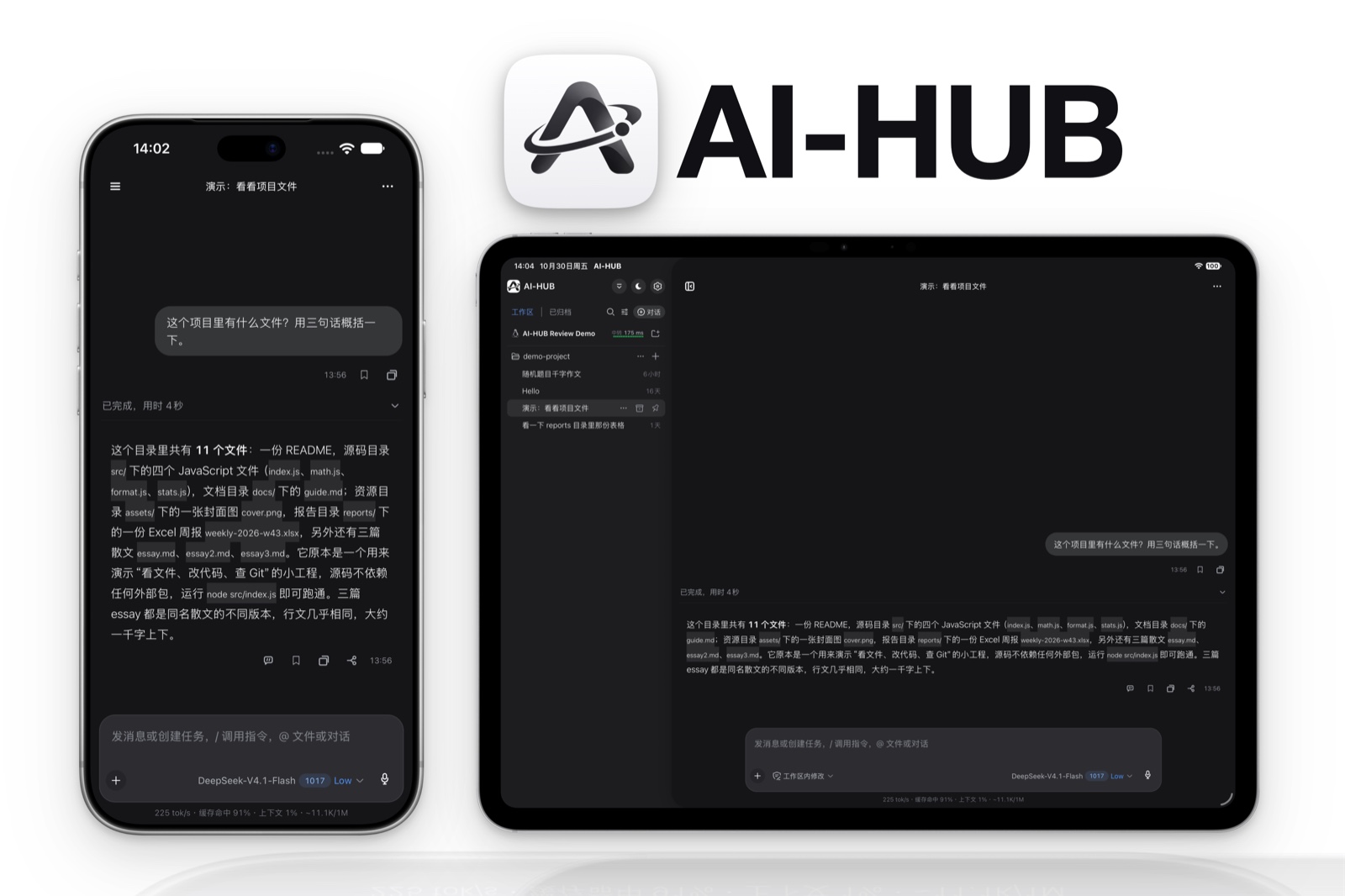
AI-HUB 的手机端插件。 装在电脑这边,手机 App 就通过一条中转隧道或局域网配对连进你的 DSH —— 看会话、接着聊、管理文件和工作区,进度实时同步。它也可以脱离桌面外壳单独跑在服务器上,当作无头宿主用。
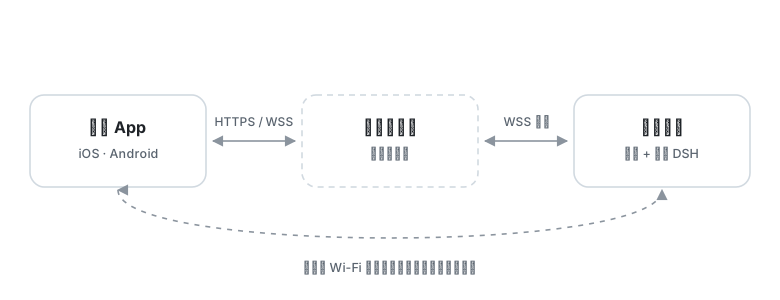
手机连的是你自己那台电脑上的 DSH,不是某个云端服务。电脑不用公网 IP,也不用在路由器上开端口:插件从内网主动往外建一条隧道,手机沿这条路回来。
功能
会话与工作区
- 新建、接着聊、改名、搜索会话,也能从任意一条分出分支单独往下走。
- 工作区建、改名、删除、置顶、归档都在手机上完成,手机端排的顺序会同步回电脑。
- 回复逐块流式到达,跑到一半就能看见内容,工具调用也是实时的。
- 空闲会话自动进归档,列表里不再占位,日志不删。
- 手机上读过,电脑那边的未读绿点跟着消失;电脑侧边栏的展开、折叠状态同步到手机,两边结构一样。
不用回电脑也能操作
- 审批与提问:电脑上会弹的卡手机同样有,权限请求、选择题、多选、自定义回答都能直接点。
- 排队插话:正在跑的时候补一句,按队列排在当前这一步之后。
- Git:看状态和 diff、暂存、提交、推送、切分支,提交信息可以先让模型写。
- 文件:浏览目录、读文件,也能把手机上的文件传回电脑,落在固定的收件目录。
- 插件:手机上的插件市场里搜索、安装、更新、卸载;插件自己也能升级到新版。
- 模型:随时换模型,看有哪些渠道和可用模型,本机自建的渠道也能直接在手机上配。
- 日程与子代理:查看定时任务、删掉不要的;看正在跑的子代理,打断它或者补一句话。
连接
- 两种连法:经 relay v2 隧道从公网连回来,或者同一个 Wi-Fi 下走局域网直连。
- 配对码与配对策略可选,设备凭据能单独吊销,也能一次把全部撤掉。
- iOS 离线推送可选,不配也不影响其它功能。
移动 API 只开手机需要的口子(/api/mobile/v1/*)—— 不暴露 shell、系统设置与任意文件写入。
安装与更新
装好手机 App 只是第一步,插件装在这边才算接通。
桌面端
在 DSH 的 设置 → 插件 里搜索并安装 dsh-mobile-plugin,然后打开 设置 → 移动端 → 打开配置页面 做配对。插件市场负责检查和安装更新,通常更新后不用重启 DSH。
无头 Host(Linux)
需要 Node.js、pnpm,以及可用的 DSH 插件宿主依赖。仓库里的 host.js 就是独立入口:
pnpm install --frozen-lockfile
DSH_HOME=/opt/dsh-mobile/.dsh DSH_MOBILE_PROFILE=mobile node host.js
DSH_HOME 是数据根目录,默认 ~/.dsh;DSH_MOBILE_PROFILE 是 profile 名称,默认 mobile。无头 Host 的 Web 服务默认只监听 127.0.0.1:3080,不对局域网直接开放。
配置接口只限本机访问,看状态和拿配对信息:
curl http://127.0.0.1:3080/api/relay/status
curl http://127.0.0.1:3080/api/relay/pairing
无头部署
无头服务器上,启动器和插件本体是分开管的:启动器由部署流程同步到 /opt/dsh-mobile/,插件本体装进 profile:
cd <DSH_HOME>/profiles/<profile>
pnpm add dsh-mobile-plugin@<版本>
宿主优先挂 profile 里装的那份,没装才用源码树版本。设备凭据库随 npm 包一起发,不用单独装。仓库锁文件用 pnpm install --frozen-lockfile。
别用
npm install --legacy-peer-deps装插件;正式安装走 DSH 插件市场。
配置与 API
无头运行时用这几个本机接口管远程连接:
POST /api/relay/toggle:开或关远程控制。POST /api/relay/regenerate:重新生成配对码。POST /api/relay/config:设置relayUrl、lanEnabled、lanPort、name和pairingPolicy。POST /api/relay/reconnect:重连隧道与局域网代理。
移动 API 要 Bearer token。设备事件流 GET /api/mobile/v1/events/stream 用 SSE 转发宿主事件。建会话时可以传 workspaceId 或 cwd,前者优先,并会把会话归进那个工作区;手机端的排序同样会同步到宿主工作区。
配对策略默认 code,凭配对码放行;设成 deny 就拒绝所有新配对。配对请求可以带设备信息,App 会发 id、deviceId、name、platform、osVersion 和 appVersion,局域网代理与中转会补上它们观察到的手机 IP。
session_cleanup 能归档会话,也能永久删除归档过的会话,删除前要显式确认,删掉不可恢复。删除是排队的:会话立刻从列表里消失,日志和投影缓存等宿主下次启动才从磁盘上清掉 —— 宿主没有「删除会话」的接口,运行中从它脚底下删文件会带走整个宿主进程。
为什么做这个
DSH 跑在电脑上,但我不是一直坐在电脑前。出门、在别的房间、躺床上,想知道刚才那个任务跑到哪一步了,或者它正卡在一个要我点的审批上,只能走回去。
这个插件的出发点就这么窄:不是把整个 DSH 塞进手机屏幕,而是让人离开电脑之后,还能看见、还能接着聊、还能把该点的那一下点掉。
所以有两条线是硬的。一条是网络:不要求公网 IP、不要在路由器上开端口、不要为了用一次去配 DDNS,插件从内网主动往外出,手机顺着回来。另一条是能力:手机上只开需要的那几个口子,能看会话、能审批、能传文件、能改点配置,但不把 shell 和任意文件写入递到手机上 —— 手机丢了或者被人捡到,损失是可估的。
和别的方案比
用手机浏览器开 DSH 的网页:不用装东西,但每次都得记住地址,界面按桌面尺寸排,在手机上要靠缩放拖拽;没有推送,离开页面就什么都不知道;审批那种要点准的东西最难用。
远程桌面:本质还是操作那块屏幕,手机只是个显示器。网络断了就是黑屏,小屏上做任何事都要先放大。
各家 AI 助手的手机 App:那些跑在厂商的服务器上,会话、文件和额度都在别人那儿。这里连的是你自己电脑上那个 DSH,模型是你配的,文件在你硬盘上。
交流与反馈

扫上面的码进企业微信群。不方便的话发邮件到 [email protected] 或 [email protected]。用着顺手就给仓库点个 star,这是最实在的支持。
隐私政策见 PRIVACY.md,常见问题见 SUPPORT.md。
开发
pnpm install --frozen-lockfile
npm test
改过 React/ 面板源码,先在该目录跑 pnpm run build,并把生成的 lib/panel/index.html 和源码一起提交。
License
MIT,见 LICENSE。