
dsh-plugin-quote-comment
v0.2.0
Published
Ask for a comment before inserting a quoted selection, as one block — in chat and in file previews.

Maintainers
 hanfang5057
Readme
dsh-plugin-quote-comment
Ask for a comment before inserting a quoted selection in the DeepSeek Harness Web GUI, and insert the quote and the comment as one block — in chat and in file previews.
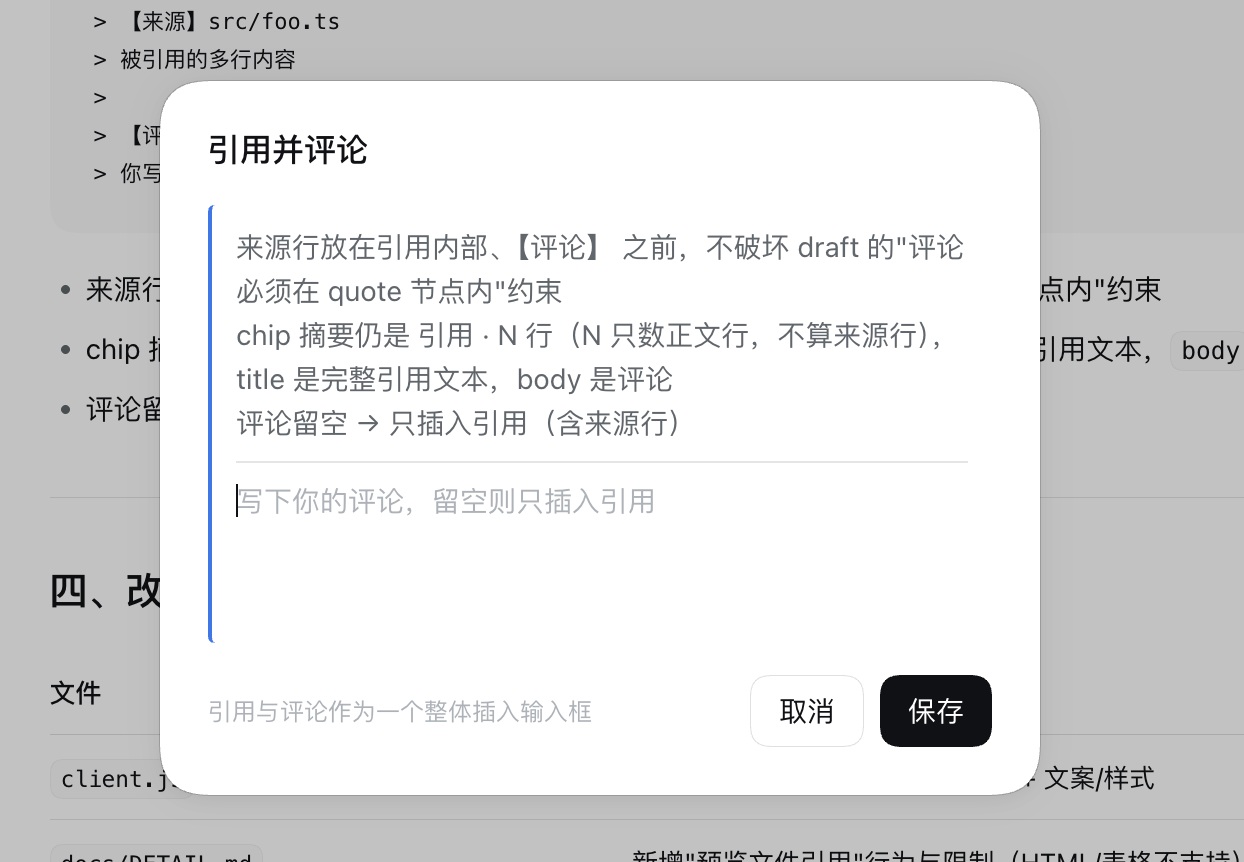
Select text in a chat → click Quote text → write a comment → Save. The composer then holds a single quote chip:
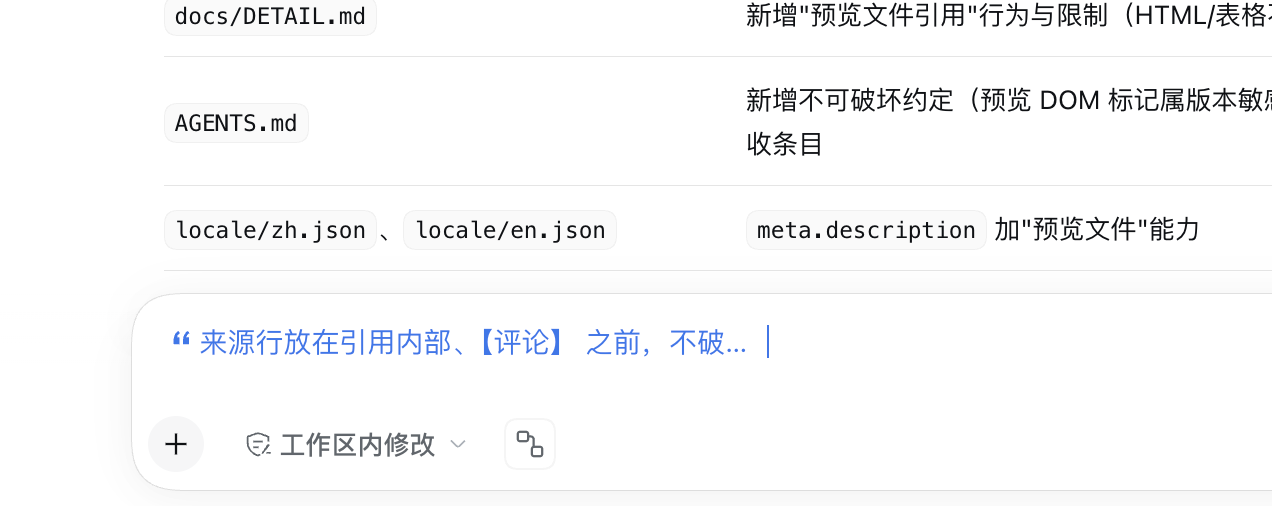
…and the sent message is one blockquote:
> the quoted text
>
> [Comment]
> your comment
The marker is 【评论】 in Chinese and [Comment] in English. Saving an empty comment
inserts the quote alone, exactly like the shipped action.
Select text inside a file preview in the right Sidebar (Markdown, code, plain text, PDF, Word, PowerPoint) and the same button floats over the selection. A preview quote carries its provenance as the first quoted line:
> [Source] src/app.ts:12-18
> the quoted lines
>
> [Comment]
> your comment
Line numbers come from real source lines, so they are given for code and plain text previews; Markdown and PDF previews are rendered layouts and report the path only. HTML previews (sandboxed iframe), spreadsheets (cell selection) and images (no text) are not supported.
Install
In Harness: Plugins → Experimental plugins → Custom plugin indexes, then Discover → add this index URL:
https://gitee.com/hanfang5057/dsh-plugin-quote-comment/raw/main/market/index.jsonCompatibility
Requires DSH ^0.2.2-0. In chat the plugin replaces the shipped quote cell in the
conversation.chat.text-interaction slot, so with message-quotes disabled the chat
button does not appear. Preview quoting reads the preview selection itself and does not
depend on that plugin.
Limits
- The quote and the comment are one atomic chip, so they cannot be edited separately — remove the chip and quote again to change the comment.
- While the composer is sending or in command mode, clicking inserts nothing; a preview selection shows no button in that state.
- Preview quoting depends on internal DSH preview attributes; after a DSH upgrade, check them before relying on this feature.
中文说明
选中对话里的文本后,「引用文本」按钮会先弹窗索要一条评论,再把引用与评论作为一个整体
插入输入框;发送出去是一条引用块,评论以 【评论】 单独起段。评论留空则只插入引用,与原生一致。
右侧栏预览的文件(Markdown、代码、纯文本、PDF、Word、PowerPoint)里的文字同样可以这样引用,
引用块第一行会带上来源 【来源】路径:起-止。行号只来自真实源码行,所以只有代码与纯文本预览
会给出行号;Markdown / PDF 是渲染后的版面,只写路径。HTML 预览(沙箱 iframe)、表格(单元格
选择)、图片(没有文字)不支持。
引用与评论是一个原子 chip,不能分别编辑;输入框发送中或处于命令态时点击不会插入任何内容, 预览选区旁也不会浮出按钮。
Development
Zero build: client.js is the whole browser module. The only automated check is
node --check client.js. AGENTS.md records the DSH contracts this plugin depends on
and must be re-read after a DSH upgrade.
License
MIT