
dsh-talk
v0.3.20
Published
Voice-first session loop for DeepSeek Harness: a composer microphone button with browser/local speech-to-text (Web Speech, FunASR, whisper.cpp), a speak tool for text-to-speech replies (browser, edge-tts, piper), event announcements with mute, and speak-t

Maintainers
 perrylink
Readme
🎙️ dsh-talk
- 1024 store channel:
npm i -g dsh1024once, thendsh1024 plugin --profile web add dsh-talk(counts toward the deepseek1024.com install ranking).

Voice-first session loop for DeepSeek Harness: talk to it, hear it answer.
Press the mic, speak, and the reply is spoken back — with speak-to-interrupt.









English · 简体中文 · Español · Português · हिन्दी
📖 Ecosystem knowledge base — measured data, not marketing: plugin development guide · plugin-selection data · maintenance criteria.
⭐ 如果它帮到了你
这个插件是 DSH 插件家族的一员(40+ 个,全部 Apache-2.0)。如果你在用,给个 star —— 它不会解锁任何功能,但会让下一个人在搜索里更容易找到它。
English: part of a 40+ plugin family for DeepSeek Harness. If it is useful, a star helps the next person find it — nothing is gated behind it.
What is dsh-talk?
Voice-first session loop for DeepSeek Harness: talk to it, hear it answer.
Press the mic, speak, and the reply is spoken back — with speak-to-interrupt.
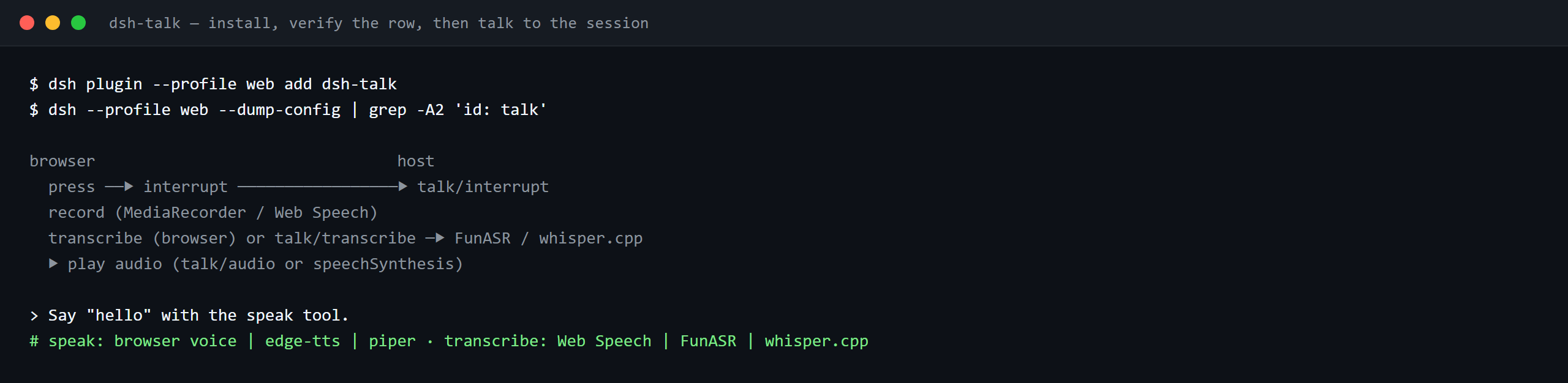

The same run, animated.
Compatibility
| Surface | Status |
|---|---|
| Harness | DeepSeek Harness dsh-v0.2.1-alpha.1 (adapted 2026-09-24: third peer clause + engines.dsh + manifestVersion: 1, and the monthly Compat workflow anchored to that line); full gate chain green on 2026-09-24 (dual typecheck rulers, 86 tests, build, self-contained, artifacts, pack). npm dev/test line 0.1.7-rc.2, peers >=0.1.2-rc.1 <0.2.0 || >=0.1.5-alpha.1 <0.2.0 || >=0.1.6-0 <0.2.0 || >=0.1.7-0 <0.2.0. |
| Node | ^22.19.0 \|\| >=24.0.0 |
| Browser | Web Speech + MediaRecorder (Chrome/Edge best); host transcription/TTS engines for the rest |
What you get
dsh-talk closes the voice loop in both directions:
speaktool — the agent speaks its replies aloud. TTS engines: the browser voice,edge-tts(network neural voices), orpiper(local). Audio plays in the browser; on hosts that can carry it, the session log records the sanitized utterance (see Security boundaries).- Composer mic button — press it, speak, and the transcription lands in the input box (or submits directly). STT engines: the browser's Web Speech (interim results included), a FunASR HTTP server, or local
whisper.cpp. - Speak-to-interrupt — starting to talk stops whatever is playing (client → host over the
talkRemote namespace). - Event announcements — turn completion, pending approvals (waterfall-safe: never blocks the gate), and errors, with a mute switch and configurable phrases.
- Settings tab — engine/language selects and announcement switches, saved as append-only profile-patch operations with backups.
browser                                host
  🎙 press ──▶ interrupt ─────────────────▶ talk/interrupt
  record (MediaRecorder / Web Speech)
  transcribe (browser) or talk/transcribe ─▶ FunASR / whisper.cpp
  setDraft(text) or submit()  ◀── talk:speech projection ── speak tool / announcements
  ▶ play audio (talk/audio or speechSynthesis)
Quick start
dsh plugin --profile web add github:PerryLink/dsh-talk# 1. install the bundle into your profile
dsh plugin --profile web add github:PerryLink/dsh-talk
# or from npm (published releases)
dsh plugin --profile web add dsh-talk
# 2. restart and verify the row
dsh --profile web --dump-config | grep -A2 'id: talk'Then press the microphone next to the composer and talk; ask the agent to speak its reply:
> Say "hello" with the speak tool.Install & uninstall
- git channel (latest
main):dsh plugin --profile web add github:PerryLink/dsh-talk— thepreparescript builds with production dependencies only. - npm channel (published releases):
dsh plugin --profile web add dsh-talk. - tarball channel:
pnpm packin this repo, thendsh plugin --profile web add ./dsh-talk-<version>.tgz. - uninstall:
dsh plugin --profile web remove dsh-talk(or remove the row from the profile patch).
If pnpm reports
ERR_PNPM_IGNORED_BUILDSfor this package (esbuild's harmless platform-binary validation), addallowBuilds: { esbuild: true }to yourpnpm-workspace.yaml— thedshCLI prints the exact snippet.
Configuration
All tunables are Schemastery Config fields (changeable from cordis.yml). cordis.patch.yml documents each key inline.
| Key | Default | Meaning |
|---|---|---|
| record.enabled | true | Show the composer mic button |
| record.hotkey | (none) | Optional toggle hotkey, e.g. "alt+r" |
| record.maxSeconds | 60 | Recording cap in seconds (1..600) |
| record.autoSubmit | false | Submit the transcription as a user message (false = fill the draft) |
| record.vad.enabled / silenceMs / energyThreshold | true / 1500 / 0.01 | Voice-activity detection: silence auto-ends the recording (degrades when AudioContext is absent) |
| stt.engine | auto | auto / web / funasr / whisper; auto prefers a configured local engine, then Web Speech |
| stt.language | auto | BCP-47 language or auto |
| stt.interim | true | Show interim transcriptions (Web Speech) |
| stt.silenceFinaliseMs | 4000 | Stop continuous Web Speech recognition after this many milliseconds without speech (500..15000) |
| stt.funasr.url | (none) | FunASR inference endpoint; required when the engine is funasr |
| stt.whisper.modelPath | (none) | whisper.cpp model; required when the engine is whisper |
| tts.engine | auto | auto / browser / edge-tts / piper; auto prefers piper, then edge-tts, then the browser voice |
| tts.rate | 0 | Rate offset in percent (-50..50) for edge-tts/piper |
| tts.fallbackToBrowser | true | Fall back to the browser voice when a local engine fails |
| tts.browser.voiceName | (none) | Preferred browser voice name; an unknown name uses the platform default |
| tts.browser.rate | 1 | Browser SpeechSynthesis rate (0.1..10) |
| tts.browser.pitch | 1 | Browser SpeechSynthesis pitch (0..2) |
| tts.piper.modelPath | (none) | piper voice model; required when the engine is piper |
| announce.enabled | true | Master switch for event announcements |
| announce.onTurnEnd / onApproval / onError | true | Which events are spoken |
| announce.messages.* | "Turn complete." etc. | Spoken phrases |
| interrupt | true | Talking stops current playback |
| maxSpeakChars | 20000 | Cap on the speak tool's text length (1..100000) |
| maxAudioCacheBytes | 8388608 | In-memory synthesized-audio cache cap (1 MiB..64 MiB) |
stt.silenceFinaliseMs and record.vad.silenceMs are separate mechanisms: the first finalises the Web Speech transcript when continuous recognition hears no speech, the second is the MediaRecorder energy-based detector that ends the recording (and submits it when record.autoSubmit is on). They run in different pipelines and share no state.
Tools & surfaces
| Surface | Kind | Notes |
|---|---|---|
| speak | tool | Speaks text aloud (browser/edge-tts/piper); per-call engine/voice overrides; canonical JSON outcome |
| mic button | conversation.input.left slot | Record → transcribe → fill draft (or submit); speak-to-interrupt on press |
| settings tab | settings.plugins.tab (id talk) | Engine/language/announcement switches; append-only save |
| talk:* | Typert Remote | status, audio, transcribe, applySettings, interrupt (host namespace) |
Permissions & data
- Permissions: the plugin stores nothing but an in-memory, byte-capped audio cache; microphone permission is browser-mediated. The settings tab only appends patch fragments to the profile with a timestamped backup — never rewrites the file.
- Data: audio never enters the model context or the session log. Where the host's session vocabulary accepts it, the
dsh-talk/speechevent carries the utterance id, engine, reason, size, sanitized text, and browser voice/rate/pitch when applicable; on envelope-less hosts the event is not written at all. All display/log surfaces redact credentials, JWTs, bearer headers, and temp paths. - Network: only the engines you configure are contacted.
edge-ttsperforms network synthesis, FunASR uses its configured endpoint, and Chrome'swebkitSpeechRecognitionsends microphone audio to Google's servers for transcription; browserspeechSynthesisplayback remains local.
Security boundaries
- Model-visible ⟺ logged — the model sees only the speak tool's canonical value and render text. The
dsh-talk/speechevent is appended only when the host can carry it (see Host compatibility); thetool/call+tool/resultevents always remain the reconstructable trail. - Approval announcements never block — the
approval/requestlistener always callsnext(). - Sanitized output — credentials and temp audio paths never reach logs or displays.
- Host compatibility — the
dsh-talk/speechevent is appended through a yes/no gate. Hosts whose known-type vocabulary covers the event append it, and the call reports that it did; every other host — every released line through0.1.1-rc.2, the0.1.2-alphaline,0.1.2-rc.1, and also0.1.6-alpha.2, whoseSession.appendcan stamp only the surface intent and not theignorableenvelope (that field is retained for stored-log read compatibility only) — gets no append, so speech can never pollute the session log there. The skip is not silent any more: the host keeps per-session appended/skipped counters andtalk/latest(sessionId)reads them back, the client's session-scoped playback list stays empty, and the speak tool results remain the reconstructable audit trail. - Fail loud — invalid engines, out-of-range values, and engines configured without their required model/endpoint fail the mount.
Known limitations
- Browser support: Web Speech and MediaRecorder are feature-detected; without them the mic button disables itself and host engines (FunASR/whisper.cpp) can still transcribe when configured.
- Local engines are your install:
edge-tts,piper, andwhisper.cppexecutables and models must be installed separately. - Recording format: the browser records with its native MediaRecorder codec; whisper.cpp may require a WAV-configured recorder or a server-side conversion for other formats.
- Settings apply on reload: the settings tab appends to the profile patch; a profile reload (or web-app restart) activates the changes.
- Live playback history is empty on hosts without the vocabulary: on
0.1.1-rc.2, the0.1.2-alphaline,0.1.2-rc.1, and0.1.6-alpha.2the host vocabulary does not knowdsh-talk/speech, so the gate writes nothing and the client's session-scoped playback list stays empty;talk/latest(sessionId)still answers with the newest utterance and the skipped counter. Speech itself, the mic, the settings tab, and the tool are unaffected. - Legacy logs written by dsh-talk ≤ 0.2.1 may need repair before cold load: versions through
0.2.1appended unmarkeddsh-talk/speechevents. On hosts0.1.0-rc.7and newer, a session whose log already contains them fails its next cold load withSessionFormatUnsupportedError. Repair: stop the host, back up the session's.jsonllog, add"ignorable":trueas a top-level member of every JSON line whose"type"is"dsh-talk/speech"(for example, insert"ignorable":true,right after the opening{), then reopen the session. Nothing else changes and nothing is lost; new appends from this version never add unmarked events.
Development
pnpm install        # node ^22.19 || >=24
pnpm run typecheck  # tsc: src + tests against the local harness checkout
pnpm run typecheck:ci  # tsc against the published 0.1.7-alpha.2 types (no paths)
pnpm test           # vitest: 86 tests, 15 suites
pnpm run build      # tsc declarations + tsdown bundles (lib/)
pnpm run verify:self-contained  # dependency specs resolve from the registry
pnpm run verify:artifacts       # built ESM faces + client ModuleLoader handshake
pnpm pack           # the published tarball
Interoperability with other DSH plugins
Verified against DSH 0.2.0-rc.2 (the runtime this README ships for) and the high-star plugin set surveyed on 2026-10-05.
This plugin does not interfere with other plugins, including the widely installed high-star ones:
- No tool-name collision. Every tool is namespaced; no bare name owned by a shipped tool or another plugin is registered.
- No service-key collision. It provides
talk; that key is not a built-in seam and is not provided by any surveyed high-star plugin. - No slot collision. It registers no client slot key, so it cannot contend for a
shadows-shipped-uiseat. - No HTTP route collision. It registers no
webServerprefix. - No patch-layer collision. The bundle patch only
inserts its own row; it never overrides a built-in row'sconfig. - No global mutation. It does not patch prototypes, rewrite
process.env, or replace the global fetch dispatcher.
Shared event listeners are non-interfering by construction. It observes the ordering-sensitive event approval/request with ctx.on() — Cordis's broadcast registration, where every listener runs and none can starve another. Every listener here delegates through next(), so the chain is never short-circuited, and a mutation is applied to the value next() produced rather than returned in its place:
Static evidence: dsh-plugin-doctor K10–K13 report pass for every check on this repository.
Topics
dsh, dsh-plugin, deepseek-harness, deepseek, cordis, voice, speech, tts, stt, speech-to-text, text-to-speech, microphone
Contributors
- @PerryLink — creator and maintainer: speak pipeline, speech engines, mic recorder, event announcements, projection unit, and the five-language docs.
PerryLink DSH Plugin Family
This project is one of the 33 actively maintained DeepSeek Harness plugins from PerryLink — the roster is 42, of which 6 are frozen and 3 retired; every one keeps its row below, with the reason in the Status column. If this one helps you, the others likely will too:
| Plugin | One-liner | Status |
|---|---|---|
| dsh-auto-review | Second-model auto-review on the approval chain, fail-closed by default | |
| dsh-autotier | Automatic strong/cheap model-tier routing with deterministic risk guards and a /tier command | |
| dsh-background-agents | Durable background child agents with a Web UI sidebar, messaging and interrupt | 🚫 RETIRED — see the note above |
| dsh-budget | Cost governance for DeepSeek Harness: budgets, carbon, and latency in one panel. | 🧊 FROZEN — see the repo README |
| dsh-catalog | DSH Desktop Market standard catalog source for the PerryLink family | |
| dsh-cert-mcp | Read-only MCP server exposing the certification registry: grades, snapshots and five-dimension evidence | |
| dsh-checkpoint-rewind | Claude Code /rewind-equivalent: snapshots, session forks, one-shot restore | |
| dsh-claude-move | Migrate Claude Code sessions, memory, skills and CLAUDE.md into DSH | 🧊 FROZEN — see the repo README |
| dsh-click | Cross-platform native desktop control for DeepSeek Harness — Windows first. | |
| dsh-composer-history | Terminal-style input history for the web composer: arrows, Ctrl+R search | |
| dsh-data-quality | Dataset quality checks and citation cross-checks (the optional numeric bridge consumed here) | |
| dsh-defend | Prompt-injection, jailbreak, and secret-leak defense for DeepSeek Harness. | 🧊 FROZEN — see the repo README |
| dsh-doublecheck | Engineering-discipline guard: requirements grill, test gates, adversary review | |
| dsh-draw | Unified static-image generation routing for DeepSeek Harness. | 🧊 FROZEN — see the repo README |
| dsh-fast | Read-only performance diagnostics for DeepSeek Harness. | |
| dsh-fund-research | Deterministic research reports for Chinese public mutual funds | |
| dsh-github | GitHub PR/issues integration for DSH, every write gated by approval | |
| dsh-industry-research | Industry research orchestration that seals its deliverables through this plugin's ctx.researchReport.assemble | |
| dsh-laya | Laya typed decisions (noul/choice/score) as a first-class Cordis service and model-visible tools | |
| dsh-library | Local document knowledge base for DeepSeek Harness. | |
| dsh-local-ai | Local-model (Ollama) integration for DeepSeek Harness. | |
| dsh-lsp-actions | LSP diagnostics, formatting, completion, code actions and rename over language servers | |
| dsh-mask | PII masking middleware: anonymize at the model boundary, restore at the display layer | |
| dsh-mcp-panel | Read-only MCP runtime panel: /mcp command + Settings tab with status, tools and errors | |
| dsh-memento | Approval-gated cross-session memory: ctx.memory seam + SQLite + memory tool | 🧊 FROZEN — see the repo README |
| dsh-observe | OpenTelemetry and Langfuse observability exporter for DeepSeek Harness. | |
| dsh-output-styles | Claude Code outputStyles-equivalent runtime style switching | |
| dsh-permission-rules | Claude Code-style declarative allow/deny/ask permission rules with audit | |
| dsh-plugin-certification | Community certification registry with repro-checkable grades and badges | |
| dsh-plugin-doctor | Zero-dependency static + sandbox smoke detector for DSH plugins | |
| dsh-plugin-guide | Plugin-development knowledge base as an on-demand agent skill | |
| dsh-plugin-kit | Shared zero-runtime-dependency toolkit for the PerryLink DSH plugins | |
| dsh-plugin-upgrade | One-package, one-corridor-index plugin upgrade skill: routes a repository to the matching closed corridor card | |
| dsh-plugin-upgrade-015 | Merged 0.1.3-alpha.1 → 0.1.5-rc.1 upgrade corridor card plus a zero-dependency seam scanner | 🚫 RETIRED — corridors carried by dsh-plugin-upgrade |
| dsh-reach | Multi-channel approval/question bridge: WeChat/Telegram/Feishu, session console | 🧊 FROZEN — see the repo README |
| dsh-research-report | Verifiable research-report engine: content-addressed evidence ledger and sealed versions | |
| dsh-score | Multi-dimensional quality scoring for DeepSeek Harness plugins. | |
| dsh-session-pin | Pin sessions in the Web sidebar with durable ordering | 🚫 RETIRED — see the note above |
| dsh-session-sync | Cross-device session sync for DeepSeek Harness — a dedicated git mirror of your session store. | |
| dsh-skill-pack-security | Security-audit skill pack: secret scan, dependency and supply-chain review | |
| dsh-talk | Voice-first session loop for DeepSeek Harness: talk to it, hear it answer. | |
| dsh-team-rooms | Cross-session team rooms: shared message bus, task board and timeline | 🚫 RETIRED — see the note above |
| dsh-test-drive | Isolated install-and-smoke test drives for DeepSeek Harness plugins. | |
| dsh-ticktick | TickTick/Dida365 task bridge: session-header panel + 11 tools | |
| dsh-translate | Vendor parameter translation and deterministic JSON repair for DeepSeek Harness. | |
Install from the DSH Desktop Market
All PerryLink plugins are browsable in the built-in DSH Desktop Market: Market → Sources → add source → paste https://perrylink-dsh-catalog.perrylink.workers.dev/catalog-source.json → select it. Installation still goes through the Market's npm-identity verification and your confirmation.
License
Apache License 2.0 © 2026 dsh-talk contributors