
dsh-talk-map
v0.1.74
Published
Visual conversation map for DeepSeek Harness: an infinite whiteboard where every session is a card — drag to arrange, double-click to start a chat in place, draw an edge to fork a new session with injected context. Built for ADHD-friendly spatial memory.

Maintainers
 da0.mine
Readme
dsh-talk-map · 对话地图
English | 中文
DeepSeek Harness(dsh)的可视化对话地图插件:把你的每一个会话变成白板上的一张卡片。
源自 Tasihi89/dsh-talk-map(MIT)。本仓库是在其基础上大幅改造的分支:槽位布局、可缩放工作区、溢出抽屉、避让连线的路由都是在这里新增或重写的。
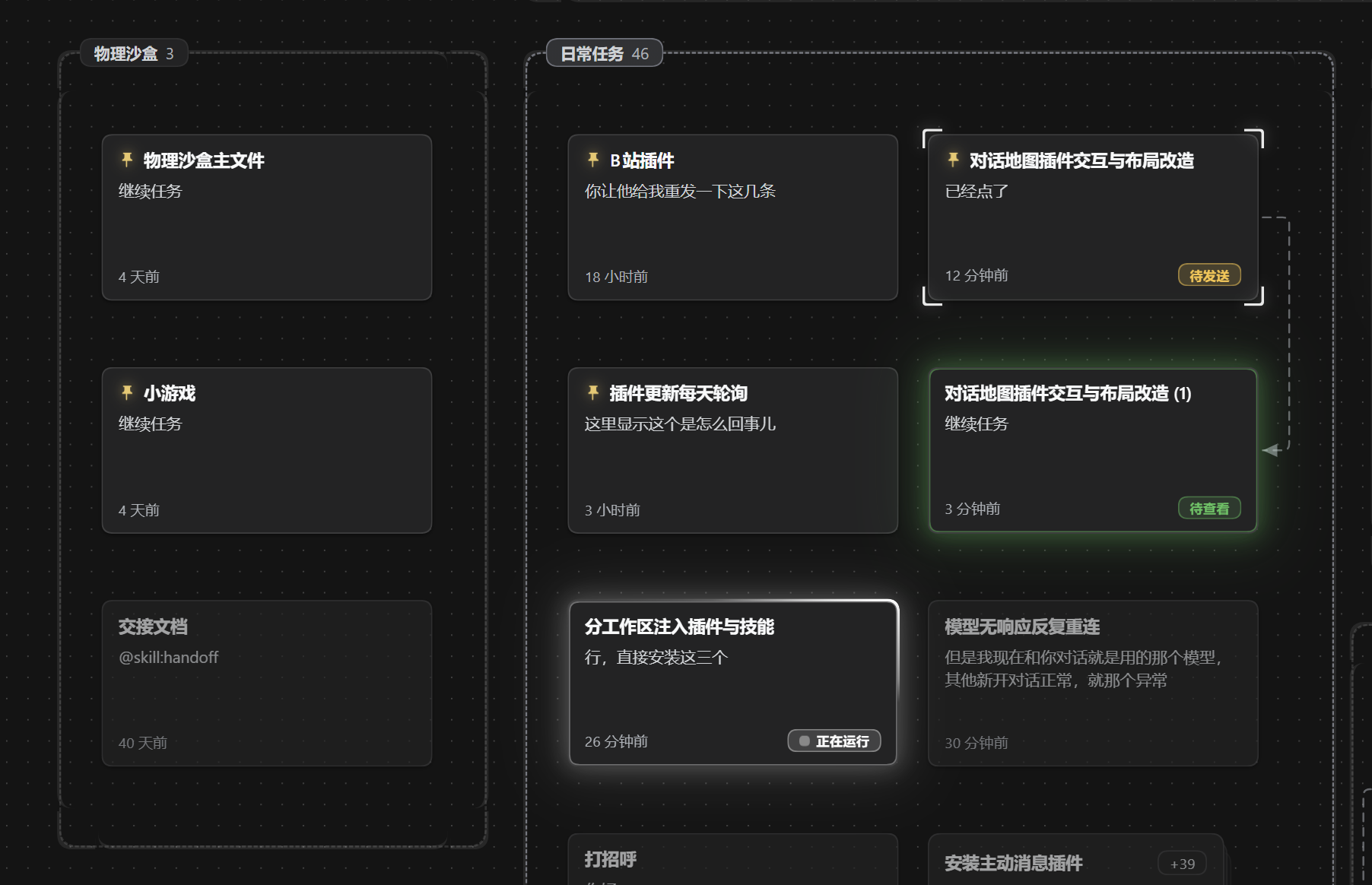
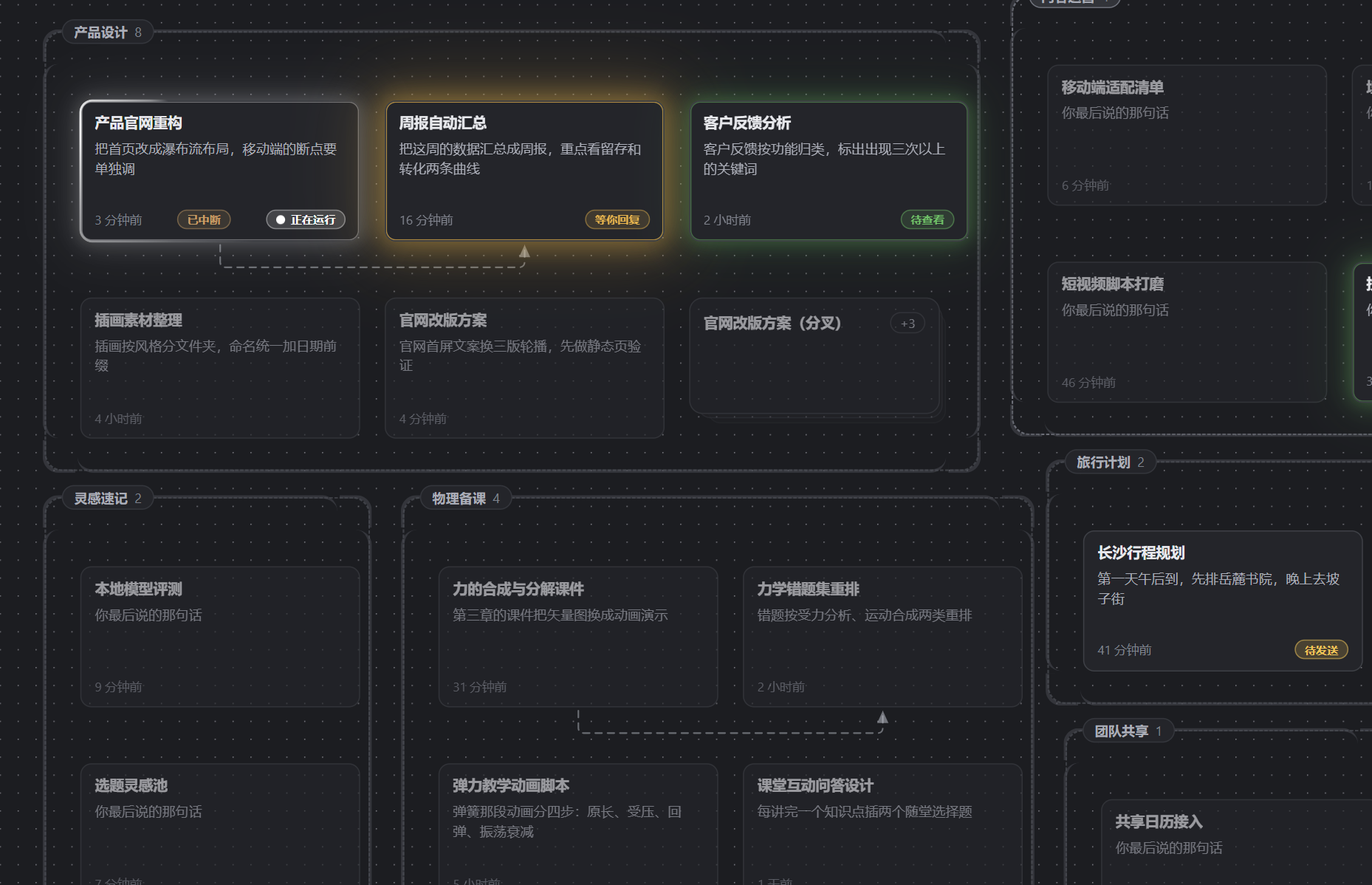
空间记忆代替脑内记忆:卡片自由摆放 + 网格吸附,位置永远不会被自动打乱——你记得「那个对话在左下角」,它就一直在左下角。为 ADHD 用户设计,对所有人有效。
工作区是收纳盒:一个工作区就是一块框,装不下时把多出来的会话折进一个堆叠格,点开是抽屉;置顶的卡片永远排在最前。
双击即聊:双击白板空白处,就地新建一个会话,卡片出生在你点的位置。
连线分叉:从一张卡的接口拉一根线到空白处,预览(可编辑)将要注入的上下文摘要,确认后开一个「带着旧对话记忆」的新会话。
卡片正面 = 恢复现场:标题、你最后说的那句话、相对时间,以及状态灯(运行中 / 已完成 / 待查看 / 等你回复 / 已中断)。回来扫一眼就知道该干嘛。
连线的含义:上下文已经同步过去的线自动隐去;落后了的线是带箭头的虚线;分叉血缘始终画出来。线会自动选面,两张卡贴太近时绕到上下边走,不会挤成一截看不见的短墩。
按需摘要:三字段摘要(概要 / 关键结论 / 下一步)用你部署里的默认模型生成,卡片上的 ⟳ 可手动重生成。
中英双语界面:地图顶栏那颗药丸按钮循环切换 自动 → 中文 → English,「自动」跟随 dsh 本身的语言,选择会记住。
状态栏:地图左侧可收起的条,只列当前有状态灯的卡片(运行中 / 等你回复 / 待查看 / 异常终止)。状态一变的卡片跳到最上面,顺序可以自己拖,状态消失的自动退出,开合状态会记住。
安装
# npm(推荐)
dsh plugin add dsh-talk-map

# 或直接从 GitHub 装——构建产物已随仓库提交,免构建
dsh plugin add github:Da0Mine/dsh-talk-map
重启 dsh web,侧栏底部出现地图按钮。
用法
| 操作 | 效果 | |---|---| | 侧栏地图按钮 / Esc | 打开或收起地图 | | 拖卡片 | 摆放(16px 网格吸附,会保存) | | 双击空白处 | 在那里新建会话并进入 | | 双击卡片 | 打开那个会话 | | 从卡片接口拖到空白处 | 预览注入内容 → 分叉出新会话 | | 点堆叠格 | 打开抽屉,列出被折叠的会话 | | 卡片上的 ⟳ | 重新生成摘要 | | 右键卡片 / 连线 / 工作区 | 置顶、重命名、标为未读、查看摘要、归档、删除、推送开关、删除连线 | | 顶栏语言药丸 | 循环 自动 → 中文 → English |
数据放在哪
- 画布数据(位置、连线、摘要):
$DSH_HOME/storages/talk_map.json,走 dsh 官方 storage-domain,原子写入。 - 会话本身完全归 dsh 所有——本插件只读它们,只有分叉时才通过官方 API 新建。
- 摘要走 dsh 本地 LLM 通道使用你配置的默认模型,没有其他外部请求。
兼容性
在 DeepSeek Harness 0.2.1-rc.3 上构建与验证。结构契约在 src/client/dsh.ts 与 src/host/dsh-host.ts,升级时从这两处入手。
开发
pnpm install
pnpm run build        # 宿主 → lib/,客户端 → client/client.js
pnpm run probe        # 无头端到端探针(150 项)
dsh plugin --profile dev add /abs/path/dsh-talk-map
MIT License.