
dsh-vibe
v1.3.1
Published
Five ambient visual themes for DeepSeek Harness: Aurora, Ocean, Ember, Synthwave, and Manbo backgrounds with matching animated thinking HUDs.

Maintainers
 unthropic
Readme
dsh-vibe
English | 简体中文
给 DeepSeek Harness 加点动态主题:可以是安静的极光,也可以是毫无道理的曼波。
dsh-vibe 是一个同时包含 Host(主机端)和 Client(浏览器端)的 Cordis 插件,为 dsh Web 界面增加可配置的视觉主题:
- 常驻背景 — 每个主题都有自己的动态氛围。
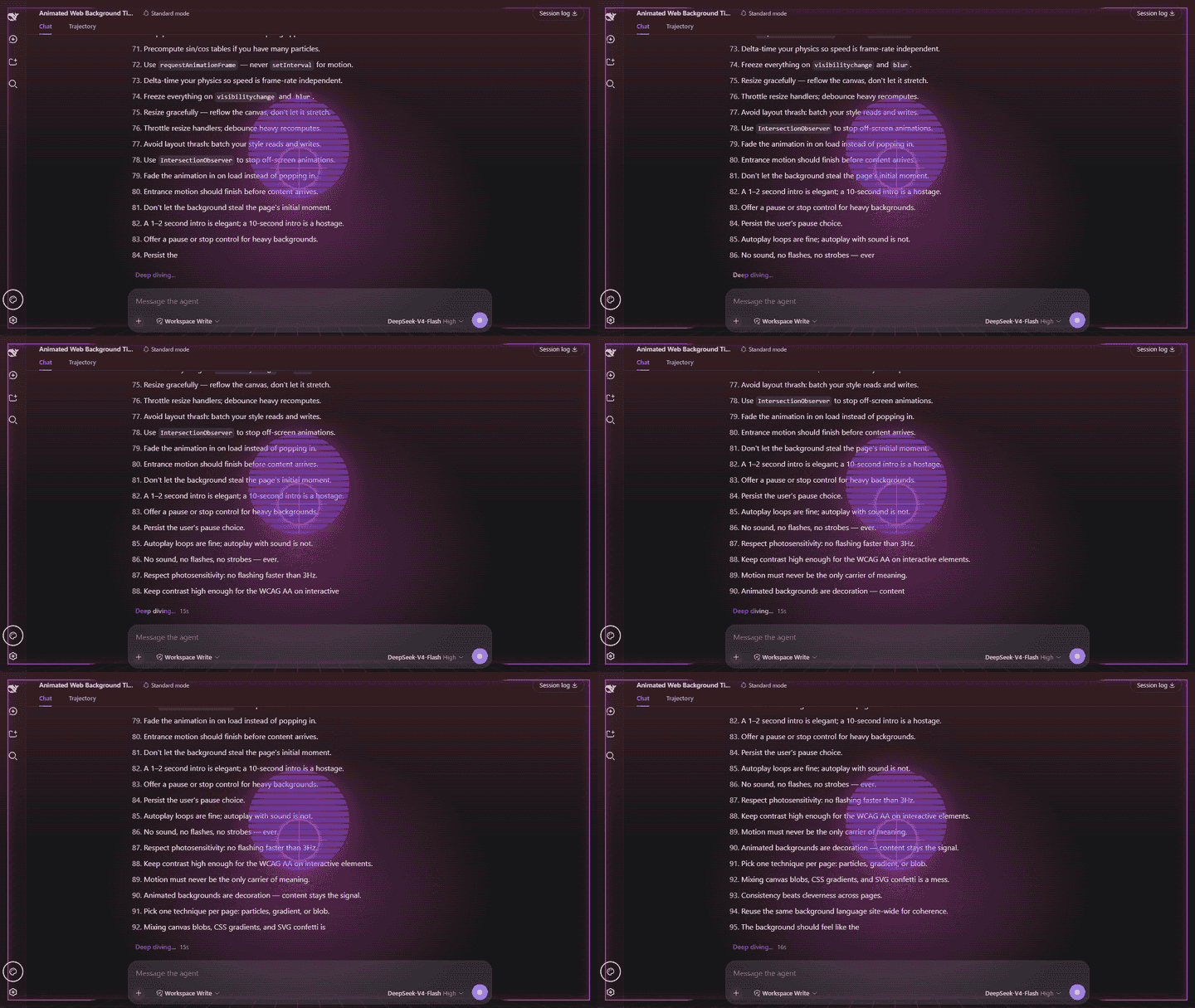
- 可选的思考中 HUD — 默认启用;模型思考时,每个主题都会显示与之匹配的叠加效果。响应完成或停止后,HUD 会卸载。
视觉效果使用 CSS 动画,并且完全不会拦截点击。侧边栏左下角的 Vibe 按钮可用于快速打开插件的外观设置。
主题
每套主题都有自己的动态背景和思考 HUD。
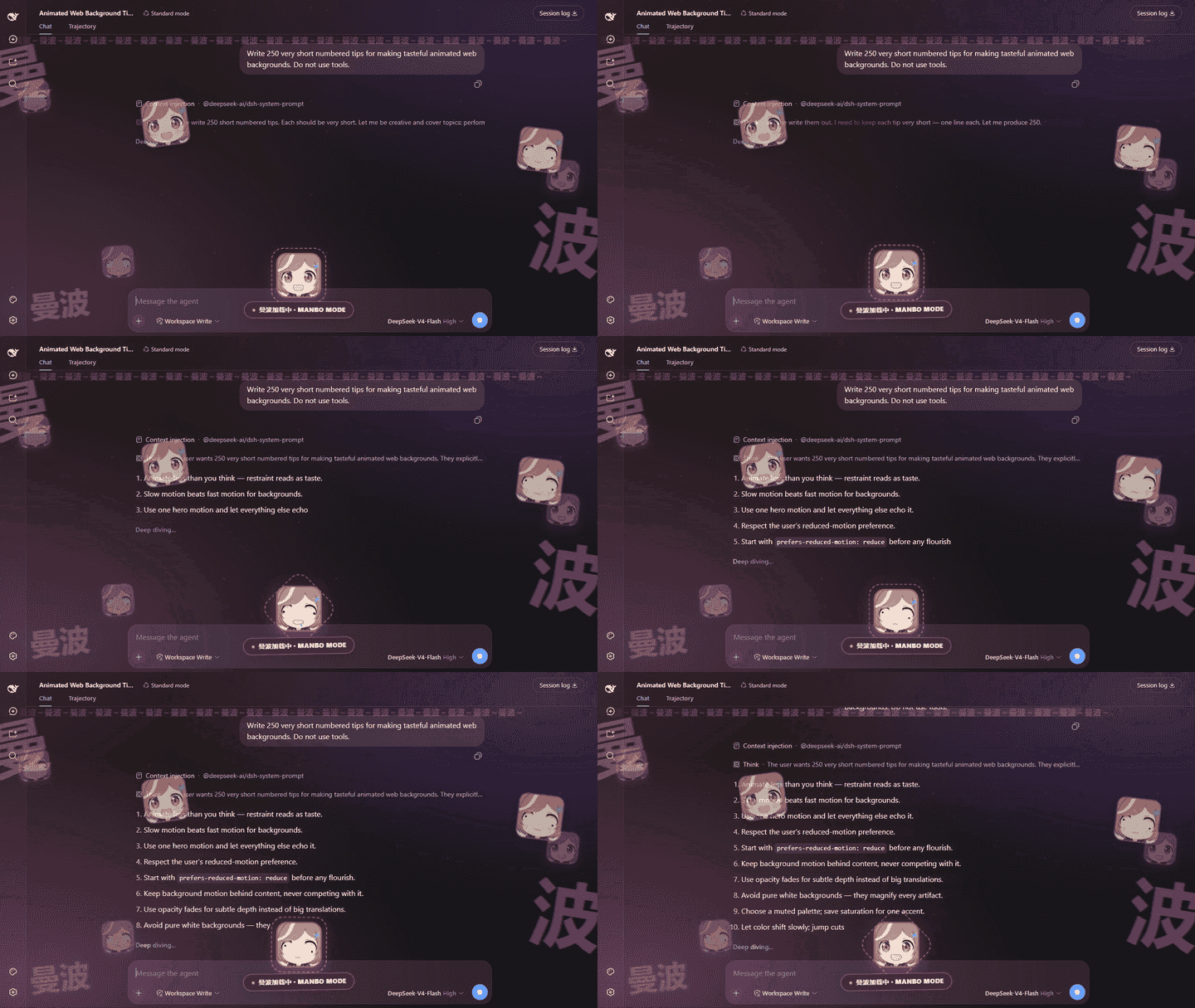
Manbo(曼波)· 新主题
傻乎乎、吵闹、没什么道理。打开 Play sound 才是完整体验。
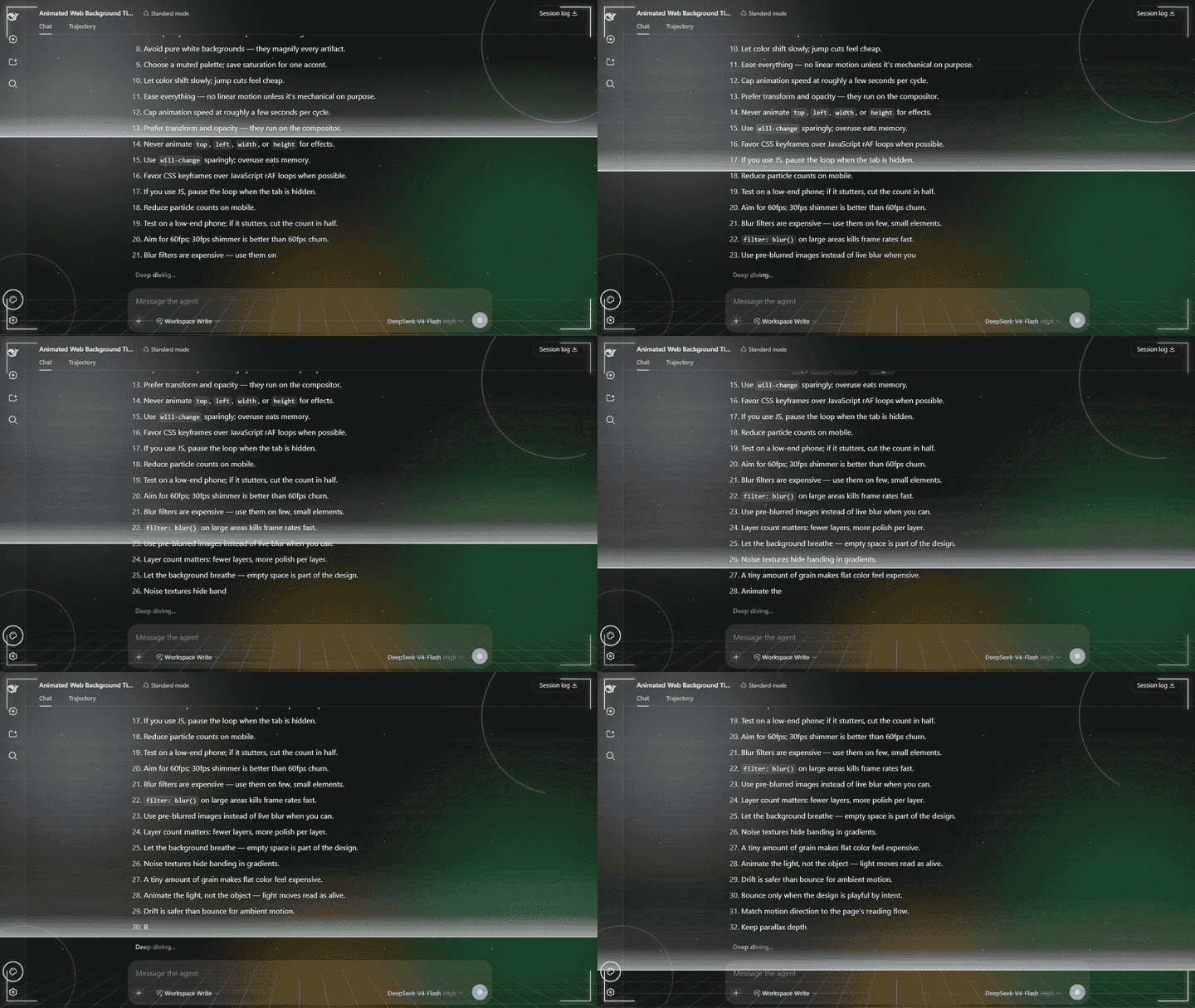
Aurora
安静、柔和,像一层会呼吸的极光。
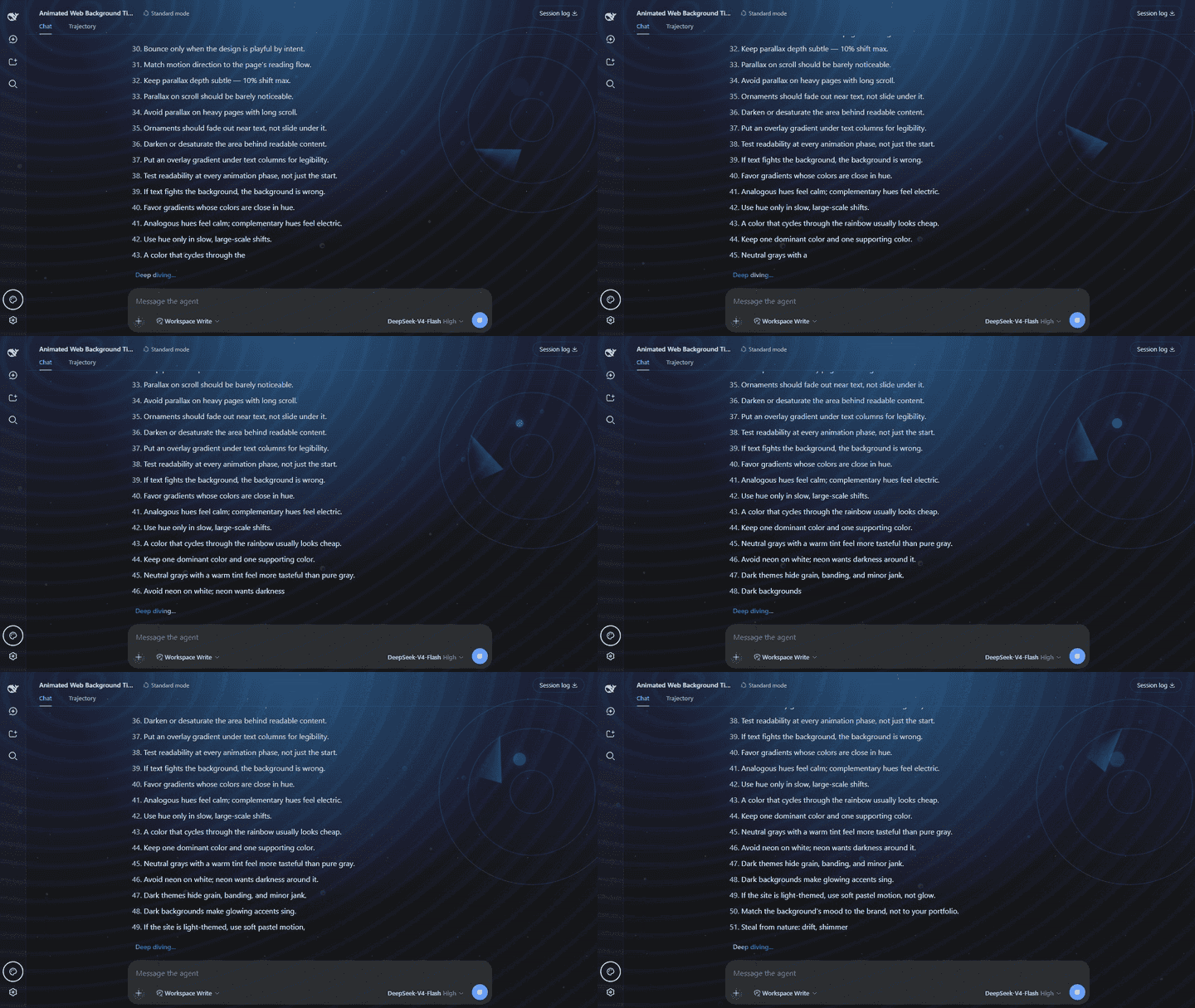
Ocean
深海、气泡,还有一圈慢慢扫过的声呐。
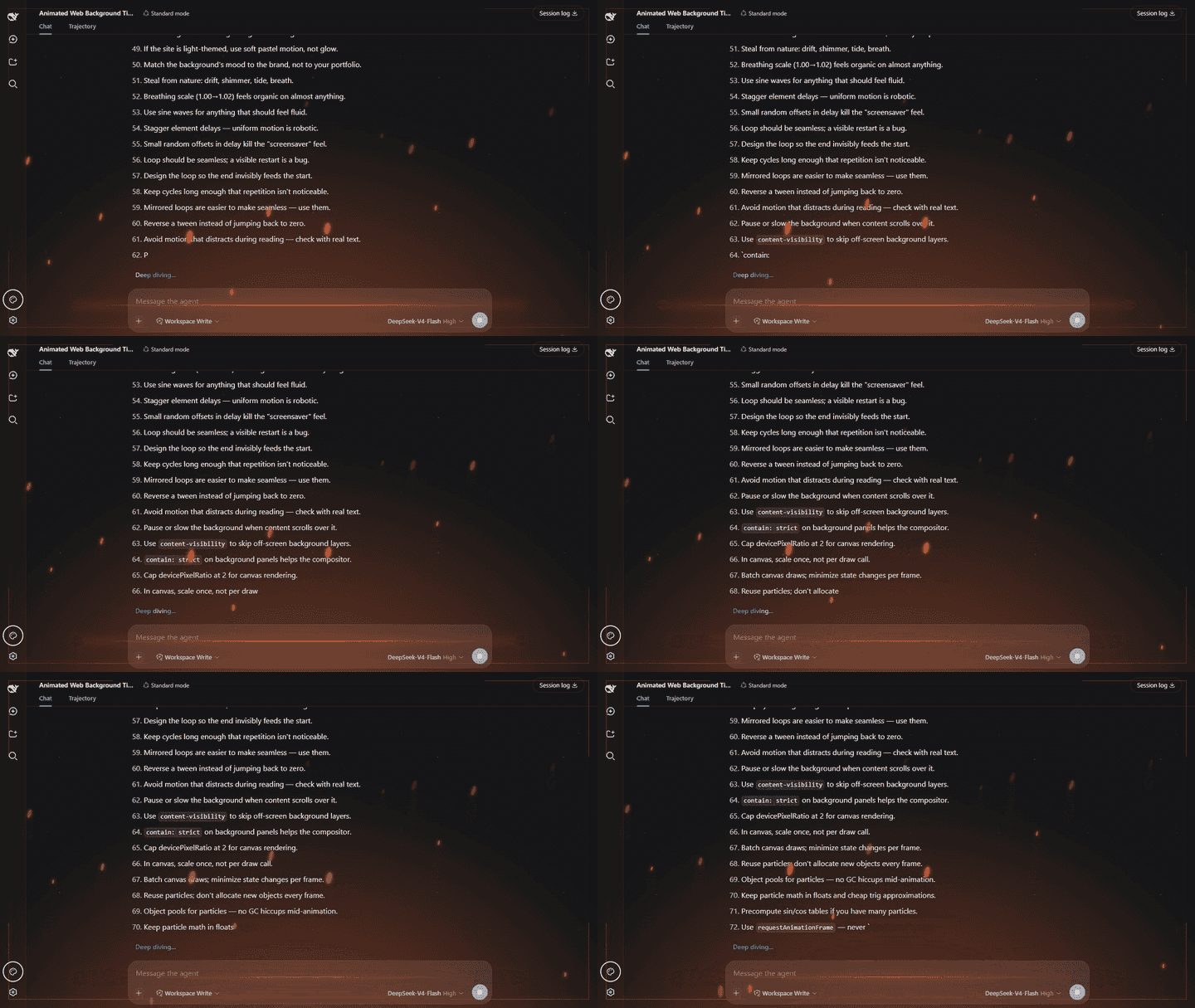
Ember
热浪和火星,感觉屏幕下一秒就要烧起来。
Synthwave
霓虹落日和复古网格,像掉进一台 80 年代街机。
功能
| 层级 | 效果 | | ------------------------------------ | ------------------------------------------------------------------------- | | 背景(始终显示) | Aurora、Ocean、Ember、Synthwave 或 Manbo 各自独立的动态氛围 | | 思考中 HUD(响应运行期间,默认启用) | 与主题匹配的动态效果和 HUD 系统 | | Vibe 设置 | 主题下拉菜单 · 颜色控制 · 思考效果开关 · 主题声音与音量 · 快捷按钮 · 重置 |
- 零交互干扰 — 每个效果层都使用
pointer-events: none,并针对 Shell 的叠加层 CSS 做了加固,因此绝不会阻挡点击。 - 五种真正不同的主题 — Aurora、Ocean、Ember、Synthwave 和 Manbo 会改变动态效果、背景和思考中 HUD,而不只是更换配色。
- 独立颜色控制 — 可以跟随 Harness 配色,也可以选择自己的基础颜色,而不会改变当前视觉主题。
- 配置简单 — 打开侧边栏左下角的 Vibe 按钮,即可切换主题或调整颜色控制。
- HUD 即时响应 — 思考效果使用与侧边栏相同的
useSessions运行状态,无需轮询。你可以隐藏思考效果,同时保留环境背景。 - 自动保存 — 配置由 Harness Host 持久化,并会在你返回时自动恢复。
- 支持减少动态效果 — 当操作系统启用“减少动态效果”时,连续动画会停止。
要求
- DeepSeek Harness (dsh),并运行
web配置方案(profile)。 - Node 20+。
PATH中可以使用pnpm(dsh plugin命令使用它管理配置方案中的软件包)。
如果无法运行 pnpm --version,请先执行 npm install --global pnpm 安装。
兼容性
| Harness 版本 | 验证情况 |
| ------------ | --------------------------------------------------------------------------------------- |
| 0.1.0-rc.8 | 真实隔离界面:快捷面板、插件配置、持久化、主题、浅色/深色模式、侧边栏窄栏和移动端布局 |
| 0.1.1-rc.2 | 打包后的插件包 add/dump/remove 流程;已检查客户端模块加载器、shell.overlay 和运行状态 |
Harness 仍在快速演进。如果新版本更改了客户端协议,请提交 issue,并附上 Harness 版本和浏览器控制台输出。
安装
dsh plugin --profile web add dsh-vibe@latest --config.minimum-release-age-exclude=dsh-vibe该命令会从 npm 将 dsh-vibe 下载到 Web 配置方案(profile),并自动启用其插件包(bundle)。重启 dsh web,然后强制刷新页面(Ctrl+F5)。无需手动编辑 YAML。
更新
dsh plugin --profile web update dsh-vibe更新后请重启 dsh web,然后强制刷新页面。
从手动安装迁移
如果你之前通过向 $DSH_HOME/profiles/web/cordis.patch.yml 添加 dsh-vibe 条目来安装旧版本,请在运行上面的安装命令之前删除该条目。插件包现在会自动提供这个条目;同时保留两份会重复插入同一个插件。
删除旧条目后,运行安装命令并重启 dsh web。
从 GitHub 安装最新源码(不使用 npm registry)
dsh plugin --profile web add github:unthropic/dsh-vibe安装后请重启 dsh web。此方式仍然需要 pnpm,只会改变软件包的下载来源。
配置
点击侧边栏左下角的 Vibe 按钮可以快速调整。相同的控制以及快捷按钮开关也可以在 Settings → Plugins → Plugin configuration → dsh-vibe 中找到。
Theme 下拉菜单用于选择一套完整的视觉系统:
- Aurora — 漂移的极光薄幕、星空,以及科幻能量环/网格 HUD。
- Ocean — 移动的焦散光、气泡和粒子,以及声呐扫描 HUD。
- Ember — 热光和热浪、上升的火花与灰烬,以及棱角分明的能量框架 HUD。
- Synthwave — 条纹霓虹落日、扫描线、透视地平线网格,以及复古霓虹 HUD。
- Manbo — 接地气的梗图狂欢风:漂浮的“曼波”大字和三张原创内置 Q 版反应图。模型思考时,HUD 会在滚动“曼波”弹幕和短暂的 MANBO!! 爆闪下循环切换表情,还可以播放为本项目 AI 生成的梗曲循环。图片和音频都随插件内置,不会请求外部媒体,离线也能使用。
更改 Theme 只会选择视觉系统,不会改变颜色设置。颜色设置是相互独立的控制项:
- Follow Harness colors — 使用 Harness 主题颜色,让效果适配当前浅色或深色外观。
- Base color — 选择效果的强调色。编辑该颜色会自动关闭 Follow Harness colors。
- 显示思考效果(Show thinking effects) — 默认启用;模型工作时,隐藏或恢复与主题匹配的动态 HUD,同时保留环境背景。
- 播放声音(Play sound)(当前用于带声音的 Manbo 主题)— 模型工作时播放内置的主题循环;可以用下方的音量滑块调节大小。浏览器可能要求先与页面交互一次,才允许播放声音。
- 显示浮动 Vibe 按钮(Show floating Vibe button) — 隐藏或恢复快捷按钮;该开关始终可以在 Plugin configuration 中找到。
- Reset — 恢复全部默认设置:Aurora、Follow Harness colors、25% 音量,并启用思考效果、主题声音和浮动 Vibe 按钮。
更改会立即生效,并通过 Harness Host 保存。再次打开时,主题、颜色选择、思考效果偏好、声音设置和快捷按钮偏好都会自动恢复。Manbo 内置图片会适配小屏幕;当操作系统启用“减少动态效果”时,连续动画(包括图片循环)会停止。
开发
npm install
npm run check
运行 npm run demos:render,可以从真实运行的 DeepSeek Harness 界面录制全部五套主题。默认地址为 http://127.0.0.1:3081/;可通过 DSH_DEMO_URL 指定其他地址。所选模型提供商需要有足够额度完成一次真实响应。可通过 DSH_DEMO_PROMPT 替换录制提示。
卸载
dsh plugin --profile web remove dsh-vibe卸载后请重启 dsh web。
许可证
MIT © 2026 Unthropic