
dt2html
v1.0.6
Published
CLI tool to visualize Salesforce Decision Table XML as an interactive HTML with Mermaid diagrams, SOQL generation, and Tailwind dark theme

Maintainers
 mohanchinnappan
Readme
dt2html
dt2html is a CLI tool to visualize Salesforce Decision Table XML files as interactive HTML pages. It supports diagrams, SOQL query generation
Features
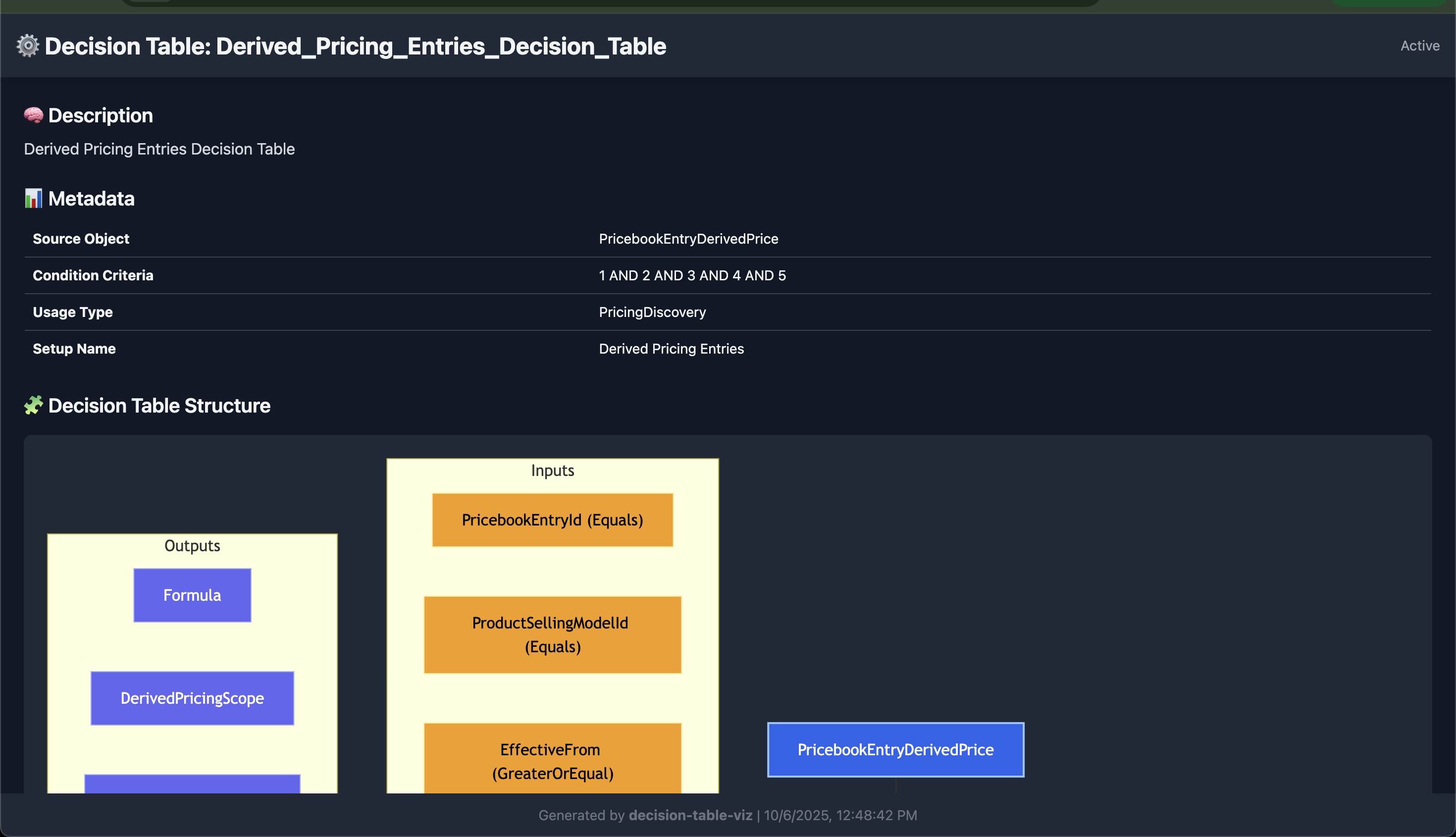
- Visualize Salesforce Decision Tables in a graphical diagram.
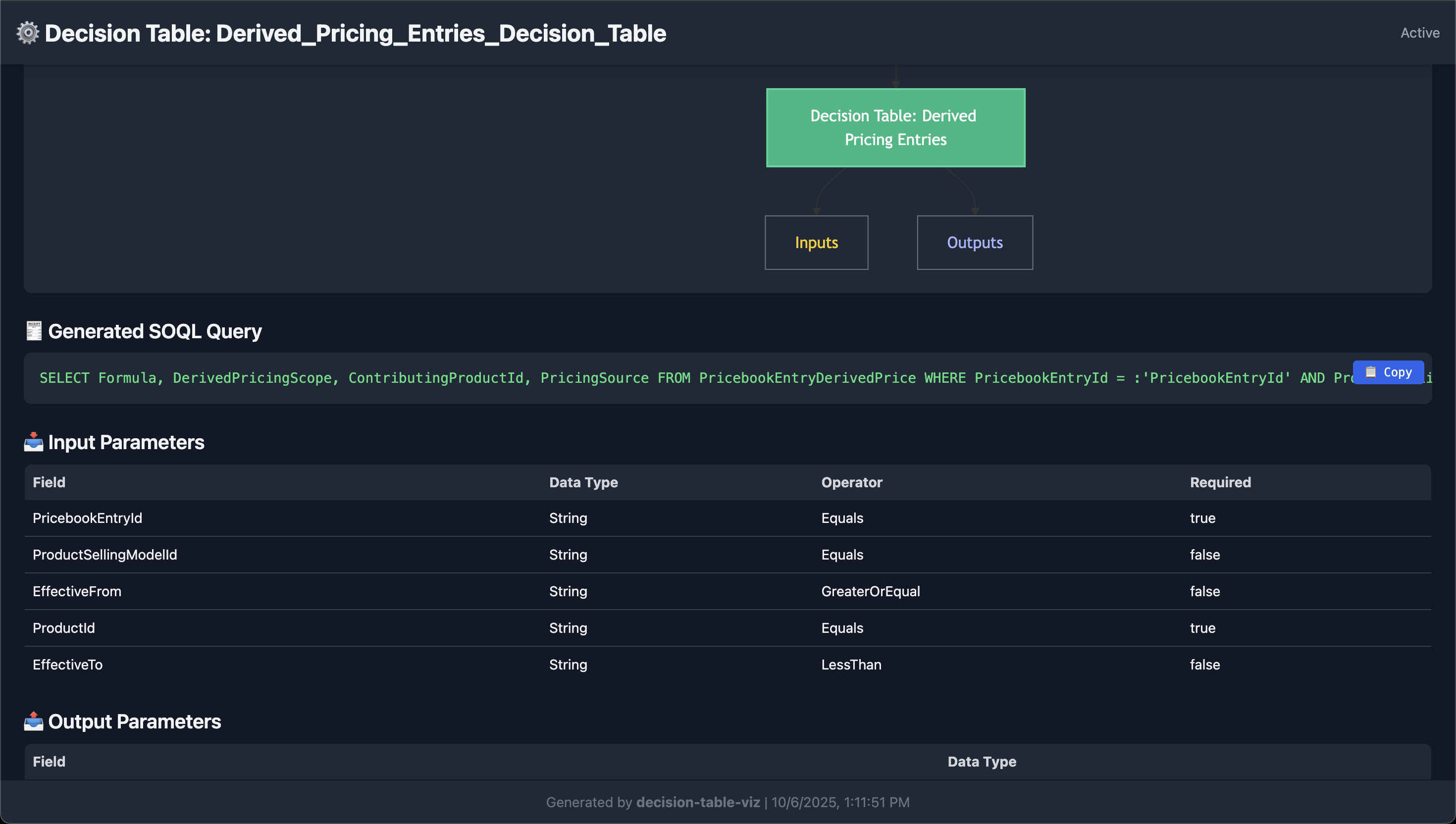
- Generate a ready-to-use SOQL query for the source object using input/output parameters.
- Copy SOQL to clipboard with a single click.
- Full-width responsive design.
- Works entirely offline after HTML is generated.
- Get the xml for a DecisionTable using this tool:
Installation
Install globally with npm:
npm install -g dt2htmlThis will make the CLI available as:
dt2html -x path/to/decision_table.xmlUsage
dt2html -x <xml-file> [-o <output-html-file>]Options
-x, --xml <file>: Required. Path to the Salesforce Decision Table XML file.-o, --output <file>: Output HTML file. Default:decision_table_viz.html.
Example
dt2html -x sample_decision_table.xml -o output.htmlThis will generate output.html with:
- A diagram of inputs/outputs.
- SOQL query for source object.
- Tables displaying input/output parameters.
- Description and metadata of the Decision Table.