
dxf-viewer
v1.0.50
Published
JavaScript DXF file viewer

Maintainers
 vagran
Readme
DXF viewer 

If you just need to view your DXF, click here.
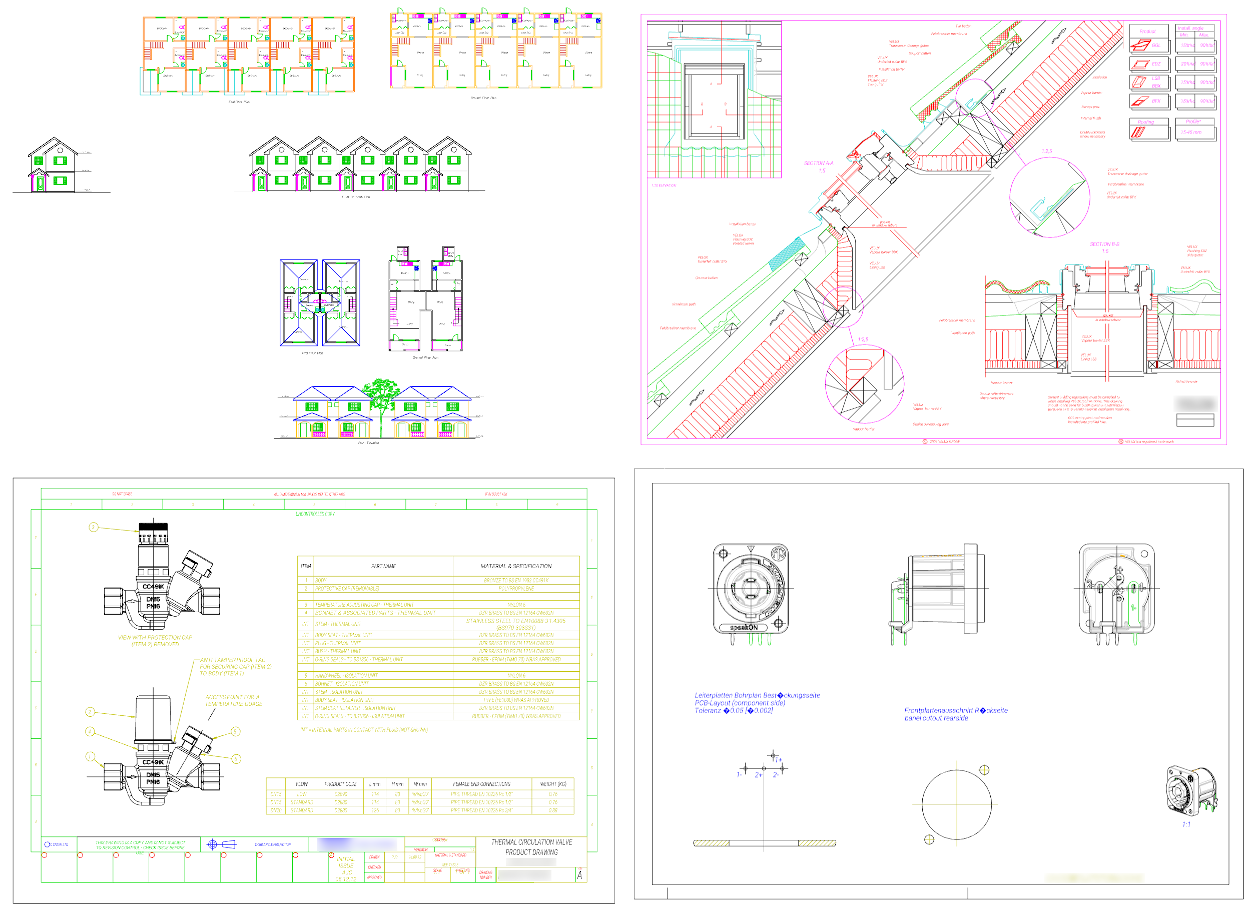
This package provides DXF 2D viewer component written in JavaScript. It renders drawings using WebGL (via three.js library). It was carefully crafted with performance in mind, intended for drawing huge real-world files without performance problems.
The usage example is available here: https://github.com/vagran/dxf-viewer-example-src
Deployed demo: https://vagran.github.io/dxf-viewer-example/
Release preview: https://vagran.github.io/dxf-viewer-example-preview/ — the same demo running the current development code, ahead of the latest npm release. Worth opening before reporting a rendering problem, since the fix may already be in there. It is unreleased work by definition, so expect the occasional rough edge; no npm version corresponds to it, and the revision it was built from is shown in its toolbar — please quote that if you report something against it.
Install
npm install dxf-viewerAPI
docs/api.md documents the public exports — DxfViewer, DxfFetcher, Pattern and
the pattern registry functions. It is generated from the source comments, so it follows the code.
Features
- File fetching, parsing and preparation for rendering is separated in such a way that it can be easily off-loaded to web-worker using provided helpers. So the most heavy-weight processing part does not affect UI responsiveness. The example above demonstrates this technique.
- Geometry batching - minimal number of rendering batches is created during file processing, thus minimizing total required number of draw calls.
- Instanced rendering - features which are rendered multiple times with different transforms (e.g. DXF block instances) are rendered by a single draw call using instanced rendering WebGL feature.
- Multiple fonts support. List of fonts can be specified for text rendering. Raw TTF files are supported. Fonts are lazy-loaded, once a character encountered which glyph is not yet available through already loaded fonts, next font is fetched and checked for the necessary glyph.
- Layers - layers are taken into account when creating rendering batches so that they can be easily hidden/shown.
Incomplete features
There are still many incomplete features. I will try to implement some of them when I have some time. Most significant reason for missing implementation is lack of corresponding sample files.
- Stream parsing for input file. Currently, mostly relying on dxf-parser package which is not stream parser and thus buffers whole the file before parsing. This prevents from supporting big DXF file (above gigabyte) due to string size limit in JS engine (also making unnecessary memory waste for the buffer).
- Text styling. Currently, text rendering is using just the specified fonts in the specified order. DXF style and font attributes are ignored. Text glyphs are always rendered infilled.
- Advanced formatting support for MTEXT (fonts, text height). Stacked text is rendered, but the height codes around it are not, so its size is the AutoCAD default rather than the one the drawing asks for. Color is honored per paragraph rather than per span.
- MTEXT paragraph properties other than alignment. Alignment (the
qargument of a\pcode) is honored wherever it appears in the argument list; the indents (i,l,r), the line spacing (s) and the tab stops (t) are parsed over but ignored. A tabulator therefore advances to the next default stop, at a multiple of four times the character height, rather than to a stop the paragraph names. - Line patterns - all lines are rendered in continuous style for now. I am going to use 1-D texture generated on preparation stage, texture coordinates (which should account pattern continuity flag in DXF vertices attributes), and a dedicated shader to implement this feature.
- Line patterns with shapes (e.g. with circles).
- Wide lines. Currently, all lines are rendered as thin lines. Physical width is not implemented.
- Variable width lines (i.e. with start and end width specified).
- Smoothed polyline (curve-fit/spline-fit addition vertices).
- Some features in hatching implementation: outer hatching style, solid/gradient infill, MPolygon support, double lines, boundaries defined by external entities.
- Block instancing in a grid. Grid attributes are ignored now.
- Dimensions-specific features and styles (text positioning tuning, limits and tolerances).
Dimensions types other than linear ones. Of the arrowhead blocks a dimension style may name
(
DIMBLK,DIMBLK1,DIMBLK2), only ticks, oblique strokes and "none" are drawn; any other one falls back to the default closed filled arrow, since the named block is not instantiated. - Leaders
- Non-UTF-8 file encoding support. Currently, such files are displayed incorrectly.
$DWGCODEPAGEparameter is ignored. MIF encoded characters (\M+nXXXX) are decoded, except for the Johab code page which the browser cannot decode. - Full OCS support. Currently, it is assumed that entity extrusion direction is either +Z or -Z (which is commonly used for features mirroring in CAD). Arbitrary directions is not properly processed.
- Paper space, layouts (sheets), viewports.
- Many less commonly used DXF features.
DXF standard
The DXF format is poorly documented by Autodesk. The official documentation primarily covers high-level, generic concepts, while many critical low-level details are omitted. It is likely that Autodesk internally relies on its proprietary DWG format implementation - on which DXF is largely based (so the libredwg project can serve as a useful reference in some cases). As a result, determining correct rendering behavior - especially in edge cases - can be challenging.
As a reference, I primarily rely on the Autodesk online viewer, although it occasionally fails to open certain DXF files.
I would also like to acknowledge the Ezdxf project for its invaluable work of documenting DXF rendering behavior.
Another useful source of information comes from user reports describing how various CAD applications handle rendering in practice.
Contributing
Please refer to the contribution guidelines for details on how to make pull
requests (PRs). There is an automated test suite — npm install && npm test, which needs no
browser and no DXF files of your own; test/README.md describes what it covers
and how to add to it. The project also requires various example files for testing purposes. If you
encounter any issues with DXF rendering, it would be greatly appreciated if you could provide an
example file that demonstrates the problem by attaching it to a created issue. Creating minimal
examples in CAD software can also be very helpful. Additionally, creating examples in various
proprietary CAD software to which I do not have access would be highly valuable. Since the entrance
level to start coding in this project is quite high, it is often more useful to receive a detailed
issue report with sample files rather than a pull request. Also issue pre-analysis is very welcome,
if one could find or guess exact reason of the renderer incorrect behavior. A pull request that
fixes a rendering bug is in practice read as a very good bug report rather than as something to
merge as it stands — CONTRIBUTING.md explains what that means for you, and
A note on AI explains how it came to be the default.
A note on AI
Most pull requests this project receives are now written by an AI agent. That is simply how things are in 2026+, and nobody is thought less of for it — but it does change what a patch is worth on arrival, because a PR carries no sign of how much of it was checked before it was sent. A generated patch is fluent by construction: the problem statement is confident, the commit message is plausible, the reasoning reads well, and the tests it claims to have passed cannot be checked from here. In a project where "correct" means matches what AutoCAD does, on a file nobody in this repository has ever seen, none of that is evidence.
This is not a no-AI project — quite the opposite. AI does a lot of the work here now, and it is part of how it still stays maintained for free by one person. What makes it work is everything around the model rather than the model itself: a chosen model rather than whichever one is at hand, a prepared context (the DXF specification, valuable other available DXF-related projects sources, notes on decisions already made), a local corpus of real drawings (most are proprietary and cannot be shared) that every change is swept across, an automated test suite with recorded expected output, tooling to diff a measurement before and after a change — and a maintainer who reads every line before it lands and is answerable for it.
So the bar is not "no AI". The bar is evidence, and it is the same for everyone:
- Please say if a change was written with AI. It is not a problem, and it saves guesswork.
- Say what you actually verified, and how. "Opened these three drawings, the fill is right now, console clean" is worth more than any amount of explanation.
- Attach the file. A drawing that reproduces the bug is the part of a report that cannot be invented, and it is the part this project most needs.
If you would rather not do the verification, that is completely fine — open an issue with the drawing instead. It is genuinely the more useful thing to receive. See CONTRIBUTING.md.
License
This project is licensed under the terms of the Mozilla Public License 2.0.
Donations
Want to say thanks to the project maintainer? Here is the link:
