
dynder
v1.0.2
Published
To serve custom html files, which are dynamically generated on each request


Readme
Dynder
Simple server side renderer
Dynder is a basic server side renderer to serve custom HTML pages on each request based on variables set in html.
Installation
npm i dynderDevelopment
Require into your file:
const {dynder} = require('dynder');Generate HTML :
const htmlPage = dynder({
    filePath:'', // absolute path to the file
    mapping:{}, // variables to change in html
    serverFromMemory:true // boolean value to load file in memory & serve
})
Examples
Project Structure :
- index.html
- server.js
- package.json
HTML :
<!DOCTYPE html>
<html lang="en">
<head>
    <meta charset="UTF-8">
    <meta http-equiv="X-UA-Compatible" content="IE=edge">
    <meta name="viewport" content="width=device-width, initial-scale=1.0">
    <title>Example</title>
</head>
<body>
    <h1>%exampleHeading%</h1>
    <p>%examplePara%</p>
    <img src="%exampleImage%" alt="">
    %exampleDiv%
</body>
</html>
Server.js :
const path = require("path");

// Express HTTP Server
const express = require("express");
const app = express();

// Load Dynder
const { dynder } = require("dynder");

// Example Route
app.get("/", (req, res) => {
  // Date
  const date = new Date().toLocaleString();

  // dynder data
  const filePath = path.resolve(__dirname, "./index.html");
  const mapping = {
    exampleHeading: "This is heading from server",
    examplePara: "I am para injected by server",
    exampleImage:
      "https://i.picsum.photos/id/237/536/354.jpg?hmac=i0yVXW1ORpyCZpQ-CknuyV-jbtU7_x9EBQVhvT5aRr0",
    exampleDiv: `<div><h2>Date : ${date}</h2></div>`,
  };
  const serveFromMemory = true;

  // Call dynder
  const customHTML = dynder({ filePath, mapping, serveFromMemory });

  // Set content-type header
  res.setHeader("content-type", "text/html");

  // Send data
  res.send(customHTML).end();
});

app.listen(3000, () => console.log("Running on 3000"));
Result :
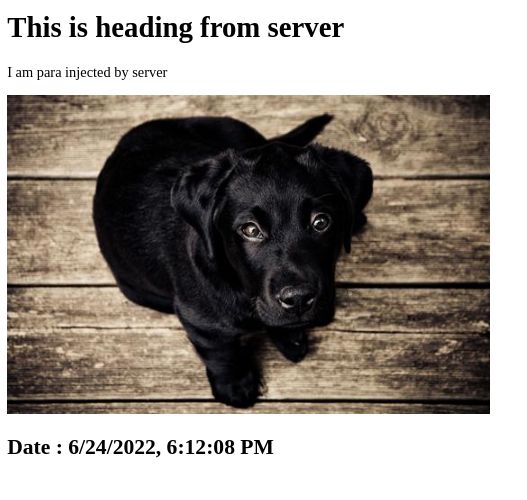
License
MIT