
easy-next
v1.2.3
Published
Template tool to conveniently create your NextJS 13 project

Maintainers
 xmliszt
Readme
Hello 👋 I'm A Next13 TypeScript Template!
bootstrapped with TailwindCSS and ESLint, configured with PWA and SEO, created by Li Yuxuan
npx easy-next@latestWhat's New?
v1.2.0
- Integrated with Radix UI (https://www.radix-ui.com)
- Command made simpler and shorter!
npx easy-next@latest
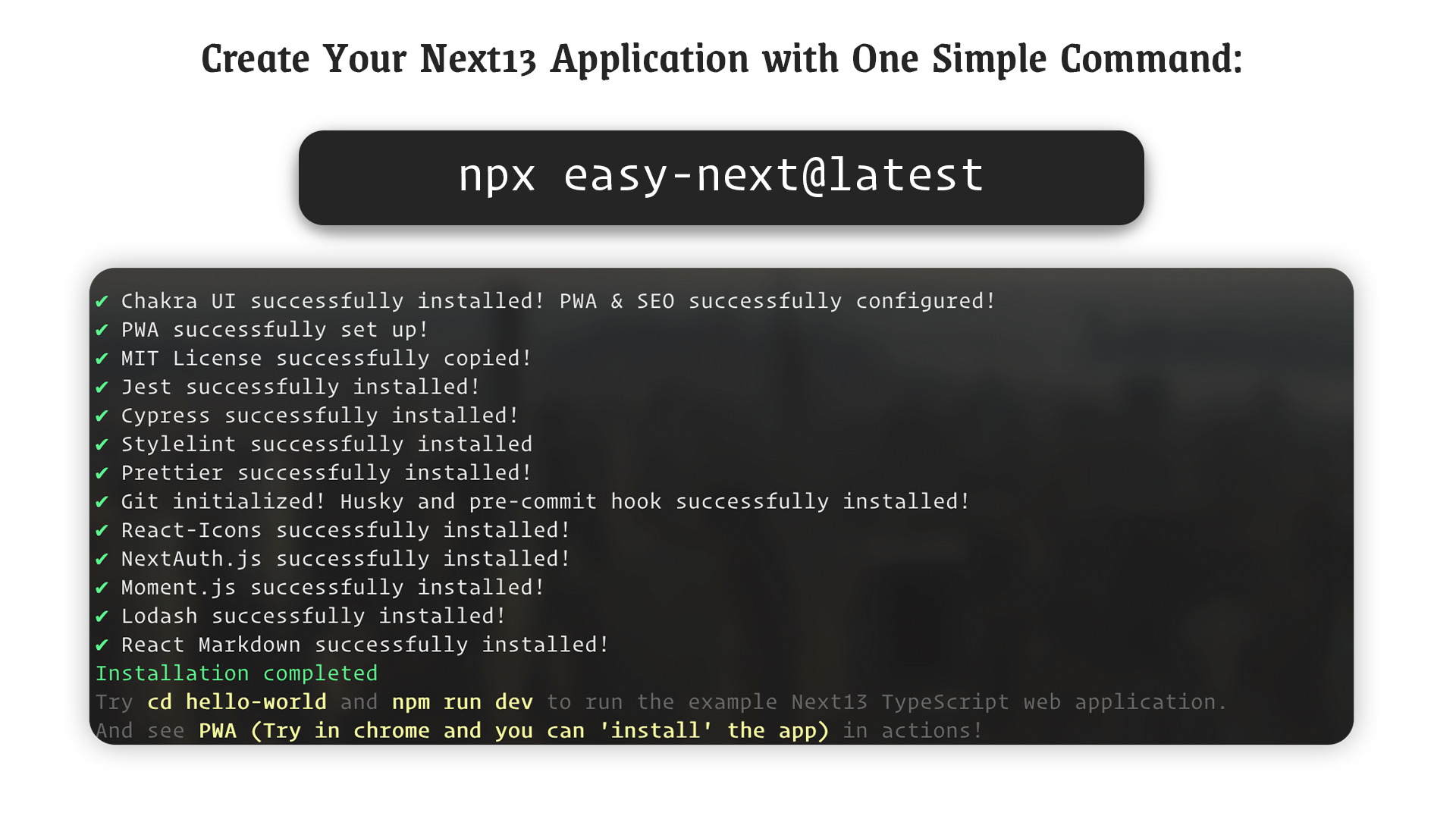
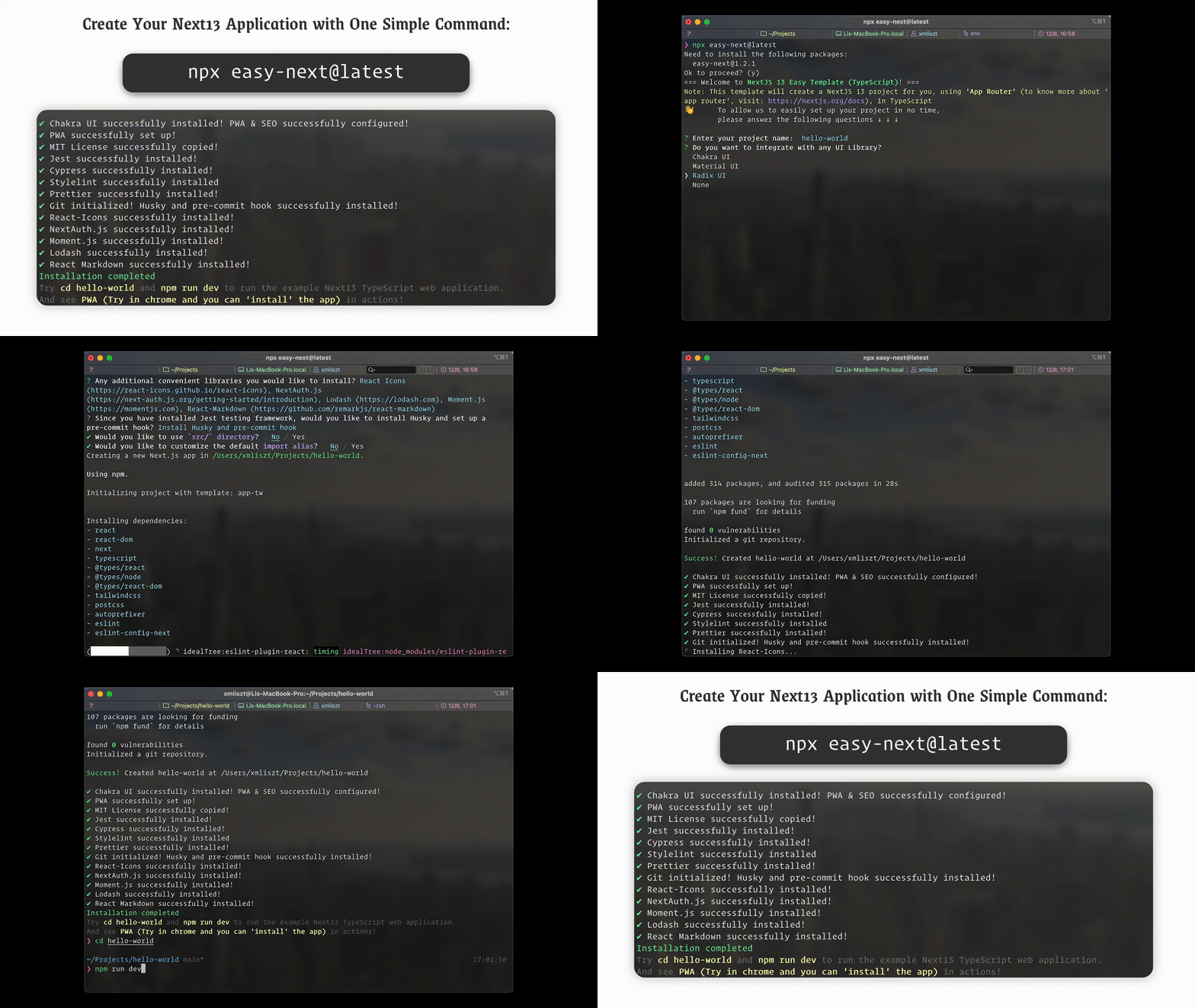
Getting Started
A few things to take notes before you start:
- This is a TypeScript template. JavaScript is currently not supported.
- The template will install the latest NextJS version (Next13), with the "App Router" mode enabled. If you are more familiar with the traditional "Pages Router", feel free to change the example application. (For more details about "App Router" vs "Pages Router", visit NextJS Documentation to find out more!)
- The template will also by default include the followings. Feel free to modify or remove any of them if you don't want to include them in your project. Instructions on how to remove them are documented at the end of this README.
- Install TailwindCSS
- Install ESLint
- Set up PWA
- Set up SEO
Installation
- simply run
npx easy-next@latestand follow on screen instructions!
npx easy-next@latestFeatures
- A TypeScript Next 13 (App Router) template with TailwindCSS and ESLint supported by default.
- Optional UI library Chakra UI, Material UI, Radix UI to be installed.
- Progressive Web App (PWA) enabled (with next-pwa)
- Search Engine Optimization (SEO) is included (with NextJS Metadata)
- Optional third-party libraries such as: React Icons, NextAuth.js, Lodash, Moment.js to be installed.
- Optional Testing frameworks to be installed: Jest, Cypress, Playwright
- Optional markdown files support, with React-Markdown
- Optional linter(s) and formatter(s) to be installed: Stylelint, Prettier
- Husky can be installed for adding git hooks to your project
- MIT License
Remove Search Engine Optimization (SEO)
The project is automatically configured with sample SEO approach. You can find the details in app/layout.tsx, where you see the export const metadata: Metadata = {...} is being defined. If you wish to remove SEO, simply remove the entire metadata block. For more information about metadata in Next13, check out: https://nextjs.org/docs/app/building-your-application/optimizing/metadata
Remove Progressive Web App (PWA)
The project is by default bootstrapped with PWA using next-pwa. If you wish to remove PWA, you can follow the below steps:
- Go to
next.config.jsin root directory, remove anything related to PWA, namelywithPWAand changemodule.exports = withPWA(nextConfig);intomodule.exports = nextConfig; - Go to
public/and removemanifest.json - Go to
app/layout.tsx, (assuming you have SEO enabled), in themetadatablock, removemanifest,appleWebAppfields.
Remove ESLint
The project is by default installed with ESLint. If you wish to remove it, simply remove the .eslintrc.json in root directory. You can also remove the lint field in the scripts field in package.json.
Remove TailwindCSS
The project is by default installed with TailwindCSS integration with Next13. If you wish to remove it, follow the below steps:
- At root directory, remove
postcss.config.jsandtailwind.config.js - In
app/globals.css, remove the@tailwindlines at the top, and any lines that start with@apply
Note: once you remove tailwindCSS, all the tailwindCSS syntax in
classNamewill not work anymore! You have to remove them or create your own CSS classes.
Feel free to remove / modify any pre-installed packages to suit your own needs!
😈 Happy Hacking!