
easy-pdf-viewer
v0.0.1
Published
easy to use pdf viewer written in vanilla typescript


Readme
Easy PDF Viewer
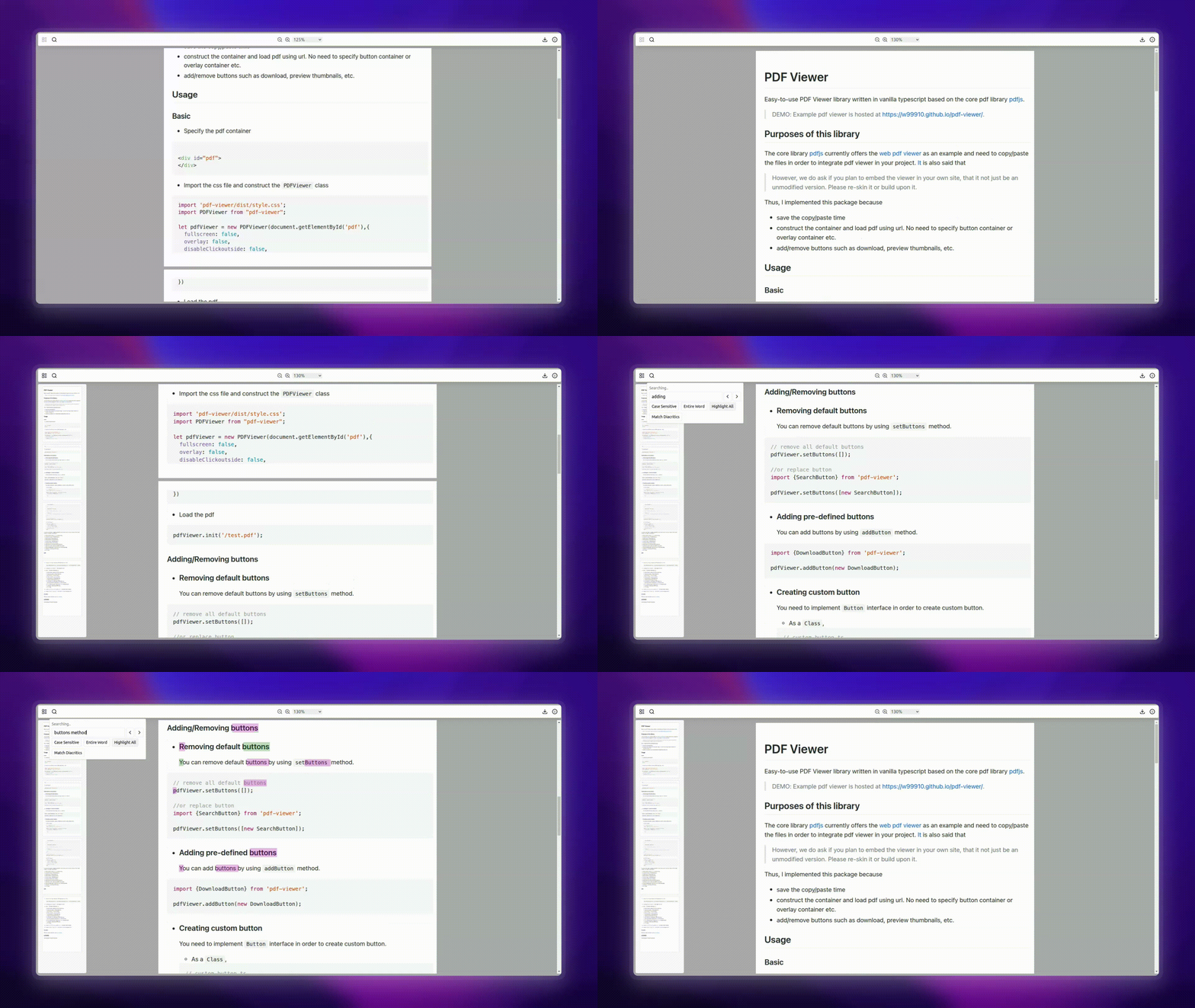
Features
- View PDF,
- Auto Generated Page Thumbnails,
- Search,
- Highlight,
- View Properties,
- Download
- Responsive
- Integrate your custom button
Easy-to-use PDF Viewer library written in vanilla typescript based on the core pdf library pdfjs.
DEMO: Example pdf viewer is hosted at https://w99910.github.io/pdf-viewer/.
Purposes of this library
The core library pdfjs currently offers the web pdf viewer as an example and need to copy/paste the files in order to integrate pdf viewer in your project. It is also said that
However, we do ask if you plan to embed the viewer in your own site, that it not just be an unmodified version. Please re-skin it or build upon it.
Thus, I implemented this package because
- save the copy/paste time
- construct the container and load pdf using url. No need to specify button container or overlay container etc.
- add/remove buttons such as download, preview thumbnails, etc.
Installation
NPM
npm install easy-pdf-viewerPNPM
pnpm install easy-pdf-viewerDirect Git Repo install
npm install github:w99910/pdf-viewerGit
git clone https://github.com/w99910/pdf-viewer.git
Basic Usage
- Create Or Get the pdf container
<div id="pdf">
</div>- Import the css file and construct the
PDFViewerclass
import 'easy-pdf-viewer/dist/style.css';
import PDFViewer from "easy-pdf-viewer";

let pdfViewer = new PDFViewer(document.getElementById('pdf'),{
  fullscreen: false,
  overlay: false,
  disableClickoutside: false,
})- Load the pdf
pdfViewer.init('/test.pdf');Adding/Removing buttons
Removing default buttons
You can remove default buttons by usingsetButtonsmethod.
// remove all default buttons
pdfViewer.setButtons([]);

//or replace button
import {SearchButton} from 'easy-pdf-viewer';

pdfViewer.setButtons([new SearchButton]);
Adding pre-defined buttons
You can add buttons by using
addButtonmethod.
import {DownloadButton} from 'easy-pdf-viewer';

pdfViewer.addButton(new DownloadButton);
Creating custom button
You need to implement
Buttoninterface in order to create custom button.- As a
Class,
// custom-button.ts import {Button} from 'easy-pdf-viewer'; export class CustomButton implements Button { build(data): HTMLElement | null { } onClick(data) { } position(): string { } // either left, center, right; reset() { // this is called whenever a new pdf is initialised. } } // then add button pdfViewer.addButton(new CustomButton);- As an
Object,
pdfViewer.addButton({ build: (data) => {}, onClick: (data) => {}, position: () => 'left', reset: () => {}, });- As a
As you can see data variable is passed to build method and onClick method. That data variable is an object
consisting of
- pdfDocument: pdfjsLib.PDFDocumentProxy,
- buttonsContainer: HTMLDivElement,
- pdfContainer: HTMLDivElement,
- mainContainer: HTMLDivElement,
- bodyContainer: HTMLDivElement,
- eventBus: pdfjsViewer.EventBus,
- pdfLinkService: pdfjsViewer.PDFLinkService,
- pdfFindController: pdfjsViewer.PDFFindController,
- pdfScriptingManager: pdfjsViewer.PDFScriptingManager,
- pdfViewer: pdfjsViewer.PDFViewer,
- url: string,
API
init(url: string, options: PDFViewerOptions = {})type PDFViewerOptions = DocumentInitParameters & { initialPageIndex?: number, disableClickoutside?:boolean }viewPage(index:number)- Load page into view.data- Get data of pdfViewer. i.e,- pdfDocument: pdfjsLib.PDFDocumentProxy,
- buttonsContainer: HTMLDivElement,
- pdfContainer: HTMLDivElement,
- mainContainer: HTMLDivElement,
- bodyContainer: HTMLDivElement,
- eventBus: pdfjsViewer.EventBus,
- pdfLinkService: pdfjsViewer.PDFLinkService,
- pdfFindController: pdfjsViewer.PDFFindController,
- pdfScriptingManager: pdfjsViewer.PDFScriptingManager,
- pdfViewer: pdfjsViewer.PDFViewer,
- url: string,
setButtons(buttons:Array<Button>)- overwrite default buttons.addButton(button:Button)- add a new button to existing buttons.
Credits
The icons used in this library are from lucid.dev.
Support
If you find this library useful, please consider supporting me.
LICENSE
This package is licensed under MIT.