
editdown
v0.1.0
Published
Edit a markdown file in your browser, WYSIWYG or source, and save straight back to disk.

Maintainers
 funerr
Readme
editdown
Edit a markdown file in your browser and save it straight back to disk.
npx editdown notes.md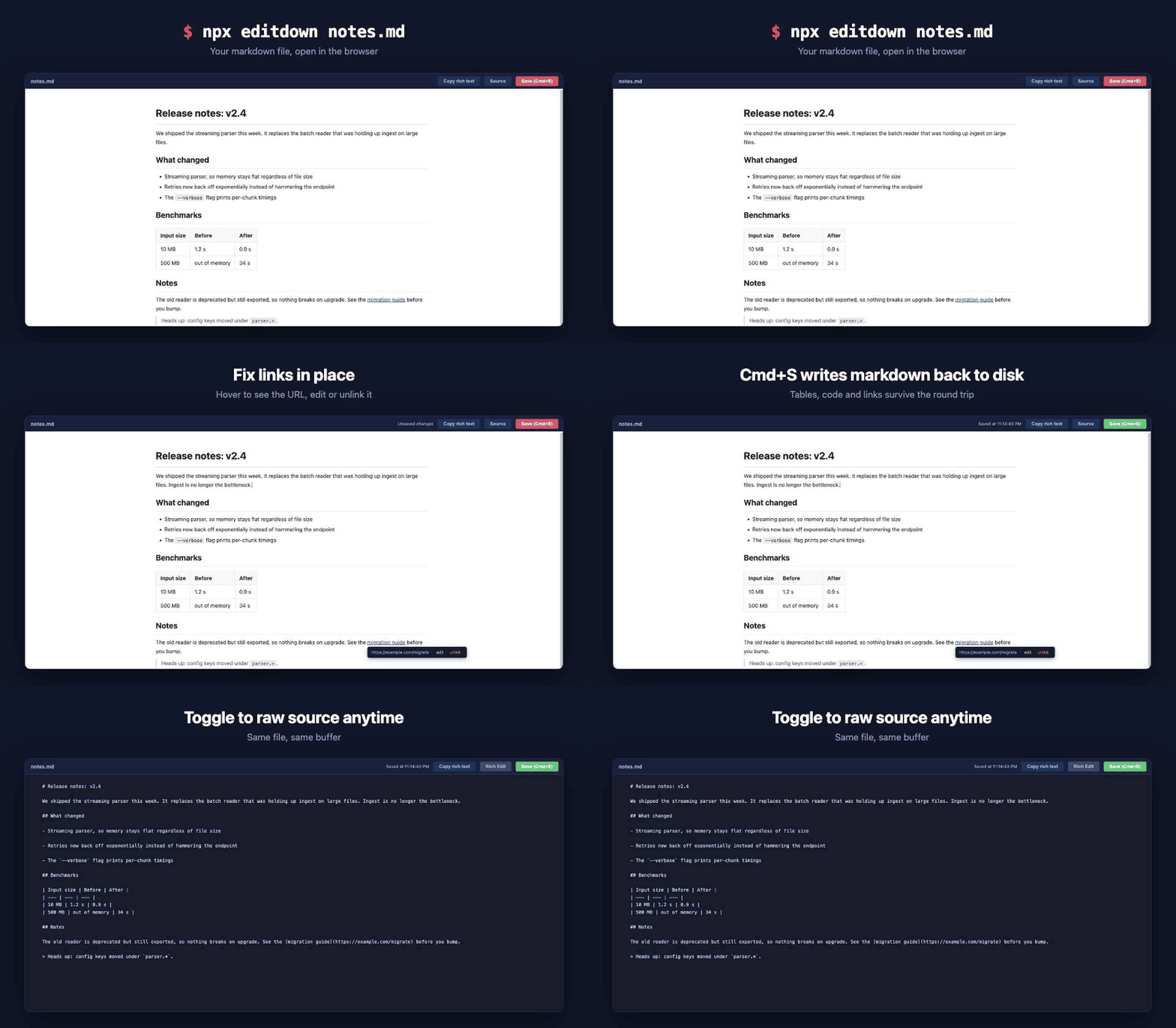
Every other md* CLI on npm renders markdown one way: disk to browser. editdown goes
both ways. You get a rich-text editor over your actual file, and Cmd+S writes it back
as markdown.
Features
- WYSIWYG editing over the real file, with a one-click toggle to raw source.
- Cmd+S saves to disk. Writes are atomic, so an interrupted save cannot truncate your document.
- Picks up outside edits. Change the file in your editor and the browser reloads it, keeping your scroll position. Never while you have unsaved changes.
- Link tooltips. Hover a link to see its URL, right-click to pin, then edit or unlink it in place. Paste a URL over selected text to link it.
- Copy rich text for pasting into Google Docs, Word, or an email client, with code blocks and lists surviving the trip.
- Images render inline, resolved relative to the markdown file.
- Offline and local. Binds to
127.0.0.1, no CDN, no telemetry, two dependencies.
Usage
editdown                    # edits README.md in the current directory
editdown docs/notes.md      # edits a specific file
editdown notes.md -p 3000   # pick the port (default 8432)
editdown notes.md --no-open # do not open a browser
If the port is taken, editdown walks up to the next free one.
| Shortcut | Action |
|---|---|
| Cmd/Ctrl+S | Save |
| Cmd/Ctrl+B | Bold |
| Right-click a link | Pin its tooltip |
| Paste a URL over a selection | Turn the selection into a link |
Install
Nothing to install, npx editdown is the intended way to run it. If you want it always
on hand:
npm install -g editdownRequires Node 18+.
Notes
The file must already exist. editdown edits documents, it does not create them, so a
typo in the filename gets you an error rather than a stray empty file.
Round-tripping runs your document through HTML and back, which normalizes formatting:
list markers become -, headings become ATX (##), emphasis becomes *. The content
is preserved, the exact byte-level formatting of untouched sections may not be. Keep
your file in git, as you would anyway.
License
MIT