
edubase-mcp
v1.0.10
Published
EduBase MCP server


Readme
EduBase MCP server

This repository contains the implementation of the Model Context Protocol (MCP) server for the EduBase platform. It allows MCP clients (for example Claude Desktop) and LLMs to interact with your EduBase account and perform tasks on your behalf.
What is EduBase?
EduBase is an innovative, modular, online educational platform that makes learning more enjoyable, simpler and interactive, suitable for educational institutions or enterprises.
Why choose EduBase?
EduBase revolutionizes digital learning with its unique combination of features:
- Advanced Quiz System with parametrization allowing infinite variations of the same question, real-time cheating detection, beautiful LaTeX typesetting, advanced STEM-support and automatic grading
- Unified Learning Environment that centralizes all your educational content — videos, exams, documents, and SCORM modules — in one intuitive system
- Enterprise-Grade Security with features like SSO integration, fine-grained access controls, comprehensive auditing, and GDPR compliance
- Integration with your existing systems through LTI, comprehensive API, and custom integration options
- AI-Assisted Tools, such as EduBase Assistant, that can instantly transform your existing content into interactive quizzes and assessments, or translate your materials from one language to another
From higher education institutions to corporate training departments, EduBase scales to meet your specific needs while maintaining an intuitive user experience across all devices.
Demo video
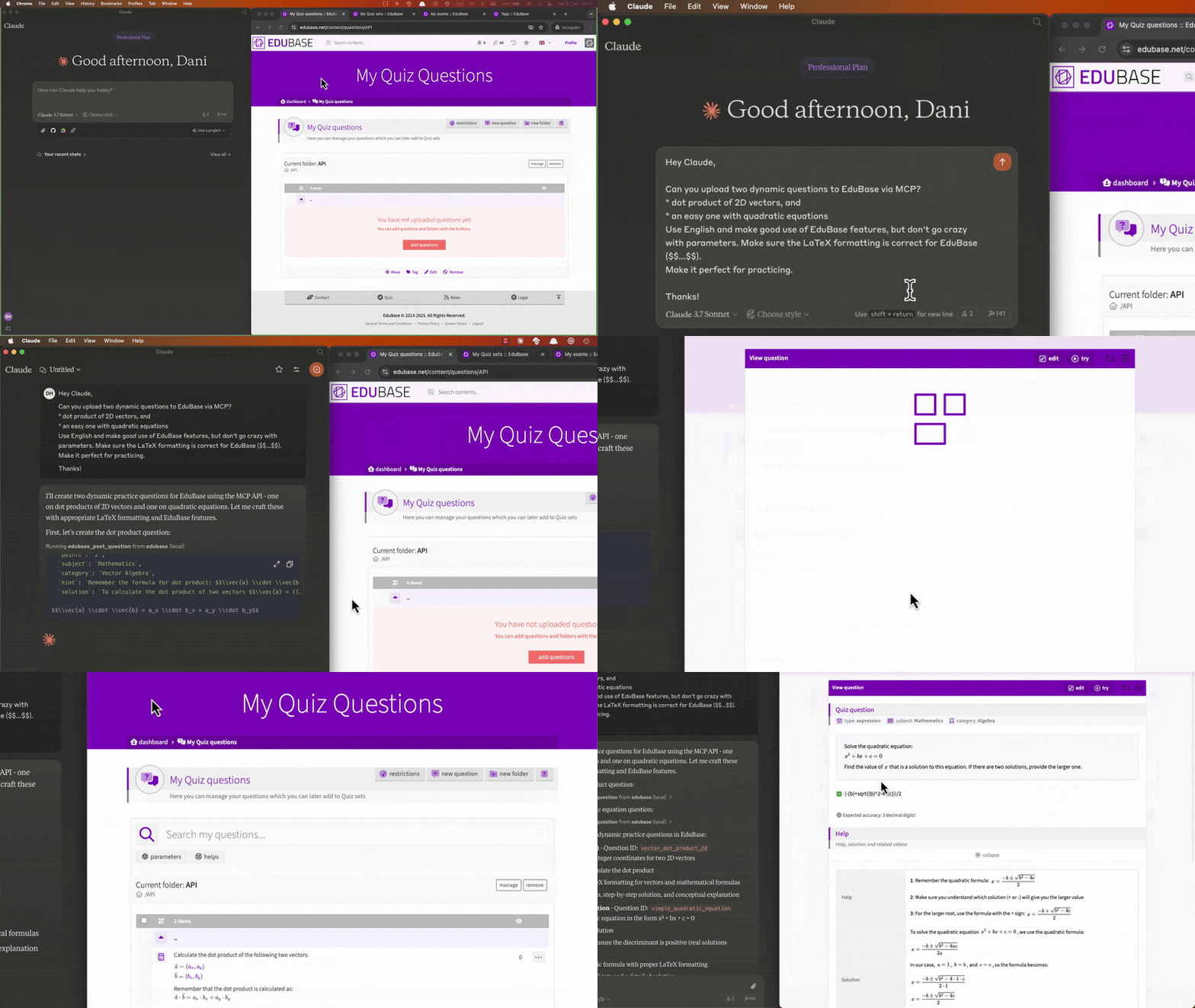
Collaboratively creating and uploading questions, scheduling exams and analyzing user results with Claude:
Obtaining your API credentials
Once logged in, on your Dashboard, search for the Integrations menu, click "add integration" and choose the type "EduBase API".
If you don't see this option, enter the MCPGITHUB activation code or feel free to contact us to request access at [email protected].
Tools
Each documented API endpoint is available as a separate tool, named edubase_<method>_<endpoint>. For example, the tool for the GET /user endpoint is named edubase_get_user. See our developer documentation for more information.
Usage with Claude Desktop
For a step-by-step walkthrough, see our blog post on how to connect EduBase with Claude: The Complete MCP Integration Guide.
Installing manually
Add the following to your claude_desktop_config.json:
Using Node.js
Before running the MCP server, make sure you have Node.js installed. You can download it from nodejs.org or use a package manager like brew. Download EduBase MCP server release or clone the repository and run npm run build to build the server. Do not forget to adjust /path/to/dist to the actual directory and configure the environmental variables!
{
  "mcpServers": {
    "edubase": {
      "command": "node",
      "args": [
        "/path/to/dist/index.js"
      ],
      "env": {
        "EDUBASE_API_URL": "https://domain.edubase.net/api",
        "EDUBASE_API_APP": "your_integration_app_id",
        "EDUBASE_API_KEY": "your_integration_secret_key"
      }
    }
  }
}
Using Docker
Before running the MCP server, make sure you have Docker installed and is running. You can download it from docker.com or use a package manager. Do not forget to configure the environmental variables!
{
  "mcpServers": {
    "edubase": {
      "command": "docker",
      "args": [
        "run",
        "-i",
        "--rm",
        "-e",
        "EDUBASE_API_URL",
        "-e",
        "EDUBASE_API_APP",
        "-e",
        "EDUBASE_API_KEY",
        "edubase/mcp"
      ],
      "env": {
        "EDUBASE_API_URL": "https://domain.edubase.net/api",
        "EDUBASE_API_APP": "your_integration_app_id",
        "EDUBASE_API_KEY": "your_integration_secret_key"
      }
    }
  }
}
Installing via Smithery
To install EduBase MCP server for Claude Desktop automatically via Smithery:
npx -y @smithery/cli install @EduBase/MCP --client claudeContact
Website: www.edubase.net
Developer Documentation: developer.edubase.net
Email: [email protected]