
el-tree-line
v1.0.14
Published
  

Maintainers
 snow_sunset
Readme
el-tree-line



给
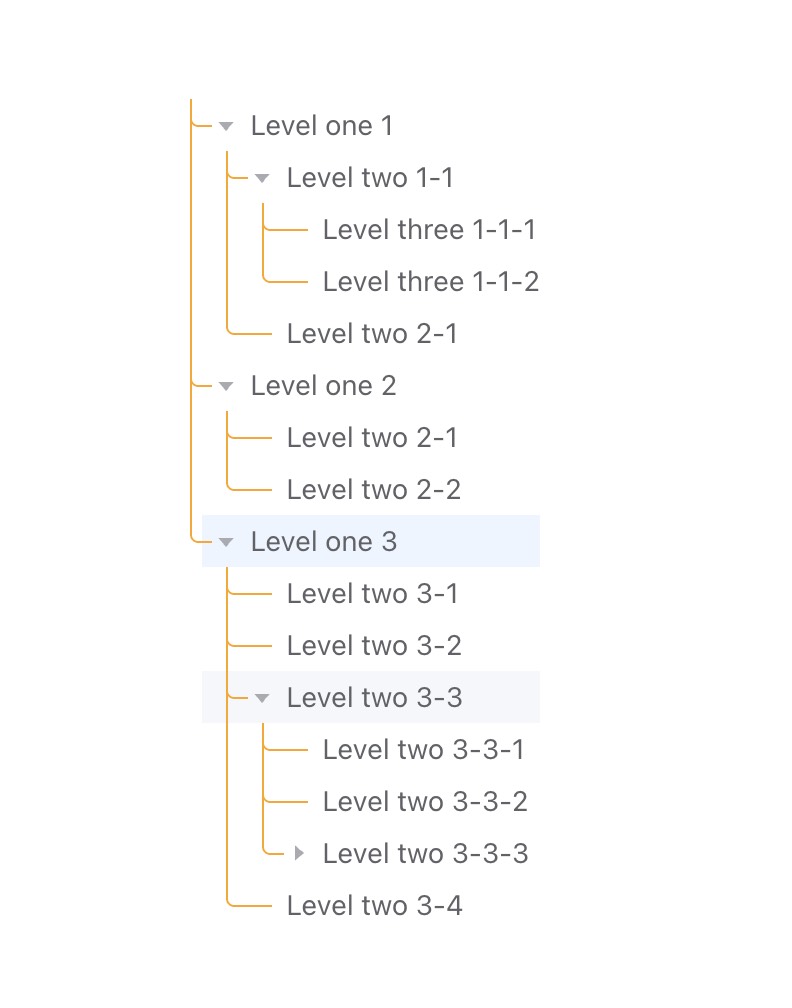
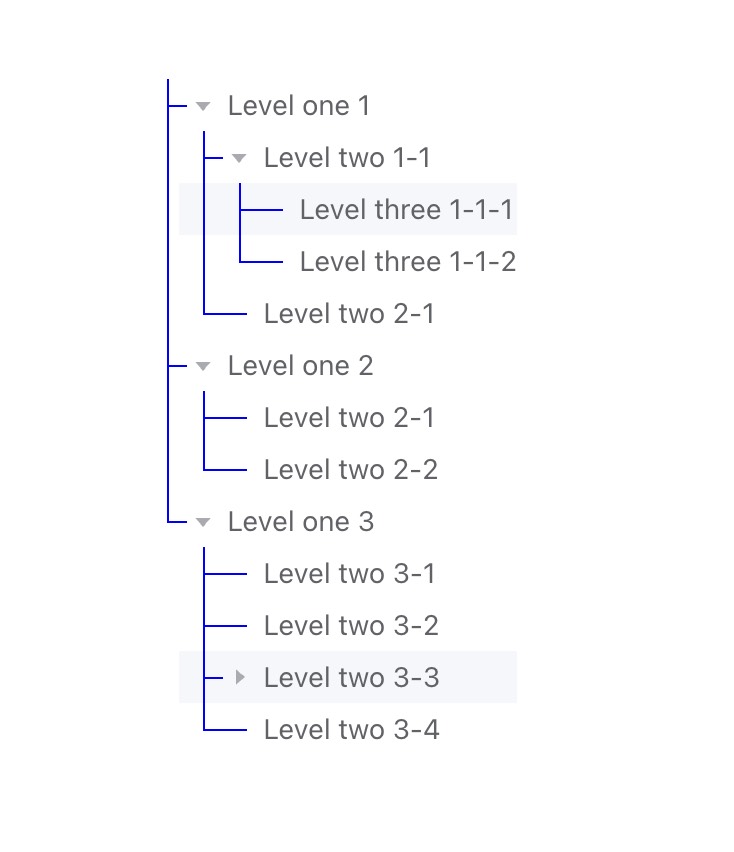
element-plus的el-tree组件增加结构层级连线,无入侵不影响el-tree原始功能。思路参考了 https://github.com/GitOfZGT/element-tree-line 的实现。由于
element-tree-line本人使用时结构连线对不齐。故写了此组件。目前可配置线条颜色、样式、宽度、线条水平位置偏移(如果对齐不理想可以调整这个)、非叶子节点的水平线条长度修正、叶子节点的水平线条长度修正,具体使用底部有参数说明。
安装
npm install el-tree-line --saveyarn add el-tree-line使用
- 给
el-tree组件添加class="el-tree-line-root",避免污染其他组件。 - 使用
ElTreeLine组件包裹el-tree的每个节点。 - 引入样式
import "el-tree-line/lib/index.css";
<template>
  <div class="app-container">
    <el-tree
      class="el-tree-line-root"
      :data="data"
      :highlight-current="true"
      :default-expand-all="true"
      :expand-on-click-node="false"
    >
      <template #default="{ node, data }">
        <ElTreeLine :node="node">
          <template #node-label>
            <div class="custom-tree-node">
              {{ data.label }}
            </div>
          </template>
        </ElTreeLine>
      </template>
    </el-tree>
  </div>
</template>

<script setup lang="ts">
import { ElTree } from "element-plus";
import ElTreeLine from "el-tree-line";

import "el-tree-line/lib/index.css";

const data = [
  {
    id: 1,
    label: "Level one 1",
    children: [
      {
        id: 4,
        label: "Level two 1-1",
        children: [
          {
            id: 9,
            label: "Level three 1-1-1",
          },
          {
            id: 10,
            label: "Level three 1-1-2",
          },
        ],
      },
      {
        id: 41,
        label: "Level two 2-1",
      },
    ],
  },
  {
    id: 2,
    label: "Level one 2",
    children: [
      {
        id: 5,
        label: "Level two 2-1",
      },
      {
        id: 6,
        label: "Level two 2-2",
      },
    ],
  },
  {
    id: 3,
    label: "Level one 3",
    children: [
      {
        id: 7,
        label: "Level two 3-1",
      },
      {
        id: 8,
        label: "Level two 3-2",
      },
      {
        id: 33,
        label: "Level two 3-3",
        children: [
          {
            id: 331,
            label: "Level two 3-3-1",
          },
          {
            id: 332,
            label: "Level two 3-3-2",
          },
          {
            id: 333,
            label: "Level two 3-3-3",
            children: [
              {
                id: 3331,
                label: "Level two 3-3-3-1",
              },
              {
                id: 3332,
                label: "Level two 3-3-3-2",
              },
            ],
          },
        ],
      },
      {
        id: 34,
        label: "Level two 3-4",
      },
    ],
  },
];
</script>
参数配置
| 参数名 | 类型 | 默认值 | 说明 |
| ---------------- | --------------------- | ------------ | ------------------------------------------------------------ |
| node | Record<string, any> | 无默认值 | **(必填)**节点数据对象,必传参数。el-tree的节点对象 |
| indent | number | 18 | **(可选)**节点缩进长度(单位:px),控制层级节点之间的水平间距。与el-tree的indent保持一致。 |
| offsetX | number | 12 | **(可选)**线条整体水平偏移量(可正负),微调所有线条的水平位置。 |
| lineXDelta | number | -8 | **(可选)**普通连接线(水平线)长度微调值(可正负),在基础长度上增减此值调整连接线长度。 |
| leafLineXDelta | number | 4 | **(可选)**叶子节点连接线(水平线)长度微调值(可正负),单独调整叶子节点的连接线长度。 |
| lineConfig | IBorderConfig | 见下方默认值 | **(可选)**连接线样式配置对象,包含颜色、线条样式、宽度等属性。 |
| radius | number | 4 | **(可选)**配置连线圆角,数值类型,不用带单位 |
接口类型详情:IBorderConfig(连接线样式配置)
| 属性名 | 类型 | 默认值 | 说明 |
| ------- | ------------- | ----------- | ------------------------------------------------------------ |
| color | string | "#a9abb2" | 连接线颜色,支持 CSS 颜色格式(如 #fff、rgb(255,0,0)、blue)。 |
| style | borderStyle | "solid" | 连接线样式,可选值:"solid"(实线)、"dashed"(虚线)、"double"(双线)、"dotted"(点线)。 |
| width | string | "1px" | 连接线宽度,需带单位(如 2px)。 |