
embed-terminal
v0.1.2
Published
Embeddable web terminal — serve any directory's terminal in your browser

Maintainers
 kojira
Readme
embed-terminal
Embeddable web terminal server for any directory.
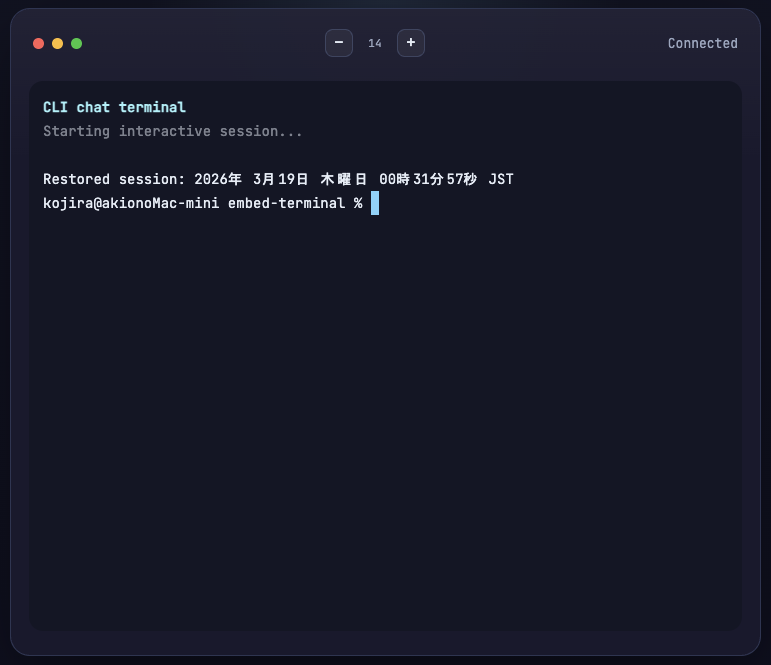
Screenshots
PC
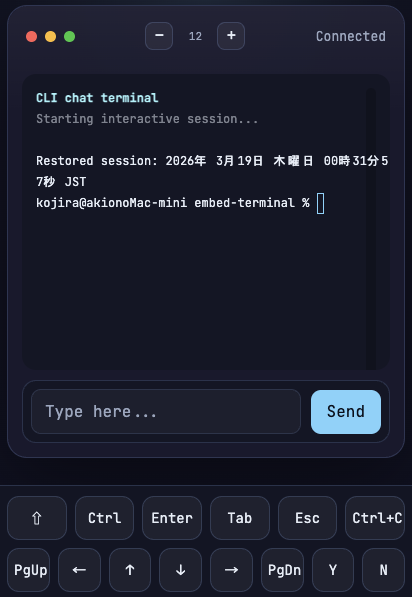
Mobile
Features
- xterm.js — full terminal emulation in the browser
- node-pty — real PTY backend via WebSocket
- Session management — automatic reconnection with output replay
- IME support — works with CJK input methods
- Mobile support — Control bar auto-appears on screens ≤768px wide. Buttons for Ctrl/Shift/Tab/Esc/Enter/Arrow keys and more. Double-tap Ctrl/Shift to lock.
- Theme presets — dark, light, monokai, dracula (or custom)
Quick Start
npx embed-terminal
npx embed-terminal --cwd /path/to/project --port 8080
By default, your login shell ($SHELL, e.g. bash or zsh) is launched. Opens a browser terminal at http://0.0.0.0:3456.
CLI Options
| Option | Default | Description |
|---|---|---|
| --cwd <path> | process.cwd() | Working directory for the terminal |
| --port <number> | 3456 | Server port |
| --host <address> | 0.0.0.0 | Server host |
npx embed-terminal --cwd ~/projects/myapp --port 8080Library Usage (Server)
const http = require('http');
const { createChatServer } = require('embed-terminal');

const server = http.createServer();

const chat = createChatServer(server, {
  cwd: '/path/to/project',
  path: '/ws',
  getCommandAndArgs: (searchParams) => ({
    command: 'claude',
    args: [],
  }),
  onSessionCreated: ({ pid, searchParams }) => {
    console.log(`PTY started: pid=${pid}`);
  },
});

server.listen(3000);

// Cleanup:
// await chat.close();
createChatServer(server, options) returns { wss, sessions, close }.
Server Options
| Option | Description |
|---|---|
| cwd | Working directory for the terminal |
| path | WebSocket endpoint path |
| getCommandAndArgs(searchParams) | Callback that receives URL query parameters (URLSearchParams) and returns { command, args }. If omitted, $SHELL is launched |
| onSessionCreated({ pid, searchParams }) | Callback invoked after the PTY process starts. Receives the process ID and URL query parameters |
Library Usage (Client)
<div id="terminal"></div>
<script src="/node_modules/embed-terminal/src/client.js"></script>
<script>
  const term = new ChatTerminal(document.getElementById('terminal'), {
    wsUrl: 'ws://localhost:3000/ws',
    fontSize: 14,
    theme: 'dark',
  });

  term.onExit = function (event) {
    console.log('exited with code', event.code);
  };
</script>
Client Options
| Option | Default | Description |
|---|---|---|
| wsUrl | auto-detected | WebSocket URL |
| fontSize | 14 | Terminal font size |
| fontFamily | "JetBrains Mono", monospace | Terminal font |
| theme | 'default' | Theme name or custom object |
Client Methods
connect()— connect to the serverdispose()— close connection and clean upfit()— resize terminal to fit containerresize(cols, rows)— set explicit terminal sizesendInput(text)— send text to the PTYsetFontSize(size)— change font sizesetTheme(theme)— change theme (name or object)setInputTransformer(fn)— transform input before sending
Mobile Support
On screens narrower than 768px, a control bar is automatically displayed at the bottom of the terminal.
Available buttons: Ctrl, Shift, Tab, Esc, Enter, ↑↓←→ (arrow keys)
Lock mode: Double-tap a modifier button (Ctrl, Shift) to lock it on. Tap again to unlock.
Requirements
- Node.js 18+
License
MIT