
emdash-plugin-bulk-upload
v0.2.0
Published
Bulk upload admin page for Emdash CMS: a drag-and-drop queue that creates a reviewed draft entry (with optional linked translation) for every uploaded file

Maintainers
 afonsojramos
Readme
emdash-plugin-bulk-upload
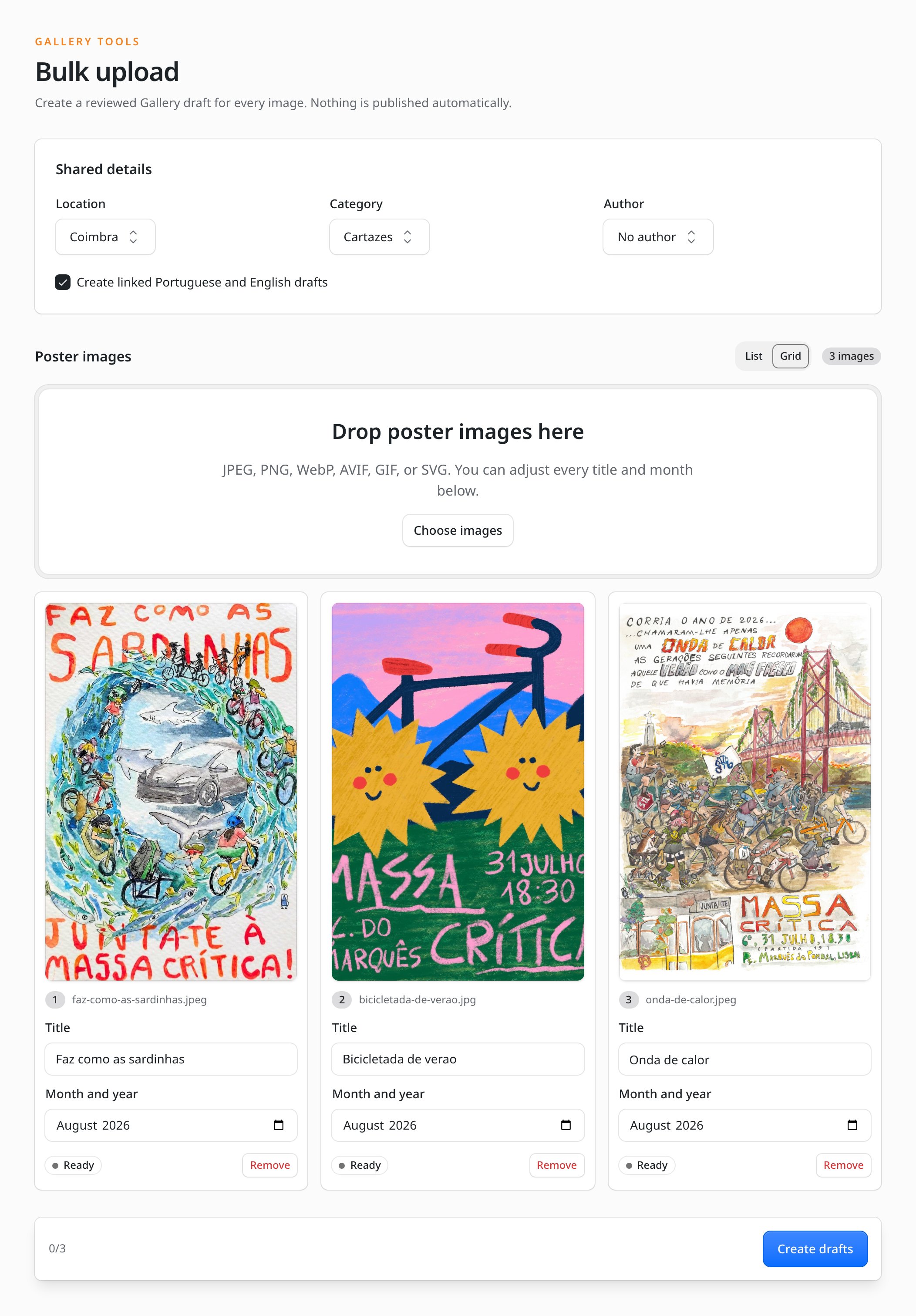
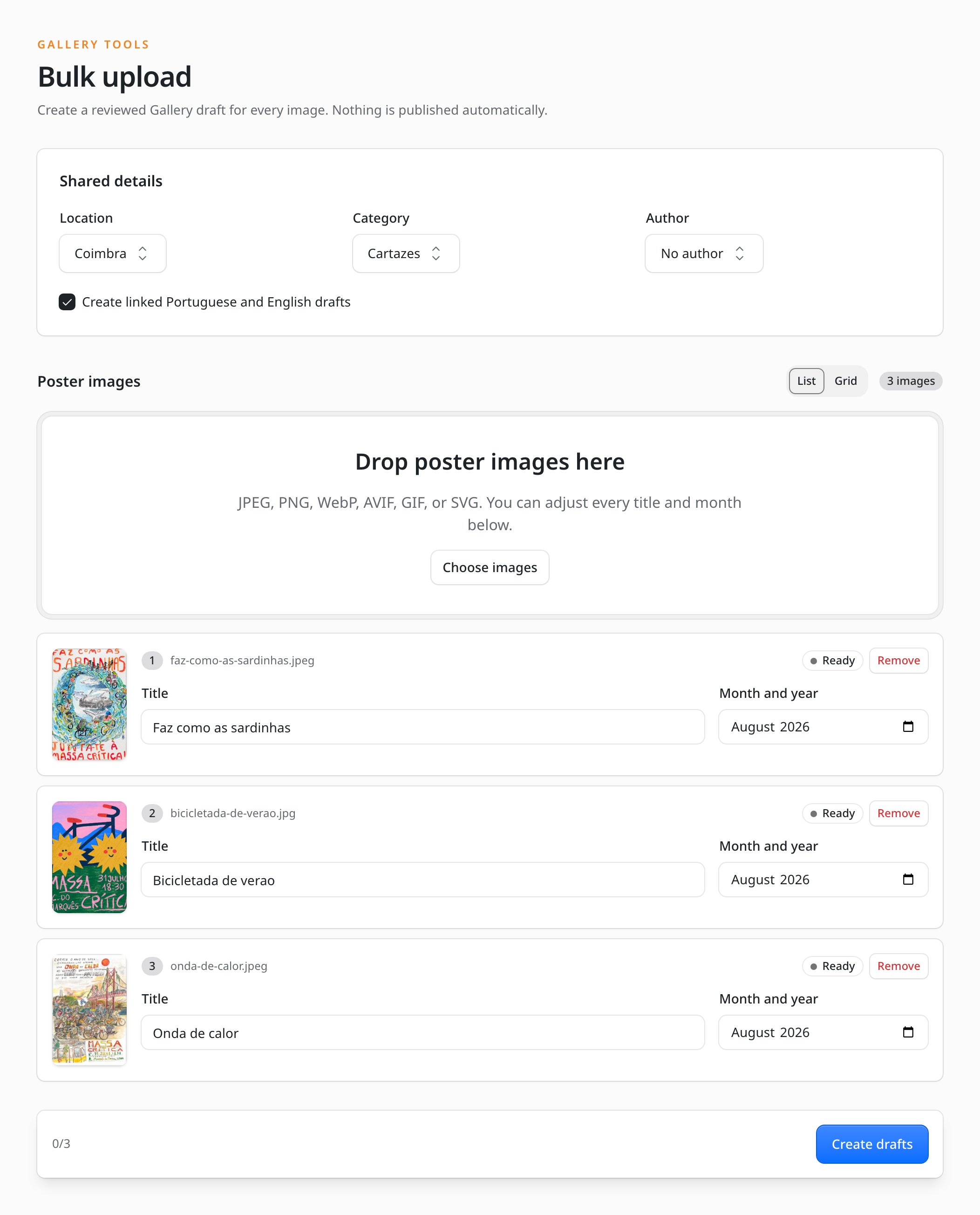
Bulk upload admin page for Emdash CMS. Adds a drag-and-drop queue to the admin panel that creates a reviewed draft entry (with an optional linked translation) for every uploaded file. Nothing is published automatically.
- Drag-and-drop or file-picker queue with per-file previews, editable titles, and extra per-row fields
- Shared details applied to every entry: reference selects loaded from other collections, plus taxonomy assignment
- Optional linked translation drafts via Emdash's
translationOf - Idempotent imports: retrying a failed row skips the media upload and entries that already succeeded
- Built with Kumo, the same component system as the Emdash admin, so it looks native
- Ships an optional
month-yearschema-field widget (YYYY-MMmonth picker)
Install
npm install emdash-plugin-bulk-uploademdash, @emdash-cms/admin, @cloudflare/kumo, and react are peer dependencies; an Emdash project already has all of them except possibly Kumo.
Usage
The plugin is configured in two places: the descriptor in your Astro config, and an admin entry module in your project where the page is configured (it lives in your project so the config can include functions).
1. Astro config
// astro.config.mjs
import { bulkUpload } from "emdash-plugin-bulk-upload";

emdash({
  plugins: [
    bulkUpload({
      adminEntry: "@/plugins/bulk-upload-admin",
      page: { label: "Gallery bulk upload" },
      monthYearWidget: true, // optional schema-field widget
    }),
  ],
});
2. Admin entry
A real-world example: a photo gallery collection with a location reference, an optional author reference, a category taxonomy, and a month/year field, in a Portuguese/English site.
// src/plugins/bulk-upload-admin.tsx
import {
  contentLabel,
  createBulkUploadAdmin,
  imageFieldValue,
} from "emdash-plugin-bulk-upload/admin";
import "emdash-plugin-bulk-upload/styles.css";

export const { pages, fields } = createBulkUploadAdmin({
  collection: "gallery",
  sharedFields: [
    {
      kind: "collection",
      name: "location",
      label: { en: "Location", pt: "Local" },
      placeholder: { en: "Choose a location", pt: "Escolhe um local" },
      collection: "locations",
      labelKeys: ["city", "name", "title"],
      filter: (entry) => entry.data.sort_index !== 100,
      optionLabel: (entry, lang) =>
        contentLabel(entry, ["city"]) +
        (entry.data.activity_status === "inactive"
          ? lang.startsWith("pt") ? " (inativo)" : " (inactive)"
          : ""),
    },
    {
      kind: "taxonomy",
      name: "category",
      label: { en: "Category", pt: "Categoria" },
      taxonomy: "category",
      defaultSlug: "posters",
    },
    {
      kind: "collection",
      name: "author",
      label: { en: "Author", pt: "Autoria" },
      collection: "authors",
      noneLabel: { en: "No author", pt: "Sem autoria" },
    },
  ],
  rowFields: [
    { name: "date", label: { en: "Month and year", pt: "Mês e ano" }, type: "month" },
  ],
  buildData: ({ media, title, row, shared }) => ({
    title,
    description: "",
    image: imageFieldValue(media, title),
    date: row.date,
    location: shared.location,
    ...(shared.author ? { author: shared.author } : {}),
  }),
  previewAspectRatio: "2 / 3",
  monthYearField: true,
  languages: {
    pt: {
      title: "Carregamento em lote",
      intro: "Cria um rascunho da Galeria por imagem. Nada é publicado automaticamente.",
      // …override any label; unset keys keep the English defaults
    },
  },
});
Styling
The page uses Kumo components and utility classes that ship with the Emdash admin, plus a small stylesheet from this package for its own layout. Import it once in your admin entry (as in the example above):
import "emdash-plugin-bulk-upload/styles.css";No Tailwind configuration is needed; the admin's prebuilt stylesheet does not include project-compiled utilities, which is why the package ships plain CSS for its structural rules.
Configuration
bulkUpload(options) (descriptor)
| Option | Default | Description |
| --- | --- | --- |
| adminEntry | required | Module specifier of your admin entry |
| id | "emdash-plugin-bulk-upload" | Plugin id, for running more than one uploader |
| page.path | "/bulk-upload" | Admin page path (must match path in the admin config) |
| page.label / page.icon | "Bulk upload" / "upload" | Navigation entry |
| monthYearWidget | false | Register the month-year field widget (true or { label }) |
createBulkUploadAdmin(options) (admin entry)
| Option | Default | Description |
| --- | --- | --- |
| collection | required | Collection the drafts are created in |
| primaryLocale | site default locale | Locale of the primary drafts |
| translationLocales | every other site locale | Locales that get linked translation drafts; [] disables them |
| translationsDefault | true | Initial state of the translation checkbox |
| sharedFields | [] | Selects shown once and applied to every entry (see below) |
| rowFields | [] | Extra per-file inputs (text or month) |
| buildData | required | ({ media, title, row, shared }) => data payload for the entry |
| titleFromFilename | humanized filename | Initial title for each file |
| accept | "image/*" | File input accept attribute |
| previewAspectRatio | "1 / 1" | CSS aspect-ratio of the thumbnails |
| defaultView | "list" | Initial queue layout ("list" or "grid"); the user's toggle choice is remembered per browser |
| languages | — | Per-language label overrides (English defaults built in) |
| monthYearField | false | Export the month-year widget (true or { normalize }) |
| path | "/bulk-upload" | Page key; must match the descriptor |
Shared fields come in two kinds. kind: "collection" loads options from another collection and passes the selected entry id to buildData under shared[name]; add noneLabel to make it optional. kind: "taxonomy" loads taxonomy terms and assigns the selected term to each created primary entry after creation; set optional: true to allow importing without a term, and a taxonomy with no terms never blocks the import. Labels and placeholders accept a plain string or a { lang: string } map.
Locales are resolved from Emdash itself: with no primaryLocale/translationLocales configured, the plugin reads the site's locale configuration from the admin manifest and creates the primary draft in the default locale plus a linked draft per remaining locale. Single-locale sites simply get no translation checkbox.
Admin language: labels follow the Emdash admin's own language (the admin's locale switcher). English is the default catalog and the package ships built-in translations for every language the Emdash admin supports (ar, ca, de, es, eu, fa, fr, hu, id, ja, ko, nb, nl, pl, pt, pt-BR, sr, sv, th, tr, uk, zh-CN, zh-TW). Lookup tries the full locale code, then the base language; the host's languages map overrides both. Native-speaker corrections are welcome as pull requests against src/locales.ts.
The month-year field widget
With monthYearWidget (descriptor) and monthYearField (admin entry) enabled, the plugin registers a YYYY-MM month picker for string/text schema fields. Emdash schema fields reference widgets as "<pluginId>:<widgetName>", so with the default plugin id set the field's widget to:
emdash-plugin-bulk-upload:month-year(If you pass a custom id to bulkUpload(), the reference is <your-id>:month-year.) By default the widget accepts stored YYYY-MM values and coerces legacy full ISO dates (2024-06-15 → 2024-06); pass monthYearField: { normalize } to customise.