
eslint-plugin-next-compat
v1.0.0-alpha.7
Published
ESLint plugin for browser compatibility checking in Next.js App Router client components
Downloads
56

Maintainers
 dkpark10
Readme
eslint-plugin-next-compat
ESLint plugin that automatically detects client components only in Next.js App Router projects and checks browser compatibility.
This plugin uses eslint-plugin-compat internally and wraps its rules.
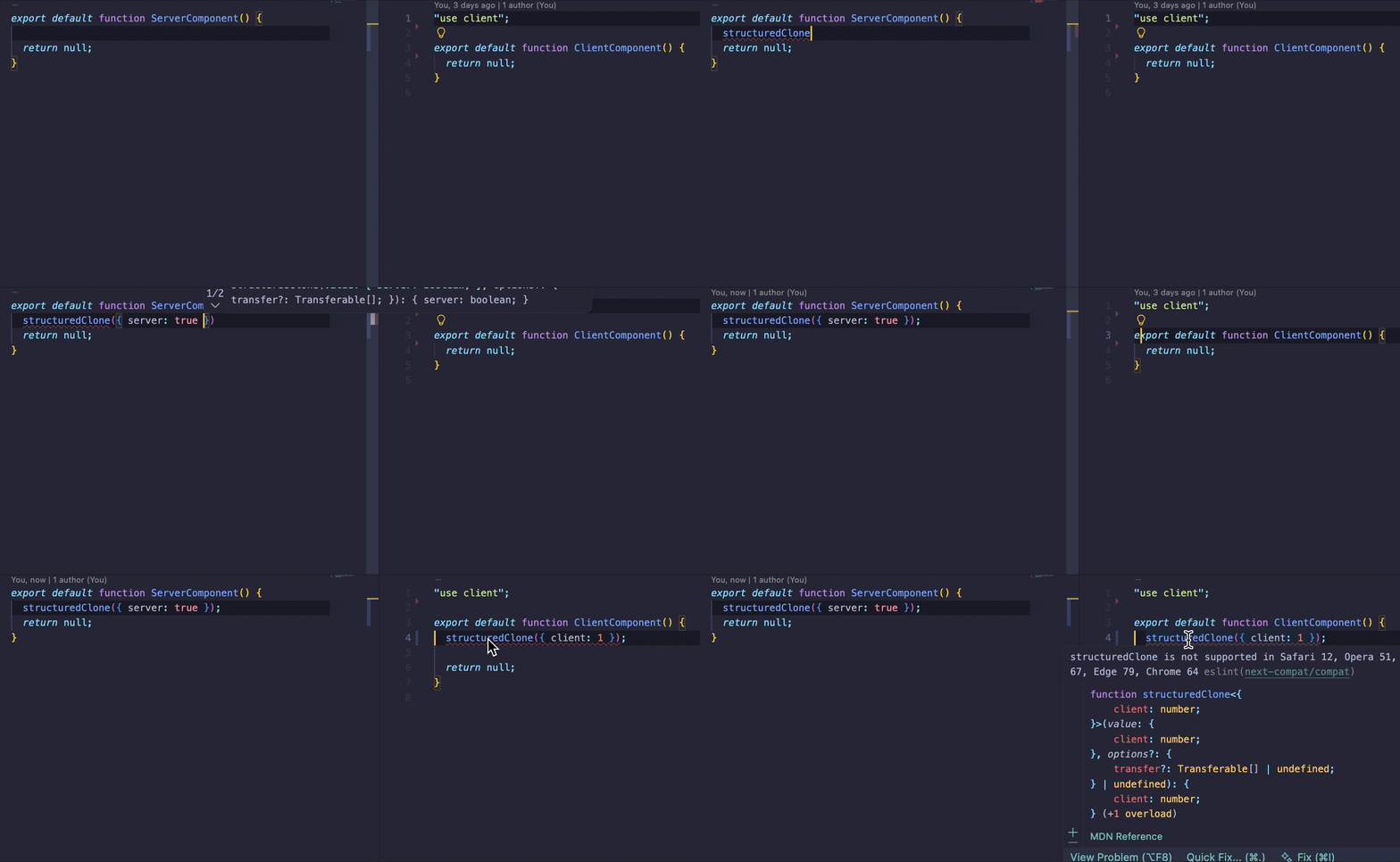
Why Use This?
In Next.js App Router, server and client components coexist. Browser compatibility checks are only needed for client components, but existing tools can't distinguish between them.
This plugin detects client components and tracks all their dependencies, ensuring complete coverage of client-side code.
Client Code Detection
Note When tracking dependency files with barrel index patterns, server-side files may also be included in lint checks.
This plugin identifies client code based on the following criteria:
- Scans all
.tsx,.jsxcomponent files insrc/app/**orapp/**directories - Collects dependencies using dependency-tree with
layouts.tsx,page.tsxas entry points - Identifies files with
'use client'directive - Excludes files with
'use server'directive - Excludes
server-onlymodules
Installation
Requirements ESLint 9+ (Flat Config only)
npm install eslint-plugin-next-compat --save-dev
# or
pnpm add -D eslint-plugin-next-compat
Usage
Note Client files are detected when ESLint starts. If you add or remove client components, restart your ESLint server (or IDE) to detect the changes.
Basic
// eslint.config.js
import nextCompat from 'eslint-plugin-next-compat';

export default [
  ...nextCompat.configs.recommended,
];
With Options
// eslint.config.js
import nextCompat from 'eslint-plugin-next-compat';

export default [
  ...nextCompat.configs.recommended({
    include: ['src/hooks/**', 'src/utils/client/**'],
    exclude: ['**/*.test.ts', '**/legacy/**'],
  }),
];
| Option | Type | Description |
|--------|------|-------------|
| include | string[] | Additional glob patterns to check |
| exclude | string[] | Glob patterns to exclude from checking |
Strict Mode
Use error instead of warn.
export default [
  ...nextCompat.configs.strict,
];
Target Browsers
Configure via .browserslistrc or browserslist field in package.json.
If neither .browserslistrc nor the browserslist field in package.json exists, the plugin automatically detects the Next.js version and uses its required browser versions as the baseline.
# .browserslistrc
last 2 versions
not dead
not ie 11
Polyfills
Exclude APIs that are already polyfilled.
// eslint.config.js
export default [
  ...nextCompat.configs.recommended,
  {
    settings: {
      polyfills: ['fetch', 'Promise', 'IntersectionObserver'],
    },
  },
];
Using getClientFiles with eslint-plugin-compat directly
If you prefer to use eslint-plugin-compat directly instead of this plugin, you can use the exported getClientFiles utility to target only client component files.
// eslint.config.js
import compatPlugin from 'eslint-plugin-compat';
import { getClientFiles } from 'eslint-plugin-next-compat';

export default [
  {
    files: getClientFiles(),
    plugins: {
      compat: compatPlugin,
    },
    settings: {
      targets: [
        'chrome 64',
        'edge 79',
        'firefox 67',
        'opera 51',
        'safari 12',
      ],
    },
    rules: {
      'compat/compat': 'warn',
    },
  },
];
getClientFiles() accepts an optional options object:
| Option | Type | Default | Description |
|--------|------|---------|-------------|
| cwd | string | process.cwd() | Project root directory |
| appDir | string | auto-detect | App directory ('app' or 'src/app') |
| tsConfigPath | string | auto-detect | Path to tsconfig.json or jsconfig.json |
License
MIT